
Recent content by Quandary
-
Partitioning Advice - Single SSD
I support partitioning for the many reasons well stated above. The C: should be large enough for the OS, all the installed programs, plus free space of 50-100%. This allow room for additional programs to be install, the inevitable growth of the OS, and working room for OS updates.- Quandary
- Post #11
- Forum: Devices and Drivers
-
Solved garlin's PowerShell scripts for updating Secure Boot CA 2023
Hasleo has three options for building the the Emergency Disk (and winpe.iso): the Windows Recovery Environment from the PC, download of the components from Microsoft, or an offline package (that has been downloaded from Hasleo using a special program). The built winpe.ise is stored in...- Quandary
- Post #2,801
- Forum: AntiVirus, Firewalls and System Security
-
Solved garlin's PowerShell scripts for updating Secure Boot CA 2023
The USB had Ventoy on it before. The Hasleo was used to create the USB and it did a format first. It build the WinPE components from the Widows Recovery environment. It was not updated outside of Hasleo. The script was run after that, so I guess it gets the SVN from the WinRE.- Quandary
- Post #2,780
- Forum: AntiVirus, Firewalls and System Security
-
Solved garlin's PowerShell scripts for updating Secure Boot CA 2023
I am sure this has been covered/explained. The script says BANNED for Windows Boot Manager in the \bin\WADK. What are the impacts and can/should it be updated? Hasleo Folders -------------- Windows Boot Manager [Windows UEFI CA 2023] is BANNED. C:\Program Files\Hasleo\Hasleo Backup...- Quandary
- Post #2,777
- Forum: AntiVirus, Firewalls and System Security
-
Do You Use Secure Boot?
Yes, on 3 laptops, 1 desktop, and 1 WinToGo. I can deal with the occasion boot issue when using Ventoy.- Quandary
- Post #29
- Forum: AntiVirus, Firewalls and System Security
-
Need to find a decent backup, restore and cloning software
As you start to explore Hasleo Backup Suite review this site Articles & Tutorials for all the things that you might want to do.- Quandary
- Post #25
- Forum: Backup and Restore
-
2026-07 Security Update (KB5101650) (26200.8875) causes boot failure
The pause is 35 days. It can then be paused again for another 35 days.- Quandary
- Post #5
- Forum: Installation, Updates and Activation
-
Easeus issues Todo Backup -update
Minor clarification: With the free version of HBS you can only filter a few system folders using any type of backup, not just Partition backup. For any other selected files/folders to be filtered (excluded) the Home or higher paid version is required.- Quandary
- Post #31
- Forum: Backup and Restore
-
Solved antspants - Tips for using Hasleo Backup (Free) for the first time
@CountMike There is no default for this, but this can be done by backup job. From the job setup select Backup Options > Advanced and make the selections If you think this is a critical feature then put it in the Feature Request thread over at HBS.- Quandary
- Post #34
- Forum: Backup and Restore
-
Solved Uninstalled Macrium Reflect Free Edition. What is Macrium Image Guardian?
If the target of your backups was another PC then you will also have to uninstall it on that PC as well.- Quandary
- Post #5
- Forum: Backup and Restore
-
Hasleo Backup Suite
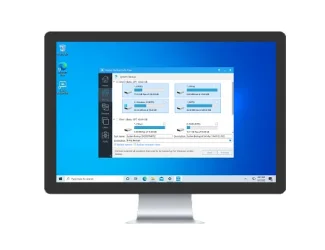
Click Proceed with the Emergency Disk build and then test your boot menu. If it boots fine, then mount your backup, select a file and try to restore it. If you have a network connected storage device check that you have access. All of this will confirm that all the necessary drivers are...- Quandary
- Post #809
- Forum: Backup and Restore
-
Looking for a Replacement for Macrium Reflect Free
@kelper This seems like a circular argument. The free version has a few selected system folder that are safe and can be excluded, like the Recycle bin, but does not allow user defined folder exclusions. Changing user folder to hidden does not exclude them from the backup.- Quandary
- Post #21
- Forum: Backup and Restore
-
Looking for a Replacement for Macrium Reflect Free
Nice theory, but in practice that does not work. This applies to all backup programs. Many OS folders, like \ProgramData and \Users\AppData are hidden, and excluding them from a system backup would be a disaster it they were excluded.- Quandary
- Post #19
- Forum: Backup and Restore
-
Looking for a Replacement for Macrium Reflect Free
What folders were you excluding with MR, and how would you deal with them not being restored if a recovery was performed? Is it possible to move them to another drive. That is what I did with my OneDrive folder that was in \user\OneDrive. Your decisions come down to paying for the Home version...- Quandary
- Post #10
- Forum: Backup and Restore
-

Win Update KB5095093 Windows 11 Cumulative Update Preview build 26100.8737 (24H2) and 26200.8737 (25H2) - June 23
It also seems that copying large files to a USB are faster. The graphical representation shows higher burst with the image showing a more jagged saw blade performance.- Quandary
- Post #109
- Forum: Windows 11 News