Microsoft Linux and Open Source Blog:
Today, we’re excited to bring Azure Linux 4.0 (Beta) to Windows Subsystem for Linux (WSL), extending the same Azure-optimised operating system from the cloud directly to your developer workstation.
What is Azure Linux?
Azure Linux is Microsoft's internal Linux distribution, designed and maintained to support Azure-scale cloud workloads.Today, Azure Linux runs across:
- Azure infrastructure
- Azure Kubernetes Service (AKS)
- Containerized workloads
- Edge scenarios
- Azure-hosted services
Why Bring Azure Linux to WSL?
A Consistent Path from Development to Production
Developers often build in WSL and deploy to Azure. Differences in Linux distributions, packages, dependencies, configurations, and runtime behaviour can create environment drift and late-stage issues.One of the biggest challenges in modern development is environment drift.
Teams often:
- Develop on one Linux distribution
- Test on another
- Deploy to something slightly different in production
- Validate behaviour using production-aligned configurations
- Reproduce issues more reliably
- Reduce time spent debugging cross-environment differences
Azure Linux Across the Development Lifecycle
Azure Linux already powers millions of cores across Azure. WSL now extends it to the start of the software delivery lifecycle, enabling teams to use one Microsoft-supported Linux foundation across development, testing, and production.Developers can use familiar tools such as VS Code and Git locally, then deploy to Azure targets including virtual machines, AKS, and containers.
Not a Desktop OS and That’s Intentional
Azure Linux on WSL is not designed to be a desktop Linux experience, and that’s by design.There’s no focus on GUI environments or replacing Windows on the laptop. Instead, Azure Linux remains what it was built for:
- A server-side operating system
- Optimised for cloud and container workloads
- Designed to run reliably at scale in Azure
Getting Started
Azure Linux on WSL integrates with standard WSL workflows:- Enable WSL on your Windows machine
- Install Azure Linux by following the steps under the GitHub README documentation.
- Launch and start building in a production-aligned environment
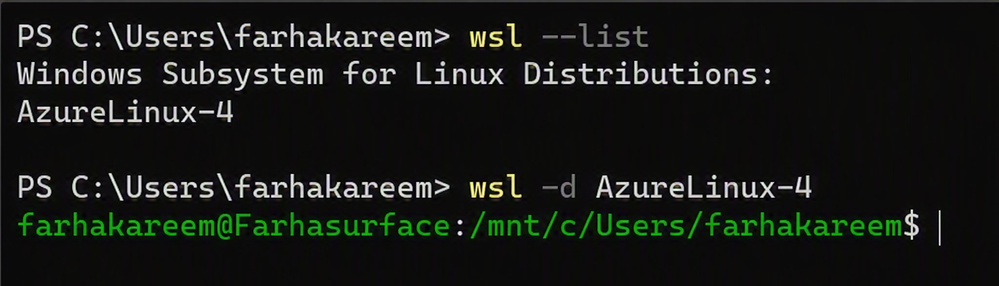
Within minutes, you have a fully functional Azure Linux setup on your local system.
Start Building
Azure Linux on WSL represents another step in making Azure Linux available wherever developers work.By bringing the same Microsoft-supported Linux distribution from Azure infrastructure to developer workstations, teams can build, test, and deploy using a more consistent foundation throughout the development lifecycle.
To learn more about Azure Linux on WSL, see the Overview of Azure Linux on Windows Subsystem for Linux. When you're ready to get hands-on, follow the Azure Linux 4.0 on WSL getting started guide.
Try it out and experience a more consistent path from local development to production.
Source:
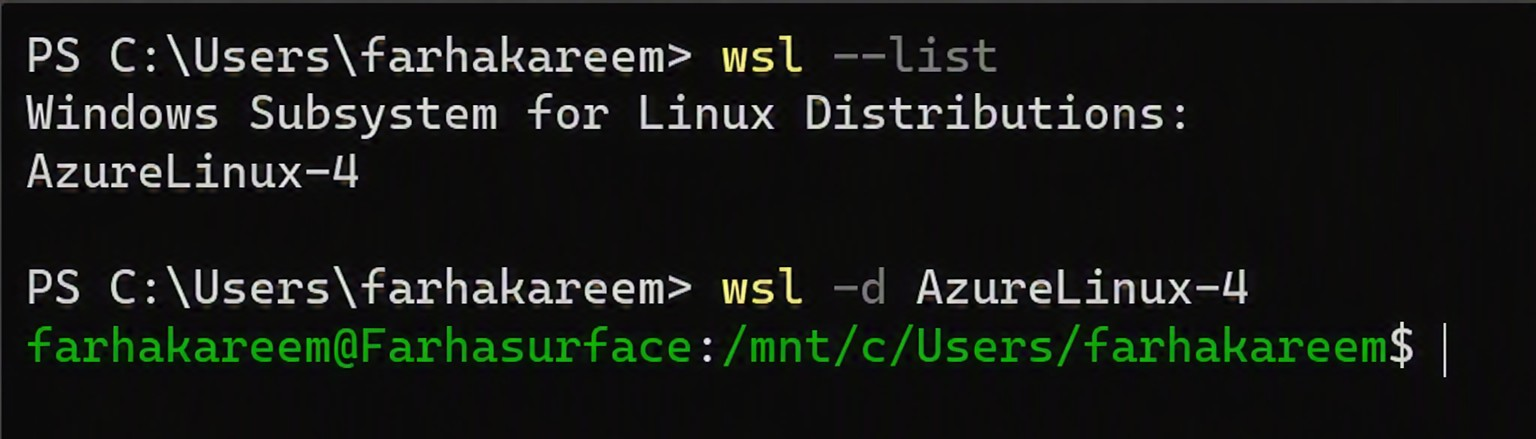
Announcing Azure Linux on WSL - Beta | Microsoft Community Hub
What is Azure Linux? Azure Linux is Microsoft's internal Linux distribution, designed and maintained to support Azure-scale cloud workloads. Today, Azure...
 techcommunity.microsoft.com