Microsoft 365 Copilot Blog:
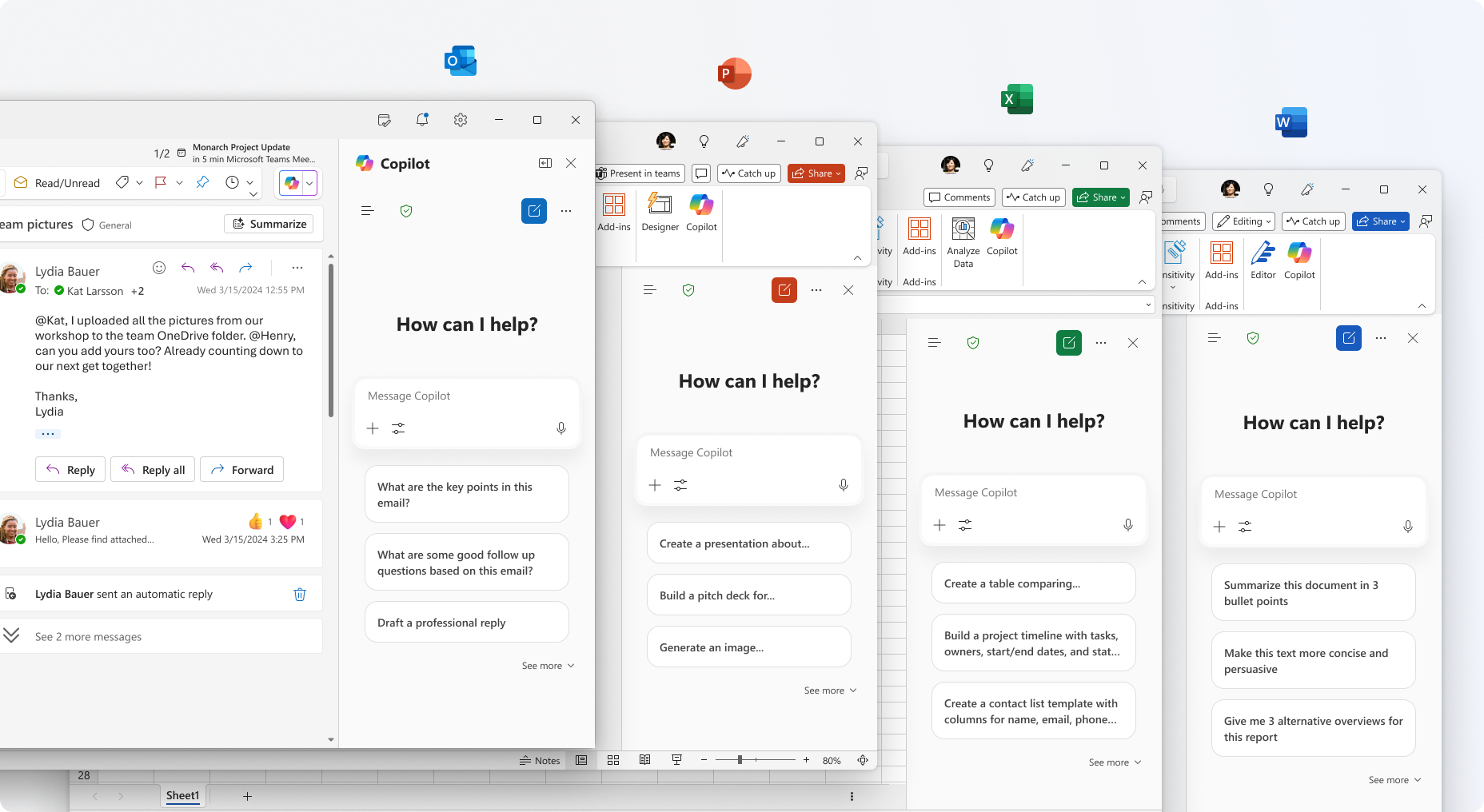
Starting today, Microsoft 365 Copilot Chat and agents are rolling out in Word, Excel, PowerPoint, Outlook, and OneNote for all users—creating a unified chat experience across the apps millions of people use every day at work.
These updates help make Copilot your true personal AI assistant for work: Whether you’re drafting a document, analyzing a spreadsheet, or catching up on email, Copilot is right there, ready to answer questions, create content, spark ideas, and automate tasks. Here’s what’s new.
For every worker
Copilot Chat is secure AI chat grounded in the web—and now, it’s available in the Microsoft 365 apps. It’s content aware, meaning it quickly understands what you’re working on, tailoring answers to the file you have open. And it’s included at no additional cost for Microsoft 365 users.1The moment you need it, you can pull up Copilot Chat in a side pane of your file, and it will be ready to help right where you’re working—which means less copy and pasting, file uploading, and switching apps.
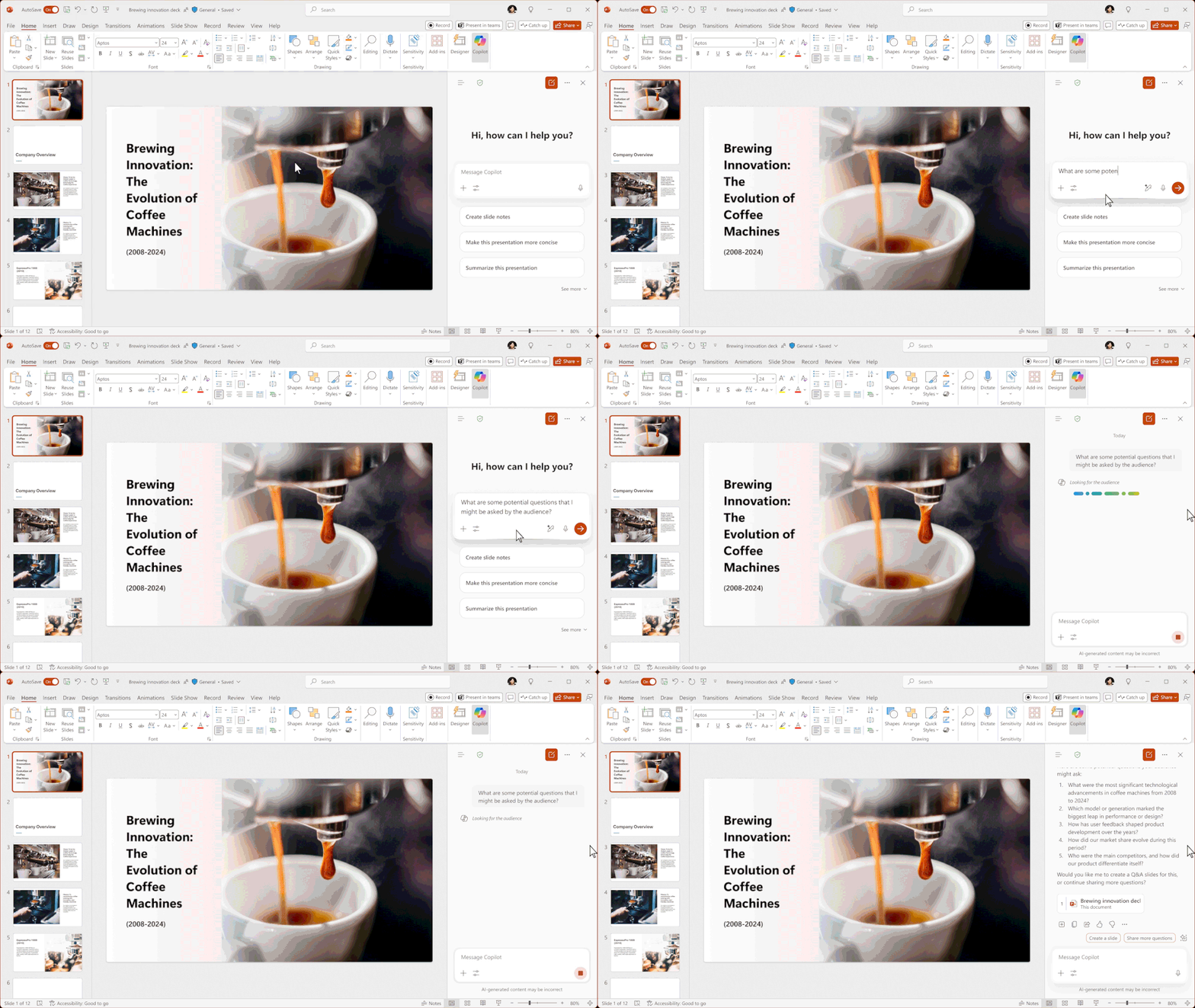
Need to reference another file? No need to upload it to Copilot. You can simply type “/” and search for what you need. Copilot also automatically suggests the most relevant files, like those you’ve most recently used, to make using files in your prompts even easier.
We’re also announcing more chat enhancements: You can now upload multiple images directly in chat, making it easier to share and collaborate visually. We’ve expanded the input box to give you more room to view, edit, and format longer prompts without scrolling through a small window. Plus, you’ll have quick access to features like Pages, image generation, agents, and more. And with the GPT-5 roll out to all users underway, you’ll be working with the latest technology available.
Alongside these features, you’ll continue to benefit from web-grounded answers with the advanced security protections you expect from Microsoft. Copilot Chat in the apps follows existing Microsoft 365 Copilot Chat pinning behaviors, making it simple and consistent for IT to manage. And now, it’s all unified in one consistent, in-app experience in the apps you use every day.
The premium Copilot experience
A Microsoft 365 Copilot license unlocks the most powerful version of Copilot Chat, reasoning over not just the file or email you have open, but all of your work data—drawing from personal and shared documents, emails, meetings, chats, and more. In addition to Chat, Copilot includes AI-Powered Search that spans your work data, project-specific Notebooks, and Create, an AI graphic design studio for branded images, videos, banners, and more. It also includes agents inclusive of advanced reasoning, as well as pre-built Microsoft agents and custom agents built with Copilot Studio.We’re also bringing advanced reasoning into your everyday productivity apps. Licensed Copilot users now have in-app access to Researcher and Analyst agents in Copilot, helping you explore ideas, analyze data, and move work forward faster.
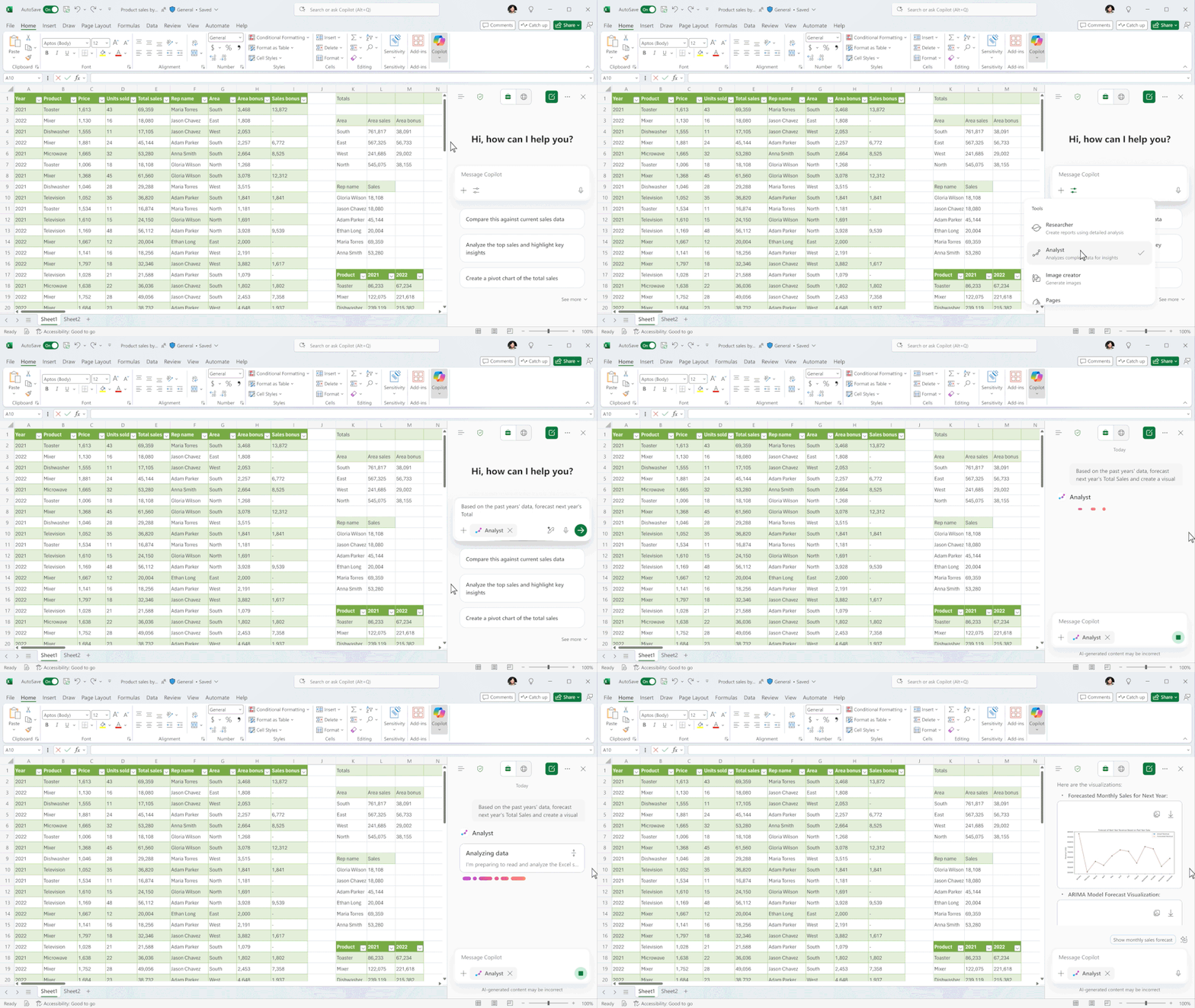
Users with a Microsoft 365 Copilot license get priority access to features like file upload and image generation, along with the latest technology like GPT-5, including faster response times and more consistent availability—even during peak usage periods.
With the introduction of Copilot Chat to the Microsoft 365 apps, the Copilot Control System (CCS) remains the place for IT administrators to find the comprehensive, enterprise-grade tools they need to govern Microsoft 365 Copilot and agents across their organizations. CCS enables IT administrators and security professionals to effectively secure, manage, and analyze the use of Microsoft 365 Copilot, Copilot Chat, Microsoft Copilot Studio, and agents.
With built-in enterprise data protection, organizations get robust compliance capabilities and security controls to govern their data and mitigate risk with tools like SharePoint Advanced Management and Microsoft Purview. Using Copilot Analytics, admins can keep tabs on adoption trends in the Microsoft 365 admin center including usage of Microsoft 365 Copilot Chat; explore how AI transforms their teams’ work in the Copilot Dashboard; and calculate business impact with advanced insights.
Learning from you
Copilot Chat keeps getting better—because of you. Thanks to your feedback, we've made significant investments in the core fundamentals of Copilot, leading to noticeable improvements in quality and user satisfaction:- Answers are 30% longer, with clearer structure, richer visuals, and more citations2
- And we’ve seen an 11% increase in thumbs-up ratings, showing these improvements are driving smarter responses.3
Source:
Copilot Chat comes to the Microsoft 365 apps | Microsoft Community Hub
Microsoft 365 Copilot Chat now rolling out in Word, Excel, PowerPoint, Outlook and OneNote for all users.
 techcommunity.microsoft.com