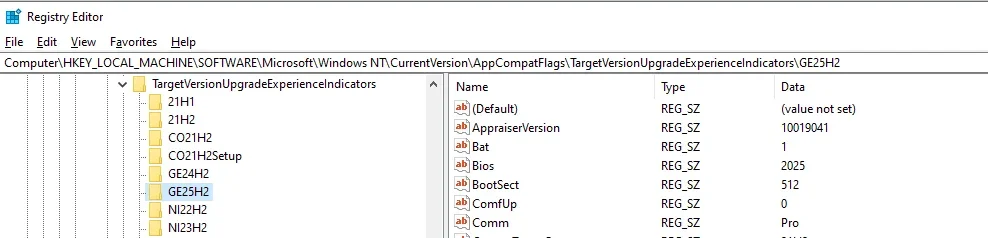
24H2 v26100.6584
I think it happened after yesterdays Patch Tuesday update but not sure.
To avoid inadvertent update to 25H2 until I am ready I have set the TargetReleaseVersionInfo value to 24H2 on both my devices.
I had done this previously using Brinks batch file Specify_target_Feature_Update_version_to_Windows11_24H2.bat.
I updated both devices but this has only happened on my HP desktop (Win 11 Pro) device. The Dell (Win 11 Home) device has not been affected.
Is anyone else seeing this issue?

I think it happened after yesterdays Patch Tuesday update but not sure.
To avoid inadvertent update to 25H2 until I am ready I have set the TargetReleaseVersionInfo value to 24H2 on both my devices.
I had done this previously using Brinks batch file Specify_target_Feature_Update_version_to_Windows11_24H2.bat.
I updated both devices but this has only happened on my HP desktop (Win 11 Pro) device. The Dell (Win 11 Home) device has not been affected.
Is anyone else seeing this issue?
My Computers
System One System Two
-
- OS
- Windows 11 Pro
- Computer type
- PC/Desktop
- Manufacturer/Model
- GMKtec K11
- CPU
- AMD Ryzen 9 8945HS
- Memory
- 32GB DDR5 SO-DIMM
- Graphics Card(s)
- Integrated AMD Radeon 780M (4.00 GHz)
- Monitor(s) Displays
- Benq 2250HM
- Screen Resolution
- 1920 x 1080
- Hard Drives
- 1 TB PCIe 4.0 NVMe M.2 SSD
-
- Operating System
- Windows 11 Home
- Computer type
- Laptop
- Manufacturer/Model
- ASUS Zenbook 14 OLED 14" Laptop - UX3405CA-QL192W
- CPU
- Intel® Core™ Ultra 7 - 255H processor
- Memory
- 16 GB LPDDR5 SDRAM
- Graphics card(s)
- Intel Arc 140T onboard graphics
- Screen Resolution
- 1920 x 1200 (16:10 WUXGA resolution) OLED Touchscreen
- Hard Drives
- 1TB SSD