

mclaudio
Well-known member
- Local time
- 3:40 PM
- Posts
- 40
- OS
- Windows 11
hello
here my sitution...
i have one computer that its well configured with my main company acount. i installed it my self without any problem and all works ok
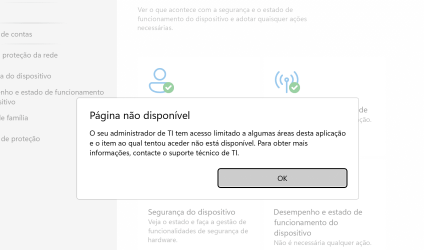
now on a second compter i formated and made the same procedure, altough dispite i am admin i cannot enter defender settings...give me message saying my IT restricted
can someone please help me maybe teamvieewer?
i can put windows in english
here my sitution...
i have one computer that its well configured with my main company acount. i installed it my self without any problem and all works ok
now on a second compter i formated and made the same procedure, altough dispite i am admin i cannot enter defender settings...give me message saying my IT restricted
can someone please help me maybe teamvieewer?
i can put windows in english
My Computer
At a glance
Windows 11
- OS
- Windows 11






