UPDATE 10/04:
 www.elevenforum.com
Hello Windows Insiders, today we are releasing Windows 11 Insider Preview Build 26120.1912 (KB5043168) to the Dev Channel.
Changes in Dev Channel builds and updates are documented in two buckets: new features, improvements, and fixes that are being gradually rolled out for Insiders who have turned on the toggle to get the latest updates as they are available (via Settings > Windows Update)* and then new features, improvements, and fixes rolling out to everyone in the Dev Channel. For more information, see the Reminders section at the bottom of this blog post.
 www.elevenforum.com
Amanda & Brandon

 blogs.windows.com
Check Windows Updates
UUP Dump:
64-bit ISO download:

ARM64 ISO download:
 www.elevenforum.com
KB5044388 Windows 11 Insider Dev build 26120.1930 (24H2) - Oct. 4
UPDATE 10/11: https://www.elevenforum.com/t/kb5044374-windows-11-insider-dev-build-26120-2122-24h2-oct-11.29418/ Windows Blogs: Hello Windows Insiders, today we are releasing Windows 11 Insider Preview Build 26120.1930 (KB5044388) to the Dev Channel. Changes in Dev Channel builds and updates...
www.elevenforum.com
Windows Blogs:
Hello Windows Insiders, today we are releasing Windows 11 Insider Preview Build 26120.1912 (KB5043168) to the Dev Channel.
Changes in Dev Channel builds and updates are documented in two buckets: new features, improvements, and fixes that are being gradually rolled out for Insiders who have turned on the toggle to get the latest updates as they are available (via Settings > Windows Update)* and then new features, improvements, and fixes rolling out to everyone in the Dev Channel. For more information, see the Reminders section at the bottom of this blog post.
Enable or Disable Get Latest Updates as soon as available in Windows 11
This tutorial will show you how to turn on or off "Get the latest updates as soon as they are available" in Windows 11. Starting with Windows 11 build 22621.1635, Microsoft added a new "Get the latest updates as soon as they are available" toggle under Settings > Windows Update. When you turn...
www.elevenforum.com
Changes and Improvements gradually being rolled out to the Dev Channel with toggle on*
[General]
- This update includes a small set of general improvements and fixes that improve the overall experience for Insiders running this build on their PCs.
[Mobile Hotspot]
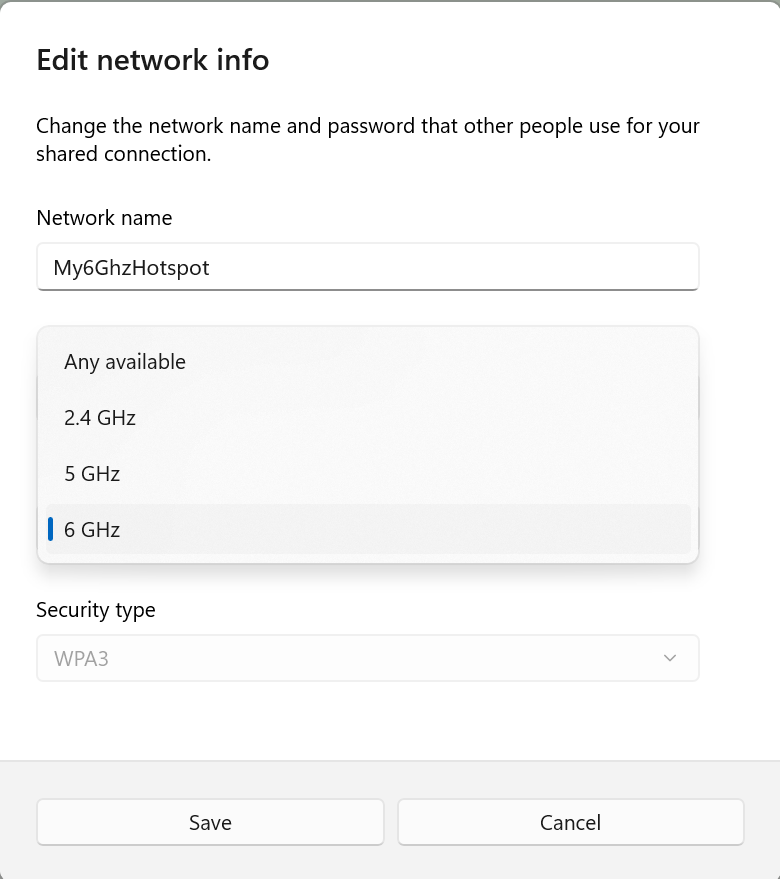
- The Windows Mobile Hotspot has been enhanced to support 6 GHz connections. The new band requires chips that support the feature and updated drivers; not all chips that support 6 GHz Wi-Fi in general will support the 6 GHz mobile hotspot. The change will be visible under Settings > Network & internet > Mobile hotspot when you edit the mobile hotspot properties. For compatibility with existing devices, the mobile hotspot will only use 6 GHz when explicitly enabled.

Turn On or Off Mobile Hotspot in Windows 11
This tutorial will show you how to setup and turn on or off mobile hotspot to share the Internet connection from your Windows 11 PC with other devices. You can turn your Windows PC into a mobile hotspot by sharing your Internet connection with other devices over Wi-Fi. You can share a Wi-Fi...
www.elevenforum.com
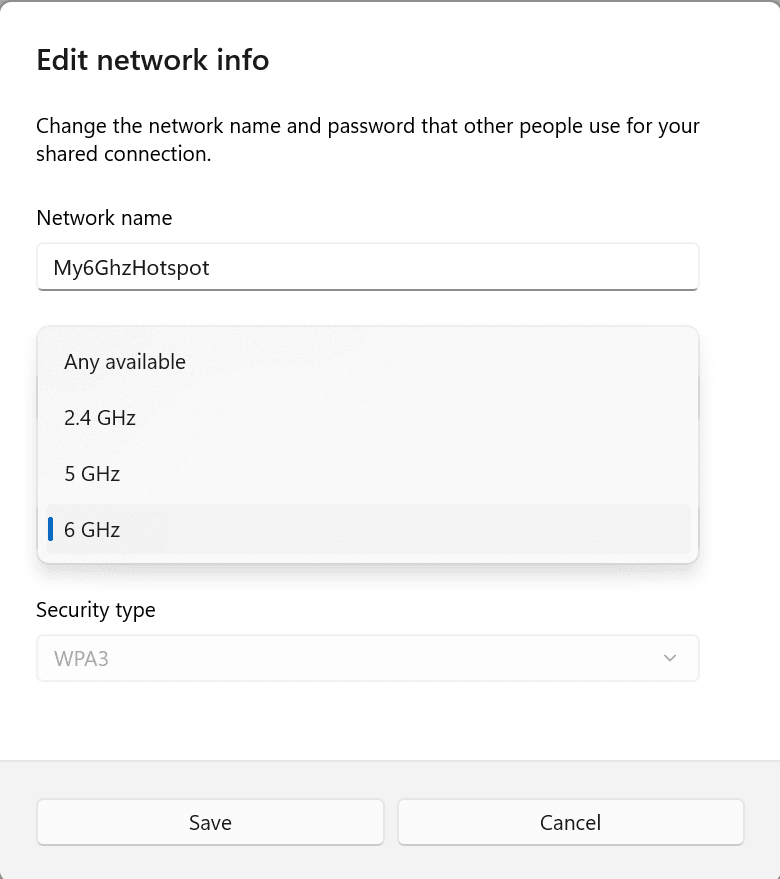
6 GHz showing under mobile hotspot properties in Settings on PCs that have the right hardware and drivers.
[Other]
This update includes fixes for the following issues:- [Open Source Software] This update adds attributions to txt files for Rust OSS components.
- [Task Manager]
- Its Settings page might have a white background when it should not.
- It stops responding when you switch from a high contrast theme to a normal theme.
- [Input Method Editor (IME)] When a combo box has input focus, a memory leak might occur when you close that window.
- [WebView2 apps] They do not detect input from Xbox 360 and Bluetooth controllers.
Known issues
[Start menu]
- If you click or tap on a letter on Start menu’s All apps list, the All apps list may break. If you encounter this issue, please try rebooting or restarting explorer.exe to fix it.
Reminders for Windows Insiders in the Dev Channel
- Windows Insiders in the Dev Channel receive updates based on Windows 11, version 24H2 via an enablement package (Build 26120.xxxx).
- Updates delivered to the Dev Channe are in a format that offers a preview of enhancements to servicing technology on Windows 11, version 24H2. To learn more, see Introducing Windows 11 checkpoint cumulative updates.
- Many features in the Dev Channel are rolled out using Control Feature Rollout technology, starting with a subset of Insiders and ramping up over time as we monitor feedback to see how they land before pushing them out to everyone in this channel.
- For Windows Insiders in the Dev Channel who want to be the first to get features gradually rolled out to you, you can turn ON the toggle to get the latest updates as they are available via Settings > Windows Update*. Over time, we will increase the rollouts of features to everyone with the toggle turned on. Should you keep this toggle off, new features will gradually be rolled out to your device over time once they are ready.
- Features and experiences included in these builds may never get released as we try out different concepts and get feedback. Features may change over time, be removed, or replaced and never get released beyond Windows Insiders. Some of these features and experiences could show up in future Windows releases when they’re ready.
- Some features in active development we preview with Windows Insiders may not be fully localized and localization will happen over time as features are finalized. As you see issues with localization in your language, please report those issues to us via Feedback Hub.
- Because the Dev and Beta Channels represent parallel development paths from our engineers, there may be cases where features and experiences show up in the Beta Channel first.
- Check out Flight Hub for a complete look at what build is in which Insider channel.
Amanda & Brandon
Source:
Announcing Windows 11 Insider Preview Build 26120.1912 (Dev Channel)
Hello Windows Insiders, today we are releasing Windows 11 Insider Preview Build 26120.1912 (KB5043168) to the Dev Channel. Changes in Dev Channel builds and updates are documented in two buckets: new features, impro
blogs.windows.com
Check Windows Updates
UUP Dump:
64-bit ISO download:
Select language for Windows 11 Insider Preview 10.0.26120.1912 (ge_release_svc_betaflt_upr) amd64
Select language for Windows 11 Insider Preview 10.0.26120.1912 (ge_release_svc_betaflt_upr) amd64 on UUP dump. UUP dump lets you download Unified Update Platform files, like Windows Insider updates, directly from Windows Update.
uupdump.net
ARM64 ISO download:
Select language for Windows 11 Insider Preview 10.0.26120.1912 (ge_release_svc_betaflt_upr) arm64
Select language for Windows 11 Insider Preview 10.0.26120.1912 (ge_release_svc_betaflt_upr) arm64 on UUP dump. UUP dump lets you download Unified Update Platform files, like Windows Insider updates, directly from Windows Update.
uupdump.net
UUP Dump - Download Windows Insider ISO
UUP Dump is the most practical and easy way to get ISO images of any Insider Windows 10 or Windows 11 version, as soon as Microsoft has released a new build. UUP Dump creates a download configuration file according to your choices, downloads necessary files directly from Microsoft servers, and...
www.elevenforum.com
Last edited: