Win Update KB5077179 Windows 11 Cumulative Update build 28000.1575 (26H1) - Feb. 10


UPDATE 2/24:


 Microsoft Support:

February 10, 2026 - KB5077179 (OS Build 28000.1575)​

This cumulative update for Windows 11, version 26H1 (KB5077179), includes the latest security fixes and improvements, along with non-security updates from last month’s optional preview release. To learn more about differences between security updates, optional non-security preview updates, out-of-band (OOB) updates, and continuous innovation, see Windows monthly updates explained. For information on Windows update terminology, see the different types of Windows software updates.

To view the latest updates about this release, visit the Windows release health dashboard or the update history page for Windows 11, version 26H1.

Announcements and messages

This section provides key notifications related to this release, including announcements, change logs, and end-of-support notices.

Change log​

Change dateChange description
February 10, 2026This update does not include any changes.

Improvements

This security update contains fixes and quality improvements. Also, included are available new features. The bold text within the brackets indicates the item or area of the change.
  • [Graphics] Fixed: This update addresses an issue where certain GPU configurations might recently have experienced a system error related to dxgmms2.sys, resulting in the KERNEL_SECURITY_CHECK_FAILURE error.
  • [.NET Framework 3.5] Starting with Windows 11 version 26H1, .NET Framework 3.5 is no longer a Windows Feature on Demand optional component. You must install .NET Framework 3.5 by using the standalone installer. For more information, see Install .NET Framework 3.5 on Windows 11 - .NET Framework.
  • [Networking] Fixed: This update addresses an issue that prevented some devices from connecting to certain WPA3‑Personal Wi‑Fi networks.
  • [OS Reliability]
    • Fixed: This update addresses an issue where BitLocker Hardware Lab Kit (HLK) tests in the Windows Hardware Compatibility Program (WHCP) playlist were missing. The tests now appear as expected.
    • Fixed: This update addresses an issue that could cause TrustedInstaller to stop responding and prevent Windows from starting.
If you've already installed previous updates, your device will download and install only the new updates included in this package.

For more information about security vulnerabilities, see the Security Update Guide and the February 2026 Security Updates.

AI Components

This release updates the following AI components:

AI ComponentVersion
Image Search1.2511.1224.0
Content Extraction1.2511.1224.0
Semantic Analysis1.2511.1224.0
Settings Model1.2511.1224.0

Windows 11 servicing stack update (KB5077868)- 28000.1575

This update makes quality improvements to the servicing stack, which is the component that installs Windows updates. Servicing stack updates (SSU) ensure that you have a robust and reliable servicing stack so that your devices can receive and install Microsoft updates. To learn more about SSUs, see Simplifying on-premises deployment of servicing stack updates.

Known issues in this update

Microsoft is not currently aware of any issues with this update.

How to get this update

Before you install this update

Microsoft combines the latest servicing stack update (SSU) for your operating system with the latest cumulative update (LCU). For general information about SSUs, see Servicing stack updates and Servicing Stack Updates (SSU): Frequently Asked Questions.

Install this update

To install this update, use one of the following Windows and Microsoft release channels.

AvailableNext Step
Included
This update downloads and installs automatically from Windows Update and Microsoft Update.
Yes 1Before you install this update

To get the standalone package(s) for this update, go to the Microsoft Update Catalog website. This KB contains one or more MSU files that require installation in a specific order.

Install this update

Method 1: Install all MSU files together


Download all MSU files for KB5077179 from Microsoft Update Catalog and place them in the same folder (for example, C:/Packages). Use Deployment Image Servicing and Management (DISM.exe) to install the target update. DISM will use the folder specified in PackagePath to discover and install one or more prerequisite MSU files as needed.

Updating Windows PC

To apply this update to a running Windows PC, run the following command from an elevated Command Prompt:

DISM /Online /Add-Package /PackagePath:c:\packages\Windows11.0-KB5077179-x64.msu

Or, run the following command from an elevated Windows PowerShell prompt:

Add-WindowsPackage -Online -PackagePath "c:\packages\Windows11.0-KB5077179-x64.msu"

Or use Windows Update Standalone Installer to install the target update.

Updating Windows Installation media

To apply this update to Windows Installation media, see Update Windows installation media with Dynamic Update.

Note: When downloading other Dynamic Update packages, ensure they match the same month as this KB. If the SafeOS Dynamic Update or Setup Dynamic Update is not available for the same month as this KB, use the most recently published version of each.

To add this update to a mounted image, run the following command from an elevated Command Prompt:

DISM /Image:mountdir /Add-Package /PackagePath:Windows11.0-KB5077179-x64.msu

Or, run the following command from an elevated Windows PowerShell prompt:

Add-WindowsPackage -Path "c:\offline" -PackagePath "Windows11.0-KB5077179-x64.msu" -PreventPending

Method 2: Install each MSU file individually, in order

Download and install each MSU file individually either using DISM or Windows Update Standalone Installer in the following order:
  1. windows11.0-kb5043080-x64_953449672073f8fb99badb4cc6d5d7849b9c83e8.msu
  2. windows11.0-kb5077179-x64_199ed7806a74fe78e3b0ef4f2073760000f71972.msu
1 This latest cumulative update includes updates for AI components. Even though the AI component updates are included in the update, the AI components are only applicable to Windows Copilot+ PCs and will not install on Windows PC or Windows Server.

If you want to remove the LCU

To remove the LCU after installing the combined SSU and LCU package, use the DISM/Remove-Package command line option with the LCU package name as the argument. You can find the package name by using this command: DISM /online /get-packages.

Running Windows Update Standalone Installer (wusa.exe) with the /uninstall switch on the combined package will not work because the combined package contains the SSU. You cannot remove the SSU from the system after installation.

File information

For a list of the files provided in this update, download the file information for cumulative update 5077179.

For a list of the files provided in the servicing stack update, download the file information for the SSU (KB5077868) - version 28000.1575


 Source:


Check Windows Updates


UUP Dump:

64-bit ISO download:

ARM64 ISO download:

 
Last edited:
I was surprised to find this as an update from 28000.1450. I'm not an Insider.
 

My Computer

System One

  • OS
    Windows 11
 

My Computers

System One System Two

  • OS
    Windows 11 Pro for Workstations
    Computer type
    PC/Desktop
    Manufacturer/Model
    Custom self build
    CPU
    Intel i7-8700K 5 GHz
    Motherboard
    ASUS ROG Maximus XI Formula Z390
    Memory
    64 GB (4x16GB) G.SKILL TridentZ RGB DDR4 3600 MHz (F4-3600C18D-32GTZR)
    Graphics Card(s)
    ASUS ROG-STRIX-GTX1080TI-O11G-GAMING (11GB GDDR5X)
    Sound Card
    Integrated Digital Audio (S/PDIF)
    Monitor(s) Displays
    2 x Samsung Odyssey G75 27"
    Screen Resolution
    2560x1440
    Hard Drives
    1TB Samsung 990 PRO M.2,
    4TB Samsung 990 PRO M.2,
    TerraMaster F8 SSD Plus NAS
    PSU
    Seasonic Prime Titanium 850W
    Case
    Thermaltake Core P3 wall mounted
    Cooling
    Corsair Hydro H115i
    Keyboard
    Amazon Basics Wired Full Keyboard MD005
    Mouse
    Logitech MX Master 4
    Internet Speed
    2 Gbps Download and 100 Mbps Upload
    Browser
    Chrome and Edge
    Antivirus
    Microsoft Defender
    Other Info
    Logitech Z625 speaker system,
    Logitech BRIO 4K Pro webcam,
    HP Color LaserJet Pro MFP M477fdn,
    CyberPower CP1500PFCLCD
    Galaxy S23 Plus phone
  • Operating System
    Windows 11 Pro
    Computer type
    Laptop
    Manufacturer/Model
    Surface Laptop 7 Copilot+ PC
    CPU
    Snapdragon X Elite (12 core) 3.42 GHz
    Memory
    16 GB LPDDR5x-7467 MHz
    Monitor(s) Displays
    15" HDR
    Screen Resolution
    2496 x 1664
    Hard Drives
    1 TB SSD
    Internet Speed
    Wi-Fi 7 and Bluetooth 5.4
    Browser
    Chrome and Edge
    Antivirus
    Microsoft Defender
And now there's a 26H1? Microsoft fix 25H2 first!
 

My Computer

System One

  • OS
    Windows 11 Pro 23H2
    Computer type
    PC/Desktop
    Manufacturer/Model
    MinisForum
    CPU
    Intel(R) Core(TM) i9-12900HK
    Memory
    32gb
    Graphics Card(s)
    Intel(R) Iris(R) Xe Graphics
    Sound Card
    Realtek 888
    Monitor(s) Displays
    Acer
    Screen Resolution
    1920x1080
    Hard Drives
    1TB SSD
    Keyboard
    Logitech
    Mouse
    Logitech MX Master 2X
    Internet Speed
    1GB
    Browser
    Firefox
    Antivirus
    Windows Defender
And now there's a 26H1? Microsoft fix 25H2 first!
it for co pilot plus pc's not normal X64 pc's

Windows continually works in partnership with our OEMs and IHVs to support new device innovations. Windows 11, version 26H1 is a targeted release that supports some of the new device innovations coming in 2026. That means that this release is not being made available through broad channels but is only intended for those who purchase these new devices. At this time, devices with Qualcomm Snapdragon® X2 Series processors will come with Windows 11, version 26H1.

Organizations should continue to purchase, deploy, and manage devices running broadly released versions of Windows 11 (e.g. versions 24H2 and 25H2) with confidence.

Windows 11, version 26H1 is not a feature update for version 25H2. There is no need to pause device purchases or OS deployments, and no changes required to existing enterprise rollout plans. Windows will continue to have annual feature updates in the second half of the calendar year.


My Computer

System One

  • OS
    Windows 11 Pro 25H2
    Computer type
    PC/Desktop
    CPU
    i7 10700K
    Motherboard
    MSI Z590 Gaming Carbon Wifi
    Memory
    ddr4 16gb
    Graphics Card(s)
    nvidia 1080 8GB
    Screen Resolution
    1920x1080p
it for co pilot plus pc's not normal X64 pc's

Windows continually works in partnership with our OEMs and IHVs to support new device innovations. Windows 11, version 26H1 is a targeted release that supports some of the new device innovations coming in 2026. That means that this release is not being made available through broad channels but is only intended for those who purchase these new devices. At this time, devices with Qualcomm Snapdragon® X2 Series processors will come with Windows 11, version 26H1.

Organizations should continue to purchase, deploy, and manage devices running broadly released versions of Windows 11 (e.g. versions 24H2 and 25H2) with confidence.

Windows 11, version 26H1 is not a feature update for version 25H2. There is no need to pause device purchases or OS deployments, and no changes required to existing enterprise rollout plans. Windows will continue to have annual feature updates in the second half of the calendar year.

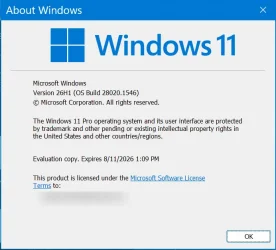
Just FWIW, 26H1 is also the current Insider Canary build.

2026-02-11_10h43_47.webp
 

My Computer

System One

  • OS
    Multi-boot Windows 11 & 10 - RTM, RP, Beta, Dev and Canary
    Computer type
    PC/Desktop
    Manufacturer/Model
    Alienware R12
    CPU
    11th Gen i9-11900KF @ 3.50GHz, 8 cores/16 logical proc.
    Motherboard
    Alienware 07HV66 (U3E1)
    Memory
    32GB
    Graphics Card(s)
    NVIDIA GeForce RTX 3080 w/10GB GDDR5X mem
    Sound Card
    Realtek High Definition Audio
    Monitor(s) Displays
    Samsung 27" Curved C27F591
    Screen Resolution
    1920 x 1080 x 60 hertz
    Hard Drives
    1TB NVMe PM961 NVMe SSD SAMSUNG (Boot),
    2TB Seagate ST2000DM001-1ER164 (SATA),
    1TB Samsung SSD 850 EVO,
    1TB Seagate ST1000DM003-1ER162,
    1TB WD Elements 10A8 USB Device,
    1TB BUFFALO HD-PNTU3 USB Device,
    1TB x4 Seagate BUP Slim SCSI Disk Device
    PSU
    850W PSU Liquid Cooled Chassis - CyberPower 1500 UPS
    Case
    Alienware Mid-Tower (Dell)
    Cooling
    Liquid Cooled - 3 fan - Top exhaust
    Keyboard
    Logitech K800 Wireless
    Mouse
    Logitech MX Master Wireless
    Internet Speed
    1 Gigabit
    Browser
    FF, Chrome, Opera, Edge
    Antivirus
    Defender, MBAM, SuperAntiSpyware
    Other Info
    Blueray R/W Optical,
    Canon MX410 series Printer/Fax/Scanner/Copier,
    Altec 5.1 Speakers L-R, Mid Base Boom,

    Macrium Home Premium, Revo Pro, Screenspresso Pro
Download by UUP.
Installed on laptop.
Pause normal update to stay in Canary without watermark.
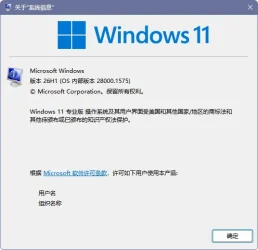
10.0.28000.1575.webp
 

My Computer

System One

  • OS
    Windows 11 Pro
    Computer type
    Laptop
    Manufacturer/Model
    Thinkpad T14 Gen 1
    CPU
    Intel Core i5-10210U 1.60GHz
    Memory
    16.0 GB
    Graphics Card(s)
    NVIDIA GeForce MX330
    Screen Resolution
    1920×1080
KB5077239 Windows 11 26H1 build 28000.1635 manual update available. Not available via Windows Update. No details from Microsoft.

UPDATE: Insider Release Preview Channel via Windows Update.

UUP Dump:

64-bit ISO download:

ARM64 ISO download:

 
Last edited:

My Computers

System One System Two

  • OS
    Windows 11 Pro for Workstations
    Computer type
    PC/Desktop
    Manufacturer/Model
    Custom self build
    CPU
    Intel i7-8700K 5 GHz
    Motherboard
    ASUS ROG Maximus XI Formula Z390
    Memory
    64 GB (4x16GB) G.SKILL TridentZ RGB DDR4 3600 MHz (F4-3600C18D-32GTZR)
    Graphics Card(s)
    ASUS ROG-STRIX-GTX1080TI-O11G-GAMING (11GB GDDR5X)
    Sound Card
    Integrated Digital Audio (S/PDIF)
    Monitor(s) Displays
    2 x Samsung Odyssey G75 27"
    Screen Resolution
    2560x1440
    Hard Drives
    1TB Samsung 990 PRO M.2,
    4TB Samsung 990 PRO M.2,
    TerraMaster F8 SSD Plus NAS
    PSU
    Seasonic Prime Titanium 850W
    Case
    Thermaltake Core P3 wall mounted
    Cooling
    Corsair Hydro H115i
    Keyboard
    Amazon Basics Wired Full Keyboard MD005
    Mouse
    Logitech MX Master 4
    Internet Speed
    2 Gbps Download and 100 Mbps Upload
    Browser
    Chrome and Edge
    Antivirus
    Microsoft Defender
    Other Info
    Logitech Z625 speaker system,
    Logitech BRIO 4K Pro webcam,
    HP Color LaserJet Pro MFP M477fdn,
    CyberPower CP1500PFCLCD
    Galaxy S23 Plus phone
  • Operating System
    Windows 11 Pro
    Computer type
    Laptop
    Manufacturer/Model
    Surface Laptop 7 Copilot+ PC
    CPU
    Snapdragon X Elite (12 core) 3.42 GHz
    Memory
    16 GB LPDDR5x-7467 MHz
    Monitor(s) Displays
    15" HDR
    Screen Resolution
    2496 x 1664
    Hard Drives
    1 TB SSD
    Internet Speed
    Wi-Fi 7 and Bluetooth 5.4
    Browser
    Chrome and Edge
    Antivirus
    Microsoft Defender

My Computer

System One

  • OS
    Windows 11 Iot Enterprise 21h2 22000.3260
    Computer type
    PC/Desktop
    Manufacturer/Model
    Asus
    CPU
    xeon E5-2697v2
    Motherboard
    rampage iv extreme
    Memory
    32gb 8x4gb ddr3 1333 mhz
    Graphics Card(s)
    gtx 570 poit of view
    Sound Card
    realtek HD (ALC898)
    Monitor(s) Displays
    samsung b2030
    Screen Resolution
    1600x900
    Hard Drives
    2tb hd 5400 rpm
    3tb hd 5400 rpm
    1tb nvme pcie 3.0
    PSU
    hx850w
    Keyboard
    mtek
    Internet Speed
    500/250 gpon
    Browser
    r3dfox 146.0
    Antivirus
    none
Hello,

I've had a problem for a few weeks now. I thought the issue would be resolved with the new version 28000.1575, but unfortunately, that's not the case. When I restart my PC, the screen is stuck on the Windows logo and remains frozen. I'm forced to reinstall everything using the backup I made with AOMEI Backupper. Does anyone have a solution to this problem? Thank you for your replies.
 

My Computer

System One

  • OS
    windows 11
    Computer type
    PC/Desktop
    Manufacturer/Model
    assembly model
    CPU
    intel i7 12700
    Motherboard
    gigabit z790 aorus elite ax
    Memory
    2 x 16 Gb ddr5
    Graphics Card(s)
    asus nvidia geforce card RTX 4070
    Sound Card
    include in the mother
    Monitor(s) Displays
    Viewsonic
    Screen Resolution
    4k
    Hard Drives
    SSD 512 Go + 3 DD 1To 7200/mn
    Internet Speed
    fiber , 8Gbit/s
    Browser
    Opera
    Antivirus
    none
Hello,

I've had a problem for a few weeks now. I thought the issue would be resolved with the new version 28000.1575, but unfortunately, that's not the case. When I restart my PC, the screen is stuck on the Windows logo and remains frozen. I'm forced to reinstall everything using the backup I made with AOMEI Backupper. Does anyone have a solution to this problem? Thank you for your replies.
That crazy bug in 25h2 wasn't there?
 

My Computer

System One

  • OS
    Windows 11 Iot Enterprise 21h2 22000.3260
    Computer type
    PC/Desktop
    Manufacturer/Model
    Asus
    CPU
    xeon E5-2697v2
    Motherboard
    rampage iv extreme
    Memory
    32gb 8x4gb ddr3 1333 mhz
    Graphics Card(s)
    gtx 570 poit of view
    Sound Card
    realtek HD (ALC898)
    Monitor(s) Displays
    samsung b2030
    Screen Resolution
    1600x900
    Hard Drives
    2tb hd 5400 rpm
    3tb hd 5400 rpm
    1tb nvme pcie 3.0
    PSU
    hx850w
    Keyboard
    mtek
    Internet Speed
    500/250 gpon
    Browser
    r3dfox 146.0
    Antivirus
    none
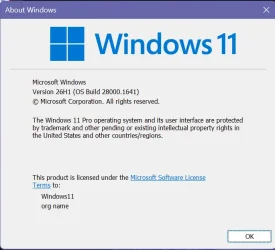
Insider Release Preview Channel KB5077239 Windows 11 26H1 build 28000.1641. No details from Microsoft.

UUP Dump:

64-bit ISO download:

ARM64 ISO download:


My Computers

System One System Two

  • OS
    Windows 11 Pro for Workstations
    Computer type
    PC/Desktop
    Manufacturer/Model
    Custom self build
    CPU
    Intel i7-8700K 5 GHz
    Motherboard
    ASUS ROG Maximus XI Formula Z390
    Memory
    64 GB (4x16GB) G.SKILL TridentZ RGB DDR4 3600 MHz (F4-3600C18D-32GTZR)
    Graphics Card(s)
    ASUS ROG-STRIX-GTX1080TI-O11G-GAMING (11GB GDDR5X)
    Sound Card
    Integrated Digital Audio (S/PDIF)
    Monitor(s) Displays
    2 x Samsung Odyssey G75 27"
    Screen Resolution
    2560x1440
    Hard Drives
    1TB Samsung 990 PRO M.2,
    4TB Samsung 990 PRO M.2,
    TerraMaster F8 SSD Plus NAS
    PSU
    Seasonic Prime Titanium 850W
    Case
    Thermaltake Core P3 wall mounted
    Cooling
    Corsair Hydro H115i
    Keyboard
    Amazon Basics Wired Full Keyboard MD005
    Mouse
    Logitech MX Master 4
    Internet Speed
    2 Gbps Download and 100 Mbps Upload
    Browser
    Chrome and Edge
    Antivirus
    Microsoft Defender
    Other Info
    Logitech Z625 speaker system,
    Logitech BRIO 4K Pro webcam,
    HP Color LaserJet Pro MFP M477fdn,
    CyberPower CP1500PFCLCD
    Galaxy S23 Plus phone
  • Operating System
    Windows 11 Pro
    Computer type
    Laptop
    Manufacturer/Model
    Surface Laptop 7 Copilot+ PC
    CPU
    Snapdragon X Elite (12 core) 3.42 GHz
    Memory
    16 GB LPDDR5x-7467 MHz
    Monitor(s) Displays
    15" HDR
    Screen Resolution
    2496 x 1664
    Hard Drives
    1 TB SSD
    Internet Speed
    Wi-Fi 7 and Bluetooth 5.4
    Browser
    Chrome and Edge
    Antivirus
    Microsoft Defender

My Computers

System One System Two

  • OS
    Windows 11 Pro for Workstations
    Computer type
    PC/Desktop
    Manufacturer/Model
    Custom self build
    CPU
    Intel i7-8700K 5 GHz
    Motherboard
    ASUS ROG Maximus XI Formula Z390
    Memory
    64 GB (4x16GB) G.SKILL TridentZ RGB DDR4 3600 MHz (F4-3600C18D-32GTZR)
    Graphics Card(s)
    ASUS ROG-STRIX-GTX1080TI-O11G-GAMING (11GB GDDR5X)
    Sound Card
    Integrated Digital Audio (S/PDIF)
    Monitor(s) Displays
    2 x Samsung Odyssey G75 27"
    Screen Resolution
    2560x1440
    Hard Drives
    1TB Samsung 990 PRO M.2,
    4TB Samsung 990 PRO M.2,
    TerraMaster F8 SSD Plus NAS
    PSU
    Seasonic Prime Titanium 850W
    Case
    Thermaltake Core P3 wall mounted
    Cooling
    Corsair Hydro H115i
    Keyboard
    Amazon Basics Wired Full Keyboard MD005
    Mouse
    Logitech MX Master 4
    Internet Speed
    2 Gbps Download and 100 Mbps Upload
    Browser
    Chrome and Edge
    Antivirus
    Microsoft Defender
    Other Info
    Logitech Z625 speaker system,
    Logitech BRIO 4K Pro webcam,
    HP Color LaserJet Pro MFP M477fdn,
    CyberPower CP1500PFCLCD
    Galaxy S23 Plus phone
  • Operating System
    Windows 11 Pro
    Computer type
    Laptop
    Manufacturer/Model
    Surface Laptop 7 Copilot+ PC
    CPU
    Snapdragon X Elite (12 core) 3.42 GHz
    Memory
    16 GB LPDDR5x-7467 MHz
    Monitor(s) Displays
    15" HDR
    Screen Resolution
    2496 x 1664
    Hard Drives
    1 TB SSD
    Internet Speed
    Wi-Fi 7 and Bluetooth 5.4
    Browser
    Chrome and Edge
    Antivirus
    Microsoft Defender
Back
Top Bottom