UPDATE 7/31:
 www.elevenforum.com

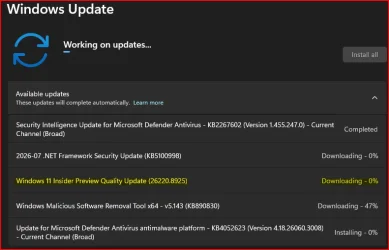
Check Windows Updates
ISO from Microsoft:
 www.elevenforum.com
UUP Dump:
64-bit ISO download:

ARM64 ISO download:
 www.elevenforum.com
Windows 11 Insider Beta (25H2) build 26220.9022 - July 31
Windows Insider Blog: Source: x Check Windows Updates UUP Dump: 64-bit ISO download: https://uupdump.net/selectlang.php?id=83017951-233a-4465-ab28-a6d74c2e1502 ARM64 ISO download: https://uupdump.net/selectlang.php?id=82ea90d3-08d1-4bc0-8602-aa07b976532b...
www.elevenforum.com
Windows Insider Blog:
Changes and improvements
[Touchpad]
- We're adding new gesturing-related functionality to precision touchpads in Settings. These features should be widely available across applications. WinUI3-based UI requires new WinAppSDK versions for complete functionality, and we're in the process of bringing the necessary changes to versions 1.8 and 2.0.
- Scroll and zoom speed: control the baseline speed for these gestures.

Change Touchpad Scroll Speed in Windows 11
This tutorial will show you how to change touchpad scroll speed for your account in Windows 11. Starting with Windows 11 build 26100.8973 (24H2), build 26200.8973 (25H2), and build 2800.2796 (RP 26H1) Microsoft is adding new gesturing-related functionality to precision touchpads in Settings...
www.elevenforum.com

Change Touchpad Zoom Speed in Windows 11
This tutorial will show you how to change touchpad zoom speed for your account in Windows 11. Starting with Windows 11 build 26100.8973 (24H2), build 26200.8973 (25H2), and build 2800.2796 (RP 26H1), Microsoft is adding new gesturing-related functionality to precision touchpads in Settings. The...
www.elevenforum.com
- Accelerated scrolling: repeatedly scrolling increases speed, allowing quick traversal of long documents.

Turn On or Off Accelerated Scrolling on Touchpad in Windows 11
This tutorial will show you how to turn on or off accelerated scrolling on the touchpad for your account in Windows 11. Starting with Windows 11 build 26100.8973 (24H2), build 26200.8973 (25H2), and build 2800.2796 (RP 26H1), Microsoft is adding new gesturing-related functionality to precision...
www.elevenforum.com

Touchpad improvements bring new gesture capabilities including automatic scrolling, gesture speed controls, accelerated scrolling, and optional single-finger scrolling support.

[Start menu]
- This update brings a number of improvements for the Start menu as first outlined in the Making Taskbar and Start more personal Insider blog.
- Renamed Recommended to Recent in Start and the Settings page.
Add or Remove Recommended Section on Start Menu in Windows 11
This tutorial will show you how to add or remove the Recommended (Recent) section from the Start Menu for your account, specific users, or all users in Windows 11. The Start menu in Windows 11 is comprised of three sections: Pinned, All apps, and Recommended. The Recommended section on the...
www.elevenforum.com
- Added section-level toggles to independently show or hide Pinned, Recent, and All.
- Added the option to choose between a small and large Start menu, in addition to the Automatic (default) option that is already available.
- Added the option to hide your name and profile picture in Start.
- Redesigned the Start menu settings page.
[File Explorer]
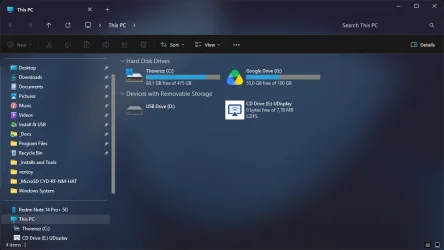
- File sizes in the Details view now display appropriate units (KB, MB, and GB) instead of KB-only, making them easier to understand at a glance.
- Middle-click to open a folder in a new tab is now supported in the address bar and Home page for a more consistent and efficient tabbed navigation experience across File Explorer.
- Improved screen reader announcements when resolving file conflicts during move and copy operations.
[Narrator]
- Braille displays now connect instantly with Narrator.
- We're making refreshable braille displays easier to use in Windows. Narrator now supports displays that use the HID standard. If your display supports HID, connect it with USB and start reading with no additional setup required.
- For Bluetooth, pair your HID braille display in Settings > Bluetooth & devices like any other accessory, and then use it wirelessly.
- Compatible HID displays include Orbit Reader 20, Orbit Slate 340, Freedom Scientific Focus 40, and APH Mantis Q40.
- HID braille displays now work during the initial Windows setup experience (OOBE) over USB, which means users who are deaf-blind can set up their PC independently from the first screen.
- You can customize braille input and output options in Settings > Accessibility > Narrator > Braille.

Change Braille Display Input and Output Language and Table Type in Windows 11
This tutorial will show you how to change the braille display input and output language and table type for your account in Windows 11. Narrator is a screen reader included with Windows 11 that describes what's on your screen. Narrator lets you use your PC without a mouse to complete common...
www.elevenforum.com
[Account Control]
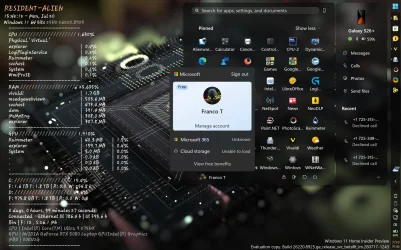
- The Windows 11 Account Control flyout has a refreshed, modern design and a clear subscription badge to make account status instantly visible. This helps users identify their plan, discover benefits, and explore upgrades.
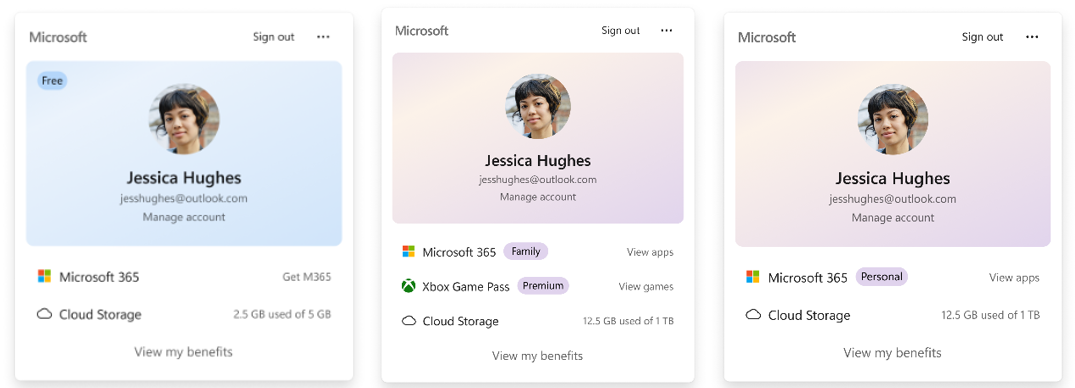
UI showing the refreshed Account Control flyout with subscription badges, account benefits, and storage details.
Feedback: Share your thoughts in Feedback Hub (WIN + F) under Settings > Start Menu.
[Windows Update]
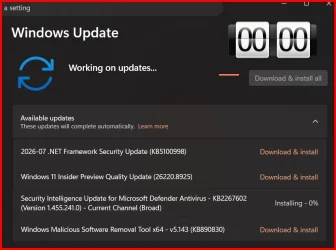
- Fixed an issue that could result in recent Insider flights failing to install with error 0xc0000409.
[Input]
- Improved persistence of mouse cursor size.
Reminders for Windows Insiders in the Beta Channel
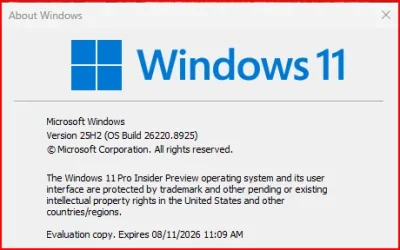
- Updates are based on Windows 11, version 25H2 via an enablement package (Build 26220.8925).
- The desktop watermark shown at the lower right corner of the desktop is normal for Windows Insider pre-release builds.
- Features and experiences included in these builds might never get released as we try out different concepts and get feedback. Features might change over time, be removed, or replaced and never get released beyond Windows Insiders. Some of these features and experiences could show up in future Windows releases when they're ready.
- Some features in active development we preview with Windows Insiders might not be fully localized, and localization will happen over time as features are finalized. As you see issues with localization in your language, please report those issues to us via Feedback Hub.
- Check out Flight Hub for a complete look at what build is in which Insider channel.
Source:
Windows 11 Insider Beta Preview Build 26220.8925 - Windows Insider Program
Release notes for Windows 11 Insider Beta Preview Build 26220.8925
learn.microsoft.com
Check Windows Updates
ISO from Microsoft:
Download Official Windows 11 ISO file from Microsoft
This tutorial will show you how to download an official Windows Server or Windows 11 64-bit or ARM64 ISO file from Microsoft. Microsoft provides ISO files for Windows Server and Windows 11 to download. You can use these ISO files to clean install or in-place upgrade Windows 11. The Flight Hub...
www.elevenforum.com
UUP Dump:
64-bit ISO download:
Select language for Windows 11 Insider Preview Feature Update (26220.8925) amd64
Select language for Windows 11 Insider Preview Feature Update (26220.8925) amd64 on UUP dump. UUP dump lets you download Unified Update Platform files, like Windows Insider updates, directly from Windows Update.
uupdump.net
ARM64 ISO download:
Select language for Windows 11 Insider Preview Feature Update (26220.8925) arm64
Select language for Windows 11 Insider Preview Feature Update (26220.8925) arm64 on UUP dump. UUP dump lets you download Unified Update Platform files, like Windows Insider updates, directly from Windows Update.
uupdump.net
UUP Dump - Download Windows Insider ISO
UUP Dump is the most practical and easy way to get ISO images of any Insider Windows 10 or Windows 11 version, as soon as Microsoft has released a new build. UUP Dump creates a download configuration file according to your choices, downloads necessary files directly from Microsoft servers, and...
www.elevenforum.com
Last edited:






 What is MS doing recently?