UPDATE 2/07:
 www.elevenforum.com
Source:
 www.elevenforum.com
Microsoft 365 Insider Beta Channel v2303 build 16202.20000 - Feb. 7
Version 2303 (Build 16202.20000) Source: Release Notes for Beta Channel - Office release notes Update History for Office Beta Channel - Office release notes Office Insiders https://www.elevenforum.com/t/latest-office-updates-for-windows.6569/
www.elevenforum.com
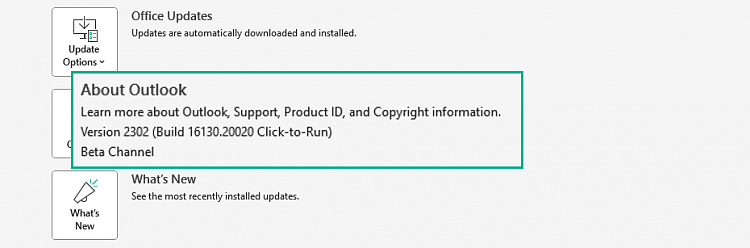
Version 2302 (Build 16130.20020)
Feature updates
Excel
- Office apps can now audit protection properties applied to a document through sensitivity labels: Added the missing audit fields related to the protection status of a document and how the protection was changed due to a specific event. That would include the following fields: protectionEventType, documentEncrypted, documentEncryptedBefore, protectionType, protectionTypeBefore, protectionTemplateId, protectionTemplateIdBefore, protectionOwner and protectionOwnerBefore.
Outlook
- Office apps can now audit protection properties applied to a document through sensitivity labels: Added the missing audit fields related to the protection status of a document and how the protection was changed due to a specific event. That would include the following fields: protectionEventType, documentEncrypted, documentEncryptedBefore, protectionType, protectionTypeBefore, protectionTemplateId, protectionTemplateIdBefore, protectionOwner and protectionOwnerBefore.
PowerPoint
- Present a local file in PowerPoint Live: The "Present in Teams" button has extended its support to present local files in PowerPoint Live in Microsoft Teams.
- Closed Captions for Audio in PowerPoint: Add closed captions to audio objects in PowerPoint to make your presentations more accessible.
- Office apps can now audit protection properties applied to a document through sensitivity labels: Added the missing audit fields related to the protection status of a document and how the protection was changed due to a specific event. That would include the following fields: protectionEventType, documentEncrypted, documentEncryptedBefore, protectionType, protectionTypeBefore, protectionTemplateId, protectionTemplateIdBefore, protectionOwner and protectionOwnerBefore.
Word
- Office apps can now audit protection properties applied to a document through sensitivity labels: Added the missing audit fields related to the protection status of a document and how the protection was changed due to a specific event. That would include the following fields: protectionEventType, documentEncrypted, documentEncryptedBefore, protectionType, protectionTypeBefore, protectionTemplateId, protectionTemplateIdBefore, protectionOwner and protectionOwnerBefore.
Resolved issues
Excel
- We fixed an issue that compiled VBA macros more often.
- Fixed an issue where large cell selection operations might fail in virtual machine environments.
Word
- Fixed an issue when the last key was released quickly, sometimes AutoComplete wouldn't perform.
- Fixed an issue where attempting to open an .odt files with a table would result in an error message, "Word found unreadable content. Do you want to recover this document".
Office Suite
- We fixed an issue in PowerPoint record window in case of audio or video hardware issue. In case either the audio or video hardware fails to provide picture or voice then we were waiting forever with an assumption that this should never happen when the initial communication with those devices are successful. The changes will no longer make that assumption and fail sooner, so that the user can toggle (off/on) the devices and try to record again.
- We fixed an issue that caused Mandatory Label warning bar to show even though the policy has Default label on it. The issue is for WXP documents in one drive sync folder in Win32. The fix checks if default label application was ever attempted.
Source:
- Release Notes for Beta Channel - Office release notes
- Update History for Office Beta Channel - Office release notes
- Office Insiders
Latest Office and Microsoft 365 Updates for Windows
https://www.elevenforum.com/t/office-2016-and-office-2019-have-reached-end-of-support.40888/ https://www.elevenforum.com/t/office-ltsc-2021-end-of-support-on-october-13-2026.46145/...
www.elevenforum.com
Last edited: