Windows 11 Pro 25H2 Build 26200.8246
Outlook 2021 (classic) (Version 2603 Build 16.0.19822.20086) 64 bits
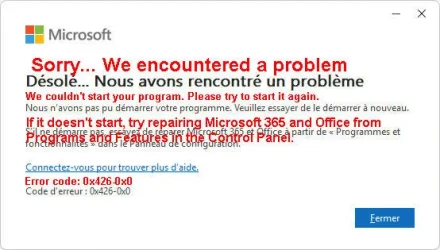
For some time, when I start my system, all my startup programs open in the system tray except for Outlook.
I have checked:
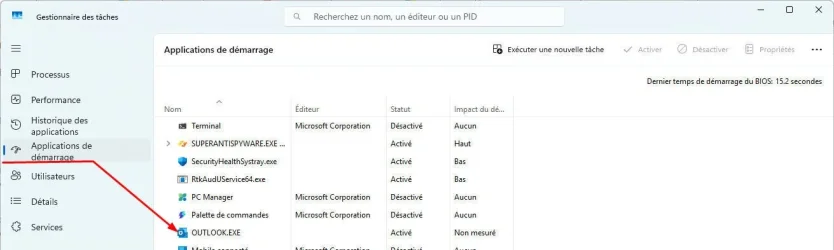
• Task Manager/Startup Applications: Outlook is enabled (see attached image)
• shell:starup (C:\Users\XXXXX\AppData\Roaming\Microsoft\Windows\Start Menu\Programs\Startup) Outlook link to ("C:\Program Files\Microsoft Office\root\Office16\OUTLOOK.EXE")
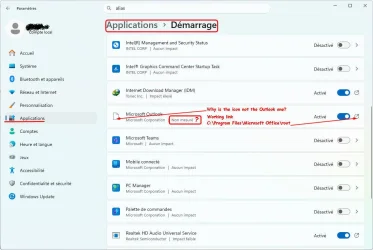
• Settings/Apps/Startup: Outlook is enabled (see attached image)
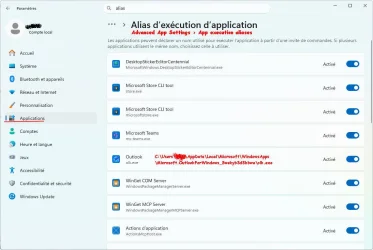
• Settings/Apps/Advanced App Settings/App execution aliases: olk.exe active (see attached image). Regardless of whether it is active or not, Outlook does not start automatically
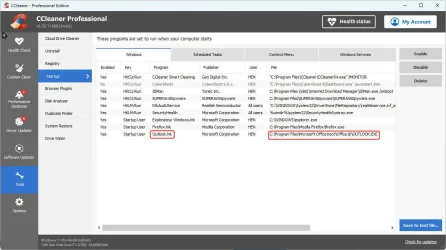
• CCleaner/Tools/Startup: Outlook enabled (see attached image)
TNX for your help to start outlook when windows startup
Regards
Outlook 2021 (classic) (Version 2603 Build 16.0.19822.20086) 64 bits
For some time, when I start my system, all my startup programs open in the system tray except for Outlook.
I have checked:
• Task Manager/Startup Applications: Outlook is enabled (see attached image)
• shell:starup (C:\Users\XXXXX\AppData\Roaming\Microsoft\Windows\Start Menu\Programs\Startup) Outlook link to ("C:\Program Files\Microsoft Office\root\Office16\OUTLOOK.EXE")
• Settings/Apps/Startup: Outlook is enabled (see attached image)
• Settings/Apps/Advanced App Settings/App execution aliases: olk.exe active (see attached image). Regardless of whether it is active or not, Outlook does not start automatically
• CCleaner/Tools/Startup: Outlook enabled (see attached image)
TNX for your help to start outlook when windows startup
Regards
Attachments
Last edited:
My Computer
At a glance
Windows 11 Pro 25H2 Build 26200.8246i7 1270016GBNvida
- OS
- Windows 11 Pro 25H2 Build 26200.8246
- Computer type
- PC/Desktop
- Manufacturer/Model
- HP Worksatation Z1G9
- CPU
- i7 12700
- Motherboard
- HP
- Memory
- 16GB
- Graphics Card(s)
- Nvida
- Hard Drives
- SSD 2T
- Browser
- Firefox
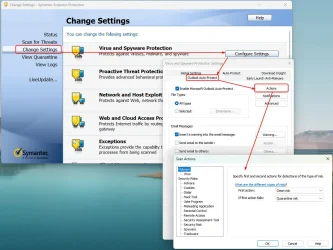
- Antivirus
- SEP (Symantec Endpoint Protction)