YouTube Community:
Hi everyone!
We’ve been listening to feedback on how to improve the viewing experience on Shorts. Based on what we’ve heard, we’re rolling out updates like a “Clear screen” feature and speed settings to give you more control on how you watch. We’re also updating the player's feedback tools by introducing a heart icon and retiring the “Dislike” button. Recent experiments showed that simplifying these options made it easier for users to give more specific feedback on videos and led to a more intuitive and better experience overall.
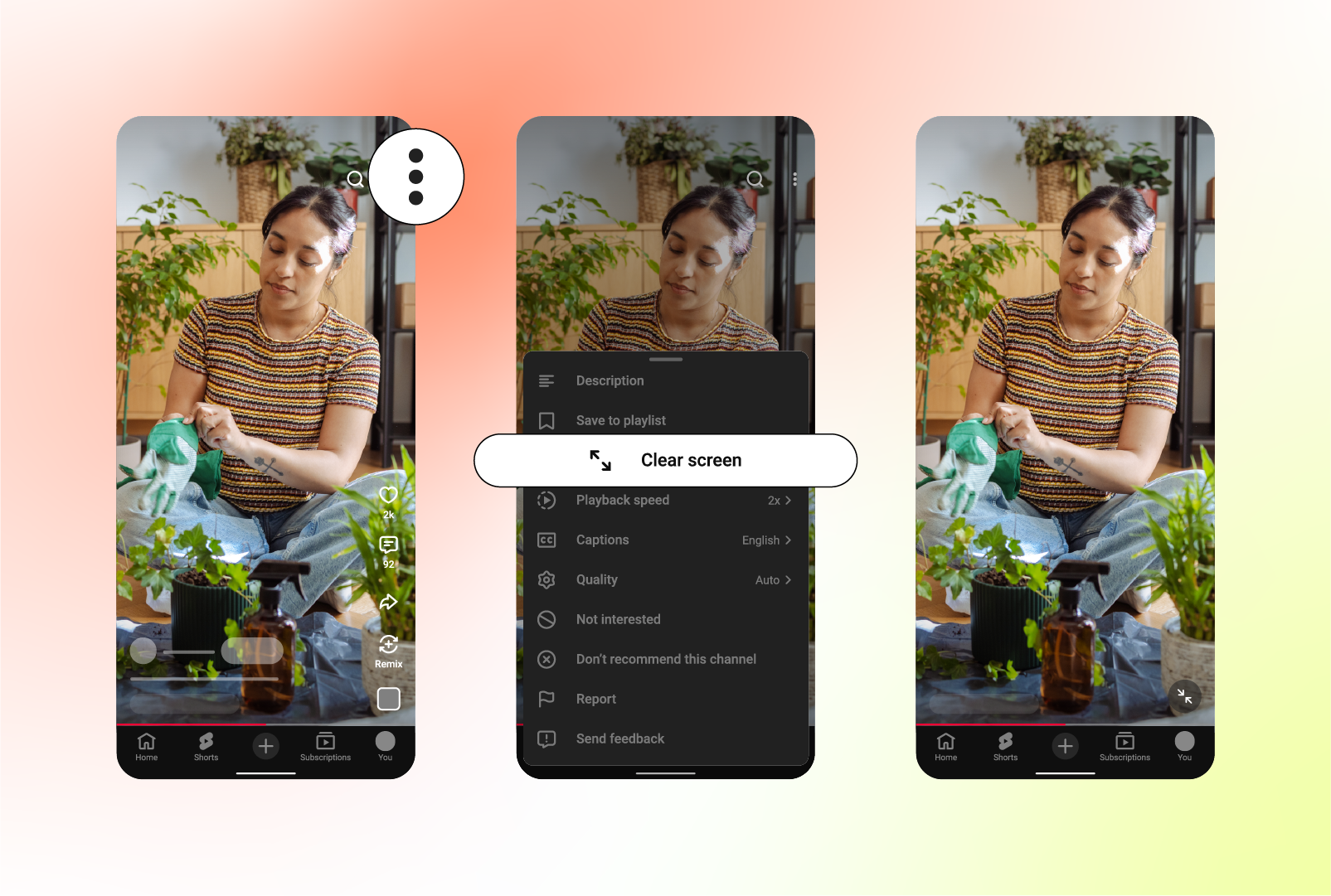
1. A cleaner viewing experience & mute controls
We’re introducing a cleaner look and feel that organizes Shorts features–such as the audio track, related video links and more–into a single, swipeable carousel with tappable buttons under the video title.
We’re also adding a feature called “Clear screen” that lets you hide all of the buttons and text on the screen with a single tap, giving you an unobstructed, immersive viewing experience. Plus, for moments when you can't have the volume on, you can easily mute your Short. Just tap the screen to pause, then tap the mute icon to silence the audio.
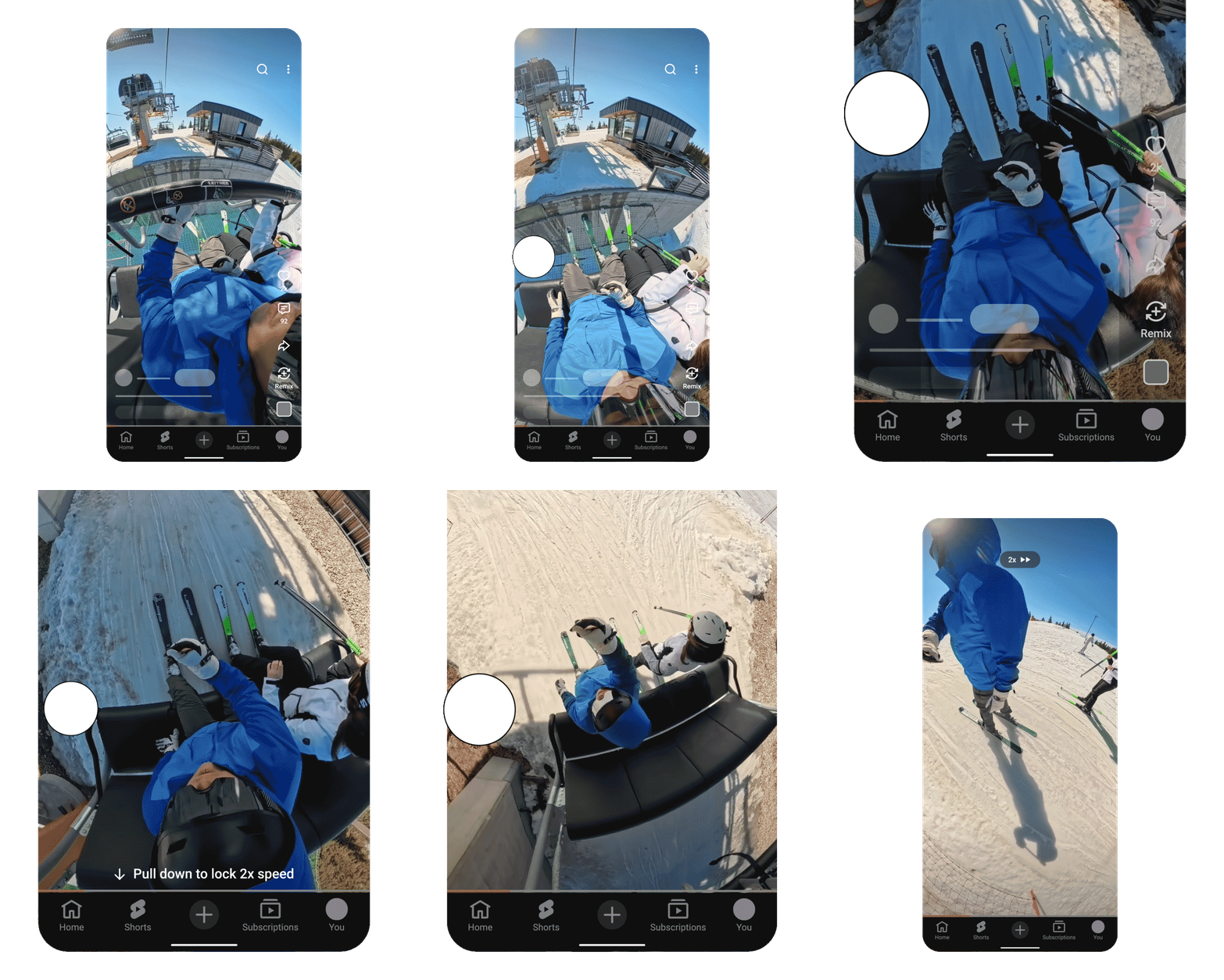
2. Speed settings for Shorts
We’ve heard from many of you that you want the ability to change the speed of a Short, so we’re rolling out 2x playback to give you more flexibility while you watch. To fast forward a Short, simply hold down the edge of the screen in the Shorts player and the video will start playing at 2x speed. To stop, just lift your finger. You can also lock the speed at 2x for the entire video by swiping down while pressing on the player.
This has been a top-requested feature from our community, and we’re excited to finally get it into your hands.
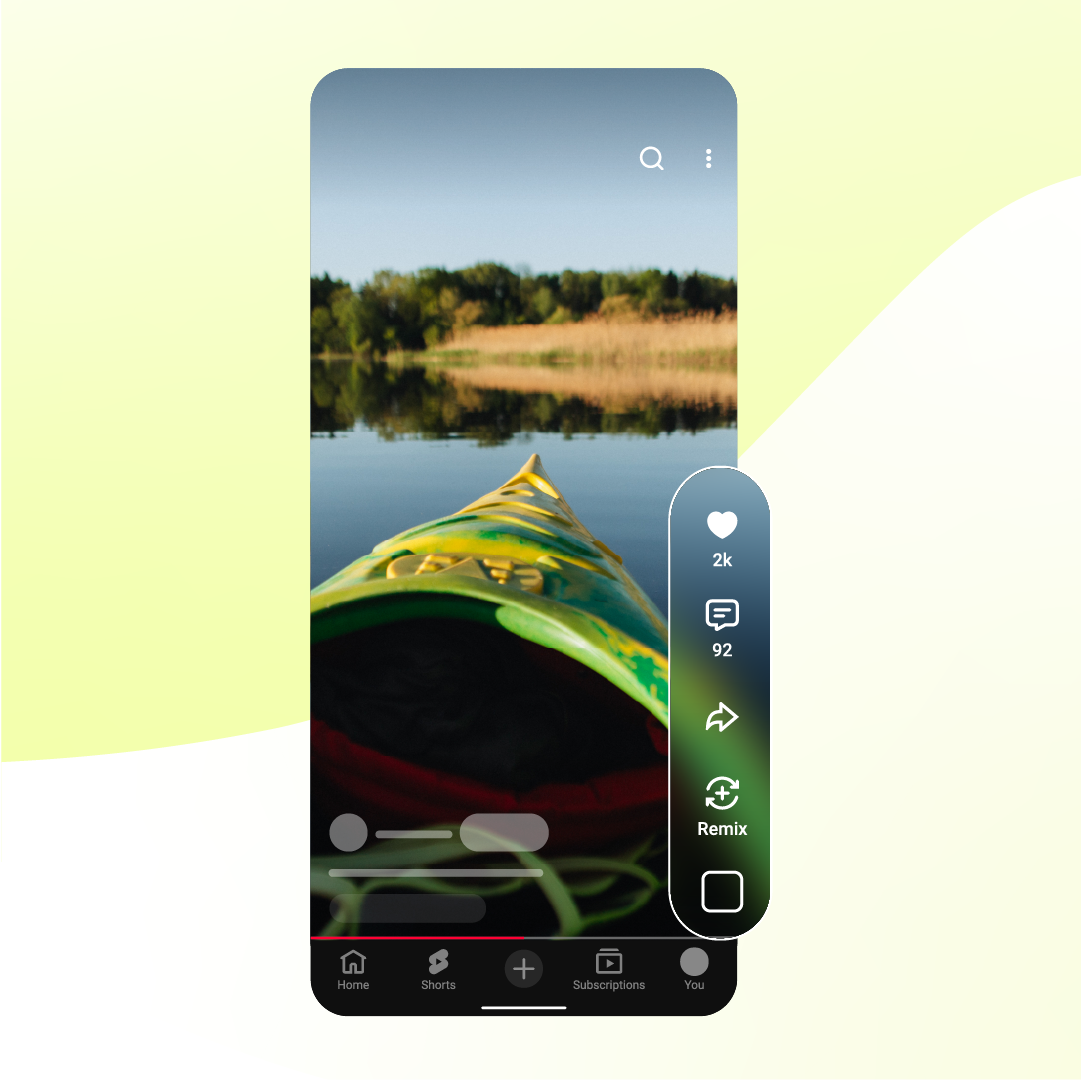
3. Improved feedback options to tune your Shorts feed
We’ve simplified the feedback tools so you can more directly influence what you see in your Shorts feed and to better match how viewers connect with short-form videos today. These changes create a more intuitive experience and help us recommend more of what you love.
Here are the updates to Shorts that will improve the feedback experience over the coming weeks:
- A universal way to support creators and their content: We’re introducing the heart icon to replace the thumbs up, giving you a more expressive way to show when a video truly resonates with you.
- Sharing specific feedback: We’re retiring the “Dislike” button from Shorts to provide more clear controls for viewers over their recommendations. Our more precise controls, “Not Interested”, “Don’t recommend this channel” and “Report” all remain for users to give more accurate feedback. We’re making this change because we’ve heard that it wasn’t always clear which option to choose when content just wasn’t right for you or when you thought it may not meet our Community Guidelines. Here’s how you can share feedback going forward:
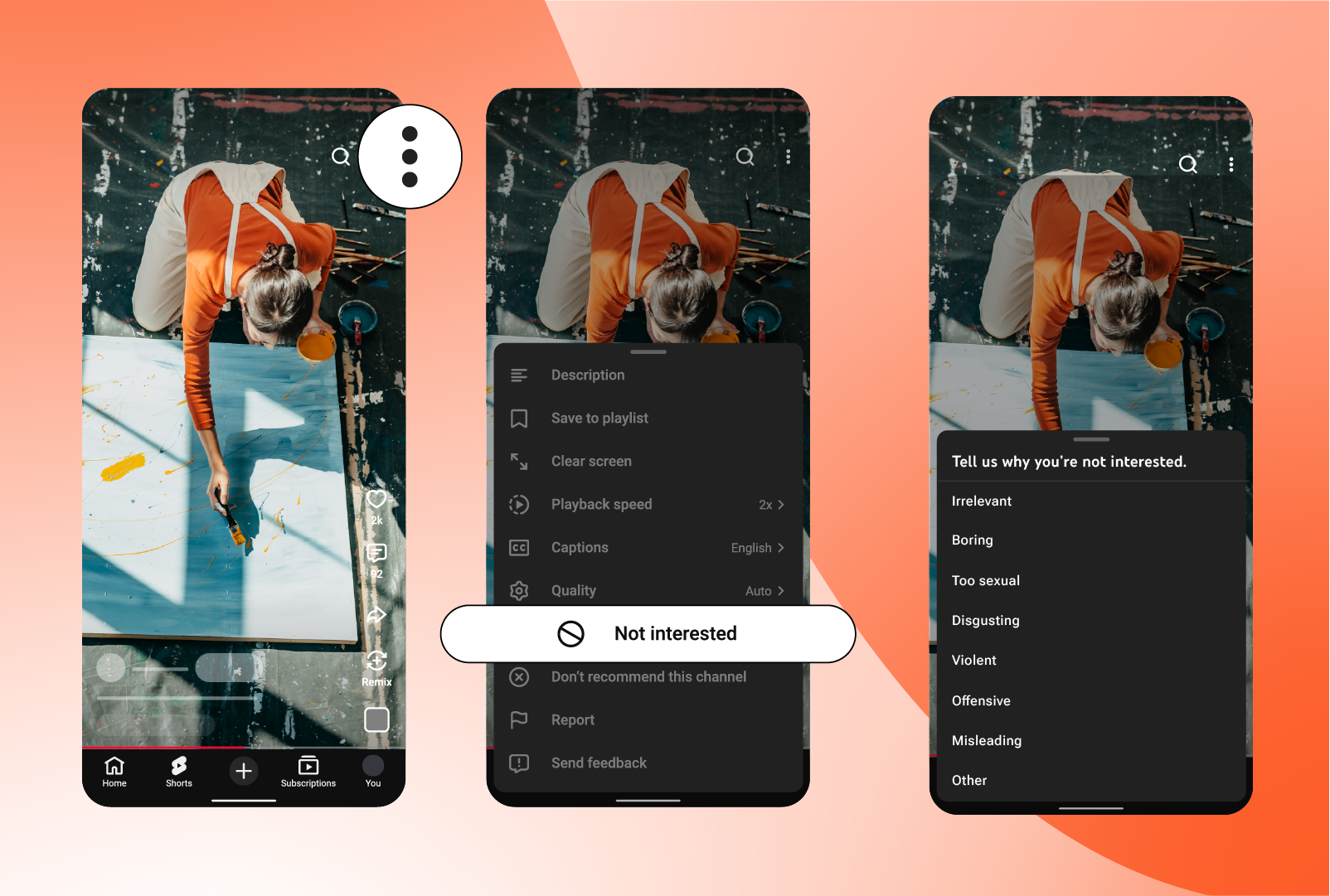
- When content isn’t right for you:To see less of a certain type of content, you can continue to use “Not interested” and “Don’t recommend this channel” behind the three-dot menu.
- Share more detail: When you select "Not interested," you’ll be able to share specific reasons why that Short wasn't right for you. This helps us fine-tune your feed and improve future recommendations.
- When content may not meet Community Guidelines: If you see content that you believe violates our policies, you can use the existing “Report” option, also located in the three-dot menu, to flag it for review and help keep the Shorts feed safe.
- When content isn’t right for you:To see less of a certain type of content, you can continue to use “Not interested” and “Don’t recommend this channel” behind the three-dot menu.
What this means for you:
- For creators: You’ll still have access to historical “Dislike” data for Shorts in YouTube Studio. However, this count will stop updating for Shorts by the end of June. Dislikes will continue to be reported as usual for long-form videos and Live. You can continue to see how your Shorts perform through metrics such as “Likes” or the percentage of times that viewers viewed your Shorts versus swiped away.
- For viewers: You can continue to influence your Shorts feed using the new heart icon and “Not interested” button. These changes are specific to Shorts.
We’re always looking to improve your experience, so let us know what you think in the comments!
— JJ (TeamYouTube)
Source: