- Local time
- 3:03 PM
- Posts
- 500
- OS
- Windows 11 - Updated automatically
I can change the contrast of my screen for Windows in general but not for some apps, in particular the one I use monthly to create the village magazine. Basically regardless of the contrast setting I use, which helps for Windows, I can't easily see the guide lines in the document I am creating. I don't know if the screen grab helps to illustrate my issue but may as well add it. On the screen you can see a couple of boxes, one containing a page number, and a blank one for text, and also fainter lines which I struggle to see. Until I get my cataracts done I can't do anything about improving my side of it so can only darken these lines.
I have tried various things without success. Changing the screen contrast has made the Publisher tool bars and dropdown menus worse.
I have tried various things without success. Changing the screen contrast has made the Publisher tool bars and dropdown menus worse.
Attachments

My Computer
At a glance
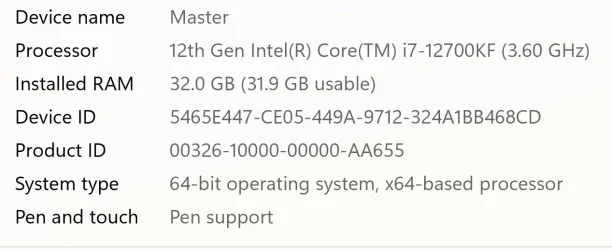
Windows 11 - Updated automaticallyIntel i7 12700K Twelve Core 3.6GhzCorsair 32Gb Vengeance RAM
- OS
- Windows 11 - Updated automatically
- Computer type
- PC/Desktop
- Manufacturer/Model
- Updated Chillblast
- CPU
- Intel i7 12700K Twelve Core 3.6Ghz
- Motherboard
- MSI PRO Z690-A DDR4 Motherboard
- Memory
- Corsair 32Gb Vengeance RAM
- Cooling
- Air cooled
- Internet Speed
- 72Mb down, 18Mb up
- Browser
- Chrome
- Antivirus
- Avast