

topple756
New member
- Local time
- 5:53 PM
- Posts
- 2
- OS
- windows 11
I am able to successfully map the IFS (root) from my Iseries. the drive Icon shows Green. When i click to connect i get this error
My windows 11 version is 24H2 OS build 26100.4061 and the Iseries is V7.1. I have enabled SMB 1.0/CIFS File Sharing Support.
the four required services are running. Please advise what may be missing. thank you in advance for your assistance.
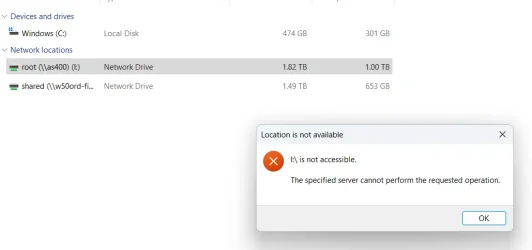
My windows 11 version is 24H2 OS build 26100.4061 and the Iseries is V7.1. I have enabled SMB 1.0/CIFS File Sharing Support.
the four required services are running. Please advise what may be missing. thank you in advance for your assistance.
My Computer
At a glance
windows 11
- OS
- windows 11
- Computer type
- Laptop
- Manufacturer/Model
- Lenovo






