- Local time
- 9:17 AM
- Posts
- 176
- OS
- B0rn2luz!
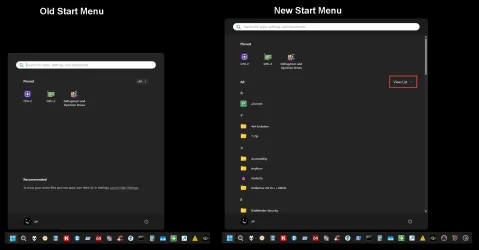
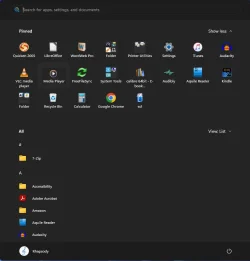
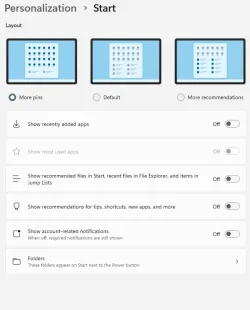
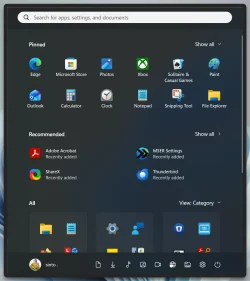
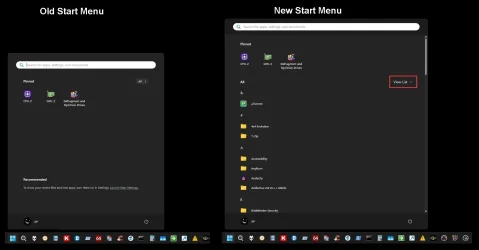
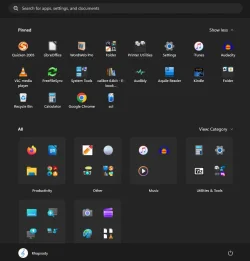
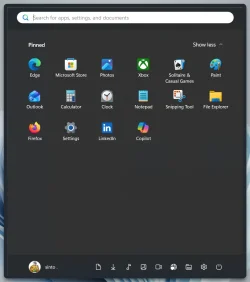
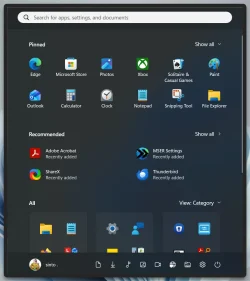
Folks, I'm not just older than dirt, but the dirt has gotten in the gears. I was somewhat capable of understanding the guidance, help and tutorials you've provided to help me tame Win11, but likely less so now (still have a new mini PC yet to be installed because of health setbacks). Through tutorials here (or maybe using Winaero?) I had created an acceptable Start Menu with only pinned apps showing. I could never get rid of the "recommended" section totally, but when things popped up there, I could get rid of them. The recommended area seems to be gone and in its place ALL has moved in and has crowded my pinned apps and rearranged them. I have the option for how ALL displays (category, grid or list) but no way to get it to go back to being accessible as needed. Where I once accessed "ALL", I'm only able to show all or less of the pinned app icons. I cannot find anyway in settings to change this.
It is not the end of the world, but it is dispiriting and adds confusion where I really didn't need anymore!
It is not the end of the world, but it is dispiriting and adds confusion where I really didn't need anymore!
- Windows Build/Version
- Version 10.0.26100 Build 26100
My Computer
At a glance
B0rn2luz!Intel(R) Core(TM) i5-8500 CPU @ 3.00GHzStorage: 4.6 TB, Installed RAM: 32 GB (31.9 G...
- OS
- B0rn2luz!
- Computer type
- PC/Desktop
- Manufacturer/Model
- Lenovo ThinkCentre M920S SFF
- CPU
- Intel(R) Core(TM) i5-8500 CPU @ 3.00GHz
- Memory
- Storage: 4.6 TB, Installed RAM: 32 GB (31.9 GB usable)
- Cooling
- No fan
- Internet Speed
- Fiber optics 600-700 download and upload
- Browser
- Firefox
- Antivirus
- Avast
- Other Info
- Product Number: 10ST008NUS