Amazon Appstore on Windows 11 is now generally available


 Amazon Appstore:

Expanding your Android app's reach to hundreds of millions of new users just got easier—Amazon Appstore on Windows 11 is now generally available for all developers. In partnership with Microsoft, we utilized the Windows Subsystem for Android™ (WSA) to provide a first-class experience for running Android apps available in the Amazon Appstore. Popular Android apps and games—including Audible, TikTok, Lords Mobile, Hungry Shark Evolution, and Epic Seven—are now reaching new users on PCs without having to create a separate desktop version for Windows. Epic Seven broadened their app's reach with Amazon Appstore on Windows 11, increased their revenue with the Appstore SDK, and delivered an immersive gaming experience to their customers. Read their story.

Getting started​

To port your Android app to Windows 11, it’s essential you test your app on a Windows 11 device with at least 8GB of RAM. If your device meets the minimum requirements, download the Windows Subsystem for Android directly from the Microsoft Store, and it will automatically install the Amazon Appstore as well.

Once WSA and the Amazon Appstore for Windows 11 are activated on your PC, review the following developer docs:

1. Our compatibility guide covers Windows-specific use cases for your app, including input controls, graphic management, x86 architecture, and how scope storage works with app-specific file directories. The guide also details the features you will want to test for Windows 11 functionality.
Note: To target Windows 11 devices, you must submit an Android app. Mobile web / HTML5 apps cannot target non-Amazon Android devices or Windows Subsystem for Android.
2. Follow Microsoft’s steps for enabling “developer mode” to debug your app on Windows 11 and use Amazon’s Live App Testing to prepare for app submission.
3. In order to achieve optimal PC user experience with your app, implement keyboard/mouse support and window management & resizing capabilities.
Tip: Check out the developer blogs as well for guidance on mapping native inputs and resizing apps in WSA.
4. If you have additional questions, review our troubleshooting guide along with the developer FAQs and the WSA project on GitHub.
5. Read our steps for targeting Windows devices from the Amazon developer console in order to submit your app for publication.

Save time by using the new Amazon Input SDK​

Provide your users an in-app overlay detailing the available mouse and keyboard controls with the Amazon Input SDK. The SDK can reduce your development time for creating in-app input tutorials from weeks to hours. Check out list of the common APIs in the Amazon Input SDK to learn more.

Here is a code example written in Kotlin for defining input actions using the Input SDK:

Code:
val jumpInputAction = InputAction.create(
 "Jump",
MyGameActions.JUMP.value,
            InputControls.create(
                listOf(KeyEvent.KEYCODE_SPACE),
                emptyList()
            )
        )

val move = InputAction.create(
 "Move",
MyGameActions.MOVE.value,
            InputControls.create(
                emptyList(),
                listOf(InputControls.MOUSE_MOVEMENT)
            )
        )

Don’t take it from us! GMonks Entertainment was able to save time and developer costs by utilizing the Amazon Input SDK to launch their puzzle game on Amazon Appstore for Windows 11. Read their story.
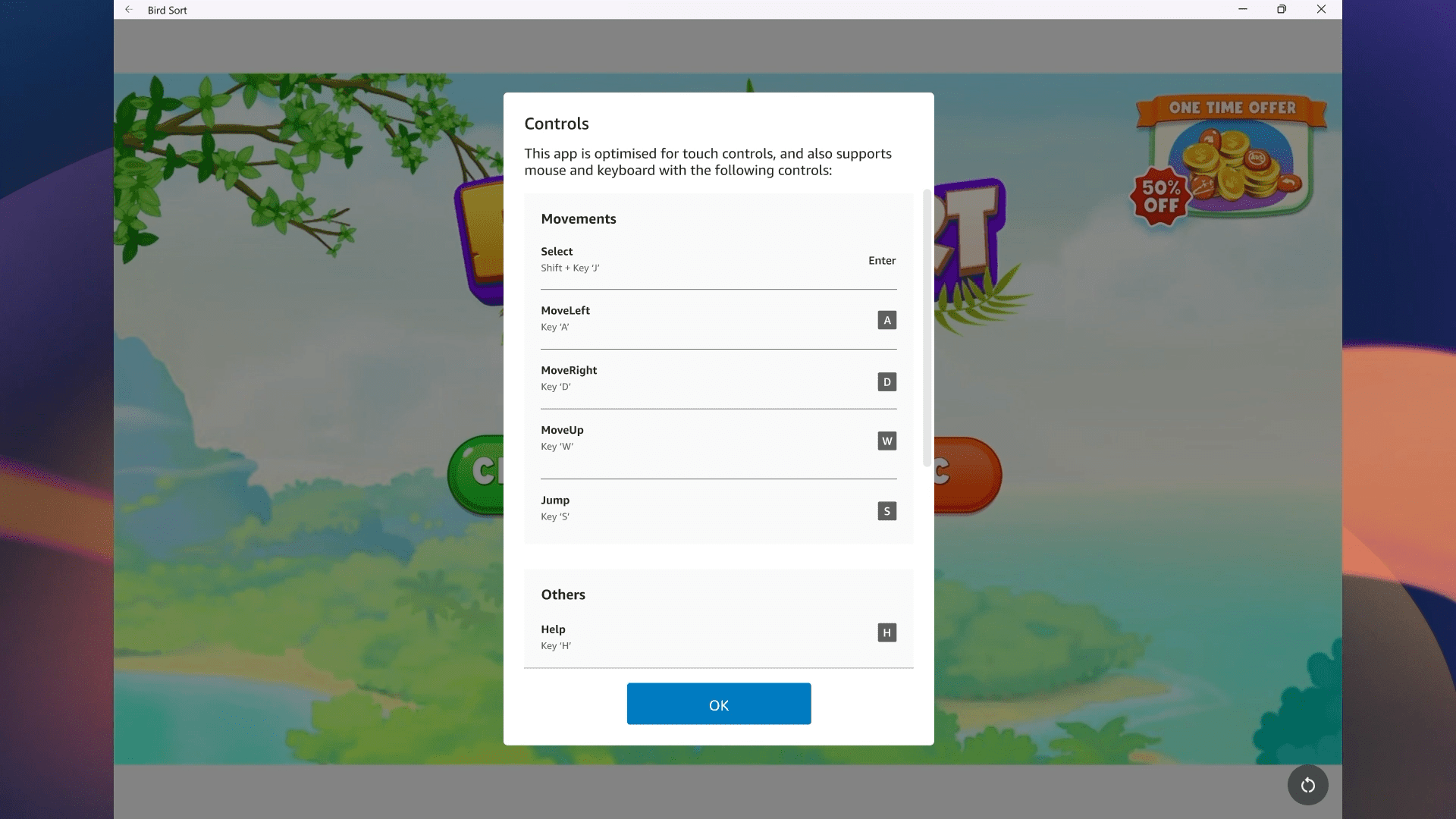
birdsort_controls.png

In-game controls for Bird Sort Puzzle

We look forward to many more Android apps and games launching on Amazon Appstore for Windows 11. Get started with the list of resources below.

Related resources​

Video tutorials
Documentation


 Source:

 
Last edited:
Is this still the cutdown Amazon Appstore?
 

My Computer My Computer

At a glance

Windows 11 Pro + Win11 Canary VM.I9 13th gen i9-13900H 2.60 GHZ16 GB solderedIntegrated Intel Iris XE
OS
Windows 11 Pro + Win11 Canary VM.
Computer type
Laptop
Manufacturer/Model
ASUS Zenbook 14
CPU
I9 13th gen i9-13900H 2.60 GHZ
Motherboard
Yep, Laptop has one.
Memory
16 GB soldered
Graphics Card(s)
Integrated Intel Iris XE
Sound Card
Realtek built in
Monitor(s) Displays
laptop OLED screen
Screen Resolution
2880x1800 touchscreen
Hard Drives
1 TB NVME SSD (only weakness is only one slot)
PSU
Internal + 65W thunderbolt USB4 charger
Case
Yep, got one
Cooling
Stella Artois (UK pint cans - 568 ml) - extra cost.
Keyboard
Built in UK keybd
Mouse
Bluetooth , wireless dongled, wired
Internet Speed
900 mbs (ethernet), wifi 6 typical 350-450 mb/s both up and down
Browser
Edge
Antivirus
Defender
Other Info
TPM 2.0, 2xUSB4 thunderbolt, 1xUsb3 (usb a), 1xUsb-c, hdmi out, 3.5 mm audio out/in combo, ASUS backlit trackpad (inc. switchable number pad)

Macrium Reflect Home V8
Office 365 Family (6 users each 1TB onedrive space)
Hyper-V (a vm runs almost as fast as my older laptop)
sounds like you (someone) can now port Android app to Windows 11
 

My Computers My Computers

  • At a glance

    Win 11 pro 22H2Intel I7 12th gen16 GBIntel UHD Graphics 770
    OS
    Win 11 pro 22H2
    Computer type
    PC/Desktop
    Manufacturer/Model
    Dell Vostro 3710 SFF
    CPU
    Intel I7 12th gen
    Memory
    16 GB
    Graphics Card(s)
    Intel UHD Graphics 770
    Sound Card
    Cirrus Logic CS8409(AB 57)
    Monitor(s) Displays
    27 inch Acer
    Screen Resolution
    1920x1080
    Hard Drives
    512 GB M.2 SSD
    PSU
    180 W 85% Efficient, 80 PLUS Bronze
    Browser
    chrome, edge beta, tor
    Antivirus
    yes, Windows Defender ?
    Other Info
    Msoft 365
  • At a glance

    fire os 7.3 (Android 9 api level 28)
    Operating System
    fire os 7.3 (Android 9 api level 28)
    Computer type
    Tablet
    Manufacturer/Model
    Amazon Fire HD 8 Tablet (10th Gen, 2020 Release)
    Browser
    Edge (APK)
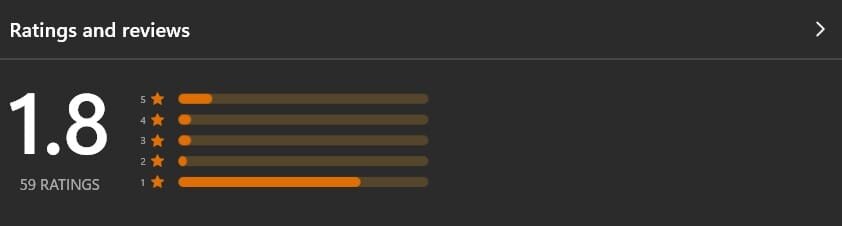
This looks like one to miss for while judging by the MS Store rating:
Screenshot 2023-07-10 135444.jpg
 

My Computer My Computer

At a glance

Windows 11 ProCore i7-13700K64 GB Kingston Fury Beast DDR5Gigabyte GeForce RTX 2060 Super Gaming OC 8G
OS
Windows 11 Pro
Computer type
PC/Desktop
Manufacturer/Model
Self build
CPU
Core i7-13700K
Motherboard
Asus TUF Gaming Plus WiFi Z790
Memory
64 GB Kingston Fury Beast DDR5
Graphics Card(s)
Gigabyte GeForce RTX 2060 Super Gaming OC 8G
Sound Card
Realtek S1200A
Monitor(s) Displays
Viewsonic VP2770 & Dell (secondary)
Screen Resolution
2560 x 1440
Hard Drives
Kingston KC3000 2TB NVME SSD & SATA HDDs & SSD
PSU
EVGA SuperNova G2 850W
Case
Nanoxia Deep Silence 1
Cooling
Noctua NH-D14
Keyboard
Microsoft Digital Media Pro
Mouse
Logitech Wireless
Internet Speed
80 Mb / s
Browser
Chrome
Antivirus
Defender, Malwarebytes Free & AdwCleaner
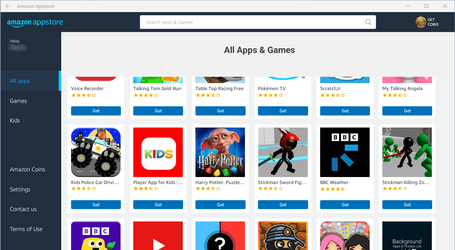
Is this still the cutdown Amazon Appstore?
Not having any Android devices I don't know what the 'full' Appstore looks like. Seems to be quite comprehensive though....

Amazon App Store.png

(boy did I have to jump through hoops to get it to work in a Hyper-V VM. First I had to give it 16GB RAM, then I had to enable nested virtualisation for the VM).

Apps work too.

1689001620651.png


Edit: and then I got an email confirming my purchase (at £0) and it's listed in my Amazon account too.

1689012876354.png
 
Last edited:

My Computers My Computers

  • At a glance

    Windows 11 HomeAMD Athlon Silver 3050U8GBRadeon Graphics
    OS
    Windows 11 Home
    Computer type
    Laptop
    Manufacturer/Model
    Acer Aspire 3 A315-23-R9VY
    CPU
    AMD Athlon Silver 3050U
    Memory
    8GB
    Graphics Card(s)
    Radeon Graphics
    Monitor(s) Displays
    laptop screen
    Screen Resolution
    1366x768 native resolution, up to 2560x1440 with Radeon Virtual Super Resolution
    Hard Drives
    1TB Samsung EVO 870 SSD (from April 2026: 250GB EVO 850)
    Internet Speed
    150 Mbps
    Browser
    Edge, Firefox
    Antivirus
    Defender
    Other Info
    fully 'Windows 11 ready' laptop. Windows 10 C: partition migrated from my old unsupported 'main machine' then upgraded to 11. A test migration ran Insider builds for 2 months. When 11 was released on 5th October 2021 it was re-imaged back to 10 and was offered the upgrade in Windows Update on 20th October. Windows Update offered the 22H2 Feature Update on 20th September 2022. It got the 23H2 Feature Update on 4th November 2023 through Windows Update, 24H2 on 3rd October 2024 through Windows Update by setting the Target Release Version for 24H2, and 25H2 on 30th September 2025 through Windows Update by setting the Target Release Version for 25H2.

    UPDATE - 11 April 2026: due to mechanical deterioration this PC has been retired from active duty. The OS with all software and files has been migrated to my System Seven in 'Other systems' to carry on as my general purpose 'main machine'.

    I've now clean installed 25H2 and used Garlin's scripts to update Secure Boot to CA 2023 and revoke the PCA 2011 certificates. It's new role is to test secure boot issues.
  • At a glance

    Windows 11 ProIntel® Core™ i5-520M8GB(integrated graphics) Intel HD Graphics
    Operating System
    Windows 11 Pro
    Computer type
    Laptop
    Manufacturer/Model
    Dell Latitude E4310
    CPU
    Intel® Core™ i5-520M
    Motherboard
    0T6M8G
    Memory
    8GB
    Graphics card(s)
    (integrated graphics) Intel HD Graphics
    Screen Resolution
    1366x768
    Hard Drives
    500GB Crucial MX500 SSD
    Browser
    Firefox, Edge
    Antivirus
    Defender
    Other Info
    unsupported machine: Legacy bios, MBR, TPM 1.2, upgraded from W10 to W11 using W10/W11 hybrid install media workaround.

    In-place upgrade to 22H2 using ISO and a workaround.
    Feature Update to 23H2 by manually installing the Enablement Package.
    In-place upgrade to 24H2 using hybrid 23H2/24H2 install media.
    Upgraded to 25H2 by Enablement Package.

    Also running Insider Dev, and Canary builds and Windows 10 as native boot .vhdx.
  • My SYSTEM THREE is a Dell Latitude 5410, i7-10610U, 32GB RAM, 512GB NVMe ssd, supported device running Windows 11 Pro.

    My SYSTEM FOUR is a 2-in-1 convertible Lenovo Yoga 11e 20DA, Celeron N2930, 8GB RAM, 256GB ssd. Unsupported device: currently running Win10 Pro, plus Win11 Pro RTM and Insider Dev, Beta, and RP 24H2 as native boot vhdx.

    My SYSTEM FIVE is a Dell Latitude 3190 2-in-1, Pentium Silver N5030, 8GB RAM, 1TB NVMe ssd, supported device running Windows 11 Pro, plus Insider Beta, Dev, and Canary builds (and a few others) as a native boot .vhdx.

    My SYSTEM SIX is a Dell Latitude 5550, Core Ultra 7 165H, 64GB RAM, 1TB NVMe SSD, supported device, Windows 11 Pro 24H2, Hyper-V host machine. Updated to 25H2 on 30th September 2025.

    My SYSTEM SEVEN is a Lenovo Thinkpad T580, Intel Core i7-8650U, 16GB RAM, 512GB NVMe SSD + 2nd 512GB NVMe SSD, a supported device for Windows 11. This is my current general purpose 'main machine'. The installed Windows 11 Home from my System One has been migrated to this machine.
Back
Top Bottom