Backup of system restore points in c C: drive.


Ramesh Sharma

Well-known member
Member
Local time
8:01 AM
Posts
280
OS
Window 11 v24H2 Build 26100.2033
Is there any way to backup system restore points created, manually, to save on external USB/SSD drive ? Because when we want to restore the os to its last known good configuration, the error pops up as No system restore points available in your hard drive.
 
Windows Build/Version
Windows 11 v22H2 OS build 525.

My Computer My Computer

At a glance

Window 11 v24H2 Build 26100.2033Intel(R) Core(TM) i3-2100 CPU @ 3.10GHz 3.10 GHz4.00 GB (3.89 GB usable)Onboard
OS
Window 11 v24H2 Build 26100.2033
Computer type
PC/Desktop
Manufacturer/Model
ASSEMMBLED
CPU
Intel(R) Core(TM) i3-2100 CPU @ 3.10GHz 3.10 GHz
Motherboard
ZEBRONICS
Memory
4.00 GB (3.89 GB usable)
Graphics Card(s)
Onboard
Sound Card
Onboard
Monitor(s) Displays
LG
Screen Resolution
1366x768
Hard Drives
Toshiba HDD 1 TB
Keyboard
Mechanical
Mouse
Mechanical
Internet Speed
700 kb/s
Browser
Microsoft EDGE, CHROME
Antivirus
Microsoft Defender

Hello @Ramesh Sharma welcome to ElevenForum. :-)


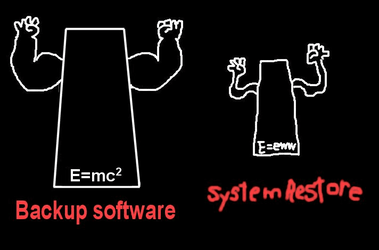
1. You should be using 3rd party backup software.
2. System Restore doesn't really work that well.
3. Make a full backup of your Windows installation, and save that to your external drive.
4. With the backup software's bootable Rescue media, you can access your backups even when Windows won't boot.


Backup Software.png
 

My Computers My Computers

  • At a glance

    Win 11 Home ♦♦♦26200.8655 ♦♦♦♦♦♦♦25H2AMD Ryzen 7 3700XG.Skill (F4-3200C14D-16GTZKW)EVGA RTX 2070 (08G-P4-2171-KR)
    OS
    Win 11 Home ♦♦♦26200.8655 ♦♦♦♦♦♦♦25H2
    Computer type
    PC/Desktop
    Manufacturer/Model
    Built by Ghot® [May 2020]
    CPU
    AMD Ryzen 7 3700X
    Motherboard
    Asus Pro WS X570-ACE (BIOS 5302)
    Memory
    G.Skill (F4-3200C14D-16GTZKW)
    Graphics Card(s)
    EVGA RTX 2070 (08G-P4-2171-KR)
    Sound Card
    Realtek ALC1220P / ALC S1220A
    Monitor(s) Displays
    Dell U3011 30"
    Screen Resolution
    2560 x 1600
    Hard Drives
    2x Samsung 860 EVO 500GB,
    WD 4TB Black FZBX - SATA III,
    WD 8TB Black FZBX - SATA III,
    DRW-24B1ST CD/DVD Burner
    PSU
    PC Power & Cooling 750W Quad EPS12V
    Case
    Cooler Master ATCS 840 Tower
    Cooling
    CM Hyper 212 EVO (push/pull)
    Keyboard
    Ducky DK9008 Shine II Blue LED
    Mouse
    Logitech Optical M-100
    Internet Speed
    300/300
    Browser
    Firefox (latest)
    Antivirus
    Bitdefender Total Security
    Other Info
    Speakers: Klipsch Pro Media 2.1
  • At a glance

    Windows XP Pro 32bit w/SP3AMD Athlon 64 X2 5000+ (OC'd @ 3.2Ghz)TWIN2X2048-6400C4DHX (2 x 1GB, DDR2 800)EVGA 256-P2-N758-TR GeForce 8600GT SSC
    Operating System
    Windows XP Pro 32bit w/SP3
    Computer type
    PC/Desktop
    Manufacturer/Model
    Built by Ghot® (not in use)
    CPU
    AMD Athlon 64 X2 5000+ (OC'd @ 3.2Ghz)
    Motherboard
    ASUS M2N32-SLI Deluxe Wireless Edition
    Memory
    TWIN2X2048-6400C4DHX (2 x 1GB, DDR2 800)
    Graphics card(s)
    EVGA 256-P2-N758-TR GeForce 8600GT SSC
    Sound Card
    Onboard
    Monitor(s) Displays
    ViewSonic G90FB Black 19" Professional (CRT)
    Screen Resolution
    up to 2048 x 1536
    Hard Drives
    WD 36GB 10,000rpm Raptor SATA
    Seagate 80GB 7200rpm SATA
    Lite-On LTR-52246S CD/RW
    Lite-On LH-18A1P CD/DVD Burner
    PSU
    PC Power & Cooling Silencer 750 Quad EPS12V
    Case
    Generic Beige case, 80mm fans
    Cooling
    ZALMAN 9500A 92mm CPU Cooler
    Keyboard
    Logitech Classic Keybooard 200
    Mouse
    Logitech Optical M-BT96a
    Internet Speed
    300/300
    Browser
    Firefox 3.x ??
    Antivirus
    Symantec (Norton)
    Other Info
    Still assembled, still runs. Haven't turned it on for 15 years?
Also, consider Acronis True Image. I use it frequently and exercise the restore feature more times than I'd like to admit.

bob
 

My Computers My Computers

  • At a glance

    Windows 11 Professional (x64)Intel Core i916 GBNVIDIA GeForce RTX
    OS
    Windows 11 Professional (x64)
    Computer type
    Laptop
    Manufacturer/Model
    Dell Inc. G16
    CPU
    Intel Core i9
    Motherboard
    Dell Inc. 0FDMYT A00
    Memory
    16 GB
    Graphics Card(s)
    NVIDIA GeForce RTX
    Sound Card
    Realtek(R) Audio
    Monitor(s) Displays
    Generic PnP Monitor (15.3"vis)
    Screen Resolution
    2560 x 1600
    Hard Drives
    4TB SSD
    PSU
    Dell
    Case
    Laptop
    Cooling
    Air
    Keyboard
    Dell
    Mouse
    Logitech
    Internet Speed
    10 Mbps (Dismal, slow DSL over phone line)
    Browser
    Google Chrome
    Antivirus
    Webroot SecureAnywhere
  • At a glance

    Windows 11 Pro
    Operating System
    Windows 11 Pro
    Computer type
    PC/Desktop
    Manufacturer/Model
    Dell
Thanks @Ghot , Thanks@bob3d for your replies.
I once tried wbadmin command run through CMD as administrator,to backup c:drive including system partition (mbr partition style)
c:\windows\system32>wbadmin start backup -allcritical -backuptarget: X:
It worked well, and restore option for this backup was also available when booted in PE environment by bootable media of Windows 11.
It seems that either Regback or System restore can not be relied upon in Windows 11.
 

My Computer My Computer

At a glance

Window 11 v24H2 Build 26100.2033Intel(R) Core(TM) i3-2100 CPU @ 3.10GHz 3.10 GHz4.00 GB (3.89 GB usable)Onboard
OS
Window 11 v24H2 Build 26100.2033
Computer type
PC/Desktop
Manufacturer/Model
ASSEMMBLED
CPU
Intel(R) Core(TM) i3-2100 CPU @ 3.10GHz 3.10 GHz
Motherboard
ZEBRONICS
Memory
4.00 GB (3.89 GB usable)
Graphics Card(s)
Onboard
Sound Card
Onboard
Monitor(s) Displays
LG
Screen Resolution
1366x768
Hard Drives
Toshiba HDD 1 TB
Keyboard
Mechanical
Mouse
Mechanical
Internet Speed
700 kb/s
Browser
Microsoft EDGE, CHROME
Antivirus
Microsoft Defender

Thanks @Ghot , Thanks@bob3d for your replies.
I once tried wbadmin command run through CMD as administrator,to backup c:drive including system partition (mbr partition style)
c:\windows\system32>wbadmin start backup -allcritical -backuptarget: X:
It worked well, and restore option for this backup was also available when booted in PE environment by bootable media of Windows 11.
It seems that either Regback or System restore can not be relied upon in Windows 11.


And before you waste any time with it... Windows backup is being deprecated by Microsoft.
Image1.png

AOMEI Backupper Standard is probably the least complicated of the two backup softwares I mentioned above.
I like Macrium Reflect (paid), simply because of it's "Image Guardian".

Whatever you choose.... switch to 3rd party backup software, immediately or sooner. :-)

After you have a full backup, and have created the bootable Rescue Media... you can do just about anything to Windows and still be able to restore from a backup.


Backup software1.png
 

My Computers My Computers

  • At a glance

    Win 11 Home ♦♦♦26200.8655 ♦♦♦♦♦♦♦25H2AMD Ryzen 7 3700XG.Skill (F4-3200C14D-16GTZKW)EVGA RTX 2070 (08G-P4-2171-KR)
    OS
    Win 11 Home ♦♦♦26200.8655 ♦♦♦♦♦♦♦25H2
    Computer type
    PC/Desktop
    Manufacturer/Model
    Built by Ghot® [May 2020]
    CPU
    AMD Ryzen 7 3700X
    Motherboard
    Asus Pro WS X570-ACE (BIOS 5302)
    Memory
    G.Skill (F4-3200C14D-16GTZKW)
    Graphics Card(s)
    EVGA RTX 2070 (08G-P4-2171-KR)
    Sound Card
    Realtek ALC1220P / ALC S1220A
    Monitor(s) Displays
    Dell U3011 30"
    Screen Resolution
    2560 x 1600
    Hard Drives
    2x Samsung 860 EVO 500GB,
    WD 4TB Black FZBX - SATA III,
    WD 8TB Black FZBX - SATA III,
    DRW-24B1ST CD/DVD Burner
    PSU
    PC Power & Cooling 750W Quad EPS12V
    Case
    Cooler Master ATCS 840 Tower
    Cooling
    CM Hyper 212 EVO (push/pull)
    Keyboard
    Ducky DK9008 Shine II Blue LED
    Mouse
    Logitech Optical M-100
    Internet Speed
    300/300
    Browser
    Firefox (latest)
    Antivirus
    Bitdefender Total Security
    Other Info
    Speakers: Klipsch Pro Media 2.1
  • At a glance

    Windows XP Pro 32bit w/SP3AMD Athlon 64 X2 5000+ (OC'd @ 3.2Ghz)TWIN2X2048-6400C4DHX (2 x 1GB, DDR2 800)EVGA 256-P2-N758-TR GeForce 8600GT SSC
    Operating System
    Windows XP Pro 32bit w/SP3
    Computer type
    PC/Desktop
    Manufacturer/Model
    Built by Ghot® (not in use)
    CPU
    AMD Athlon 64 X2 5000+ (OC'd @ 3.2Ghz)
    Motherboard
    ASUS M2N32-SLI Deluxe Wireless Edition
    Memory
    TWIN2X2048-6400C4DHX (2 x 1GB, DDR2 800)
    Graphics card(s)
    EVGA 256-P2-N758-TR GeForce 8600GT SSC
    Sound Card
    Onboard
    Monitor(s) Displays
    ViewSonic G90FB Black 19" Professional (CRT)
    Screen Resolution
    up to 2048 x 1536
    Hard Drives
    WD 36GB 10,000rpm Raptor SATA
    Seagate 80GB 7200rpm SATA
    Lite-On LTR-52246S CD/RW
    Lite-On LH-18A1P CD/DVD Burner
    PSU
    PC Power & Cooling Silencer 750 Quad EPS12V
    Case
    Generic Beige case, 80mm fans
    Cooling
    ZALMAN 9500A 92mm CPU Cooler
    Keyboard
    Logitech Classic Keybooard 200
    Mouse
    Logitech Optical M-BT96a
    Internet Speed
    300/300
    Browser
    Firefox 3.x ??
    Antivirus
    Symantec (Norton)
    Other Info
    Still assembled, still runs. Haven't turned it on for 15 years?
Once again thanks@Ghot.
I must thank @FreeBooter for his video on this topic stating the use of wbadmin command, posted in July 2022.
I was asked by wbadmin command to increase system partition size from 50 Mb to 500 Mb.
I used third party software to increase the size of system partition from 50 Mb to 500 Mb.
Again I run the command to finish the job successfully.
But as suggested by you, it is time to use one of the softwares mentioned by you, to keep another backup ready for worst situation in windows 11.
 

My Computer My Computer

At a glance

Window 11 v24H2 Build 26100.2033Intel(R) Core(TM) i3-2100 CPU @ 3.10GHz 3.10 GHz4.00 GB (3.89 GB usable)Onboard
OS
Window 11 v24H2 Build 26100.2033
Computer type
PC/Desktop
Manufacturer/Model
ASSEMMBLED
CPU
Intel(R) Core(TM) i3-2100 CPU @ 3.10GHz 3.10 GHz
Motherboard
ZEBRONICS
Memory
4.00 GB (3.89 GB usable)
Graphics Card(s)
Onboard
Sound Card
Onboard
Monitor(s) Displays
LG
Screen Resolution
1366x768
Hard Drives
Toshiba HDD 1 TB
Keyboard
Mechanical
Mouse
Mechanical
Internet Speed
700 kb/s
Browser
Microsoft EDGE, CHROME
Antivirus
Microsoft Defender

Once again thanks@Ghot.
I must thank @FreeBooter for his video on this topic stating the use of wbadmin command, posted in July 2022.
I was asked by wbadmin command to increase system partition size from 50 Mb to 500 Mb.
I used third party software to increase the size of system partition from 50 Mb to 500 Mb.
Again I run the command to finish the job successfully.
But as suggested by you, it is time to use one of the softwares mentioned by you, to keep another backup ready for worst situation in windows 11.


You can also do FUN things, once you start using backup software.

1. You can delete the System32 folder... but still get Windows back by restoring from the bootable Rescue media.
2. You can restore your latest backup to... anywhere you want. New drive, new computer, etc.
3. And in Macrium's bootable Rescue media there's a really terrific tool called: "Fix Windows boot problems"

The fun just never ends. Etc., etc., etc. :cool:


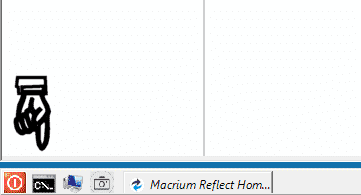
And for even more fun, you have these things, in the bootable Rescue media...

Image1.png


Macrium Reflect is so much fun that the User Guide is 485 pages. :D
 
Last edited:

My Computers My Computers

  • At a glance

    Win 11 Home ♦♦♦26200.8655 ♦♦♦♦♦♦♦25H2AMD Ryzen 7 3700XG.Skill (F4-3200C14D-16GTZKW)EVGA RTX 2070 (08G-P4-2171-KR)
    OS
    Win 11 Home ♦♦♦26200.8655 ♦♦♦♦♦♦♦25H2
    Computer type
    PC/Desktop
    Manufacturer/Model
    Built by Ghot® [May 2020]
    CPU
    AMD Ryzen 7 3700X
    Motherboard
    Asus Pro WS X570-ACE (BIOS 5302)
    Memory
    G.Skill (F4-3200C14D-16GTZKW)
    Graphics Card(s)
    EVGA RTX 2070 (08G-P4-2171-KR)
    Sound Card
    Realtek ALC1220P / ALC S1220A
    Monitor(s) Displays
    Dell U3011 30"
    Screen Resolution
    2560 x 1600
    Hard Drives
    2x Samsung 860 EVO 500GB,
    WD 4TB Black FZBX - SATA III,
    WD 8TB Black FZBX - SATA III,
    DRW-24B1ST CD/DVD Burner
    PSU
    PC Power & Cooling 750W Quad EPS12V
    Case
    Cooler Master ATCS 840 Tower
    Cooling
    CM Hyper 212 EVO (push/pull)
    Keyboard
    Ducky DK9008 Shine II Blue LED
    Mouse
    Logitech Optical M-100
    Internet Speed
    300/300
    Browser
    Firefox (latest)
    Antivirus
    Bitdefender Total Security
    Other Info
    Speakers: Klipsch Pro Media 2.1
  • At a glance

    Windows XP Pro 32bit w/SP3AMD Athlon 64 X2 5000+ (OC'd @ 3.2Ghz)TWIN2X2048-6400C4DHX (2 x 1GB, DDR2 800)EVGA 256-P2-N758-TR GeForce 8600GT SSC
    Operating System
    Windows XP Pro 32bit w/SP3
    Computer type
    PC/Desktop
    Manufacturer/Model
    Built by Ghot® (not in use)
    CPU
    AMD Athlon 64 X2 5000+ (OC'd @ 3.2Ghz)
    Motherboard
    ASUS M2N32-SLI Deluxe Wireless Edition
    Memory
    TWIN2X2048-6400C4DHX (2 x 1GB, DDR2 800)
    Graphics card(s)
    EVGA 256-P2-N758-TR GeForce 8600GT SSC
    Sound Card
    Onboard
    Monitor(s) Displays
    ViewSonic G90FB Black 19" Professional (CRT)
    Screen Resolution
    up to 2048 x 1536
    Hard Drives
    WD 36GB 10,000rpm Raptor SATA
    Seagate 80GB 7200rpm SATA
    Lite-On LTR-52246S CD/RW
    Lite-On LH-18A1P CD/DVD Burner
    PSU
    PC Power & Cooling Silencer 750 Quad EPS12V
    Case
    Generic Beige case, 80mm fans
    Cooling
    ZALMAN 9500A 92mm CPU Cooler
    Keyboard
    Logitech Classic Keybooard 200
    Mouse
    Logitech Optical M-BT96a
    Internet Speed
    300/300
    Browser
    Firefox 3.x ??
    Antivirus
    Symantec (Norton)
    Other Info
    Still assembled, still runs. Haven't turned it on for 15 years?
You are very welcome!
 

My Computer My Computer

At a glance

Windows 11AMD Ryzen 7 5700GMicron Technology DDR4-3200 16GBNVIDIA GeForce RTX 3060
OS
Windows 11
Computer type
PC/Desktop
Manufacturer/Model
HP Pavilion
CPU
AMD Ryzen 7 5700G
Motherboard
Erica6
Memory
Micron Technology DDR4-3200 16GB
Graphics Card(s)
NVIDIA GeForce RTX 3060
Sound Card
Realtek ALC671
Monitor(s) Displays
Samsung SyncMaster U28E590
Screen Resolution
3840 x 2160
Hard Drives
SAMSUNG MZVLQ1T0HALB-000H1
Back
Top Bottom