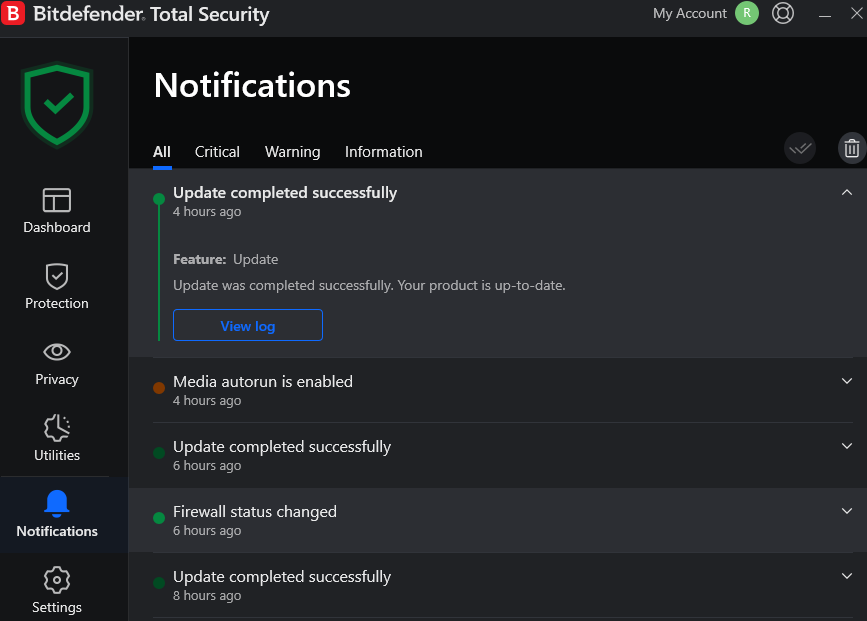
I installed BDTS on 28th January 2025 and, up until about 2 weeks ago, a File Explorer window would launch whenever I inserted a USB stick or external USB drive. I remember seeing a BDTS alert regarding AutoPlay stating that it was protecting my device by disabling AutoPlay and since then FE no longer launches when USB devices are plugged in. I can understand the security logic and it easy enough to launch FE myself to view and manage files on the devices.
My question relates to how does BDTS stop FE launching? I ask this because AutoPlay is still enabled in Settings and should ‘Open folder to view files (file explorer) but it doesn’t.
Also, BDTS scans USB connected devices every time they are plugged in so AutoPlay launching FE to view files should not be a problem. It seems that blocking AutoPlay from launching FE is an unnecessary inconvenience.
Does anyone know how I could change it back for AutoPlay to launch FE if I wanted to. Maybe it is a registry hack?

My question relates to how does BDTS stop FE launching? I ask this because AutoPlay is still enabled in Settings and should ‘Open folder to view files (file explorer) but it doesn’t.
Also, BDTS scans USB connected devices every time they are plugged in so AutoPlay launching FE to view files should not be a problem. It seems that blocking AutoPlay from launching FE is an unnecessary inconvenience.
Does anyone know how I could change it back for AutoPlay to launch FE if I wanted to. Maybe it is a registry hack?
My Computers
-
At a glance
Windows 11 ProAMD Ryzen 9 8945HS32GB DDR5 SO-DIMMIntegrated AMD Radeon 780M (4.00 GHz)- OS
- Windows 11 Pro
- Computer type
- PC/Desktop
- Manufacturer/Model
- GMKtec K11
- CPU
- AMD Ryzen 9 8945HS
- Memory
- 32GB DDR5 SO-DIMM
- Graphics Card(s)
- Integrated AMD Radeon 780M (4.00 GHz)
- Monitor(s) Displays
- Benq 2250HM
- Screen Resolution
- 1920 x 1080
- Hard Drives
- 1 TB PCIe 4.0 NVMe M.2 SSD
- Antivirus
- Bit Defender Total Security
-
At a glance
Windows 11 HomeIntel® Core™ Ultra 7 - 255H processor16 GB LPDDR5 SDRAMIntel Arc 140T onboard graphics- Operating System
- Windows 11 Home
- Computer type
- Laptop
- Manufacturer/Model
- ASUS Zenbook 14 OLED 14" Laptop - UX3405CA-QL192W
- CPU
- Intel® Core™ Ultra 7 - 255H processor
- Memory
- 16 GB LPDDR5 SDRAM
- Graphics card(s)
- Intel Arc 140T onboard graphics
- Screen Resolution
- 1920 x 1200 (16:10 WUXGA resolution) OLED Touchscreen
- Hard Drives
- 1TB SSD
- Antivirus
- Bit Defender Total Security