Solved Brand new build, gets stuck with no video during Windows install?


But the specs that I mention at the very beginning of my post are the specs of the computer I'm asking about, not the specs of my day to day main computer which the forum adds automatically.
I've deleted a couple of my posts, which have led to things going a little off the rails. Responses to them will remain, unfortunately.
 

My Computers My Computers

  • At a glance

    Windows 11 26200.8728Amd Threadripper 7970X128GB (4 X 32) G.Skill DDR5 6400 (RDIMM)Gigabyte RTX 4090 OC
    OS
    Windows 11 26200.8728
    Computer type
    PC/Desktop
    Manufacturer/Model
    homebuilt
    CPU
    Amd Threadripper 7970X
    Motherboard
    Gigabyte TRX50 Aero D Rev. 1.0
    Memory
    128GB (4 X 32) G.Skill DDR5 6400 (RDIMM)
    Graphics Card(s)
    Gigabyte RTX 4090 OC
    Sound Card
    none (USB to speakers), Realtek
    Monitor(s) Displays
    Innocn 32" OLED
    Screen Resolution
    3840 X 2160 @ 60Hz
    Hard Drives
    Crucial T700 2TB M.2 NVME SSD
    WD 4TB Blue SATA SSD
    Seagate 18TB IronWolf Pro
    PSU
    BeQuiet! Straight Power 12 1500W
    Case
    Lian Li 011 Dynamic Evo XL
    Cooling
    SilverStone Technology XE360-TR5, with 3 Phanteks T30 fans
    Keyboard
    Cherry KC 500 MX LP (mechanical)
    Mouse
    Logitech M500s (wired)
    Internet Speed
    2000/250 Mbps (down/up)
    Other Info
    xFinity gateway
  • At a glance

    windows 11 26200.8728Intel I9-13900K64GB G.Skill DDR5-6000Gigabyte RTX 3090 ti
    Operating System
    windows 11 26200.8728
    Computer type
    PC/Desktop
    Manufacturer/Model
    homebuilt
    CPU
    Intel I9-13900K
    Motherboard
    Asus RoG Strix Z690-E
    Memory
    64GB G.Skill DDR5-6000
    Graphics card(s)
    Gigabyte RTX 3090 ti
    Sound Card
    built in Realtek
    Monitor(s) Displays
    Philips 27E1N8900 27" OLED
    Screen Resolution
    3840 X 2160 @60Hz
    Hard Drives
    WDC SN850 1TB
    8TB Seagate Ironwolf
    4TB Seagate Ironwolf
    PSU
    eVGA SuperNOVA 1300 GT
    Case
    Lian Li 011 Dynamic Evo
    Cooling
    Corsair iCUE H150i ELITE CAPELLIX Liquid CPU Cooler
    Keyboard
    Cherry Streaming (wired)
    Mouse
    Logitech M500s (wired)
Have you tried the F5 hotkey in the BIOS settings to load optimized defaults? (I verified in the manual that hotkey exists for the board.)

Best of luck.
 

My Computers My Computers

  • At a glance

    Windows 11 26200.8728Amd Threadripper 7970X128GB (4 X 32) G.Skill DDR5 6400 (RDIMM)Gigabyte RTX 4090 OC
    OS
    Windows 11 26200.8728
    Computer type
    PC/Desktop
    Manufacturer/Model
    homebuilt
    CPU
    Amd Threadripper 7970X
    Motherboard
    Gigabyte TRX50 Aero D Rev. 1.0
    Memory
    128GB (4 X 32) G.Skill DDR5 6400 (RDIMM)
    Graphics Card(s)
    Gigabyte RTX 4090 OC
    Sound Card
    none (USB to speakers), Realtek
    Monitor(s) Displays
    Innocn 32" OLED
    Screen Resolution
    3840 X 2160 @ 60Hz
    Hard Drives
    Crucial T700 2TB M.2 NVME SSD
    WD 4TB Blue SATA SSD
    Seagate 18TB IronWolf Pro
    PSU
    BeQuiet! Straight Power 12 1500W
    Case
    Lian Li 011 Dynamic Evo XL
    Cooling
    SilverStone Technology XE360-TR5, with 3 Phanteks T30 fans
    Keyboard
    Cherry KC 500 MX LP (mechanical)
    Mouse
    Logitech M500s (wired)
    Internet Speed
    2000/250 Mbps (down/up)
    Other Info
    xFinity gateway
  • At a glance

    windows 11 26200.8728Intel I9-13900K64GB G.Skill DDR5-6000Gigabyte RTX 3090 ti
    Operating System
    windows 11 26200.8728
    Computer type
    PC/Desktop
    Manufacturer/Model
    homebuilt
    CPU
    Intel I9-13900K
    Motherboard
    Asus RoG Strix Z690-E
    Memory
    64GB G.Skill DDR5-6000
    Graphics card(s)
    Gigabyte RTX 3090 ti
    Sound Card
    built in Realtek
    Monitor(s) Displays
    Philips 27E1N8900 27" OLED
    Screen Resolution
    3840 X 2160 @60Hz
    Hard Drives
    WDC SN850 1TB
    8TB Seagate Ironwolf
    4TB Seagate Ironwolf
    PSU
    eVGA SuperNOVA 1300 GT
    Case
    Lian Li 011 Dynamic Evo
    Cooling
    Corsair iCUE H150i ELITE CAPELLIX Liquid CPU Cooler
    Keyboard
    Cherry Streaming (wired)
    Mouse
    Logitech M500s (wired)
@NormAtHome

Have you tried running the ram at 4800 MT/s? And is the ram on the list of tested ram modules for your motherboard?
 

My Computers My Computers

  • At a glance

    Windows 11 Pro 25H2Intel Core i9 13900KCorsair Dominator Platinum 64gb 5600MT/s DDR5...Sapphire NITRO+ AMD Radeon RX 7900 XTX Vapor-...
    OS
    Windows 11 Pro 25H2
    Computer type
    PC/Desktop
    Manufacturer/Model
    Homebuilt
    CPU
    Intel Core i9 13900K
    Motherboard
    Asus ProArt Z790 Creator WiFi - Bios 3107
    Memory
    Corsair Dominator Platinum 64gb 5600MT/s DDR5 Dual Channel
    Graphics Card(s)
    Sapphire NITRO+ AMD Radeon RX 7900 XTX Vapor-X 24GB
    Sound Card
    External DAC: Cambridge Audio DACMagic200M - Headphone Amp: Topping L50
    Monitor(s) Displays
    Panasonic MX950 Mini LED 55" TV 120hz
    Screen Resolution
    3840 x 2160 120hz
    Hard Drives
    Samsung 980 Pro 2TB (OS)
    Samsung 980 Pro 1TB (Files)
    Lexar NZ790 4TB
    LaCie d2 Professional 6TB external - USB 3.1
    Seagate Expansion 16TB external - USB 3.2
    Seagate One Touch 18TB external HD - USB 3.0
    PSU
    Corsair RM1200x Shift
    Case
    Corsair RGB Smart Case 5000x (white)
    Cooling
    Corsair iCue H150i Elite Capellix XT
    Keyboard
    Incase Ergonomic USB (Microsoft clone)
    Mouse
    Logitech MX Master 3S
    Internet Speed
    Fibre 900/500 Mbps
    Browser
    Microsoft Edge Chromium
    Antivirus
    Bitdefender Total Security
    Other Info
    AMD Radeon Software & Drivers 26.1.1
    Hasleo Backup Suite
    Dashlane password manager
    Kensington Verimark fingerprint reader
    Logitech Brio 4K webcam
    Orico 10-port powered USB 3.0 hub
  • At a glance

    Windows 11 Pro 25H2Intel® Core™ i9-13900H32GB DDR4-3200 Dual channel*Intel Iris Xᵉ Graphics G7
    Operating System
    Windows 11 Pro 25H2
    Computer type
    Laptop
    Manufacturer/Model
    Asus Vivobook X1605VA
    CPU
    Intel® Core™ i9-13900H
    Motherboard
    Asus X1605VA bios 309
    Memory
    32GB DDR4-3200 Dual channel
    Graphics card(s)
    *Intel Iris Xᵉ Graphics G7
    Sound Card
    Realtek | Intel SST Bluetooth & USB
    Monitor(s) Displays
    16.0-inch, WUXGA 16:10 aspect ratio, IPS-level Panel
    Screen Resolution
    1920 x 1200 60hz
    Hard Drives
    512GB M.2 NVMe™ PCIe® 3.0 SSD
    Mouse
    Logitech MX Ergo Trackball
    Antivirus
    Bitdefender Total Security
    Other Info
    720p Webcam
    WiFi & USB to ethernet
Ok so here's the deal: I got it to install and get to Windows but in order to get there every time during the install of Windows when it reboots and gets stuck in the condition I described i.e. a black screen with the hard drive light blinking I have to forcibly power the computer off with the PSU power switch (holding the front panel power switch will not turn it off) and wait 5 minutes, if I turn it on too soon it boots to the same condition; I turn the PSU power on and press the power button where I get a screen mentioning something about starting in safe mode and hit F1 to enter the Bios, when in the bios I hit F8 and select the Samsung Pro 990 as the boot device; I had to do this several times and eventually it opened into Windows.

Big but here, as a test in Windows I clicked that start button and asked it to "Reboot" and guess what I get stuck in that same condition. To me it seems like there's a bios bug with the reboot command and something goes wrong and it gets stuck in this condition. I can only get into Windows from a cold boot but because I forcibly shutdown I get that "safe mode" message and have to go into the bios and hit F8 and select the Samsung to get into Windows after a restart attempt.

I started up into Windows and tested the Shutdown option and the computer did shutdown and when I pressed the power button it did NOT properly start up but again got stuck in the black screen condition I've mentioned. The only why I can get into Windows is to force the computer off with the PSU power button then wait and power on, get into the bios and use the F8 to select the Samsung Pro 990 as the boot device.

I've got to say this is the weirdest thing I've ever seen.
 

My Computer My Computer

At a glance

Windows 11Intel 13-900K32gb Corsair Dominator Platinum DDR5Zotac 3090TI AMP Extreme Holo
OS
Windows 11
Computer type
PC/Desktop
Manufacturer/Model
Built Myself
CPU
Intel 13-900K
Motherboard
Asus ProArt Z790 Creator Wifi
Memory
32gb Corsair Dominator Platinum DDR5
Graphics Card(s)
Zotac 3090TI AMP Extreme Holo
Sound Card
Realtek S1220A 7.1 Surround Sound High Definition Audio CODEC
Monitor(s) Displays
Asus 4K 29inch and LG Ultra Wide
Screen Resolution
Asus 3840z2160 LG 3440x1440
Have you tried the F5 hotkey in the BIOS settings to load optimized defaults? (I verified in the manual that hotkey exists for the board.)

Best of luck.
Yes, thanks that's one of many troubleshooting steps I took before posting.
 

My Computer My Computer

At a glance

Windows 11Intel 13-900K32gb Corsair Dominator Platinum DDR5Zotac 3090TI AMP Extreme Holo
OS
Windows 11
Computer type
PC/Desktop
Manufacturer/Model
Built Myself
CPU
Intel 13-900K
Motherboard
Asus ProArt Z790 Creator Wifi
Memory
32gb Corsair Dominator Platinum DDR5
Graphics Card(s)
Zotac 3090TI AMP Extreme Holo
Sound Card
Realtek S1220A 7.1 Surround Sound High Definition Audio CODEC
Monitor(s) Displays
Asus 4K 29inch and LG Ultra Wide
Screen Resolution
Asus 3840z2160 LG 3440x1440
I suspect it is a ram issue.
 

My Computers My Computers

  • At a glance

    Windows 11 Pro 25H2Intel Core i9 13900KCorsair Dominator Platinum 64gb 5600MT/s DDR5...Sapphire NITRO+ AMD Radeon RX 7900 XTX Vapor-...
    OS
    Windows 11 Pro 25H2
    Computer type
    PC/Desktop
    Manufacturer/Model
    Homebuilt
    CPU
    Intel Core i9 13900K
    Motherboard
    Asus ProArt Z790 Creator WiFi - Bios 3107
    Memory
    Corsair Dominator Platinum 64gb 5600MT/s DDR5 Dual Channel
    Graphics Card(s)
    Sapphire NITRO+ AMD Radeon RX 7900 XTX Vapor-X 24GB
    Sound Card
    External DAC: Cambridge Audio DACMagic200M - Headphone Amp: Topping L50
    Monitor(s) Displays
    Panasonic MX950 Mini LED 55" TV 120hz
    Screen Resolution
    3840 x 2160 120hz
    Hard Drives
    Samsung 980 Pro 2TB (OS)
    Samsung 980 Pro 1TB (Files)
    Lexar NZ790 4TB
    LaCie d2 Professional 6TB external - USB 3.1
    Seagate Expansion 16TB external - USB 3.2
    Seagate One Touch 18TB external HD - USB 3.0
    PSU
    Corsair RM1200x Shift
    Case
    Corsair RGB Smart Case 5000x (white)
    Cooling
    Corsair iCue H150i Elite Capellix XT
    Keyboard
    Incase Ergonomic USB (Microsoft clone)
    Mouse
    Logitech MX Master 3S
    Internet Speed
    Fibre 900/500 Mbps
    Browser
    Microsoft Edge Chromium
    Antivirus
    Bitdefender Total Security
    Other Info
    AMD Radeon Software & Drivers 26.1.1
    Hasleo Backup Suite
    Dashlane password manager
    Kensington Verimark fingerprint reader
    Logitech Brio 4K webcam
    Orico 10-port powered USB 3.0 hub
  • At a glance

    Windows 11 Pro 25H2Intel® Core™ i9-13900H32GB DDR4-3200 Dual channel*Intel Iris Xᵉ Graphics G7
    Operating System
    Windows 11 Pro 25H2
    Computer type
    Laptop
    Manufacturer/Model
    Asus Vivobook X1605VA
    CPU
    Intel® Core™ i9-13900H
    Motherboard
    Asus X1605VA bios 309
    Memory
    32GB DDR4-3200 Dual channel
    Graphics card(s)
    *Intel Iris Xᵉ Graphics G7
    Sound Card
    Realtek | Intel SST Bluetooth & USB
    Monitor(s) Displays
    16.0-inch, WUXGA 16:10 aspect ratio, IPS-level Panel
    Screen Resolution
    1920 x 1200 60hz
    Hard Drives
    512GB M.2 NVMe™ PCIe® 3.0 SSD
    Mouse
    Logitech MX Ergo Trackball
    Antivirus
    Bitdefender Total Security
    Other Info
    720p Webcam
    WiFi & USB to ethernet
@NormAtHome

Have you tried running the ram at 4800 MT/s? And is the ram on the list of tested ram modules for your motherboard?
No, I haven't but see my latest post as I believe I've sort of identified the problem.

The list of tested ram for G.SKill only mentions 6000MT/s ram it does not mention a single 6400MT/s kit but the tech specs for this board say: 4 x DIMM slots, Max. 192GB, DDR5 7200 (OC)/7000(OC)/6800(OC)/6600(OC)/6400(OC)/ 6200(OC)/ 6000(OC)/ 5800(OC)/ 5600/ 5400/ 5200/ 5000/ 4800 Non-ECC, Un-buffered Memory* so 6400MT/s is supported even if this specific kit is not tested. As I mentioned in my other posts, I built 10 other computers in 2025 with these specs just the previous version of this motherboard and the same ram kit and never encountered this problem.
 

My Computer My Computer

At a glance

Windows 11Intel 13-900K32gb Corsair Dominator Platinum DDR5Zotac 3090TI AMP Extreme Holo
OS
Windows 11
Computer type
PC/Desktop
Manufacturer/Model
Built Myself
CPU
Intel 13-900K
Motherboard
Asus ProArt Z790 Creator Wifi
Memory
32gb Corsair Dominator Platinum DDR5
Graphics Card(s)
Zotac 3090TI AMP Extreme Holo
Sound Card
Realtek S1220A 7.1 Surround Sound High Definition Audio CODEC
Monitor(s) Displays
Asus 4K 29inch and LG Ultra Wide
Screen Resolution
Asus 3840z2160 LG 3440x1440
I suspect it is a ram issue.
It looks like that's the problem, when I disabled XMP and let the computer set the ram speed it booted up just fine and did not get stuck.

I don't understand this at all, I built 10 computers in 2025 with the previous version of this motherboard the Asus Z790 Gaming Wifi and the exact same ram kit and enabled XMP and the computers worked just fine; no boot problem even with the latest bios update.
 

My Computer My Computer

At a glance

Windows 11Intel 13-900K32gb Corsair Dominator Platinum DDR5Zotac 3090TI AMP Extreme Holo
OS
Windows 11
Computer type
PC/Desktop
Manufacturer/Model
Built Myself
CPU
Intel 13-900K
Motherboard
Asus ProArt Z790 Creator Wifi
Memory
32gb Corsair Dominator Platinum DDR5
Graphics Card(s)
Zotac 3090TI AMP Extreme Holo
Sound Card
Realtek S1220A 7.1 Surround Sound High Definition Audio CODEC
Monitor(s) Displays
Asus 4K 29inch and LG Ultra Wide
Screen Resolution
Asus 3840z2160 LG 3440x1440
It looks like that's the problem, when I disabled XMP and let the computer set the ram speed it booted up just fine and did not get stuck.

I don't understand this at all, I built 10 computers in 2025 with the previous version of this motherboard the Asus Z790 Gaming Wifi and the exact same ram kit and enabled XMP and the computers worked just fine; no boot problem even with the latest bios update.
I'm confused.

Based on (limited) past experience, I expect XMP to be disabled out-of-the-box. Or by using optimized defaults (F5). Did you enable it again before trying the Windows install?

I admit that I might have tried XMP from the start, given your experiences.

What speed does Task Manager/Performance/Memory report for the RAM with XMP disabled? (Just curious. The RAM in my primary system is at 6400MT/s.)
 
Last edited:

My Computers My Computers

  • At a glance

    Windows 11 26200.8728Amd Threadripper 7970X128GB (4 X 32) G.Skill DDR5 6400 (RDIMM)Gigabyte RTX 4090 OC
    OS
    Windows 11 26200.8728
    Computer type
    PC/Desktop
    Manufacturer/Model
    homebuilt
    CPU
    Amd Threadripper 7970X
    Motherboard
    Gigabyte TRX50 Aero D Rev. 1.0
    Memory
    128GB (4 X 32) G.Skill DDR5 6400 (RDIMM)
    Graphics Card(s)
    Gigabyte RTX 4090 OC
    Sound Card
    none (USB to speakers), Realtek
    Monitor(s) Displays
    Innocn 32" OLED
    Screen Resolution
    3840 X 2160 @ 60Hz
    Hard Drives
    Crucial T700 2TB M.2 NVME SSD
    WD 4TB Blue SATA SSD
    Seagate 18TB IronWolf Pro
    PSU
    BeQuiet! Straight Power 12 1500W
    Case
    Lian Li 011 Dynamic Evo XL
    Cooling
    SilverStone Technology XE360-TR5, with 3 Phanteks T30 fans
    Keyboard
    Cherry KC 500 MX LP (mechanical)
    Mouse
    Logitech M500s (wired)
    Internet Speed
    2000/250 Mbps (down/up)
    Other Info
    xFinity gateway
  • At a glance

    windows 11 26200.8728Intel I9-13900K64GB G.Skill DDR5-6000Gigabyte RTX 3090 ti
    Operating System
    windows 11 26200.8728
    Computer type
    PC/Desktop
    Manufacturer/Model
    homebuilt
    CPU
    Intel I9-13900K
    Motherboard
    Asus RoG Strix Z690-E
    Memory
    64GB G.Skill DDR5-6000
    Graphics card(s)
    Gigabyte RTX 3090 ti
    Sound Card
    built in Realtek
    Monitor(s) Displays
    Philips 27E1N8900 27" OLED
    Screen Resolution
    3840 X 2160 @60Hz
    Hard Drives
    WDC SN850 1TB
    8TB Seagate Ironwolf
    4TB Seagate Ironwolf
    PSU
    eVGA SuperNOVA 1300 GT
    Case
    Lian Li 011 Dynamic Evo
    Cooling
    Corsair iCUE H150i ELITE CAPELLIX Liquid CPU Cooler
    Keyboard
    Cherry Streaming (wired)
    Mouse
    Logitech M500s (wired)
I'm confused.

Based on (limited) past experience, I expect XMP to be disabled out-of-the-box. Or by using optimized defaults (F5). Did you enable it again before trying the Windows install?

What speed does Task Manager/Performance/Memory report for the RAM with XMP disabled? (Just curious. The RAM in my primary system is at 6400MT/s.)
I did enable it because not a single one of the previous 10 computers had a problem with that setting and this ram kit; if I could have gotten my hands on the previous version of this motherboard I'd be happily motoring along with it instead of dealing with this ridiculous problem. I felt 100% certain from past experience that this was not problematic and apparently wrongly; I've got four desktop computers in my office, one server plus my main use computer plus two special use computers that are running ram not on the compatibility list with XMP on and not a single problem.

Taskmgr with XMP disabled reports 4000MT/s, with XMP enabled it showed DDR5-6400 32-39-39-102-1.40V-1.40V
 

My Computer My Computer

At a glance

Windows 11Intel 13-900K32gb Corsair Dominator Platinum DDR5Zotac 3090TI AMP Extreme Holo
OS
Windows 11
Computer type
PC/Desktop
Manufacturer/Model
Built Myself
CPU
Intel 13-900K
Motherboard
Asus ProArt Z790 Creator Wifi
Memory
32gb Corsair Dominator Platinum DDR5
Graphics Card(s)
Zotac 3090TI AMP Extreme Holo
Sound Card
Realtek S1220A 7.1 Surround Sound High Definition Audio CODEC
Monitor(s) Displays
Asus 4K 29inch and LG Ultra Wide
Screen Resolution
Asus 3840z2160 LG 3440x1440
I did enable it because not a single one of the previous 10 computers had a problem with that setting and this ram kit; if I could have gotten my hands on the previous version of this motherboard I'd be happily motoring along with it instead of dealing with this ridiculous problem. I felt 100% certain from past experience that this was not problematic and apparently wrongly; I've got four desktop computers in my office, one server plus my main use computer plus two special use computers that are running ram not on the compatibility list with XMP on and not a single problem.

Taskmgr with XMP disabled reports 4000MT/s, with XMP enabled it showed DDR5-6400 32-39-39-102-1.40V-1.40V
It's odd that the Max version seems less tolerant of fast RAM than the older version. It's supposed to be the other way 'round. (6400 isn't an extreme case.)

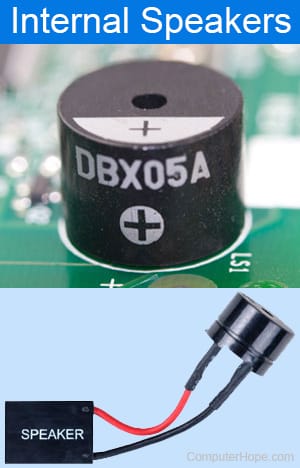
A single beep indicates a RAM issue, except when it doesn't. (Varies by BIOS maker, I believe.)
 

My Computers My Computers

  • At a glance

    Windows 11 26200.8728Amd Threadripper 7970X128GB (4 X 32) G.Skill DDR5 6400 (RDIMM)Gigabyte RTX 4090 OC
    OS
    Windows 11 26200.8728
    Computer type
    PC/Desktop
    Manufacturer/Model
    homebuilt
    CPU
    Amd Threadripper 7970X
    Motherboard
    Gigabyte TRX50 Aero D Rev. 1.0
    Memory
    128GB (4 X 32) G.Skill DDR5 6400 (RDIMM)
    Graphics Card(s)
    Gigabyte RTX 4090 OC
    Sound Card
    none (USB to speakers), Realtek
    Monitor(s) Displays
    Innocn 32" OLED
    Screen Resolution
    3840 X 2160 @ 60Hz
    Hard Drives
    Crucial T700 2TB M.2 NVME SSD
    WD 4TB Blue SATA SSD
    Seagate 18TB IronWolf Pro
    PSU
    BeQuiet! Straight Power 12 1500W
    Case
    Lian Li 011 Dynamic Evo XL
    Cooling
    SilverStone Technology XE360-TR5, with 3 Phanteks T30 fans
    Keyboard
    Cherry KC 500 MX LP (mechanical)
    Mouse
    Logitech M500s (wired)

    Internet Speed
    2000/250 Mbps (down/up)
    Other Info
    xFinity gateway
  • At a glance

    windows 11 26200.8728Intel I9-13900K64GB G.Skill DDR5-6000Gigabyte RTX 3090 ti
    Operating System
    windows 11 26200.8728
    Computer type
    PC/Desktop
    Manufacturer/Model
    homebuilt
    CPU
    Intel I9-13900K
    Motherboard
    Asus RoG Strix Z690-E
    Memory
    64GB G.Skill DDR5-6000
    Graphics card(s)
    Gigabyte RTX 3090 ti
    Sound Card
    built in Realtek
    Monitor(s) Displays
    Philips 27E1N8900 27" OLED
    Screen Resolution
    3840 X 2160 @60Hz
    Hard Drives
    WDC SN850 1TB
    8TB Seagate Ironwolf
    4TB Seagate Ironwolf
    PSU
    eVGA SuperNOVA 1300 GT
    Case
    Lian Li 011 Dynamic Evo
    Cooling
    Corsair iCUE H150i ELITE CAPELLIX Liquid CPU Cooler
    Keyboard
    Cherry Streaming (wired)
    Mouse
    Logitech M500s (wired)

Taskmgr with XMP disabled reports 4000MT/s, with XMP enabled it showed DDR5-6400 32-39-39-102-1.40V-1.40V


I had a similar problem...
I used CPU-Z to set the RAM frequency, timings and voltage to manufacturer specs, with the AMD equivalent of XMP turned OFF.
It's worked fine ever since.

Here is the topic...
 

My Computers My Computers

  • At a glance

    Win 11 Home ♦♦♦26200.8655 ♦♦♦♦♦♦♦25H2AMD Ryzen 7 3700XG.Skill (F4-3200C14D-16GTZKW)EVGA RTX 2070 (08G-P4-2171-KR)
    OS
    Win 11 Home ♦♦♦26200.8655 ♦♦♦♦♦♦♦25H2
    Computer type
    PC/Desktop
    Manufacturer/Model
    Built by Ghot® [May 2020]
    CPU
    AMD Ryzen 7 3700X
    Motherboard
    Asus Pro WS X570-ACE (BIOS 5302)
    Memory
    G.Skill (F4-3200C14D-16GTZKW)
    Graphics Card(s)
    EVGA RTX 2070 (08G-P4-2171-KR)
    Sound Card
    Realtek ALC1220P / ALC S1220A
    Monitor(s) Displays
    Dell U3011 30"
    Screen Resolution
    2560 x 1600
    Hard Drives
    2x Samsung 860 EVO 500GB,
    WD 4TB Black FZBX - SATA III,
    WD 8TB Black FZBX - SATA III,
    DRW-24B1ST CD/DVD Burner
    PSU
    PC Power & Cooling 750W Quad EPS12V
    Case
    Cooler Master ATCS 840 Tower
    Cooling
    CM Hyper 212 EVO (push/pull)
    Keyboard
    Ducky DK9008 Shine II Blue LED
    Mouse
    Logitech Optical M-100
    Internet Speed
    300/300
    Browser
    Firefox (latest)
    Antivirus
    Bitdefender Total Security
    Other Info
    Speakers: Klipsch Pro Media 2.1
  • At a glance

    Windows XP Pro 32bit w/SP3AMD Athlon 64 X2 5000+ (OC'd @ 3.2Ghz)TWIN2X2048-6400C4DHX (2 x 1GB, DDR2 800)EVGA 256-P2-N758-TR GeForce 8600GT SSC
    Operating System
    Windows XP Pro 32bit w/SP3
    Computer type
    PC/Desktop
    Manufacturer/Model
    Built by Ghot® (not in use)
    CPU
    AMD Athlon 64 X2 5000+ (OC'd @ 3.2Ghz)
    Motherboard
    ASUS M2N32-SLI Deluxe Wireless Edition
    Memory
    TWIN2X2048-6400C4DHX (2 x 1GB, DDR2 800)
    Graphics card(s)
    EVGA 256-P2-N758-TR GeForce 8600GT SSC
    Sound Card
    Onboard
    Monitor(s) Displays
    ViewSonic G90FB Black 19" Professional (CRT)
    Screen Resolution
    up to 2048 x 1536
    Hard Drives
    WD 36GB 10,000rpm Raptor SATA
    Seagate 80GB 7200rpm SATA
    Lite-On LTR-52246S CD/RW
    Lite-On LH-18A1P CD/DVD Burner
    PSU
    PC Power & Cooling Silencer 750 Quad EPS12V
    Case
    Generic Beige case, 80mm fans
    Cooling
    ZALMAN 9500A 92mm CPU Cooler
    Keyboard
    Logitech Classic Keybooard 200
    Mouse
    Logitech Optical M-BT96a
    Internet Speed
    300/300
    Browser
    Firefox 3.x ??
    Antivirus
    Symantec (Norton)
    Other Info
    Still assembled, still runs. Haven't turned it on for 15 years?
See if any of these links are useful:


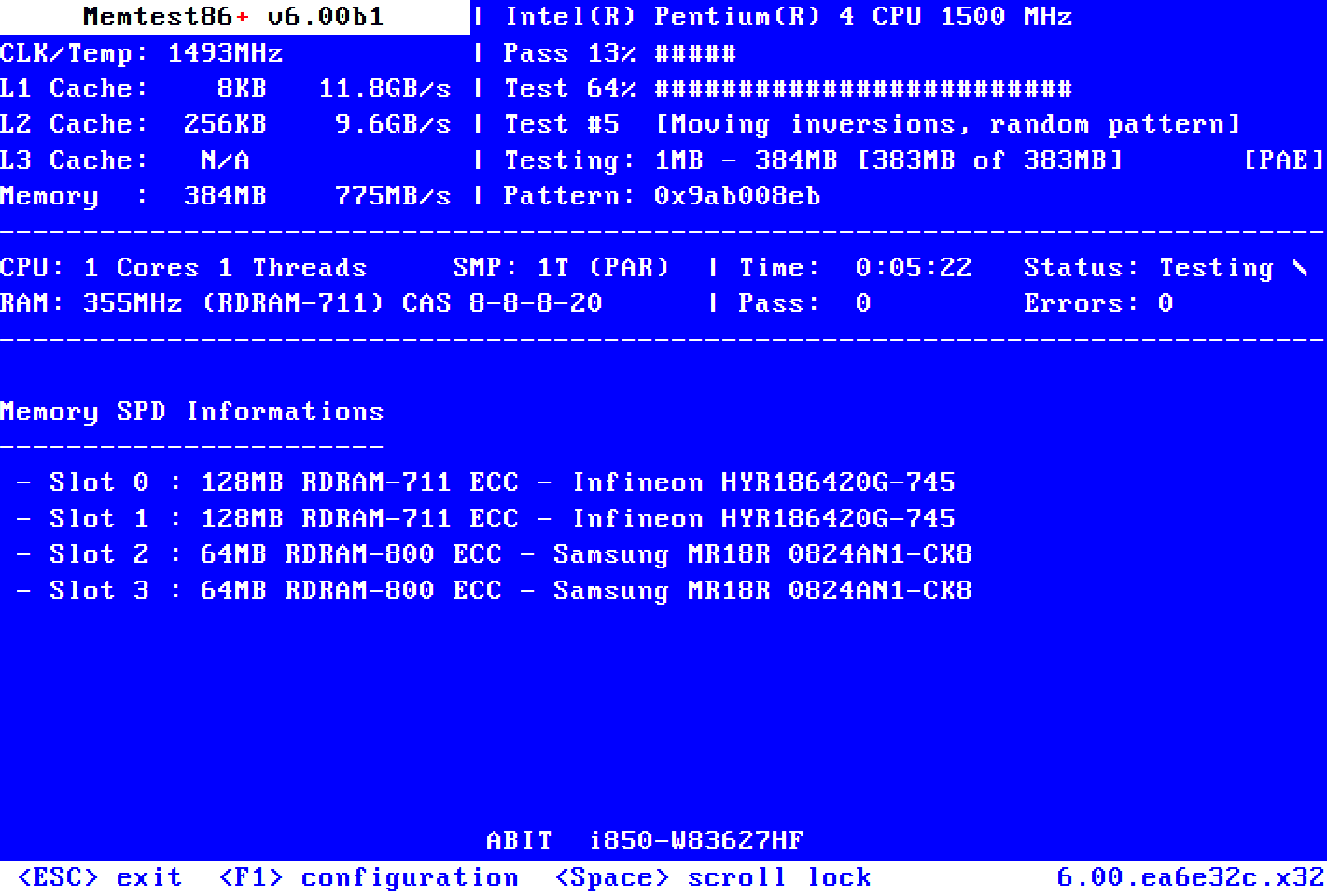
(beep codes, asus irst/vmd, safe mode, RAM testing, drive testing, adv startup, blank screen troubleshooting)


And see if a clean install of another operating system: Windows 10 or Ubuntu/Linux makes a difference.


Last edited:

My Computer My Computer

At a glance

Windows 10Intel(R) Core(TM) i7-4800MQ CPU @ 2.70GHz16 GB Total: Manufacturer : Samsung MemoryTyp...NVIDIA Quadro K3100M; Intel(R) HD Graphics 4600
OS
Windows 10
Computer type
Laptop
Manufacturer/Model
HP
CPU
Intel(R) Core(TM) i7-4800MQ CPU @ 2.70GHz
Motherboard
Product : 190A Version : KBC Version 94.56
Memory
16 GB Total: Manufacturer : Samsung MemoryType : DDR3 FormFactor : SODIMM Capacity : 8GB Speed : 1600
Graphics Card(s)
NVIDIA Quadro K3100M; Intel(R) HD Graphics 4600
Sound Card
IDT High Definition Audio CODEC; PNP Device ID HDAUDIO\FUNC_01&VEN_111D&DEV_76E0
Hard Drives
Model Hitachi HTS727575A9E364
Antivirus
Microsoft Defender
Other Info
Mobile Workstation
Thanks for the information, it took a while but with the help of some of the other people we identified the problem as some odd issue with this 6400MT/s G.Skill ram kit where when XMP was enabled the computer would not reboot properly and it would get stuck in the state I mentioned.
 

My Computer My Computer

At a glance

Windows 11Intel 13-900K32gb Corsair Dominator Platinum DDR5Zotac 3090TI AMP Extreme Holo
OS
Windows 11
Computer type
PC/Desktop
Manufacturer/Model
Built Myself
CPU
Intel 13-900K
Motherboard
Asus ProArt Z790 Creator Wifi
Memory
32gb Corsair Dominator Platinum DDR5
Graphics Card(s)
Zotac 3090TI AMP Extreme Holo
Sound Card
Realtek S1220A 7.1 Surround Sound High Definition Audio CODEC
Monitor(s) Displays
Asus 4K 29inch and LG Ultra Wide
Screen Resolution
Asus 3840z2160 LG 3440x1440

Latest Support Threads

Back
Top Bottom