Hi.
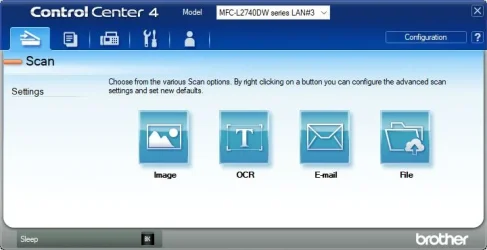
after updating last week to 24H2 26.100.6899 my Brother printer and scanner stopped working and was unreachable via WiFi. Uninstalling the updates did not help. After a lot of fiddling and system freezing managed to uninstall and reinstall the big Brother W11 driver package including Brother Utilities CommandCenter4.
The printer was partly accessable but the CC4 scanner link is broken completely. Installing and reinstalling and sfc and dism did not help.
After hours I've tried windows app iPrint and other scan tools. Now I'm using NAPS2 VIA driver which is working astonishly well. There are long threads on Microsoft about failing scanners. Maybe the advice installing manually via Device Manager -> Update driver -> Browse for drivers on your computer -> Let me pick from a list ... helped regaining the scanner functionality via WiFi. I still don't know how the printer managed access to my wireless network.
after updating last week to 24H2 26.100.6899 my Brother printer and scanner stopped working and was unreachable via WiFi. Uninstalling the updates did not help. After a lot of fiddling and system freezing managed to uninstall and reinstall the big Brother W11 driver package including Brother Utilities CommandCenter4.
The printer was partly accessable but the CC4 scanner link is broken completely. Installing and reinstalling and sfc and dism did not help.
After hours I've tried windows app iPrint and other scan tools. Now I'm using NAPS2 VIA driver which is working astonishly well. There are long threads on Microsoft about failing scanners. Maybe the advice installing manually via Device Manager -> Update driver -> Browse for drivers on your computer -> Let me pick from a list ... helped regaining the scanner functionality via WiFi. I still don't know how the printer managed access to my wireless network.
Last edited:
My Computer
At a glance
Windows 11
- OS
- Windows 11
- Computer type
- PC/Desktop