General Change Folder to Open File Explorer to by Default in Windows 11


File_Explorer_banner.png

This tutorial will show you how to set File Explorer to open to either This PC, Home (Quick access), OneDrive, Downloads, or a custom location by default for your account in Windows 11.

File Explorer opens to Home (Quick access) by default in Window 11, but you can change File Explorer to open to This PC, Mobile Device (phone), OneDrive, or Downloads instead.

Starting with Windows 11 build 22593, Quick access is now called Home. The name Quick access has been repurposed for the pinned/frequent Folders section and Pinned files is now called Favorites to align with Office and OneDrive. Recent and pinned files displayed in Home are now searchable using the search box in File Explorer even if they are not local files, so you can find Office files recently shared with you.

Home (Quick access) shows your pinned and frequent folders and recent files.
  • Quick access (Frequent folders) = Displays up to 11 folders that you pinned or frequently opened on the system.
  • Favorites = Pinned files.
  • Recent (Recent files) = Displays up to 26 files that you most recently opened.
This PC displays your Desktop, Documents, Downloads, Music. Pictures, and Videos folders in addition to the usual devices and drives (hard drives, optical drives, and removable devices) and network locations.

OneDrive can sync files between your computer and the cloud, so you can get to your files from anywhere - your computer, your mobile device, and even through the OneDrive website at OneDrive.com. If you add, change, or delete a file or folder in your OneDrive folder, the file or folder is added, changed, or deleted on the OneDrive website and vice versa. You can work with your synced files directly in File Explorer and access your files even when you’re offline. Whenever you’re online, any changes that you or others make will sync automatically.

Downloads opens to your account's Downloads folder.


Contents

  • Option One: Change Folder to Open File Explorer to by Default in Folder Options
  • Option Two: Change Folder to Open File Explorer to by Default using REG File


EXAMPLE: Open File Explorer to "Home", "This PC", Mobile Device, "OneDrive", or "Downloads" by default

Home.webp
This_PC.webp


Mobile_Device.webp
OneDrive.webp
Downloads.webp


Option One

Change Folder to Open File Explorer to by Default in Folder Options


1 Open Folder Options.

2 In the General tab, select Home (default), This PC, mobile device (ex: "Brink S23+"), or OneDrive (personal) in the Open File Explorer to drop menu for what you want, and click/tap on OK. (see screenshot below)

Folder_Options.webp


Option Two

Change Folder to Open File Explorer to by Default using REG File


1 Do step 2 (Home), step 3 (This PC), step 4 (Mobile Device or OneDrive), or step 5 (Downloads) below for what you would like to do.

2 To Open File Explorer to Home by Default

This is the default setting.


A) Click/tap on the Download button below to download the file below, and go to step 6 below.​

Open_File_Explorer_to_Home.reg


(Contents of REG file for reference)

Code:
Windows Registry Editor Version 5.00

[HKEY_CURRENT_USER\Software\Microsoft\Windows\CurrentVersion\Explorer\Advanced]
"LaunchTo"=dword:00000002

3 To Open File Explorer to This PC by Default

A) Click/tap on the Download button below to download the file below, and go to step 6 below.​

Open_File_Explorer_to_This_PC.reg


(Contents of REG file for reference)

Code:
Windows Registry Editor Version 5.00

[HKEY_CURRENT_USER\Software\Microsoft\Windows\CurrentVersion\Explorer\Advanced]
"LaunchTo"=dword:00000001

4 To Open File Explorer to Mobile Device or OneDrive by Default

This will open your Mobile Device (CrossDevice) or OneDrive depending on which one is listed first alphabetically under the SyncRootManager key in the registry path below.

HKEY_LOCAL_MACHINE\SOFTWARE\Microsoft\Windows\CurrentVersion\Explorer\SyncRootManager

SyncRootManager.webp


A) Click/tap on the Download button below to download the file below, and go to step 6 below.​

Open_File_Explorer_to-OneDrive.reg


(Contents of REG file for reference)

Code:
Windows Registry Editor Version 5.00

[HKEY_CURRENT_USER\Software\Microsoft\Windows\CurrentVersion\Explorer\Advanced]
"LaunchTo"=dword:00000004

5 To Open File Explorer to Downloads by Default

A) Click/tap on the Download button below to download the file below, and go to step 6 below.​

Open_File_Explorer_to_Downloads.reg


(Contents of REG file for reference)

Code:
Windows Registry Editor Version 5.00

[HKEY_CURRENT_USER\Software\Microsoft\Windows\CurrentVersion\Explorer\Advanced]
"LaunchTo"=dword:00000003

6 Save the .reg file to your desktop.

7 If you have Smart App Control turned on, you will need to unblock the downloaded REG file.

8 Double click/tap on the downloaded .reg file to merge it.

9 When prompted, click/tap on Run, Yes (UAC), Yes, and OK to approve the merge.

10 You can now delete the downloaded .reg file if you like.


That's it,
Shawn Brink


Attachments

Last edited:

Thanks
 

My Computer My Computer

At a glance

Windows 11 Home() - 25H2 -26220.8894AMD Ryzen 5 5600GG.SKILL Ripjaws V Series 64GB 4x16Nvidia geforce gtx titan x
OS
Windows 11 Home() - 25H2 -26220.8894
Computer type
PC/Desktop
Manufacturer/Model
Banana Junior 5600-G Series
CPU
AMD Ryzen 5 5600G
Motherboard
Asus ROG Strix B550-F
Memory
G.SKILL Ripjaws V Series 64GB 4x16
Graphics Card(s)
Nvidia geforce gtx titan x
Monitor(s) Displays
28" ASUS VP28U 4k
Screen Resolution
4K
Hard Drives
Primary SAMSUNG 970 EVO Plus
PSU
EVGA BQ 700w 80+ Bronze
Case
Zalman i3 NEO
Cooling
ARCTIC Freezer 7 X
Keyboard
Corsair
Mouse
Amazon Generic with Cord
Internet Speed
Download: 295.11 mbps Upload: 65.35 mbps T-Mobile Internet
Browser
Firefox and Edge
Antivirus
MS - Defender
Other Info
Speakers: Klipsch ProMedia 2.1
:shawn:
 

My Computers My Computers

  • At a glance

    Windows 11 Pro for WorkstationsIntel i7-8700K 5 GHz64 GB (4x16GB) G.SKILL TridentZ RGB DDR4 3600...ASUS ROG-STRIX-GTX1080TI-O11G-GAMING (11GB GD...
    OS
    Windows 11 Pro for Workstations
    Computer type
    PC/Desktop
    Manufacturer/Model
    Custom self build
    CPU
    Intel i7-8700K 5 GHz
    Motherboard
    ASUS ROG Maximus XI Formula Z390
    Memory
    64 GB (4x16GB) G.SKILL TridentZ RGB DDR4 3600 MHz (F4-3600C18D-32GTZR)
    Graphics Card(s)
    ASUS ROG-STRIX-GTX1080TI-O11G-GAMING (11GB GDDR5X)
    Sound Card
    Integrated Digital Audio (S/PDIF)
    Monitor(s) Displays
    2 x Samsung Odyssey G75 27"
    Screen Resolution
    2560x1440
    Hard Drives
    1TB Samsung 990 PRO M.2,
    4TB Samsung 990 PRO M.2,
    TerraMaster F8 SSD Plus NAS
    PSU
    Seasonic Prime Titanium 850W
    Case
    Thermaltake Core P3 wall mounted
    Cooling
    Corsair Hydro H115i
    Keyboard
    Amazon Basics Wired Full Keyboard MD005
    Mouse
    Logitech MX Master 4
    Internet Speed
    2 Gbps Download and 100 Mbps Upload
    Browser
    Chrome and Edge
    Antivirus
    Microsoft Defender
    Other Info
    Logitech Z625 speaker system,
    Logitech BRIO 4K Pro webcam,
    HP Color LaserJet Pro MFP M477fdn,
    CyberPower CP1500PFCLCD
    Galaxy S23 Plus phone
  • At a glance

    Windows 11 ProSnapdragon X Elite (12 core) 3.42 GHz16 GB LPDDR5x-7467 MHz
    Operating System
    Windows 11 Pro
    Computer type
    Laptop
    Manufacturer/Model
    Surface Laptop 7 Copilot+ PC
    CPU
    Snapdragon X Elite (12 core) 3.42 GHz
    Memory
    16 GB LPDDR5x-7467 MHz
    Monitor(s) Displays
    15" HDR
    Screen Resolution
    2496 x 1664
    Hard Drives
    1 TB SSD
    Internet Speed
    Wi-Fi 7 and Bluetooth 5.4
    Browser
    Chrome and Edge
    Antivirus
    Microsoft Defender
When Windows update gave me Windows 11, I had already changed Quick Access to My PC in Windows 10. Windows 11 picked up all my settings (for the most part), and this was among them.

I don't like Quick Access, but I know that some do. It's good that we have this choice. Aaaaannnnd, I may at some point need this tutorial . . . who knows . . .
 

My Computers My Computers

  • At a glance

    Windows 11 23H2 22631.2861Intel(R) Core(TM) i7-10700 CPU @ 2.90GHz 2.90...16384 MBytesIntel UHD Graphics 630
    OS
    Windows 11 23H2 22631.2861
    Computer type
    PC/Desktop
    Manufacturer/Model
    HP Envy TE01-1xxx
    CPU
    Intel(R) Core(TM) i7-10700 CPU @ 2.90GHz 2.90 GHz
    Motherboard
    16.0GB Dual-Channel Unknown @ 1463MHz (21-21-21-47)
    Memory
    16384 MBytes
    Graphics Card(s)
    Intel UHD Graphics 630
    Sound Card
    Realtek High Definition Audio
    Monitor(s) Displays
    Monitor 1 - Acer 27" Monitor 2 - Acer 27"
    Screen Resolution
    1920 x 1080
    Hard Drives
    WDC PC SN530 SDBPNPZ-512G-1006 (SSD)
    Seagate ST1000DM003-1SB102
    Seagate BUP Slim SCSI Disk Device (SSD)
    PSU
    HP
    Case
    HP
    Cooling
    Standard
    Keyboard
    Logitech Wave K350
    Mouse
    Logitech M705
    Internet Speed
    500 mbps
    Browser
    Firefox
    Antivirus
    Windows Defender
    Other Info
    That's all Folks!
  • At a glance

    Windows 11Intel Core i7 (10th gen) 1070016 GBIntel UHD Graphics 630
    Operating System
    Windows 11
    Computer type
    PC/Desktop
    Manufacturer/Model
    HP
    CPU
    Intel Core i7 (10th gen) 10700
    Motherboard
    Intel
    Memory
    16 GB
    Graphics card(s)
    Intel UHD Graphics 630
    Sound Card
    Built-in
    Monitor(s) Displays
    Acer 27" & Samsung 24"
    Screen Resolution
    1920 x
    Hard Drives
    SSD (512 GB)
    HDD (1 TB)
    Seagate
    PSU
    Intel i7 10th Generation
    Case
    HP
    Cooling
    HP/Intel?
    Keyboard
    Logitech Wave K350
    Mouse
    Logitech M705
    Internet Speed
    50 mbps
    Browser
    Firefox 90.2
    Antivirus
    Windows Defender
    Other Info
    Headphone/Microphone Combo
    SuperSpeed USB Type-A (4 on front)
    HP 3-in-One Card Readr
    SuperSpeed USB Type-C
    DVD Writer
Tutorial updated for Windows 11 build 22593.

Quick access renamed to Home.
You can now select to open File Explorer to OneDrive.
 

My Computers My Computers

  • At a glance

    Windows 11 Pro for WorkstationsIntel i7-8700K 5 GHz64 GB (4x16GB) G.SKILL TridentZ RGB DDR4 3600...ASUS ROG-STRIX-GTX1080TI-O11G-GAMING (11GB GD...
    OS
    Windows 11 Pro for Workstations
    Computer type
    PC/Desktop
    Manufacturer/Model
    Custom self build
    CPU
    Intel i7-8700K 5 GHz
    Motherboard
    ASUS ROG Maximus XI Formula Z390
    Memory
    64 GB (4x16GB) G.SKILL TridentZ RGB DDR4 3600 MHz (F4-3600C18D-32GTZR)
    Graphics Card(s)
    ASUS ROG-STRIX-GTX1080TI-O11G-GAMING (11GB GDDR5X)
    Sound Card
    Integrated Digital Audio (S/PDIF)
    Monitor(s) Displays
    2 x Samsung Odyssey G75 27"
    Screen Resolution
    2560x1440
    Hard Drives
    1TB Samsung 990 PRO M.2,
    4TB Samsung 990 PRO M.2,
    TerraMaster F8 SSD Plus NAS
    PSU
    Seasonic Prime Titanium 850W
    Case
    Thermaltake Core P3 wall mounted
    Cooling
    Corsair Hydro H115i
    Keyboard
    Amazon Basics Wired Full Keyboard MD005
    Mouse
    Logitech MX Master 4
    Internet Speed
    2 Gbps Download and 100 Mbps Upload
    Browser
    Chrome and Edge
    Antivirus
    Microsoft Defender
    Other Info
    Logitech Z625 speaker system,
    Logitech BRIO 4K Pro webcam,
    HP Color LaserJet Pro MFP M477fdn,
    CyberPower CP1500PFCLCD
    Galaxy S23 Plus phone
  • At a glance

    Windows 11 ProSnapdragon X Elite (12 core) 3.42 GHz16 GB LPDDR5x-7467 MHz
    Operating System
    Windows 11 Pro
    Computer type
    Laptop
    Manufacturer/Model
    Surface Laptop 7 Copilot+ PC
    CPU
    Snapdragon X Elite (12 core) 3.42 GHz
    Memory
    16 GB LPDDR5x-7467 MHz
    Monitor(s) Displays
    15" HDR
    Screen Resolution
    2496 x 1664
    Hard Drives
    1 TB SSD
    Internet Speed
    Wi-Fi 7 and Bluetooth 5.4
    Browser
    Chrome and Edge
    Antivirus
    Microsoft Defender
Hi,

Thanks for the registry file to direct File Explorer direct to the downloads folder, very useful, Should I ever want to disable this function, is there a way to do this through another registry file or another option?

Thanks

Greg
 

My Computer My Computer

At a glance

Windows 11
OS
Windows 11
Hi,

Thanks for the registry file to direct File Explorer direct to the downloads folder, very useful, Should I ever want to disable this function, is there a way to do this through another registry file or another option?

Thanks

Greg

Hello Greg, :-)

I'm not sure this setting can be disabled.
 

My Computers My Computers

  • At a glance

    Windows 11 Pro for WorkstationsIntel i7-8700K 5 GHz64 GB (4x16GB) G.SKILL TridentZ RGB DDR4 3600...ASUS ROG-STRIX-GTX1080TI-O11G-GAMING (11GB GD...
    OS
    Windows 11 Pro for Workstations
    Computer type
    PC/Desktop
    Manufacturer/Model
    Custom self build
    CPU
    Intel i7-8700K 5 GHz
    Motherboard
    ASUS ROG Maximus XI Formula Z390
    Memory
    64 GB (4x16GB) G.SKILL TridentZ RGB DDR4 3600 MHz (F4-3600C18D-32GTZR)
    Graphics Card(s)
    ASUS ROG-STRIX-GTX1080TI-O11G-GAMING (11GB GDDR5X)
    Sound Card
    Integrated Digital Audio (S/PDIF)
    Monitor(s) Displays
    2 x Samsung Odyssey G75 27"
    Screen Resolution
    2560x1440
    Hard Drives
    1TB Samsung 990 PRO M.2,
    4TB Samsung 990 PRO M.2,
    TerraMaster F8 SSD Plus NAS
    PSU
    Seasonic Prime Titanium 850W
    Case
    Thermaltake Core P3 wall mounted
    Cooling
    Corsair Hydro H115i
    Keyboard
    Amazon Basics Wired Full Keyboard MD005
    Mouse
    Logitech MX Master 4
    Internet Speed
    2 Gbps Download and 100 Mbps Upload
    Browser
    Chrome and Edge
    Antivirus
    Microsoft Defender
    Other Info
    Logitech Z625 speaker system,
    Logitech BRIO 4K Pro webcam,
    HP Color LaserJet Pro MFP M477fdn,
    CyberPower CP1500PFCLCD
    Galaxy S23 Plus phone
  • At a glance

    Windows 11 ProSnapdragon X Elite (12 core) 3.42 GHz16 GB LPDDR5x-7467 MHz
    Operating System
    Windows 11 Pro
    Computer type
    Laptop
    Manufacturer/Model
    Surface Laptop 7 Copilot+ PC
    CPU
    Snapdragon X Elite (12 core) 3.42 GHz
    Memory
    16 GB LPDDR5x-7467 MHz
    Monitor(s) Displays
    15" HDR
    Screen Resolution
    2496 x 1664
    Hard Drives
    1 TB SSD
    Internet Speed
    Wi-Fi 7 and Bluetooth 5.4
    Browser
    Chrome and Edge
    Antivirus
    Microsoft Defender
Hi Brink,

Thanks for your reply.

I just played around with the registry entry provided and noticed it can be amended as follows by modifying the value:

0 and 2 - both go direct to Quick Access
1 - goes direct to This PC
3 - goes direct to Downloads

Thanks

Greg
 

My Computer My Computer

At a glance

Windows 11
OS
Windows 11
Hi @Brink

Every time I enable or disable "Always show icons, never thumbnails" in Folder Options, Win+E behaviour changes! I have set its default to open the Downloads folder. By ticking or unticking the option (Always show icons …), Win+E opens Quick Access, and I have to set the Reg Key again. Is this a bug?
 

My Computer My Computer

At a glance

Win 11 Enterprisei7
OS
Win 11 Enterprise
Computer type
Laptop
CPU
i7
Hard Drives
SSD
Hi @Brink

Every time I enable or disable "Always show icons, never thumbnails" in Folder Options, Win+E behaviour changes! I have set its default to open the Downloads folder. By ticking or unticking the option (Always show icons …), Win+E opens Quick Access, and I have to set the Reg Key again. Is this a bug?

It must be. I'm not seeing the same thing with build 25126.
 

My Computers My Computers

  • At a glance

    Windows 11 Pro for WorkstationsIntel i7-8700K 5 GHz64 GB (4x16GB) G.SKILL TridentZ RGB DDR4 3600...ASUS ROG-STRIX-GTX1080TI-O11G-GAMING (11GB GD...
    OS
    Windows 11 Pro for Workstations
    Computer type
    PC/Desktop
    Manufacturer/Model
    Custom self build
    CPU
    Intel i7-8700K 5 GHz
    Motherboard
    ASUS ROG Maximus XI Formula Z390
    Memory
    64 GB (4x16GB) G.SKILL TridentZ RGB DDR4 3600 MHz (F4-3600C18D-32GTZR)
    Graphics Card(s)
    ASUS ROG-STRIX-GTX1080TI-O11G-GAMING (11GB GDDR5X)
    Sound Card
    Integrated Digital Audio (S/PDIF)
    Monitor(s) Displays
    2 x Samsung Odyssey G75 27"
    Screen Resolution
    2560x1440
    Hard Drives
    1TB Samsung 990 PRO M.2,
    4TB Samsung 990 PRO M.2,
    TerraMaster F8 SSD Plus NAS
    PSU
    Seasonic Prime Titanium 850W
    Case
    Thermaltake Core P3 wall mounted
    Cooling
    Corsair Hydro H115i
    Keyboard
    Amazon Basics Wired Full Keyboard MD005
    Mouse
    Logitech MX Master 4
    Internet Speed
    2 Gbps Download and 100 Mbps Upload
    Browser
    Chrome and Edge
    Antivirus
    Microsoft Defender
    Other Info
    Logitech Z625 speaker system,
    Logitech BRIO 4K Pro webcam,
    HP Color LaserJet Pro MFP M477fdn,
    CyberPower CP1500PFCLCD
    Galaxy S23 Plus phone
  • At a glance

    Windows 11 ProSnapdragon X Elite (12 core) 3.42 GHz16 GB LPDDR5x-7467 MHz
    Operating System
    Windows 11 Pro
    Computer type
    Laptop
    Manufacturer/Model
    Surface Laptop 7 Copilot+ PC
    CPU
    Snapdragon X Elite (12 core) 3.42 GHz
    Memory
    16 GB LPDDR5x-7467 MHz
    Monitor(s) Displays
    15" HDR
    Screen Resolution
    2496 x 1664
    Hard Drives
    1 TB SSD
    Internet Speed
    Wi-Fi 7 and Bluetooth 5.4
    Browser
    Chrome and Edge
    Antivirus
    Microsoft Defender
Thank you for this information! I use File Explorer all day long and needed this fix badly.
 

My Computer My Computer

At a glance

Win 11 Home
OS
Win 11 Home
Manufacturer/Model
Dell Inspiron
Thank you for this information! I use File Explorer all day long and needed this fix badly.
The simple solution for changing from Quick Access to This PC on Generally Available Windows 11:

Open File Explorer, click on the three dots at top right, click on options at bottom of the flyout window, then click the down arrow on "Open File Explorer to" and change from Quick Access to This PC.
 

My Computers My Computers

  • At a glance

    Windows 11 23H2 22631.2861Intel(R) Core(TM) i7-10700 CPU @ 2.90GHz 2.90...16384 MBytesIntel UHD Graphics 630
    OS
    Windows 11 23H2 22631.2861
    Computer type
    PC/Desktop
    Manufacturer/Model
    HP Envy TE01-1xxx
    CPU
    Intel(R) Core(TM) i7-10700 CPU @ 2.90GHz 2.90 GHz
    Motherboard
    16.0GB Dual-Channel Unknown @ 1463MHz (21-21-21-47)
    Memory
    16384 MBytes
    Graphics Card(s)
    Intel UHD Graphics 630
    Sound Card
    Realtek High Definition Audio
    Monitor(s) Displays
    Monitor 1 - Acer 27" Monitor 2 - Acer 27"
    Screen Resolution
    1920 x 1080
    Hard Drives
    WDC PC SN530 SDBPNPZ-512G-1006 (SSD)
    Seagate ST1000DM003-1SB102
    Seagate BUP Slim SCSI Disk Device (SSD)
    PSU
    HP
    Case
    HP
    Cooling
    Standard
    Keyboard
    Logitech Wave K350
    Mouse
    Logitech M705
    Internet Speed
    500 mbps
    Browser
    Firefox
    Antivirus
    Windows Defender
    Other Info
    That's all Folks!
  • At a glance

    Windows 11Intel Core i7 (10th gen) 1070016 GBIntel UHD Graphics 630
    Operating System
    Windows 11
    Computer type
    PC/Desktop
    Manufacturer/Model
    HP
    CPU
    Intel Core i7 (10th gen) 10700
    Motherboard
    Intel
    Memory
    16 GB
    Graphics card(s)
    Intel UHD Graphics 630
    Sound Card
    Built-in
    Monitor(s) Displays
    Acer 27" & Samsung 24"
    Screen Resolution
    1920 x
    Hard Drives
    SSD (512 GB)
    HDD (1 TB)
    Seagate
    PSU
    Intel i7 10th Generation
    Case
    HP
    Cooling
    HP/Intel?
    Keyboard
    Logitech Wave K350
    Mouse
    Logitech M705
    Internet Speed
    50 mbps
    Browser
    Firefox 90.2
    Antivirus
    Windows Defender
    Other Info
    Headphone/Microphone Combo
    SuperSpeed USB Type-A (4 on front)
    HP 3-in-One Card Readr
    SuperSpeed USB Type-C
    DVD Writer
Tutorial updated to add option three to set File Explorer to open to any custom folder location by default. :alien:
 

My Computers My Computers

  • At a glance

    Windows 11 Pro for WorkstationsIntel i7-8700K 5 GHz64 GB (4x16GB) G.SKILL TridentZ RGB DDR4 3600...ASUS ROG-STRIX-GTX1080TI-O11G-GAMING (11GB GD...
    OS
    Windows 11 Pro for Workstations
    Computer type
    PC/Desktop
    Manufacturer/Model
    Custom self build
    CPU
    Intel i7-8700K 5 GHz
    Motherboard
    ASUS ROG Maximus XI Formula Z390
    Memory
    64 GB (4x16GB) G.SKILL TridentZ RGB DDR4 3600 MHz (F4-3600C18D-32GTZR)
    Graphics Card(s)
    ASUS ROG-STRIX-GTX1080TI-O11G-GAMING (11GB GDDR5X)
    Sound Card
    Integrated Digital Audio (S/PDIF)
    Monitor(s) Displays
    2 x Samsung Odyssey G75 27"
    Screen Resolution
    2560x1440
    Hard Drives
    1TB Samsung 990 PRO M.2,
    4TB Samsung 990 PRO M.2,
    TerraMaster F8 SSD Plus NAS
    PSU
    Seasonic Prime Titanium 850W
    Case
    Thermaltake Core P3 wall mounted
    Cooling
    Corsair Hydro H115i
    Keyboard
    Amazon Basics Wired Full Keyboard MD005
    Mouse
    Logitech MX Master 4
    Internet Speed
    2 Gbps Download and 100 Mbps Upload
    Browser
    Chrome and Edge
    Antivirus
    Microsoft Defender
    Other Info
    Logitech Z625 speaker system,
    Logitech BRIO 4K Pro webcam,
    HP Color LaserJet Pro MFP M477fdn,
    CyberPower CP1500PFCLCD
    Galaxy S23 Plus phone
  • At a glance

    Windows 11 ProSnapdragon X Elite (12 core) 3.42 GHz16 GB LPDDR5x-7467 MHz
    Operating System
    Windows 11 Pro
    Computer type
    Laptop
    Manufacturer/Model
    Surface Laptop 7 Copilot+ PC
    CPU
    Snapdragon X Elite (12 core) 3.42 GHz
    Memory
    16 GB LPDDR5x-7467 MHz
    Monitor(s) Displays
    15" HDR
    Screen Resolution
    2496 x 1664
    Hard Drives
    1 TB SSD
    Internet Speed
    Wi-Fi 7 and Bluetooth 5.4
    Browser
    Chrome and Edge
    Antivirus
    Microsoft Defender
Is there a local GPO setting or other registry hack to force Win 11 File Explorer to This PC for all users on a domain-joined PC? Windows 11 Enterprise 22H2. I use the policy setting to force the menu bar to show, but can't find a setting to abolish the "Home" view when Explorer opens.
 

My Computer My Computer

At a glance

Windows 11various
OS
Windows 11
Computer type
PC/Desktop
Manufacturer/Model
Lenovo
CPU
various
Motherboard
many
Is there a local GPO setting or other registry hack to force Win 11 File Explorer to This PC for all users on a domain-joined PC? Windows 11 Enterprise 22H2. I use the policy setting to force the menu bar to show, but can't find a setting to abolish the "Home" view when Explorer opens.

Hello, :alien:

You can use the method in the tutorial below to remove "Home" from the navigation pane of File Explorer for all users.


The registry location below would apply the default folder to open File Explorer like in option three but for all users instead, but the "command" key is owned by TrustedInstaller that would have to have rights assigned first.

Code:
[HKEY_LOCAL_MACHINE\SOFTWARE\Classes\CLSID\{52205fd8-5dfb-447d-801a-d0b52f2e83e1}\shell\OpenNewWindow\command]
@="Explorer \"C:\\Windows\""
"DelegateExecute"=""
 
Last edited:

My Computers My Computers

  • At a glance

    Windows 11 Pro for WorkstationsIntel i7-8700K 5 GHz64 GB (4x16GB) G.SKILL TridentZ RGB DDR4 3600...ASUS ROG-STRIX-GTX1080TI-O11G-GAMING (11GB GD...
    OS
    Windows 11 Pro for Workstations
    Computer type
    PC/Desktop
    Manufacturer/Model
    Custom self build
    CPU
    Intel i7-8700K 5 GHz
    Motherboard
    ASUS ROG Maximus XI Formula Z390
    Memory
    64 GB (4x16GB) G.SKILL TridentZ RGB DDR4 3600 MHz (F4-3600C18D-32GTZR)
    Graphics Card(s)
    ASUS ROG-STRIX-GTX1080TI-O11G-GAMING (11GB GDDR5X)
    Sound Card
    Integrated Digital Audio (S/PDIF)
    Monitor(s) Displays
    2 x Samsung Odyssey G75 27"
    Screen Resolution
    2560x1440
    Hard Drives
    1TB Samsung 990 PRO M.2,
    4TB Samsung 990 PRO M.2,
    TerraMaster F8 SSD Plus NAS
    PSU
    Seasonic Prime Titanium 850W
    Case
    Thermaltake Core P3 wall mounted
    Cooling
    Corsair Hydro H115i
    Keyboard
    Amazon Basics Wired Full Keyboard MD005
    Mouse
    Logitech MX Master 4
    Internet Speed
    2 Gbps Download and 100 Mbps Upload
    Browser
    Chrome and Edge
    Antivirus
    Microsoft Defender
    Other Info
    Logitech Z625 speaker system,
    Logitech BRIO 4K Pro webcam,
    HP Color LaserJet Pro MFP M477fdn,
    CyberPower CP1500PFCLCD
    Galaxy S23 Plus phone
  • At a glance

    Windows 11 ProSnapdragon X Elite (12 core) 3.42 GHz16 GB LPDDR5x-7467 MHz
    Operating System
    Windows 11 Pro
    Computer type
    Laptop
    Manufacturer/Model
    Surface Laptop 7 Copilot+ PC
    CPU
    Snapdragon X Elite (12 core) 3.42 GHz
    Memory
    16 GB LPDDR5x-7467 MHz
    Monitor(s) Displays
    15" HDR
    Screen Resolution
    2496 x 1664
    Hard Drives
    1 TB SSD
    Internet Speed
    Wi-Fi 7 and Bluetooth 5.4
    Browser
    Chrome and Edge
    Antivirus
    Microsoft Defender
Hi Shawn: Thanks for this tutorial. Been scrounging around for days since updating PC from 21H2 to 23H2. Prior to the upgrade, I had File Explorer configured to open to C:\. After the upgrade, File Explorer defaulted to "Home" or "This PC". Your method finally allowed me to go back to my custom preference. But, I have another question: Is it possible to automatically 'expand' that folder like before? As it stands now, I have to manually do that. Thanks again for your time & effort.
 

My Computer My Computer

At a glance

Windows 11 Pro 25H2 (Build 26200.8117)HexaCore AMD Ryzen 5 4600G, 4300 MHz (43 x 100Corsair 64GB (16x4)GeForce RTX 3050 8GB GDDR6
OS
Windows 11 Pro 25H2 (Build 26200.8117)
Computer type
PC/Desktop
Manufacturer/Model
Asus TUF Gaming A520M-Plus WiFi
CPU
HexaCore AMD Ryzen 5 4600G, 4300 MHz (43 x 100
Motherboard
Asus TUF Gaming A520M-Plus WiFi
Memory
Corsair 64GB (16x4)
Graphics Card(s)
GeForce RTX 3050 8GB GDDR6
Sound Card
Creative Sound Blaster Z SE
Monitor(s) Displays
ACER 27 Inch
Screen Resolution
1600 x 900
Hard Drives
3 X Samsung SSD 990 EVO 1TB
PSU
CORSAIR RMx Series RM850x
Case
NZXT H510 - CA-H510B-B1
Cooling
Aer F120mm
Keyboard
Logitech
Mouse
Logitech
Browser
Mozilla Firefox
Antivirus
Malwarebytes
Hi Shawn: Thanks for this tutorial. Been scrounging around for days since updating PC from 21H2 to 23H2. Prior to the upgrade, I had File Explorer configured to open to C:\. After the upgrade, File Explorer defaulted to "Home" or "This PC". Your method finally allowed me to go back to my custom preference. But, I have another question: Is it possible to automatically 'expand' that folder like before? As it stands now, I have to manually do that. Thanks again for your time & effort.
Hello Jack, :alien:

Check using the tutorial below to make sure Expand to current folder is turned on for the navigation pane. That should have it open expanded afterwards.


My Computers My Computers

  • At a glance

    Windows 11 Pro for WorkstationsIntel i7-8700K 5 GHz64 GB (4x16GB) G.SKILL TridentZ RGB DDR4 3600...ASUS ROG-STRIX-GTX1080TI-O11G-GAMING (11GB GD...
    OS
    Windows 11 Pro for Workstations
    Computer type
    PC/Desktop
    Manufacturer/Model
    Custom self build
    CPU
    Intel i7-8700K 5 GHz
    Motherboard
    ASUS ROG Maximus XI Formula Z390
    Memory
    64 GB (4x16GB) G.SKILL TridentZ RGB DDR4 3600 MHz (F4-3600C18D-32GTZR)
    Graphics Card(s)
    ASUS ROG-STRIX-GTX1080TI-O11G-GAMING (11GB GDDR5X)
    Sound Card
    Integrated Digital Audio (S/PDIF)
    Monitor(s) Displays
    2 x Samsung Odyssey G75 27"
    Screen Resolution
    2560x1440
    Hard Drives
    1TB Samsung 990 PRO M.2,
    4TB Samsung 990 PRO M.2,
    TerraMaster F8 SSD Plus NAS
    PSU
    Seasonic Prime Titanium 850W
    Case
    Thermaltake Core P3 wall mounted
    Cooling
    Corsair Hydro H115i
    Keyboard
    Amazon Basics Wired Full Keyboard MD005
    Mouse
    Logitech MX Master 4
    Internet Speed
    2 Gbps Download and 100 Mbps Upload
    Browser
    Chrome and Edge
    Antivirus
    Microsoft Defender
    Other Info
    Logitech Z625 speaker system,
    Logitech BRIO 4K Pro webcam,
    HP Color LaserJet Pro MFP M477fdn,
    CyberPower CP1500PFCLCD
    Galaxy S23 Plus phone
  • At a glance

    Windows 11 ProSnapdragon X Elite (12 core) 3.42 GHz16 GB LPDDR5x-7467 MHz
    Operating System
    Windows 11 Pro
    Computer type
    Laptop
    Manufacturer/Model
    Surface Laptop 7 Copilot+ PC
    CPU
    Snapdragon X Elite (12 core) 3.42 GHz
    Memory
    16 GB LPDDR5x-7467 MHz
    Monitor(s) Displays
    15" HDR
    Screen Resolution
    2496 x 1664
    Hard Drives
    1 TB SSD
    Internet Speed
    Wi-Fi 7 and Bluetooth 5.4
    Browser
    Chrome and Edge
    Antivirus
    Microsoft Defender
Hello Jack, :alien:

Check using the tutorial below to make sure Expand to current folder is turned on for the navigation pane. That should have it open expanded afterwards.

Hello Jack, :alien:

Check using the tutorial below to make sure Expand to current folder is turned on for the navigation pane. That should have it open expanded afterwards.

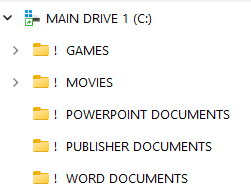
Hello Brink: It appears that in my earlier post, I spoke a bit prematurely. After deploying this reg file: (Set_File_Explorer_to_open_to_custom_location) I created a shortcut for File Explorer to open to C:\. Unfortunately, the shortcut will only open to: "ThisPC" instead, no matter what I do. (*See screenshot). The reason why I prefer the root drive to open is because I have lots of sub folders I work with on a regular basis. BTW, it's not the end of the world if I can't get this to work as in 21H2. I'll just bite the bullet and make the adjustment. I have several desktop computers, plus two laptops in my house. I'll leave them at 21H2 until this is dealt with. Thanks again Brink. You're the best.
 

Attachments

  • Screenshot 2024-02-08 120743.png
    Screenshot 2024-02-08 120743.png
    1.3 KB · Views: 112
  • Screenshot 2024-02-08 122448 (latest).png
    Screenshot 2024-02-08 122448 (latest).png
    2.2 KB · Views: 108

My Computer My Computer

At a glance

Windows 11 Pro 25H2 (Build 26200.8117)HexaCore AMD Ryzen 5 4600G, 4300 MHz (43 x 100Corsair 64GB (16x4)GeForce RTX 3050 8GB GDDR6
OS
Windows 11 Pro 25H2 (Build 26200.8117)
Computer type
PC/Desktop
Manufacturer/Model
Asus TUF Gaming A520M-Plus WiFi
CPU
HexaCore AMD Ryzen 5 4600G, 4300 MHz (43 x 100
Motherboard
Asus TUF Gaming A520M-Plus WiFi
Memory
Corsair 64GB (16x4)
Graphics Card(s)
GeForce RTX 3050 8GB GDDR6
Sound Card
Creative Sound Blaster Z SE
Monitor(s) Displays
ACER 27 Inch
Screen Resolution
1600 x 900
Hard Drives
3 X Samsung SSD 990 EVO 1TB
PSU
CORSAIR RMx Series RM850x
Case
NZXT H510 - CA-H510B-B1
Cooling
Aer F120mm
Keyboard
Logitech
Mouse
Logitech
Browser
Mozilla Firefox
Antivirus
Malwarebytes
Hello Brink: It appears that in my earlier post, I spoke a bit prematurely. After deploying this reg file: (Set_File_Explorer_to_open_to_custom_location) I created a shortcut for File Explorer to open to C:\. Unfortunately, the shortcut will only open to: "ThisPC" instead, no matter what I do. (*See screenshot). The reason why I prefer the root drive to open is because I have lots of sub folders I work with on a regular basis. BTW, it's not the end of the world if I can't get this to work as in 21H2. I'll just bite the bullet and make the adjustment. I have several desktop computers, plus two laptops in my house. I'll leave them at 21H2 until this is dealt with. Thanks again Brink. You're the best.
If you would like to try the REG file below, it uses the same method as option three but preset for the "C:" drive.

Code:
Windows Registry Editor Version 5.00

[HKEY_CURRENT_USER\Software\Classes\CLSID\{52205fd8-5dfb-447d-801a-d0b52f2e83e1}\shell\OpenNewWindow\command]
@="Explorer \"C:\""
"DelegateExecute"=""
 

Attachments

My Computers My Computers

  • At a glance

    Windows 11 Pro for WorkstationsIntel i7-8700K 5 GHz64 GB (4x16GB) G.SKILL TridentZ RGB DDR4 3600...ASUS ROG-STRIX-GTX1080TI-O11G-GAMING (11GB GD...
    OS
    Windows 11 Pro for Workstations
    Computer type
    PC/Desktop
    Manufacturer/Model
    Custom self build
    CPU
    Intel i7-8700K 5 GHz
    Motherboard
    ASUS ROG Maximus XI Formula Z390
    Memory
    64 GB (4x16GB) G.SKILL TridentZ RGB DDR4 3600 MHz (F4-3600C18D-32GTZR)
    Graphics Card(s)
    ASUS ROG-STRIX-GTX1080TI-O11G-GAMING (11GB GDDR5X)
    Sound Card
    Integrated Digital Audio (S/PDIF)
    Monitor(s) Displays
    2 x Samsung Odyssey G75 27"
    Screen Resolution
    2560x1440
    Hard Drives
    1TB Samsung 990 PRO M.2,
    4TB Samsung 990 PRO M.2,
    TerraMaster F8 SSD Plus NAS
    PSU
    Seasonic Prime Titanium 850W
    Case
    Thermaltake Core P3 wall mounted
    Cooling
    Corsair Hydro H115i
    Keyboard
    Amazon Basics Wired Full Keyboard MD005
    Mouse
    Logitech MX Master 4
    Internet Speed
    2 Gbps Download and 100 Mbps Upload
    Browser
    Chrome and Edge
    Antivirus
    Microsoft Defender
    Other Info
    Logitech Z625 speaker system,
    Logitech BRIO 4K Pro webcam,
    HP Color LaserJet Pro MFP M477fdn,
    CyberPower CP1500PFCLCD
    Galaxy S23 Plus phone
  • At a glance

    Windows 11 ProSnapdragon X Elite (12 core) 3.42 GHz16 GB LPDDR5x-7467 MHz
    Operating System
    Windows 11 Pro
    Computer type
    Laptop
    Manufacturer/Model
    Surface Laptop 7 Copilot+ PC
    CPU
    Snapdragon X Elite (12 core) 3.42 GHz
    Memory
    16 GB LPDDR5x-7467 MHz
    Monitor(s) Displays
    15" HDR
    Screen Resolution
    2496 x 1664
    Hard Drives
    1 TB SSD
    Internet Speed
    Wi-Fi 7 and Bluetooth 5.4
    Browser
    Chrome and Edge
    Antivirus
    Microsoft Defender
If you would like to try the REG file below, it uses the same method as option three but preset for the "C:" drive.

Code:
Windows Registry Editor Version 5.00

[HKEY_CURRENT_USER\Software\Classes\CLSID\{52205fd8-5dfb-447d-801a-d0b52f2e83e1}\shell\OpenNewWindow\command]
@="Explorer \"C:\""
"DelegateExecute"=""
Say Brink: Thanks for the reg file. I "merged" the file. No go. Still defaulting to that darn "MyPC". Amazing how the ability to fine-tune some of these features can vanish so quickly with a version 'upgrade' on the same OS. Microsoft sure seems to love MyPC in File Explorer, eh? BTW, Out of the 3 options in "Folder Options": 'This PC', 'Home' & 'Downloads', wouldn't it have been smart for the developers to have added a "browse" option so that the user could have selected a default start folder of their choice? Would have made this issue a non-issue.
 

My Computer My Computer

At a glance

Windows 11 Pro 25H2 (Build 26200.8117)HexaCore AMD Ryzen 5 4600G, 4300 MHz (43 x 100Corsair 64GB (16x4)GeForce RTX 3050 8GB GDDR6
OS
Windows 11 Pro 25H2 (Build 26200.8117)
Computer type
PC/Desktop
Manufacturer/Model
Asus TUF Gaming A520M-Plus WiFi
CPU
HexaCore AMD Ryzen 5 4600G, 4300 MHz (43 x 100
Motherboard
Asus TUF Gaming A520M-Plus WiFi
Memory
Corsair 64GB (16x4)
Graphics Card(s)
GeForce RTX 3050 8GB GDDR6
Sound Card
Creative Sound Blaster Z SE
Monitor(s) Displays
ACER 27 Inch
Screen Resolution
1600 x 900
Hard Drives
3 X Samsung SSD 990 EVO 1TB
PSU
CORSAIR RMx Series RM850x
Case
NZXT H510 - CA-H510B-B1
Cooling
Aer F120mm
Keyboard
Logitech
Mouse
Logitech
Browser
Mozilla Firefox
Antivirus
Malwarebytes

Latest Support Threads

Back
Top Bottom