
unsorted42
Member
- Local time
- 6:47 PM
- Posts
- 50
- OS
- Windows 11 Pro
Using the instructions from the winaero page (Get Old Classic Notepad for Windows 11) I've installed classic notepad and set it as the default for opening text files. That's all fine. However, I'm not overly keen on the default icon for text files that classic notepad uses which is bright blue and would like to change it. I like to keep most file types as pale, unobtrusive icons, reserving bright colours for things I'd like to stand out.
I tried the go-to program for doing things like this, Default programs Editor, and associated text files with a suitable icon I'd found. DPE now shows this as the default icon, but explorer is still showing (even after rebooting) the classic notepad icon that I'm like to get rid of. Anyone got any other suggestions?
The image below shows the icon preview, as now detected by DPE next to what explorer is still displaying a text file as.
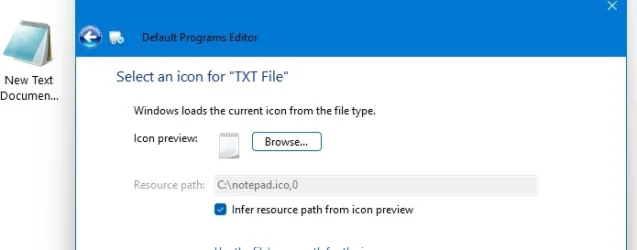
This is only a minor annoyance, so if there's no fix I'm not going to lose sleep. Well much sleep. :)
I'm using Win11 Pro, with the latest updates.
I tried the go-to program for doing things like this, Default programs Editor, and associated text files with a suitable icon I'd found. DPE now shows this as the default icon, but explorer is still showing (even after rebooting) the classic notepad icon that I'm like to get rid of. Anyone got any other suggestions?
The image below shows the icon preview, as now detected by DPE next to what explorer is still displaying a text file as.
This is only a minor annoyance, so if there's no fix I'm not going to lose sleep. Well much sleep. :)
I'm using Win11 Pro, with the latest updates.
- Windows Build/Version
- Win11 Pro 25H2, build 26.200.7462
My Computer
At a glance
Windows 11 Pro
- OS
- Windows 11 Pro
- Computer type
- Laptop
- Manufacturer/Model
- ASUS


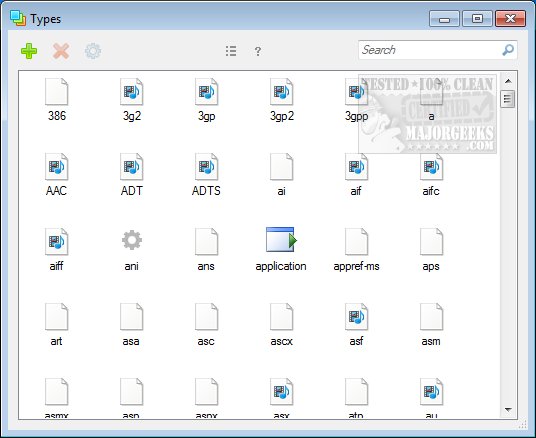
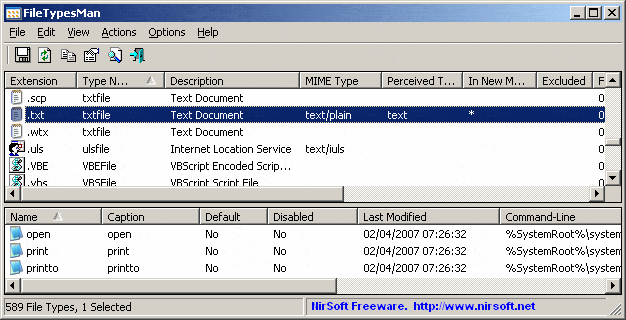

 They are packed with ads






