JavaScript is disabled. For a better experience, please enable JavaScript in your browser before proceeding.
You are using an out of date browser. It may not display this or other websites correctly.
You should upgrade or use an
alternative browser .
Solved Chrome is not available as an app under System>Display>Graphics
Hey everyone,
I'd like to use hardware acceleration in Chrome. I already turned on the option in Chrome settings.
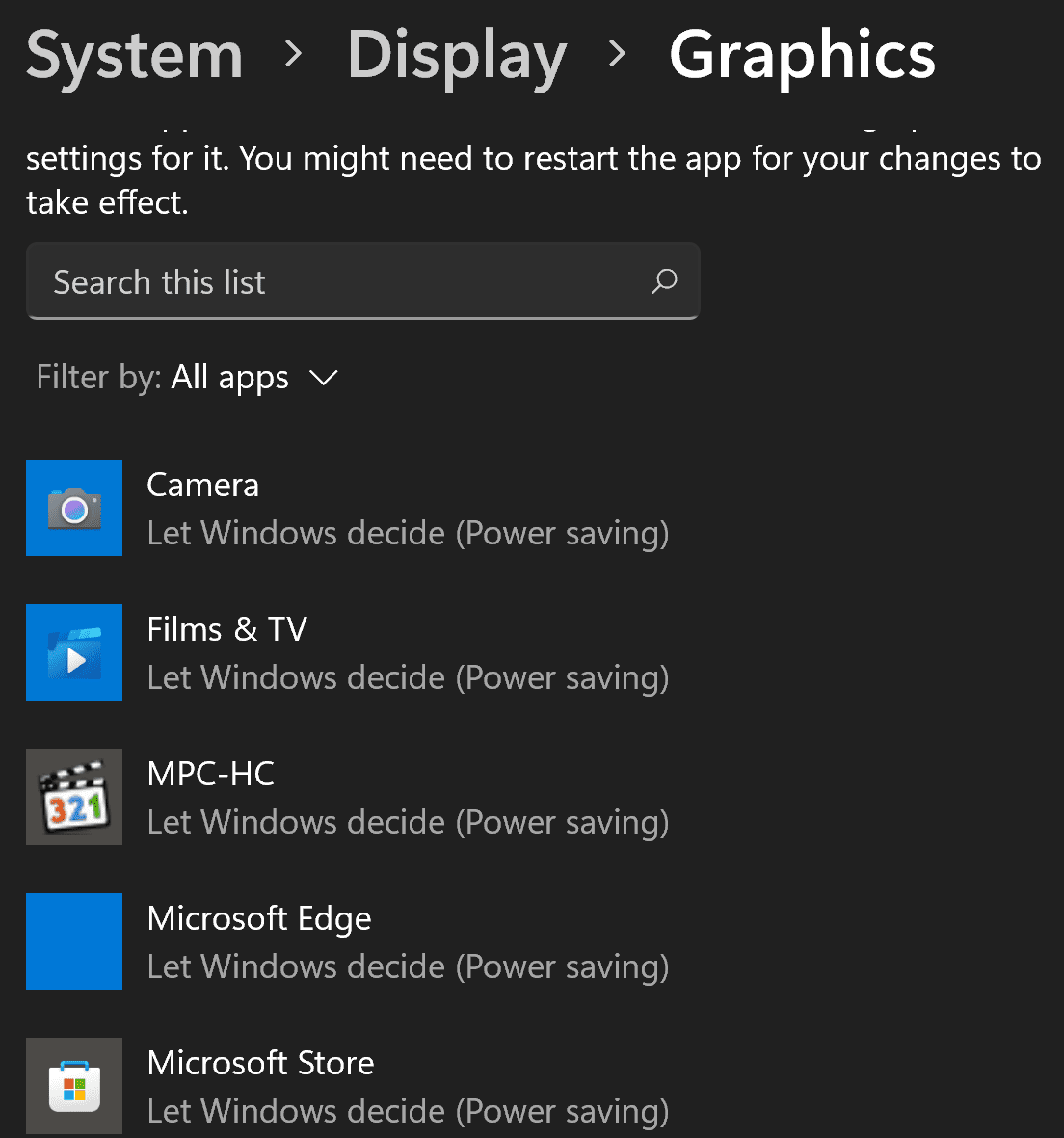
Next, I need to turn it on in Windows by setting the graphic preference to High Performance under Display > Graphics.
The issue is that in the list of app I'm given I can see Microsoft Edge but not Chrome. I already made Chrome my default browser so unsure why Microsoft Edge is in this list.
Does anyone know how I can get Chrome to be on the list?
Thanks
Windows 11 11th Gen Intel(R) Core(TM) i7-11800H 32GB Nvidia Gefore RTX 3050 Ti Windows 11 Laptop 11th Gen Intel(R) Core(TM) i7-11800H 32GB Nvidia Gefore RTX 3050 Ti OLED
Righteous Dude
Pro User
VIP
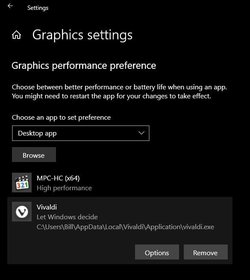
Go to Graphics Settings> Click on the Browse button> Browse to the Chrome.exe, or paste in the address
Click on Options> Choose your setting
A Guy
Windows 10 Home x64 INTEL Core i5-11400 KINGSTON HyperX Fury Black DDR4 16GB (2 x 8GB... EVGA GeForce GTX 750 Superclocked 1GB 128-Bit... Windows 10 Home x64 PC/Desktop Custom INTEL Core i5-11400 ASUS PRIME H570-PLUS KINGSTON HyperX Fury Black DDR4 16GB (2 x 8GB) 3200MHz, CL16 EVGA GeForce GTX 750 Superclocked 1GB 128-Bit GDDR5 LG 32MA68HY 32" IPS 1920 x 1080 SAMSUNG 250GB 970 EVO Plus NVMe, M.2 SSD, Crucial 250GB MX500, SEAGATE 500GB Barracuda® 7200.12, SATA 3 Gb/s, 7200 RPM, 16MB cache CORSAIR RM550x 80 PLUS Gold 550W ANTEC P10 FLUX be quiet! Pure Rock 2, 5 x 120 mm Case Fans 480 + Mbps Up/ 12+ Mbps Down Vivaldi Snapshot Avast
Windows 10 Home x64 Intel Core i5-750 Kingston HyperX Fury Black 8GB (2x4GB) DDR3-1... MSI GeForce GT 240 N240GT-MD1G/D5 1 GB DDR5 Windows 10 Home x64 PC/Desktop Custom Intel Core i5-750 ASUS P7P55D Kingston HyperX Fury Black 8GB (2x4GB) DDR3-1600MHz CL8 MSI GeForce GT 240 N240GT-MD1G/D5 1 GB DDR5 LG 32MA68HY 32" IPS 1980x1040 Samsung Electronics 840 EVO 120GB, SEAGATE 500GB Barracuda® 7200.12, SATA 3 Gb/s, 7200 RPM, 16MB cache Antec TruePower New TP-550 550W Antec 300 Cooler Master Hyper 212+, 4 Noctua NF-P12 120mm, 1 Noctua NF-P14 FLX 480+ Mbps Down/12+Mbps Up Vivaldi Snapshot Avast