Ctrl+Alt+Del / black background


Lennux

Member
Local time
4:41 PM
Posts
2
OS
Windows 11
Hello,
Is it possible to replace the black background color , when using Ctrl+Alt+Del ?
Thank you
 
Windows Build/Version
Windows 11

My Computer

System One

  • OS
    Windows 11
    Computer type
    PC/Desktop
    Manufacturer/Model
    Asus
All of my machines do it that way, same for the default opening of Command Prompt and PowerShell/Terminal but they can be changed. I don't use Dark Mode.
 

My Computers

System One System Two

  • OS
    Win11 Pro RTM Version 24H2 Build 26100.4202
    Computer type
    Laptop
    Manufacturer/Model
    Dell Vostro 3400
    CPU
    Intel Core i5 11th Gen. 2.40GHz
    Memory
    12GB
    Hard Drives
    256GB SSD NVMe M.2
  • Operating System
    Win11 Pro RTM Version 24H2 Build 26100.4202
    Computer type
    PC/Desktop
    Manufacturer/Model
    Dell Vostro 5890
    CPU
    Intel Core i5 10th Gen. 2.90GHz
    Memory
    16GB
    Graphics card(s)
    Onboard, no VGA, using a DisplayPort-to-VGA adapter
    Monitor(s) Displays
    24" Dell
    Hard Drives
    512GB SSD NVMe, 4TB Seagate HDD
    Browser
    Firefox, Edge
    Antivirus
    Windows Defender/Microsoft Security
Following... I have issues with the black screen of dismount too. It's also what I get when clicking to login after boot/restart. Be nice to change that too to a more motivating color.
 

My Computer

System One

  • OS
    Windows 11 Pro 24H2
    Computer type
    Laptop
    Manufacturer/Model
    HP
    CPU
    Intel Ultra 7 155H
    Memory
    16gb
    Graphics Card(s)
    Intel Arc integrated
    Hard Drives
    SSD
Users want to change everything but there are SOME things we just have to live with. I do not think MS cares if a handful of folks are "motivated" or not. I mean, really, some parts of the GUI are so minor in the big scheme of things
 

My Computers

System One System Two

  • OS
    Windows 11 Pro 25H2
    Computer type
    PC/Desktop
    Manufacturer/Model
    Dell Optiplex 7080
    CPU
    i9-10900 10 core 20 threads
    Motherboard
    DELL 0J37VM
    Memory
    32 gb
    Graphics Card(s)
    none-Intel UHD Graphics 630
    Sound Card
    Integrated Realtek
    Monitor(s) Displays
    Benq 27
    Screen Resolution
    2560x1440
    Hard Drives
    2x1tb Solidigm m.2 nvme /External drives 512gb Samsung m.2 sata+2tb Kingston m2.nvme
    PSU
    500w
    Case
    MT
    Cooling
    Dell Premium
    Keyboard
    Logitech wired
    Mouse
    Logitech wireless
    Internet Speed
    so slow I'm too embarrassed to tell
    Browser
    #1 Edge #2 Firefox
    Antivirus
    Defender+MWB Premium
  • Operating System
    Windows 11 Pro 24H2 26200.8457
    Computer type
    PC/Desktop
    Manufacturer/Model
    Beelink Mini PC SER5
    CPU
    AMD Ryzen 7 6800U
    Memory
    32 gb
    Graphics card(s)
    integrated
    Sound Card
    integrated
    Monitor(s) Displays
    Benq 27
    Screen Resolution
    2560x1440
    Hard Drives
    1TB Crucial nvme
    Keyboard
    Logitech wired
    Mouse
    Logitech wireless
    Internet Speed
    still too embarrassed to tell
    Browser
    Firefox
    Antivirus
    Defender
    Other Info
    System 3 is non compliant Dell 9020 i7-4770/24gb ram Win11 PRO 26200.8457
Users want to change everything but there are SOME things we just have to live with. I do not think MS cares if a handful of folks are "motivated" or not. I mean, really, some parts of the GUI are so minor in the big scheme of things

Never hurts to ask!
 

My Computer

System One

  • OS
    Windows 11 Pro 24H2
    Computer type
    Laptop
    Manufacturer/Model
    HP
    CPU
    Intel Ultra 7 155H
    Memory
    16gb
    Graphics Card(s)
    Intel Arc integrated
    Hard Drives
    SSD
All of my machines do it that way, same for the default opening of Command Prompt and PowerShell/Terminal but they can be changed. I don't use Dark Mode.
Using Light Mode is the same.
 

My Computer

System One

  • OS
    Windows 11
    Computer type
    PC/Desktop
    Manufacturer/Model
    Asus
MS makes some strange decisions, sometimes!!!

One of my favs:

9719.webp
 

My Computers

System One System Two

  • OS
    Windows 11 Pro
    Computer type
    PC/Desktop
    Manufacturer/Model
    ASUS ROG Strix
  • Operating System
    Windows 11 Pro
    Computer type
    Laptop
    Manufacturer/Model
    ASUS VivoBook
Welp, I solved half my issue. You can get the Sign on screen to match the Welcome Screen:

Settings> Personalization> Lock Screen > "Show lock screen background picture on the sign-in screen".

Doesn't affect Ctrl-Alt-Del Screen though.
 

My Computer

System One

  • OS
    Windows 11 Pro 24H2
    Computer type
    Laptop
    Manufacturer/Model
    HP
    CPU
    Intel Ultra 7 155H
    Memory
    16gb
    Graphics Card(s)
    Intel Arc integrated
    Hard Drives
    SSD
MS makes some strange decisions, sometimes!!!

One of my favs:

View attachment 132443
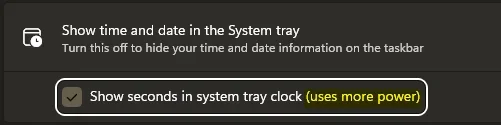
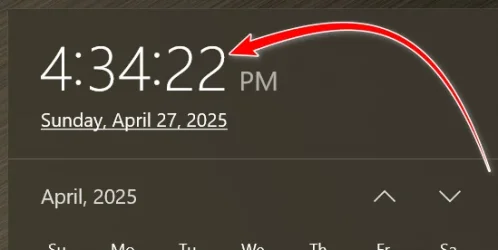
Since the display uses computing power could it be said that showing the seconds uses 60 times the power that showing a minute change uses?
 

My Computers

System One System Two

  • OS
    Win11 Pro RTM Version 24H2 Build 26100.4202
    Computer type
    Laptop
    Manufacturer/Model
    Dell Vostro 3400
    CPU
    Intel Core i5 11th Gen. 2.40GHz
    Memory
    12GB
    Hard Drives
    256GB SSD NVMe M.2
  • Operating System
    Win11 Pro RTM Version 24H2 Build 26100.4202
    Computer type
    PC/Desktop
    Manufacturer/Model
    Dell Vostro 5890
    CPU
    Intel Core i5 10th Gen. 2.90GHz
    Memory
    16GB
    Graphics card(s)
    Onboard, no VGA, using a DisplayPort-to-VGA adapter
    Monitor(s) Displays
    24" Dell
    Hard Drives
    512GB SSD NVMe, 4TB Seagate HDD
    Browser
    Firefox, Edge
    Antivirus
    Windows Defender/Microsoft Security
Since the display uses computing power could it be said that showing the seconds uses 60 times the power that showing a minute change uses?
I doubt it!
It was never an issue in Windows 10, I don't see why it has to be an issue in Windows 11!

000049.webp
 

My Computers

System One System Two

  • OS
    Windows 11 Pro
    Computer type
    PC/Desktop
    Manufacturer/Model
    ASUS ROG Strix
  • Operating System
    Windows 11 Pro
    Computer type
    Laptop
    Manufacturer/Model
    ASUS VivoBook
i encountered the same issue when trying to set the CTRL+ALT+DEL screen to the same solid color background as my desktop (teal).

the following reg path appears to affect CTRL+ALT+DEL theme colors, both Standard and HighContrast
Code:
HKLM\SOFTWARE\Microsoft\Windows\CurrentVersion\Themes\DefaultColors

i do have alot of settings disabled that allow pictures and such. if anyone here uses a solid color background, could you see if this allows you to change the background color for the CTRL+ALT+DEL screen?


My Computer

System One

  • OS
    Windows 11 27965
    Computer type
    PC/Desktop
    CPU
    Intel i7 7700 @4.0ghz
    Memory
    64gb DDR4
    Graphics Card(s)
    Radeon RX 5500 XT
    Sound Card
    Topping D50s
    Hard Drives
    NVMe
    PSU
    Corsair
    Keyboard
    Stelseries G6v2
    Mouse
    Zowie EC2
    Other Info
    https://www.youtube.com/shoober420
Back
Top Bottom