
A month ago, in the "top apps" section of my search bar/function, suddenly one of my go-to apps was bumped and replaced by the "Xbox bar" - something I'd never heard of, let alone used, needed, ever thought about.
How do I remove this unwanted icon/shortcut? I'm not on that PC now, but below is a screenshot of the computer I'm using, showing what I mean by "top apps," which appears when I click on the magnifying glass in the search bar.
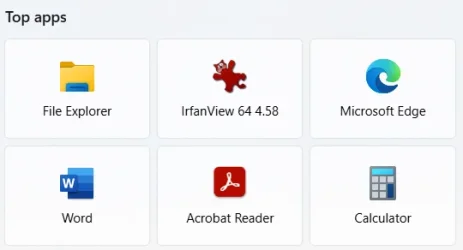
How do I remove this unwanted icon/shortcut? I'm not on that PC now, but below is a screenshot of the computer I'm using, showing what I mean by "top apps," which appears when I click on the magnifying glass in the search bar.
- Windows Build/Version
- 25H2
My Computer
At a glance
Windows 11Intel® CoreTM i5-10400 Processor 12M Cache16GB - Kingston DDR4 SODIMM, 2666
- OS
- Windows 11
- Computer type
- PC/Desktop
- Manufacturer/Model
- LOOP AIO LP-270206
- CPU
- Intel® CoreTM i5-10400 Processor 12M Cache
- Motherboard
- Asus Pro H410T/CSM
- Memory
- 16GB - Kingston DDR4 SODIMM, 2666
- Screen Resolution
- 1920x1080
- Hard Drives
- Samsung MZ-V8V500B/AM 500 GB SSD (OS and apps)
WD 1TB SSD (data)
- Antivirus
- Defender






