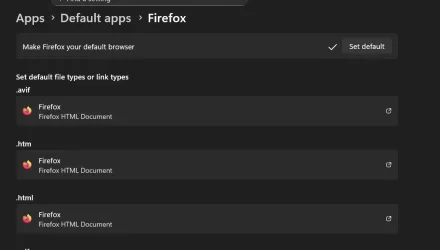
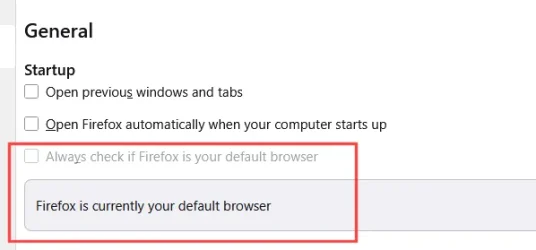
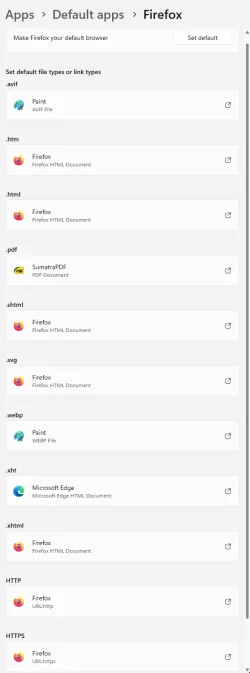
On Windows 10, I set firefox as my default, set to open on startup and restore previous tabs and it worked.
In Windows 11, it gets reset each time.
I have searched for issues, tried many solutions to remedy issue and NONE have worked.
I have disabled edge in registry as much as humanly possible yet it still resets.
I have disabled all AI and everything I can find that microsoft thinks I should need.
Edition Windows 11 Pro
Version 25H2
Installed on 12/19/2025
OS build 26200.7462
Experience Windows Feature Experience Pack 1000.26100.275.0
In Windows 11, it gets reset each time.
I have searched for issues, tried many solutions to remedy issue and NONE have worked.
I have disabled edge in registry as much as humanly possible yet it still resets.
I have disabled all AI and everything I can find that microsoft thinks I should need.
Edition Windows 11 Pro
Version 25H2
Installed on 12/19/2025
OS build 26200.7462
Experience Windows Feature Experience Pack 1000.26100.275.0
My Computer
At a glance
Windows 11xeon w-224564gbnvidia quadro rtx 4000
- OS
- Windows 11
- Computer type
- PC/Desktop
- Manufacturer/Model
- Lenovo P520
- CPU
- xeon w-2245
- Memory
- 64gb
- Graphics Card(s)
- nvidia quadro rtx 4000
- Monitor(s) Displays
- lenovo p24q-30
- Browser
- firefox
- Antivirus
- nortons