- Local time
- 6:04 AM
- Posts
- 82
- OS
- Windows 11
I used Windows Subsystem for Android just to install the Dish Anywhere app on Windows 11 using an APK file, so I paired the app to the Dish Hopper DVR, and now it finally works flawlessly without GMS. However, I haven't tested out the feature to sign in to the MyDish account, but I'll try it sooner.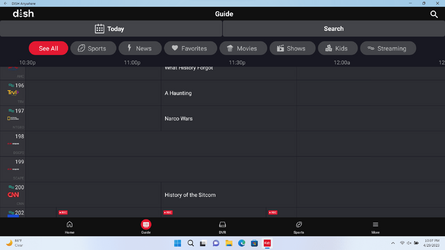
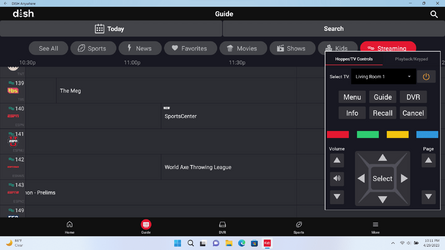
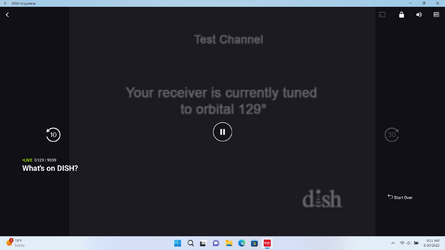
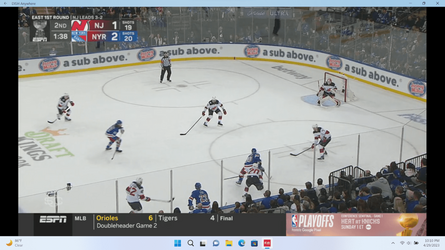
What do you think?
What do you think?
- Windows Build/Version
- Version 22H2 (OS Build 22621.2134)
My Computer
At a glance
Windows 11Intel Core i5-8250U8.00 GBIntel(R) UHD Graphics 620
- OS
- Windows 11
- Computer type
- Laptop
- Manufacturer/Model
- Lenovo YOGA 730-15IKB
- CPU
- Intel Core i5-8250U
- Motherboard
- Lenovo LNVNB161216
- Memory
- 8.00 GB
- Graphics Card(s)
- Intel(R) UHD Graphics 620
- Sound Card
- Realtek ALC236 @ Intel Sunrise Point-LP PCH - High Definition Audio Controller, Intel Kaby Lake HDMI @ Intel Sunrise Point-LP PCH - High Definition Audio Controller [C1] PCI[C1] PCI,
- Monitor(s) Displays
- CMN N156HCE-EN1
- Screen Resolution
- 1920x1080
- Hard Drives
- G-TECH ArmorATD SCSI Disk Device
HFS256GD9TNG-62A0A
- PSU
- OEM Define 1
- Case
- Unknown Case
- Cooling
- Intel Sunrise Point-LP PCH - Thermal Management Controller [C1]
- Keyboard
- Standard PS/2 Keyboard
- Mouse
- HID-compliant mouse
- Internet Speed
- 292500 kbps
- Browser
- Microsoft Edge, Google Chrome, Etc.
- Antivirus
- Trend Micro Internet Security
- Other Info
- Computer Type: ACPI x64-based PC
Computer Name: DESKTOP-JGTBO6N
Printer: Canon MG5300 series Printer (Copy 1)
Printer: Canon MG5300 series Printer WS
Printer: Canon MG5300 series Printer
DMI BIOS: Lenovo BIOS 7KCN33WW(V1.14)
Total Bluescreens: 4
Secure Boot
Trusted Platform Module 2.0