

- Local time
- 9:51 AM
- Posts
- 5,955
- Location
- Hafnarfjörður IS
- OS
- Windows XP,11 Linux Fedora Rawhide pre-release 46
Hi folks
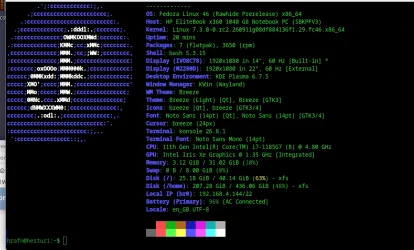
the pre-next release of Fedora rawhide (F46) has loads of great stuff in it BUT if you install "as is" or via upgrade from a previous release you must do if running KDE GUI desktop the following or it's 100% BROKEN !!
in the VM get into console mode (ctrl alt F4 or higher
then enter these commands (in the VM of course (or even on the real machine if running Linux as host)
1)
sudo dnf --refresh distro-sync --allowerasing --best
2)
reset audio daemon for audio sudo systemctl daemon-reload (re-enables audio again)
3)
clear out old / broken kde config stuff
run these in order (as your user not root from your home directory use ~/ to get there).
rm -rf ~/.config/plasma* ~/.config/kde* ~/.cache/plasma*
rm -rf ~/.cache/plasmashell* ~/.cache/org.kde.dirconnections
now reboot
and fine
working again perfectly !!!
Cheers
jimbo
the pre-next release of Fedora rawhide (F46) has loads of great stuff in it BUT if you install "as is" or via upgrade from a previous release you must do if running KDE GUI desktop the following or it's 100% BROKEN !!
in the VM get into console mode (ctrl alt F4 or higher
then enter these commands (in the VM of course (or even on the real machine if running Linux as host)
1)
sudo dnf --refresh distro-sync --allowerasing --best
2)
reset audio daemon for audio sudo systemctl daemon-reload (re-enables audio again)
3)
clear out old / broken kde config stuff
run these in order (as your user not root from your home directory use ~/ to get there).
rm -rf ~/.config/plasma* ~/.config/kde* ~/.cache/plasma*
rm -rf ~/.cache/plasmashell* ~/.cache/org.kde.dirconnections
now reboot
and fine
working again perfectly !!!
Cheers
jimbo
My Computer
At a glance
Windows XP,11 Linux Fedora Rawhide pre-releas...2 X Intel i7
- OS
- Windows XP,11 Linux Fedora Rawhide pre-release 46
- Computer type
- PC/Desktop
- CPU
- 2 X Intel i7
- Screen Resolution
- 4KUHD X 2






