
DISM - the source file cannot be found, help


Hello,

I tried the 'Windows Update Troubleshooter' but it said that I do not have any errors.

I applied the 'Reset Windows Update' .bat file and tried to install the .msu via Admin>cmd and PowerShell but both gave errors 0x800f838. That was for both KB5055523 which though I am already with 26100.3775, but Windows still wants me to download it...and KB5058411.

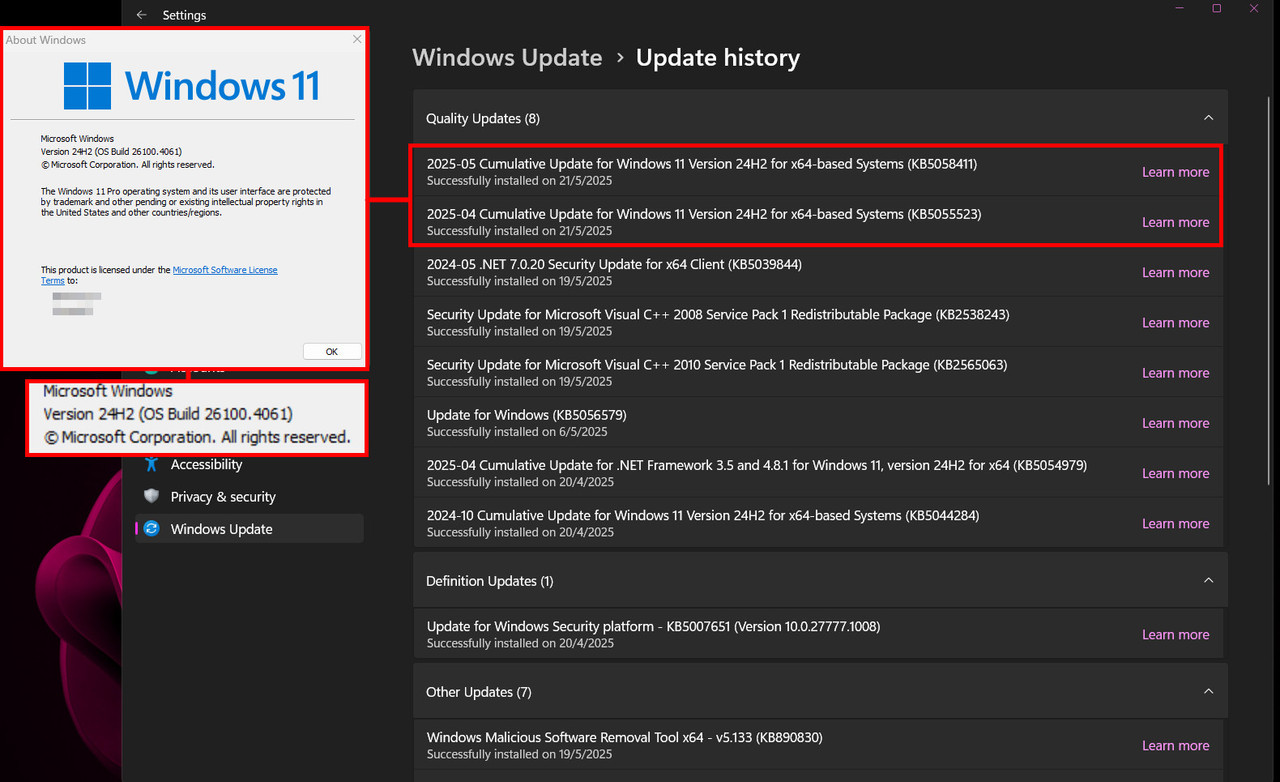
So I tried just hit Windows Update and let it download KB5055523. When it completed I hit 'check for updates' again and it showed KB5058411 as a new update. I let it download and install it. Hit restart. So I am now 26100.4061.
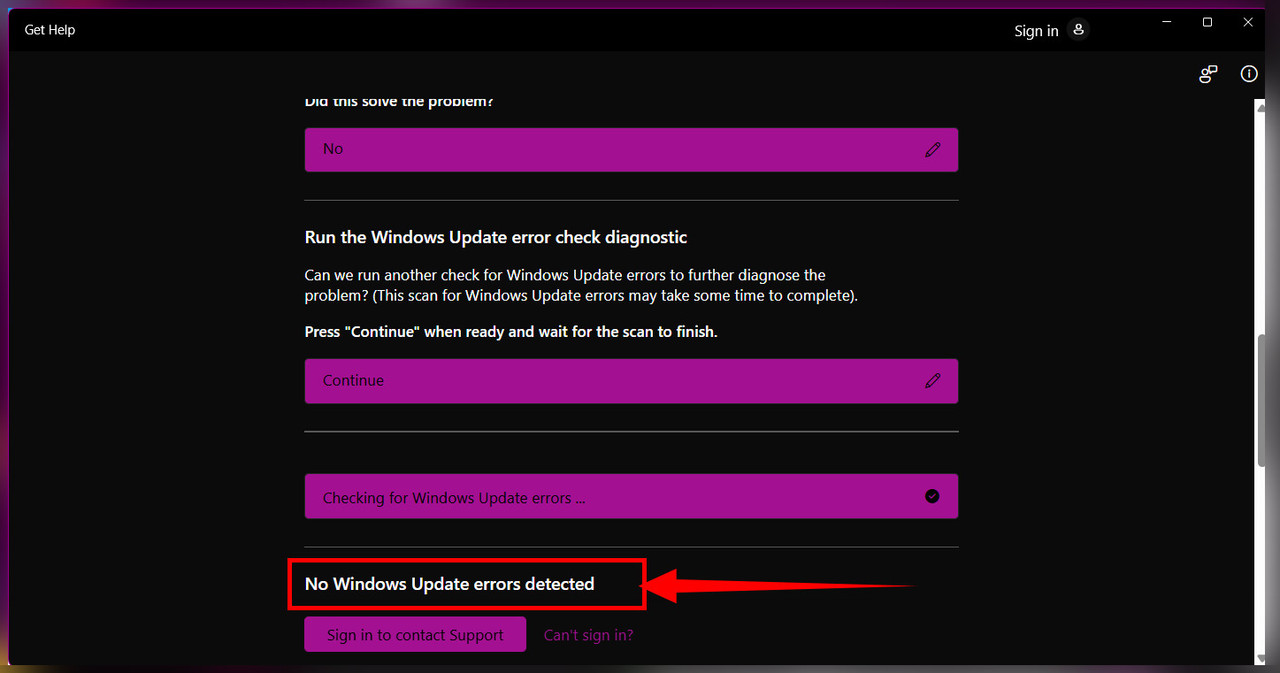

no-Win-Update-error.jpg


Scan-Health-SFC-05212025.jpg


after-online-update.jpg


ScanHealth and sfc /scannow was also both clean.

Now I do not understand why did Windows doesn't detect the previously installed update KB5055523 which made me 26100.3775. The PowerShell .msu install for KB5055223 qas successful that is why from 26100.2333 I migrated to 26100.3775.

The ScanHealth and sfc /scannow were all clean.

My system shows I am 26100.3775 but Windows Update tells me I need to download it as an update. The 'winver' shows I am 26100 3775 there.

PowerShell update using the KB5055523 was successful that is why 'winver' says I am at 26100.3775.

This is after using 'Windows Update Troubleshooter' and the Reset .bat file and again the 'Windows Update Troubleshooter'. Still 'Windows Update' says I need to download KB5055523.

This is an inconvenience on users. One day the .msu installs successfully then Windows Update says it isnt ans wants to download it again....
 

My Computer My Computer

At a glance

Win 11 22H2AMD A10 series16GBon-board r7 graphics
OS
Win 11 22H2
Computer type
PC/Desktop
Manufacturer/Model
Own build
CPU
AMD A10 series
Motherboard
B560M DS3h V2
Memory
16GB
Graphics Card(s)
on-board r7 graphics
Sound Card
on-board
CMD's startup banner reports version 26100.4061, which is KB5058411 (May 2025).

So you're caught up on installed Updates. Are you say the Updates screen still thinks you need to keep updating?
 

My Computer My Computer

At a glance

Windows 7
OS
Windows 7
CMD's startup banner reports version 26100.4061, which is KB5058411 (May 2025).

So you're caught up on installed Updates. Are you say the Updates screen still thinks you need to keep updating?
Hi thanks for reply. That CMD banner was after I installed KB5058411 online. So yes, the Updates screen says STILL thinks I need updating with KB5055523 even though I qm actually in 26100.3775 (KB5055523).

The dilemma I experienced is that from KB5055523 (26100.3775) Windows Update will shows that I need to STILL download KB505523 which is 26100.3775. IT STILL THINKS that I need KB505523. Even though I am updated to 26100.3775 (KB5055523).

I updated the pc via the .msu package of KB5055523 which true gave me 26100.3775.

BUT still Windows Update says I need to download it (KB5055523). It still thinks I do not have KB5055523.

Because of that I could not update to 26100.4061 via the .msu KB5058411.

PowerShell and DISM update will.give 0x800f838 error.

I was ONLY able to update to 26100.4061 AFTER I allowed Windows to download KB5055523 ALTHOUGH I am actually with 26100.3775 (KB5055523).

Why did Windows Update insists I need to download KB5055523 even if 'winver' says I am 26100.3775?

Did my manual update of KB5055523 via the .msu package miss something? If so why was it success?

I was ONLY able to update to 26100.4061 after I gave in and allowed Windows Update to download KB5055523. After it did download it, it says 'Completed' not 'Intalling'. Windows Update did not install it. It just sat there 'Completed'.

From there KB5058411 was detected as a new update so I downloaded it > Installing and then ask to restart. After the restart I was updated to 26100.4061.

This is a weird occurrence. I usually do not do online updates but almost always use the .msu package during free time.
 

My Computer My Computer

At a glance

Win 11 22H2AMD A10 series16GBon-board r7 graphics
OS
Win 11 22H2
Computer type
PC/Desktop
Manufacturer/Model
Own build
CPU
AMD A10 series
Motherboard
B560M DS3h V2
Memory
16GB
Graphics Card(s)
on-board r7 graphics
Sound Card
on-board
Hi thanks for reply. That CMD banner was after I installed KB5058411 online. So yes, the Updates screen says STILL thinks I need updating with KB5055523 even though I qm actually in 26100.3775 (KB5055523).

The dilemma I experienced is that from KB5055523 (26100.3775) Windows Update will shows that I need to STILL download KB505523 which is 26100.3775. IT STILL THINKS that I need KB505523. Even though I am updated to 26100.3775 (KB5055523).

I updated the pc via the .msu package of KB5055523 which true gave me 26100.3775.

BUT still Windows Update says I need to download it (KB5055523). It still thinks I do not have KB5055523.

Because of that I could not update to 26100.4061 via the .msu KB5058411.

PowerShell and DISM update will.give 0x800f838 error.

I was ONLY able to update to 26100.4061 AFTER I allowed Windows to download KB5055523 ALTHOUGH I am actually with 26100.3775 (KB5055523).

Why did Windows Update insists I need to download KB5055523 even if 'winver' says I am 26100.3775?

Did my manual update of KB5055523 via the .msu package miss something? If so why was it success?

I was ONLY able to update to 26100.4061 after I gave in and allowed Windows Update to download KB5055523. After it did download it, it says 'Completed' not 'Intalling'. Windows Update did not install it. It just sat there 'Completed'.

From there KB5058411 was detected as a new update so I downloaded it > Installing and then ask to restart. After the restart I was updated to 26100.4061.

This is a weird occurrence. I usually do not do online updates but almost always use the .msu package during free time.

Is your only issue that it still says you need to download KB5055523. Is everything running fine?

If so, you can download wushowhide.diagcab (Windows Show/Hide Update) and use it to hide the update so that it disappears from the list of needed updates. http://download.microsoft.com/download/f/2/2/f22d5fdb-59cd-4275-8c95-1be17bf70b21/wushowhide.diagcab
 

My Computer My Computer

At a glance

Windows 11 Pro 24H2Intel Ultra 7 155H16gbIntel Arc integrated
OS
Windows 11 Pro 24H2
Computer type
Laptop
Manufacturer/Model
HP
CPU
Intel Ultra 7 155H
Memory
16gb
Graphics Card(s)
Intel Arc integrated
Hard Drives
SSD
Wow. All I can say is your WU metadata is super corrupted.
 

My Computer My Computer

At a glance

Windows 7
OS
Windows 7

Latest Support Threads

Back
Top Bottom




