Solved Duplicate Drives Windows 11


Karthik MS

Member
Local time
5:02 AM
Posts
5
OS
Windows 11
Windows OS drive listed twice in explorer. How to remove one. See below images
1752220911201.webp
But there is only one physical drive as seen below in disk management.
1752228693214.webp

Anybody has had this exact problem and know the solution.
 

My Computer My Computer

At a glance

Windows 11
OS
Windows 11
Computer type
Laptop
Manufacturer/Model
Dell Precision 5690

My Computer My Computer

At a glance

Win 11 Pro 25H2 26200 8655Intel Core I9 12900K32 GBNvidia GeForce RTX 3060 24GB
OS
Win 11 Pro 25H2 26200 8655
Computer type
PC/Desktop
Manufacturer/Model
HP Omen45L
CPU
Intel Core I9 12900K
Motherboard
HP 8917
Memory
32 GB
Graphics Card(s)
Nvidia GeForce RTX 3060 24GB
Sound Card
HP
Monitor(s) Displays
2 HP 27 & 23
Screen Resolution
3840x2160
Hard Drives
2 TB Samsung 990 EVO 2 TB Samsung 1 TB SATA ST1000
PSU
HP 800 Watt
Case
HP
Cooling
Water
Keyboard
Logo Tech G 213
Mouse
Logi Tech 502
Browser
FireFox
Antivirus
MS Defender / Malwarebytes Prem.
Other Info
Omen 45SL purchased from HP 12 2022 - Brother Printer MFC-L2700DW APC 500 Back UPS Macrium Reflect Home 8.1 25H2 Oct 2025 KEK CA 2023 cert April 2026
Is the D a symbolic link? Weird.
 

My Computers My Computers

  • At a glance

    Windows 11 Pro 25H2 Build 26200.8655Intel(R) Core(TM) i7-4770K CPU @ 3.50GHz32.0 GB of I forget and the box is in storage.Gigabyte nVidia GeForce GTX 1660 Super OC 6GB
    OS
    Windows 11 Pro 25H2 Build 26200.8655
    Computer type
    PC/Desktop
    Manufacturer/Model
    Sin-built 2013
    CPU
    Intel(R) Core(TM) i7-4770K CPU @ 3.50GHz
    Motherboard
    ASUS ROG Maximus VI Formula
    Memory
    32.0 GB of I forget and the box is in storage.
    Graphics Card(s)
    Gigabyte nVidia GeForce GTX 1660 Super OC 6GB
    Sound Card
    ROG SupremeFX Formula 8-Channel High Definition Audio
    Monitor(s) Displays
    5 x LG 25MS500-B - 1 x 24MK430H-B - 1 x Wacom Pro 22" Touch Screen Tablet
    Screen Resolution
    All over the place
    Hard Drives
    Too many to list. OS on Samsung 1TB 870 QVO SATA
    PSU
    Silverstone 1500
    Case
    NZXT Phantom 820 Full-Tower Case
    Cooling
    Noctua NH-D15 Elite Class Dual Tower CPU Cooler / 6 x EziDIY 120mm / 2 x Corsair 140mm somethings / 1 x 140mm Thermaltake something / 2 x 200mm Corsair.
    Keyboard
    Corsair K95 / Logitech diNovo Edge Wireless
    Mouse
    Logitech: G402 / G502 / Mx Masters / Mx Air Cordless
    Internet Speed
    2000/500Mbps
    Browser
    All sorts
    Antivirus
    Kaspersky Premium
    Other Info
    ㅤㅤㅤㅤㅤㅤㅤㅤㅤㅤㅤㅤㅤㅤㅤㅤㅤㅤㅤㅤㅤㅤㅤㅤㅤㅤㅤㅤㅤㅤㅤㅤㅤㅤㅤㅤㅤㅤㅤㅤ⠀⠀⠀⠀⠀⠀⠀⠀⠀⠀
    TP-Link BE9300 WiFi 7 Bluetooth 5.4 (Archer TBE550E)
    TP-Link TX201 V1 2.5GB Lan

    Grandstream HT812 - VoIP
    ASUS DSL-AX82U - Mesh
    ASUS RT-AC68U - Mesh
    ASUS RT-BE88U Router

    Brother MFC-L2880DW Printer

    I’m on a horse.
  • At a glance

    Windows 11 Pro 25H2 Build 26200.8655 (Wifes)13th Generation Intel® Core™ i5-1340P Process...16GB LPDDR5-52001x Intel® Iris® Xe Graphics
    Operating System
    Windows 11 Pro 25H2 Build 26200.8655 (Wifes)
    Computer type
    Laptop
    Manufacturer/Model
    LENOVO Yoga 7 14IRL8 - Type 82YL
    CPU
    13th Generation Intel® Core™ i5-1340P Processor(Core™ i5-1340P)
    Memory
    16GB LPDDR5-5200
    Graphics card(s)
    1x Intel® Iris® Xe Graphics
    Sound Card
    Optimized with Dolby Atmos®
    Screen Resolution
    QHD 2880 x 1800 OLED
    Hard Drives
    M.2 512 GB SSD PCIe
    Mouse
    Logiteck MX Master 3S
    Internet Speed
    2000/500
    Antivirus
    Defender / Malwarebytes
    Other Info
    …still on a horse.


    Wireless Network: Wi-Fi 6E 2x2 AX; Bluetooth® 5.1 or above
    Ports: 1x 1 Novo button; 2 in 1 Audio Combo jack; Micro SD Card Reader; HDMI 1.4b; 2 x USB Type-C (TBT4)
    USB 3.2 Gen 2 DP 1.4a
    PD 3.0); 1 x USB 3.2 Gen1 Type A
    Camera
    1x 1080P FHD IR/RGB Hybrid with Privacy Shutter and Dual Array Microphone
    Graphics
    1x Intel® Iris® Xe Graphics
    Monitor
    14" WUXGA
    Form Factor
    Convertible Notebook
  • Windows 11 Pro 25H2 Build 26200.8655 (Wifes)

    Yoga 7 2-in-1 14IML9 - Type 83DJ

    Processor: Intel® Core™ Ultra 7 155H Processor(Core™ Ultra 7 155H)

    Memory: 32GB LPD5X-7467

    Hard Drive: 1 TB SSD PCIe

    Wireless Network: 1x Wi-Fi 6E 2x2 AX; Bluetooth® 5.1 or above

    Ports: 1 x HDMI 2.1 TMDS; 1 x Novo Button; 1 x Combo Audio Jack
    2 x USB-C (USB 4.0)
    1 x USB-A 3.2 Gen 1

    Camera: 1080P FHD IR Hybrid with Dual Microphone

    Graphics: Intel® Arc™ Graphics

    Monitor: 14" 2.8K

    ...Where's my horse?
Hi I was able to solve it. Turns out it was a virtual drive. Able to remove using subst cmd -> subst D: /d
 

My Computer My Computer

At a glance

Windows 11
OS
Windows 11
Computer type
Laptop
Manufacturer/Model
Dell Precision 5690
i have a similar problem but its worse:
I always have a 2nd Drive, that looks like a mirrored C: Drive and it redirects to Users/me/documents/Private (i neither use nor created that folder). The (virtual) drive appears in command as an entry when i enter subst and it disappears from Explorer, after i delete its subst entry.

BUT it appears again with every reboot.

I tried multiple things now. i deleted all uknown drive entries in regedit, i shut down all auto start apps (via taskmanager, start-apps settings, startup Windows-folder & Regedit), i even mounted a new physical drive (an SD-Card) created a new volume and designated it to the Letter (X) which always is occupied by the re-appearing virtual drive. But nothing helps. After i restart, the virtual drive is there again.
I checked for suspicious looking software but couldnt find any with Revo Uninstaller and in task manager.

I assume, there is a routine somewhere in the systems startup, which re-implements the virtual drive during startup but i cant find it. Someone got an Idea?

 

My Computer My Computer

At a glance

Windows 11
OS
Windows 11
Computer type
Laptop
Manufacturer/Model
Samsung Galaxy Book 2 Pro
Hi I was able to solve it. Turns out it was a virtual drive. Able to remove using subst cmd -> subst D: /d
But after restart the issue is back. I am not able to do much as it is a work laptop with their custom OS image. This issue is throughout my office, so I am hoping they will fix it. But if any of you find solution, post the solution.
 

My Computer My Computer

At a glance

Windows 11
OS
Windows 11
Computer type
Laptop
Manufacturer/Model
Dell Precision 5690
Hi I was able to solve it. Turns out it was a virtual drive. Able to remove using subst cmd -> subst D: /d
But after restart the issue is back. I am not able to do much as it is a work laptop with their custom OS image. This issue is throughout my office, so I am hoping they will fix it. But if any of you find solution, post the solution
i have a similar problem but its worse:
I always have a 2nd Drive, that looks like a mirrored C: Drive and it redirects to Users/me/documents/Private (i neither use nor created that folder). The (virtual) drive appears in command as an entry when i enter subst and it disappears from Explorer, after i delete its subst entry.

BUT it appears again with every reboot.

I tried multiple things now. i deleted all uknown drive entries in regedit, i shut down all auto start apps (via taskmanager, start-apps settings, startup Windows-folder & Regedit), i even mounted a new physical drive (an SD-Card) created a new volume and designated it to the Letter (X) which always is occupied by the re-appearing virtual drive. But nothing helps. After i restart, the virtual drive is there again.
I checked for suspicious looking software but couldnt find any with Revo Uninstaller and in task manager.

I assume, there is a routine somewhere in the systems startup, which re-implements the virtual drive during startup but i cant find it. Someone got an Idea?
I too have the same issue. Is yours personal or work laptop?
 
Last edited:

My Computer My Computer

At a glance

Windows 11
OS
Windows 11
Computer type
Laptop
Manufacturer/Model
Dell Precision 5690
But after restart the issue is back. I am not able to do much as it is a work laptop with their custom OS image. This issue is throughout my office, so I am hoping they will fix it. But if any of you find solution, post the solution

I too have the same issue. Is yours personal or work laptop?
Personal Laptop. I browsed several forum entries and tried to find a solution. but nothing helped until now. There is no weird setting in regedit (as far as i browsed through related entries, i found during my research), no sussy entry in startup routine... NOTHING T__T

I just want to use the wrongly given Letter for an actual physical drive. if it were a different letter, i could probably just hide the "drive" from the list and be happy.
 

My Computer My Computer

At a glance

Windows 11
OS
Windows 11
Computer type
Laptop
Manufacturer/Model
Samsung Galaxy Book 2 Pro
I found the place where D virtual drive is getting set. The office IT had written a script as part of DailyUpdateUtility which runs at startup. I don't know the purpose. Hopefully they will fix this nuisance. I found this by searching for keyword subst in notepad++ in certain c drive folders.
 

My Computer My Computer

At a glance

Windows 11
OS
Windows 11
Computer type
Laptop
Manufacturer/Model
Dell Precision 5690
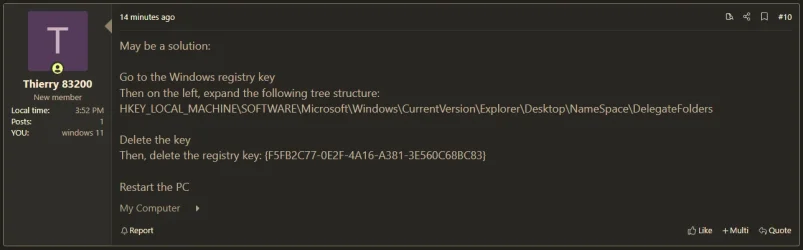
Peut être une solution :

Accédez à la clé du registre Windows
Puis à gauche, déroulez l’arborescence suivante :
HKEY_LOCAL_MACHINE\SOFTWARE\Microsoft\Windows\CurrentVersion\Explorer\Desktop\NameSpace\DelegateFolders

Supprimer la clé
Ensuite, supprimez la clé du registre : {F5FB2C77-0E2F-4A16-A381-3E560C68BC83}

Redémarrez le PC
 

My Computer My Computer

At a glance

windows 11 25H224GBiris xe
OS
windows 11 25H2
Computer type
Laptop
Manufacturer/Model
ASUS Vivobook 15 (X1504)
Motherboard
Intel Alder Lake-P PCH
Memory
24GB
Graphics Card(s)
iris xe
Sound Card
realtek
Screen Resolution
1920X1080
Hard Drives
Samsung SSD 990 PRO 1TB
Browser
edge
Antivirus
eset anti virus
10314.webp
 

My Computers My Computers

  • At a glance

    Windows 11 Pro
    OS
    Windows 11 Pro
    Computer type
    PC/Desktop
    Manufacturer/Model
    ASUS ROG Strix
  • At a glance

    Windows 11 Pro
    Operating System
    Windows 11 Pro
    Computer type
    Laptop
    Manufacturer/Model
    ASUS VivoBook
  • ASUS VivoBook 'Lite' ~ Windows 11 Home
Peut être une solution :

Accédez à la clé du registre Windows
Puis à gauche, déroulez l’arborescence suivante :
HKEY_LOCAL_MACHINE\SOFTWARE\Microsoft\Windows\CurrentVersion\Explorer\Desktop\NameSpace\DelegateFolders

Supprimer la clé
Ensuite, supprimez la clé du registre : {F5FB2C77-0E2F-4A16-A381-3E560C68BC83}

Redémarrez le PC
sadly, i dont have this Key in my registry. under the directory, you described above, i have only the Key {3936E9E4-D92C-4EEE-A85A-BC16D5EA0819}.
Is this maybe the key for me to delete?
 

My Computer My Computer

At a glance

Windows 11
OS
Windows 11
Computer type
Laptop
Manufacturer/Model
Samsung Galaxy Book 2 Pro
Back
Top Bottom