Surface IT Pro Blog:
Most computing experiences rely on sight and sound. A window moves into place. An object aligns to a guide. A control changes on screen. Haptics adds another channel: touch.
A well-designed tactile signal can reinforce an action, creating a more immediate connection between input and response. Windows provides a common framework for these experiences through predefined waveforms that complement visual and auditory feedback without adding more information to the screen.
Surface has progressively extended advanced haptics across pen, touchpad, and now mouse experiences. Surface Slim Pen 2 introduced haptic feedback to the Surface pen experience, bringing tactile response to digital inking. Surface then advanced the haptic touchpad experience with Surface Laptop 8th Edition, combining precision tactile feedback with hardware and firmware tuned as a complete system. Surface Mouse (2nd Edition) builds on that foundation, extending haptic innovation to another familiar input device with a physical architecture designed around how tactile feedback reaches the hand.
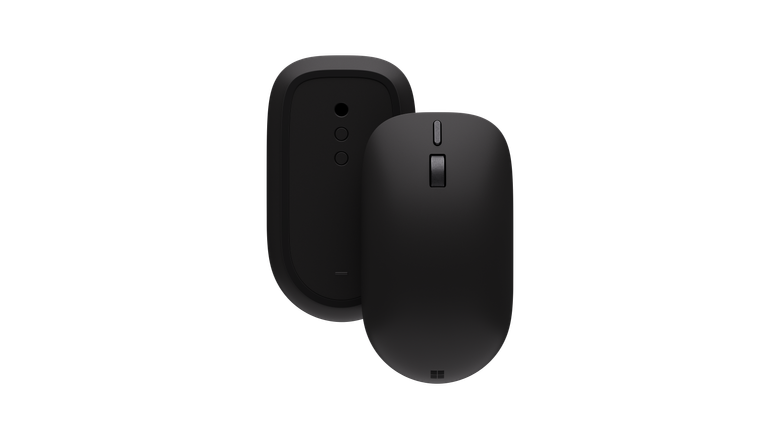
With Surface Mouse (2nd Edition), creating natural tactile feedback meant designing the mechanical structure, actuator, firmware, and software as parts of the same haptic system.
From mechanical input to tactile communication
A conventional input device provides feedback primarily through physical movement. A mouse button depresses, a switch actuates, and the mechanism produces its familiar feel and sound. Active haptics introduces another possibility by allowing software to trigger a tactile response that corresponds to an event on screen.Windows supports these experiences through predefined waveforms that vary in intensity, duration, and sharpness to distinguish interactions such as approaching an actionable element, reaching a boundary, aligning an object, or moving through discrete values.
Building on pen and touchpad innovation
Each form of input presents different engineering requirements. With Surface Slim Pen 2, tactile feedback can accompany digital inking and other compatible experiences, and the response must complement the motion of the pen without distracting from writing or drawing.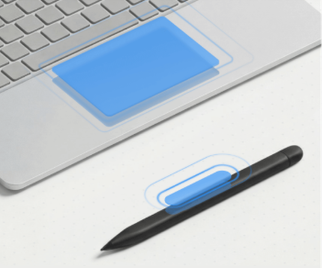
Surface combines mechanical design and firmware controls to shape haptic experiences.
Windows provides dedicated support for haptic pens, separate from its implementations for mice and touchpads.
A precision haptic touchpad presents a different challenge. Haptic motors can simulate the feel of physical clicks or taps without relying on a traditional mechanical click mechanism, and Surface combines mechanical design and firmware controls to shape that experience.
These touchpads can also support more adaptable forms of interaction through Adaptive Touch, which allows people with different mobility and dexterity needs to customize how compatible Surface touchpads respond. Users can interact with different parts of the body, including a palm, foot, hand edge, or residual limb, and adjust settings such as the right-click region and double-click interval.i
Engineering the mouse around the feel
Bringing haptics to a mouse introduced another set of constraints. A mouse moves continually across a work surface, and its compact body must preserve comfort while accommodating a haptic actuator, wheel, buttons, battery, circuit boards, and other mechanical and electronic systems. Delivering a focused response requires controlling where haptic energy travels through the structure.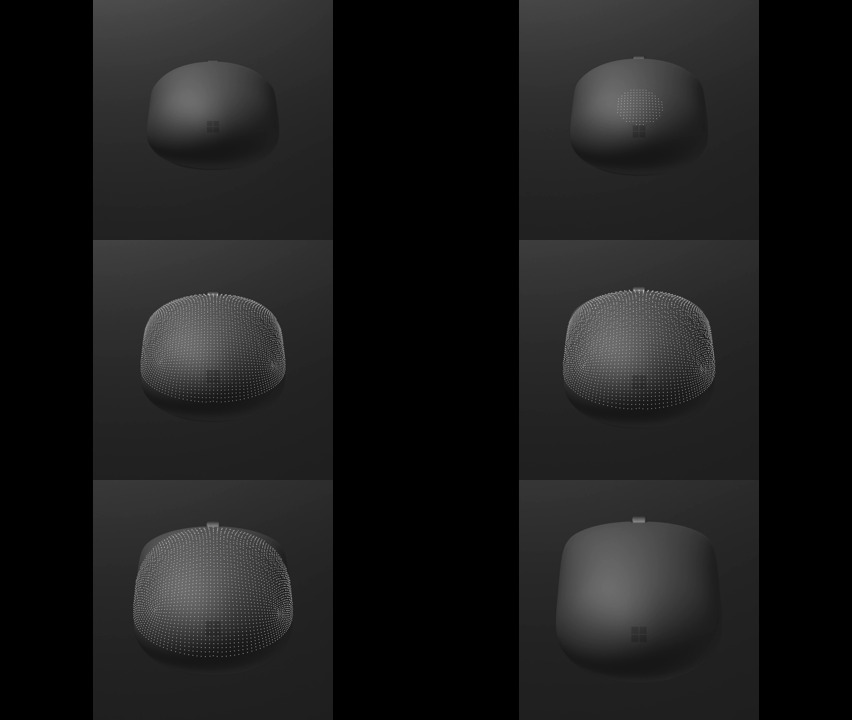
Surface Mouse uses a mechanical structure designed to direct haptic energy toward the hand
Surface Mouse (2nd Edition) uses a mechanical structure designed to direct haptic energy toward the hand while limiting vibration transferred through the base and into the work surface. The device separates the upper structure, where the hand rests, from the base in contact with the desk, while a dedicated actuator generates the response and damping elements manage how energy moves through the device.
The mouse also uses a wideband actuator, giving engineers greater flexibility to tune the characteristics of the response for different interactions. The goal is to provide tactile confirmation that corresponds to the action without competing for attention. Because the degree of vibration transfer can vary by surface and use conditions, the design is intended to limit desk vibration rather than eliminate it.
Measuring and tuning feel
Haptics sits at the intersection of engineering and perception. Frequency, acceleration, timing, and displacement can be measured, but those values alone cannot fully describe whether a response feels focused, diffuse, subtle, or distracting. Human evaluation is therefore as important as instrumented testing.The engineering team developed purpose-built measurement tooling to characterize the mouse’s haptic response and make refinement repeatable. Instrumented testing allowed the team to compare design changes, tune the response, and validate progress, while human evaluation captured perceptual qualities that measurements alone cannot fully describe. Together, these methods create a foundation for improving not only this experience, but how Surface engineers haptics over time.
One principle emerging from that work is that effective haptics must be proportional to the interaction. A brief confirmation can support a discrete action, while feedback that is too frequent or intense over extended use can compete with the task. That insight informs continued tuning of waveform strength, frequency, and context, while adjustable intensity and the option to turn haptics off give users control over the experience today.
Designing the complete interaction
Haptic architecture was one part of the mouse’s broader development. The team also considered the shape of the device, button and wheel behavior, action-button placement, and the need to maintain an ambidextrous form. These decisions were evaluated together so the haptic response would feel integrated with the mouse’s shape, controls, and overall behavior. The resulting mouse uses a body designed to accommodate a range of hand sizes, while the action button maintains the symmetry of the body rather than relying on a thumb position intended for one hand. The button can be customized for available actions through the Surface app, with options varying by software, market, and license.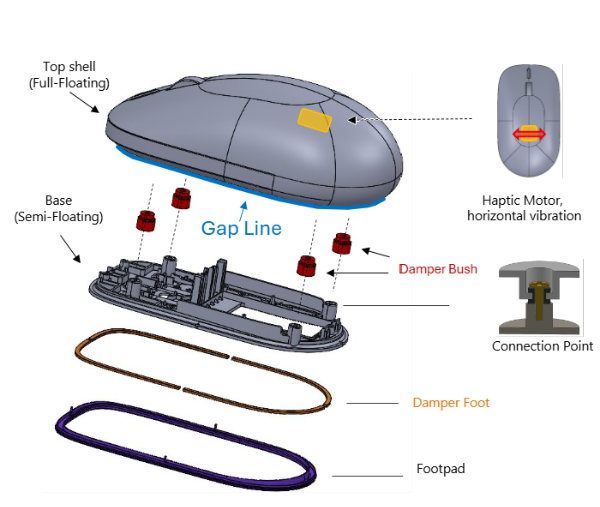
The redesigned Surface Mouse brings together the mechanical structure, actuator, firmware, and Windows integration developed as one system.
The engineering team also considered sound as part of the overall experience. Physical click sound and active haptic sound were evaluated separately because they come from different mechanisms, and both were tuned with office use in mind.
Connecting Surface engineering with Windows
Surface provides device-level engineering, while Windows supplies the platform capability. Windows supports haptic touchpads and mice through its input-device architecture, with compatible firmware exposing device capabilities so the operating system and applications can trigger tactile responses. Haptic pens use a separate implementation designed for pen input.For developers, InputHapticsManager API can send a waveform to the compatible input device that most recently delivered input. Applications first verify that the API and a haptic device are available, then trigger feedback at the appropriate point in the interaction. Windows provides predefined waveforms so developers have a shared starting point rather than inventing an unrelated tactile vocabulary for every app.
An application might trigger alignment feedback when an object snaps to a guide, or boundary feedback when a control reaches its limit. Windows defines the framework and waveform language, applications determine when an interaction should trigger a response, and Surface hardware and firmware translate the signal into a physical sensation. The shared framework provides consistency across applications while allowing the physical response to reflect the characteristics of each device.
How ISVs are using Windows haptics to deliver powerful user experiences
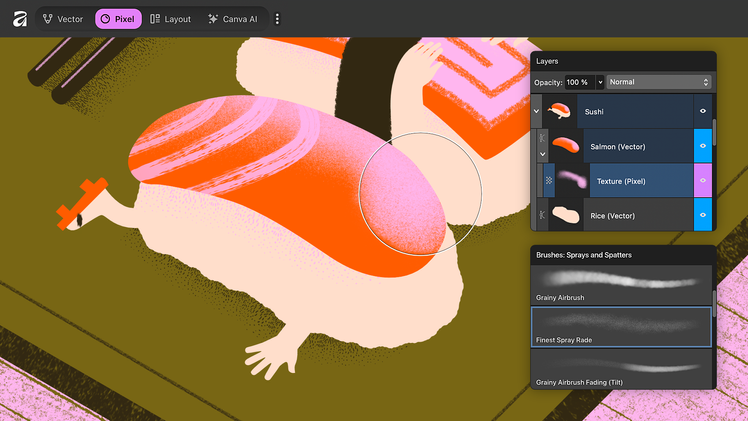
Third-party applications show how the Windows haptics framework can translate on-screen events into tactile cues on supported devices. The examples below illustrate how haptics can support precision, navigation, and confirmation across different workflows.ii- Affinity by Canva: Affinity provides professional tools for visual design, photo editing, and page layout. Haptic feedback is available within Affinity during object snapping and alignment as well as pen interactions such as brush strokes and erasing, giving creators additional confirmation and precision during their workflow.
Affinity by Canva offers haptic feedback in multiple interactions including brush strokes and erasing
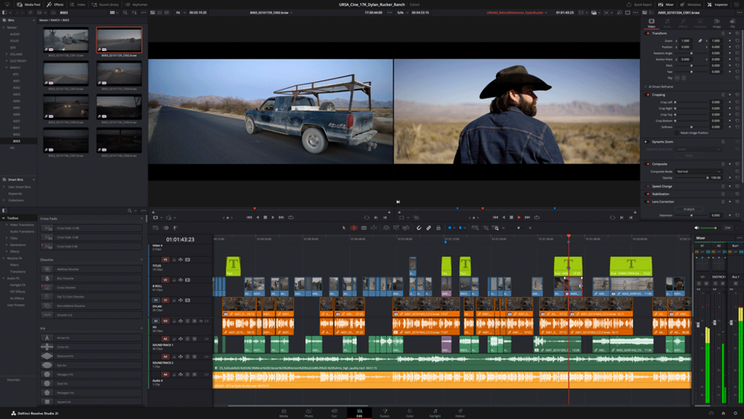
- DaVinci Resolve: DaVinci Resolve is Hollywood's leading post-production tool, combining video editing, color correction, VFX, motion graphics, audio postproduction and photo editing. Haptic feedback is available throughout timeline editing interactions such as trimming, resizing, moving clips, and CTI snapping, as well as viewer interactions including transform overlays, guides, and drag-selection. On the Color page, haptics enhance node connections and power window interactions, giving creators additional confirmation and precision during their workflow
Haptic feedback is available throughout timeline editing interactions in DaVinci Resolve
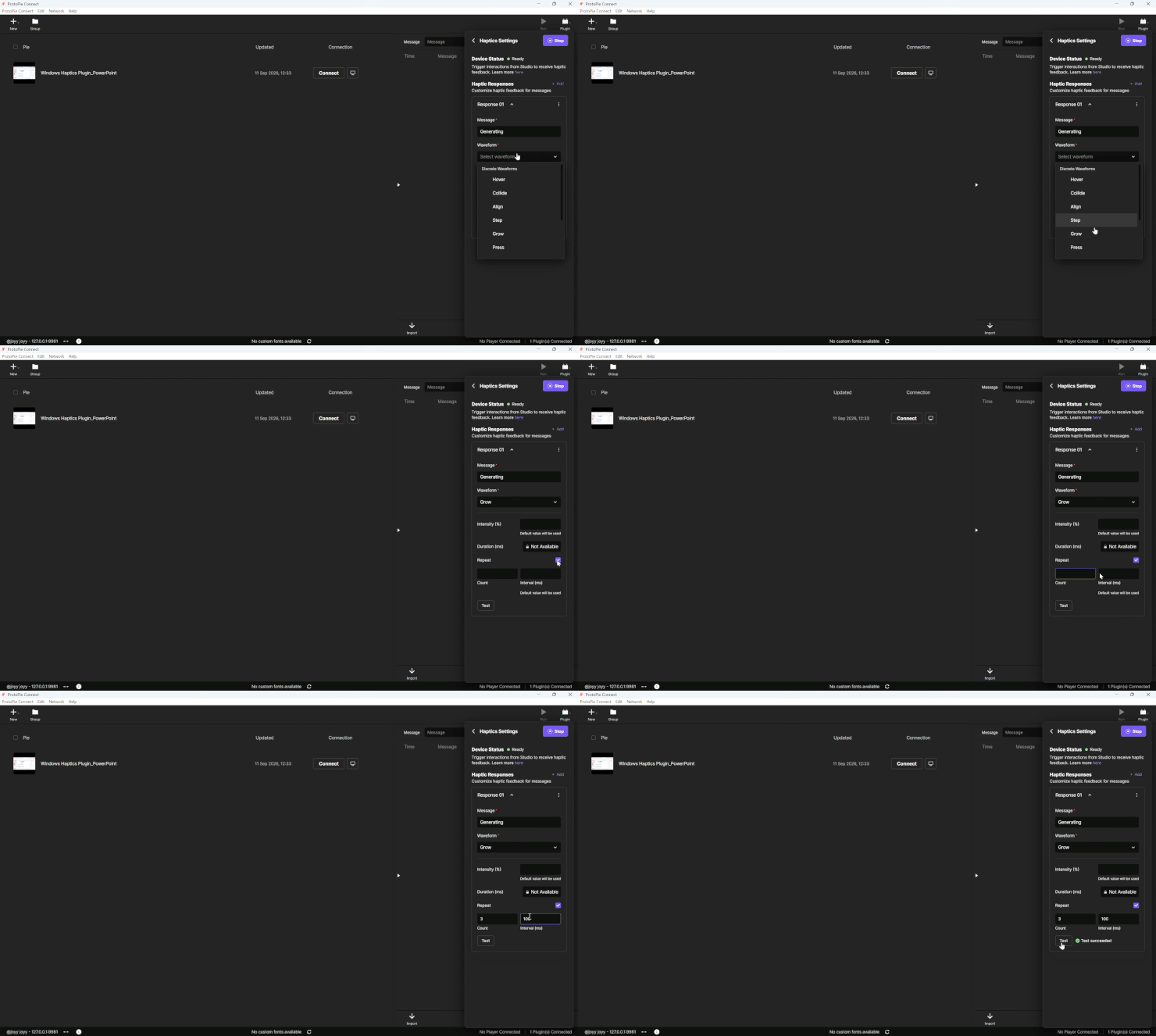
- ProtoPie: ProtoPie is an AI-driven prototyping platform for creating highly interactive UI/UX experiences without code. With the built-in Haptics (for Windows) plugin, teams can add advanced haptic feedback to prototype interactions, helping them create, refine, and validate more realistic touch-based product experiences.
Create, refine, and validate more realistic touch-based product experiences with the built-in Haptics (for Windows) plugin.
Extending the Surface haptics story
Bringing haptics to a mouse posed a problem the pen and touchpad did not.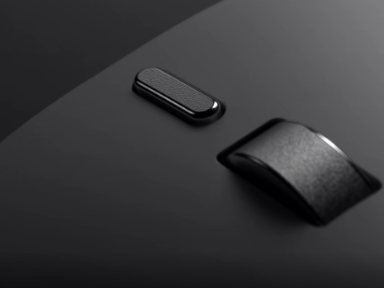
The customizable action button placement minimizes friction and works equally well in either hand.
An actuator had to fit inside a compact body that moves across a desk, and its response had to reach the hand without traveling into the work surface. Meeting that required the mechanical structure, actuator, firmware, and Windows integration to be developed as one system.
The mouse also adds another device to the Windows haptics framework, where predefined waveforms let developers apply the same tactile cues across applications. The measurement tooling and evaluation methods built during this work give Surface a repeatable way to tune that response on the next generation of devices.
As more devices and applications adopt that framework, these cues become more familiar. A snap, a boundary, or a confirmation that feels the same across applications is something people can learn and rely on, the way they already rely on what they see and hear.
Haptics is just one part of the story
Follow the Surface IT Pro Blog for future engineering deep dives into Surface devices and accessories. From haptics and accessibility to AI acceleration and device design, we'll continue to explore how Surface delivers thoughtful craftsmanship and innovative experiences, shaping the next generation of computing. Source:
Engineering touch into modern computing: The evolution of haptics on Surface | Microsoft Community Hub
Most computing experiences rely on sight and sound. A window moves into place. An object aligns to a guide. A control changes on screen. Haptics adds another...
 techcommunity.microsoft.com