Mozilla Blog:
Tab groups have become one of Firefox’s most loved ways to stay organized — over 18 million people have used the feature since it launched earlier this year. Since then, we’ve been listening closely to feedback from the Mozilla Connect community to make this long-awaited feature even more helpful.
We’ve just concluded a round of highly requested tab groups updates that make it easier than ever to stay focused, organized and productive. Check out what we’ve been up to, and if you haven’t tried tab groups yet, here’s a helpful starting guide.
Preview tab group contents on hover
Starting in Firefox 145, you can peek inside a group without expanding it. Whether you’re checking a stash of tabs set aside for deep research or quickly scanning a group to find the right meeting notes doc, hover previews give you the context you need — instantly.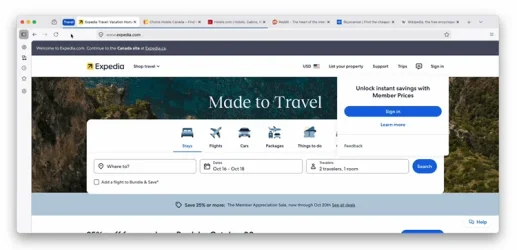
Keep the active tab visible in a collapsed group — and drag tabs into it
Since Firefox 142, when you collapse a group, the tab you’re working in remains visible. It’s a small but mighty improvement that reduces interruptions. And, starting in Firefox 143, you can drag a tab directly into a collapsed group without expanding it. It’s a quick, intuitive way to stay organized while reducing on-screen clutter.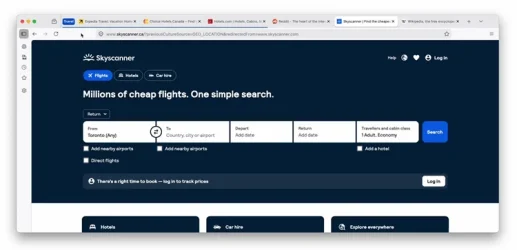
Each of these ideas came from your feedback on Mozilla Connect. We’re grateful for your engagement, creativity and patience as our team works to make tab groups better.
What’s next for tab groups
We’ve got a big, healthy stash of great ideas and suggestions to explore, but we’d love to hear more from you on two areas of long-term interest:- Improving the usefulness and ease of use of saved tab groups. We’re curious how you’re using them and how we can make the experience more helpful to you. What benefits do they bring to your workflow compared to bookmarks?
- Workspaces
Source:
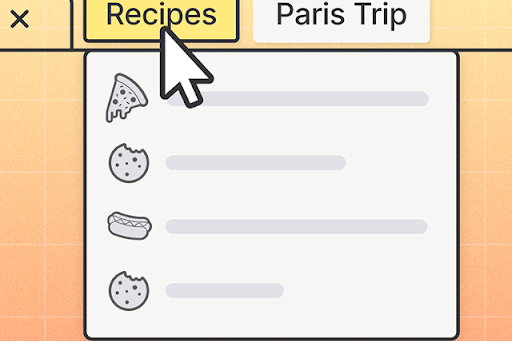
Firefox tab groups just got an upgrade, thanks to your feedback | The Mozilla Blog
Tab groups have become one of Firefox’s most loved ways to stay organized — over 18 million people have used the feature since it launched earlier this
 blog.mozilla.org