Solved garlin's PowerShell scripts for updating Secure Boot CA 2023


Here is what I got:

PS C:\WINDOWS\system32> powershell -nop -ep bypass -f C:\temp\secureboot_test.ps1
HP HP Pavilion Desktop TP01-1xxx
F.54

The system is running in UEFI mode without CSM.
Secure Boot: ON and STANDARD (User) mode with factory/default keys.

PK = 1228 bytes
O=HP Inc., C=US, OU=CODE-SIGN, CN=HP UEFI Secure Boot PK 2017
Count: 1

KEK = 2790 bytes
O=HP Inc., C=US, OU=CODE-SIGN, CN=HP UEFI Secure Boot KEK 2017
CN=Microsoft Corporation KEK CA 2011, O=Microsoft Corporation, L=Redmond, S=Washington, C=US
Count: 2

DB = 8868 bytes
O=HP Inc., C=US, OU=CODE-SIGN, CN=HP UEFI Secure Boot DB 2017
CN=Microsoft Corporation UEFI CA 2011, O=Microsoft Corporation, L=Redmond, S=Washington, C=US
CN=Microsoft Windows Production PCA 2011, O=Microsoft Corporation, L=Redmond, S=Washington, C=US
CN=Windows UEFI CA 2023, O=Microsoft Corporation, C=US
CN=Microsoft UEFI CA 2023, O=Microsoft Corporation, C=US
CN=Microsoft Option ROM UEFI CA 2023, O=Microsoft Corporation, C=US
Count: 6
 

My Computer My Computer

At a glance

Windows 11 Intel i5 10400 HD630 graphics chipi5-1040012 gbHD630 chipset
OS
Windows 11 Intel i5 10400 HD630 graphics chip
Computer type
PC/Desktop
Manufacturer/Model
HP
CPU
i5-10400
Memory
12 gb
Graphics Card(s)
HD630 chipset
Monitor(s) Displays
LG 24inch
Hard Drives
SSD, external usb drive 1tb for files/backups
Keyboard
wireless Logi
Mouse
ms 4000 wireless mouse
Internet Speed
10meg
Browser
Firefox
Antivirus
Defender
Other Info
Win11 Home 25h2 26200.8894 07/18/2026
This is my screenshot.

I updated with "Mosby" as you can see.
 

Attachments

  • 5.webp
    5.webp
    69.2 KB · Views: 6

My Computer My Computer

At a glance

Windows 11i7-13650HX (Raptor Lake-HX)32 Gb (16x2)RTX 5060 Laptop
OS
Windows 11
Computer type
Laptop
Manufacturer/Model
Lenovo LOQ 17IRX10 - Type 83JH
CPU
i7-13650HX (Raptor Lake-HX)
Motherboard
Lenovo LOQ 17IRX10 (Intel Raptor Lake-HX IMC / Raptor Point-S HM770)
Memory
32 Gb (16x2)
Graphics Card(s)
RTX 5060 Laptop
Monitor(s) Displays
17"
Hard Drives
1 Tb NVMe (WD PC SN7100S SDFPMSL-1T00-1101)
Hello, here is mineWindowsTerminal_Lde3keeWT4.webp
 

My Computer My Computer

At a glance

windows 11 25H224GBiris xe
OS
windows 11 25H2
Computer type
Laptop
Manufacturer/Model
ASUS Vivobook 15 (X1504)
Motherboard
Intel Alder Lake-P PCH
Memory
24GB
Graphics Card(s)
iris xe
Sound Card
realtek
Screen Resolution
1920X1080
Hard Drives
Samsung SSD 990 PRO 1TB
Browser
edge
Antivirus
eset anti virus
Here is my output. I have an AMI BIOS. It only allows me to read or add keys if I delete all the keys first. I think I am up to date.

PS C:\Users\Martin\Downloads> powershell -nop -ep bypass -f SecureBoot_Test.ps1
AB8139 LX15PRO
CT_BI_AMI_LX15PRO_AB8139_A-004

The system is running in UEFI mode without CSM.
Secure Boot: ON and STANDARD (User) mode with factory/default keys.

PK = 859 bytes
CN=Oem Secure Boot PK
Count: 1

KEK = 3066 bytes
CN=Microsoft Corporation KEK 2K CA 2023, O=Microsoft Corporation, C=US
CN=Microsoft Corporation KEK CA 2011, O=Microsoft Corporation, L=Redmond, S=Washington, C=US
Count: 2

DB = 5500 bytes
CN=Oem Secure Boot PK
CN=Windows UEFI CA 2023, O=Microsoft Corporation, C=US
CN=Microsoft Corporation UEFI CA 2011, O=Microsoft Corporation, L=Redmond, S=Washington, C=US
CN=Microsoft Windows Production PCA 2011, O=Microsoft Corporation, L=Redmond, S=Washington, C=US
Count: 4

DBX = 3724 bytes
New-Object : Exception calling ".ctor" with "1" argument(s): "Cannot find the requested object.
"
At C:\Users\Martin\Downloads\SecureBoot_Test.ps1:140 char:38
+ ... atureData = New-Object Security.Cryptography.X509Certificates.X509Cer ...
+ ~~~~~~~~~~~~~~~~~~~~~~~~~~~~~~~~~~~~~~~~~~~~~~~~~~~~~~~~~
+ CategoryInfo : InvalidOperation: (:) [New-Object], MethodInvocationException
+ FullyQualifiedErrorId : ConstructorInvokedThrowException,Microsoft.PowerShell.Commands.NewObjectCommand

Exception calling ".ctor" with "1" argument(s): "Cannot find the requested object.
"
At C:\Users\Martin\Downloads\SecureBoot_Test.ps1:174 char:13
+ throw $_.Exception.Message
+ ~~~~~~~~~~~~~~~~~~~~~~~~~~
+ CategoryInfo : OperationStopped: (Exception calli...sted object.
":String) [], RuntimeException
+ FullyQualifiedErrorId : Exception calling ".ctor" with "1" argument(s): "Cannot find the requested object.
"
 

My Computers My Computers

  • At a glance

    Windows 11 Pro 25H2 26200.8894AMD Ryzen 7 5825U with Radeon Graphics16GB
    OS
    Windows 11 Pro 25H2 26200.8894
    Computer type
    Laptop
    Manufacturer/Model
    Acemagic LX15PRO
    CPU
    AMD Ryzen 7 5825U with Radeon Graphics
    Motherboard
    BIOS CT_BI_AMI_LX15PRO_AB8139_A-004
    Memory
    16GB
    Screen Resolution
    1920 x 1080
    Hard Drives
    SSD 2TB
    Internet Speed
    30 Mbps
    Browser
    Brave
    Antivirus
    Webroot SecureAnywhere Complete beta
  • At a glance

    Windows 11 Pro 23H2 22631.2506Atom N450 1.66GHz2GB
    Operating System
    Windows 11 Pro 23H2 22631.2506
    Computer type
    Laptop
    Manufacturer/Model
    HP Mini 210-1090NR PC (bought in late 2009!)
    CPU
    Atom N450 1.66GHz
    Memory
    2GB
    Browser
    Brave
    Antivirus
    Webroot
  • Acer Swift SF114-34 laptop
    OS Windows 11 Pro 26200.8894
    CPU Pentium Silver N6000
    RAM 4GB
    BIOS v1.17
    SSD Samsung 970 EVO Plus SSD 2TB (an upgrade)
Can I ask a favor of everyone who's gotten a failure running the update script?

Please run this short script, SecureBoot_Test.ps1

There is no "right" answer, as I'm trying to understand what's going on with different BIOS'es. If you have Secure Boot enabled, it should correctly determine if you're in Custom/Setup or Standard/User mode. Or let me know if your BIOS calls it a different name.

I have read other comments that sometimes Secure Boot as enabled/disabled is reported one way by Windows, but doesn't match the UEFI setting.
Thanks!

Mine, as requested - My System One
Edit: Oops, I did not get a failure, sorry.

Screenshot 2026-01-08 074444.webp
 

My Computers My Computers

  • At a glance

    Windows 11 Pro 25H2 26200.8894Intel® Core™ Ultra 7 265 1.8GHz to 5.3GHz (Ar...SK Hynix 32GB DDR5 5600 Desktop RAM UDIMM Non...Dell NVIDIA® GeForce RTX™ 4060 8GB GDDR6 & (i...
    OS
    Windows 11 Pro 25H2 26200.8894
    Computer type
    PC/Desktop
    Manufacturer/Model
    Dell Tower Plus EBT2250, DOB: 06/15/2025
    CPU
    Intel® Core™ Ultra 7 265 1.8GHz to 5.3GHz (Arrow Lake)
    Motherboard
    Dell Inc. 02D3NT A00 (U3E1)
    Memory
    SK Hynix 32GB DDR5 5600 Desktop RAM UDIMM Non-ECC PC5-5600B
    Graphics Card(s)
    Dell NVIDIA® GeForce RTX™ 4060 8GB GDDR6 & (iGPU) Integrated Intel® UHD Graphics
    Sound Card
    Chipset Realtek High-Definition Audio with Dolby Atmos
    Monitor(s) Displays
    Dell Ultra Sharp U2515H 25-Inch Screen LED-Lit
    Screen Resolution
    2560 X 1440
    Hard Drives
    Samsung (NVMe PM9C1a 1024GB) M.2 PCIe NVMe Solid State Drive (OS), with Samsung Piccolo (S4LY022) 6-Core 4 Channel Controller.

    Samsung T7 500GB SSD, USB-C External Drive
    PSU
    Dell 460W
    Case
    Dell Tower Plus EBT 2250
    Cooling
    Fan
    Keyboard
    Dell Wired Keyboard - KB216
    Mouse
    Logitech M510
    Internet Speed
    Intel Killer E3100G 2.5 Gigabit Ethernet Controller
    Browser
    Microsoft Edge
    Antivirus
    Microsoft Windows Security
    Other Info
    The Samsung NVMe PM9C1a 1024GB SSD does not use a Phison NAND controller. Instead, it uses Samsung's in-house developed Piccolo (S4LY022) 6-Core 4 Channel Controller. The PM9C1a utilizes a controller built using Samsung's 5-nanometer process and seventh-generation V-NAND technology. 🤔
  • At a glance

    Windows 11 Pro 25H2 26200.889410th Generation Intel Core i7-10510U Processo...16GB DDR4 RAMNVIDIA® GeForce® MX250 with 2GB GDDR5 graphic...
    Operating System
    Windows 11 Pro 25H2 26200.8894
    Computer type
    Laptop
    Manufacturer/Model
    Dell Inspiron 15 7000 (7591) 2-in-1, DOB: 11/30/2019
    CPU
    10th Generation Intel Core i7-10510U Processor (8MB Cache, up to 4.9 GHz) Comet Lake
    Motherboard
    Dell 0NNW5N
    Memory
    16GB DDR4 RAM
    Graphics card(s)
    NVIDIA® GeForce® MX250 with 2GB GDDR5 graphics memory
    Sound Card
    Chipset Realtek ALC3254 🤔
    Monitor(s) Displays
    Dell 15.6-inch UHD Truelife Touch Narrow Border WVA Display with Active Pen support
    Screen Resolution
    3840 x 2160
    Hard Drives
    Intel NVME 512GB SSD with 32GB Intel Optane Memory, M.2 80mm PCIe 3.0 RAID

    SanDisk 256GB Extreme microSDXC UHS-I Memory Card
    PSU
    Dell 4-Cell Battery, 68 Whr (Integrated), 90 Watt AC Adapter
    Case
    Dell Inspiron 15 7000 2-in-1 (7591)
    Cooling
    Standard Dell Case Fan & Havit HV-F2056 USB Powered (3 Fans) Laptop Cooling Pad.
    Keyboard
    Dell
    Mouse
    Logitech Wireless Mouse M650L
    Internet Speed
    Wireless/Wired connectivity (WiFi 6 - 802.11 ax)
    Browser
    Microsoft Edge
    Antivirus
    Microsoft Windows Security
    Other Info
    From Dell: 512GB NVME Solid State Drive accelerated by 32GB Intel Optane Memory are the fastest as compared to NAND SSDs. Intel Optane H10 with SSD offers speedy storage and accelerates opening your programs.
Can I ask a favor of everyone who's gotten a failure running the update script?

Please run this short script, SecureBoot_Test.ps1

There is no "right" answer, as I'm trying to understand what's going on with different BIOS'es. If you have Secure Boot enabled, it should correctly determine if you're in Custom/Setup or Standard/User mode. Or let me know if your BIOS calls it a different name.

I have read other comments that sometimes Secure Boot as enabled/disabled is reported one way by Windows, but doesn't match the UEFI setting.
Thanks!
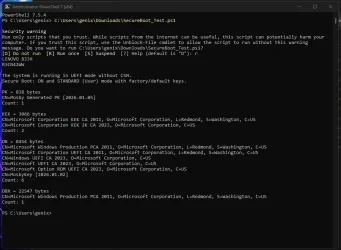
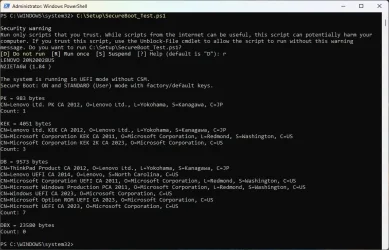
Here are the results from my 2 systems.

Lenovo T490 laptop:
LenovoT490.webp

Lenovo M83 desktop (Mosby):
LenovoM83.webp
 

My Computers My Computers

  • At a glance

    Windows 11 Pro 25H2i7-8565U16GBIntel UHD Graphics 620
    OS
    Windows 11 Pro 25H2
    Computer type
    Laptop
    Manufacturer/Model
    Lenovo T490 (2020 Hardware)
    CPU
    i7-8565U
    Motherboard
    20N20028US
    Memory
    16GB
    Graphics Card(s)
    Intel UHD Graphics 620
    Sound Card
    Realtec Audio
    Monitor(s) Displays
    ASUS VE248
    Screen Resolution
    1920 X 1080
    Hard Drives
    Samsung SSD 970 PRO 512GB NVMe
    Internet Speed
    Frontier fiber 1GB
    Browser
    Chrome, Firefox, Edge
    Antivirus
    Norton 360 Deluxe Plus
    Other Info
    Supported hardware, upgraded from Windows 10 Pro to Windows 11 Pro version 24H2 on 06/01/2025 using the Windows 11 ISO file. Used the enablement package to upgrade to version 25H2 on 10/07/2025. Secure boot enabled. Secure Boot CA 2023 updated.
  • At a glance

    Windows 11 Pro 25H2i7-4770 (with SSE4.2, and POPCNT)16GBIntel HD Graphics 4600
    Operating System
    Windows 11 Pro 25H2
    Computer type
    PC/Desktop
    Manufacturer/Model
    Lenovo ThinkCentre M83 (2014 Hardware)
    CPU
    i7-4770 (with SSE4.2, and POPCNT)
    Motherboard
    10AL000GUS
    Memory
    16GB
    Graphics card(s)
    Intel HD Graphics 4600
    Sound Card
    Realtec High Definition Audio
    Monitor(s) Displays
    ASUS VE248
    Screen Resolution
    1920 X 1080
    Hard Drives
    Samsung SSD 860 PRO 1TB SATA
    Internet Speed
    Frontier fiber 1GB
    Browser
    Chrome, Firefox, Edge
    Antivirus
    Norton 360 Deluxe Plus
    Other Info
    Unsupported hardware, upgraded from Windows 10 Pro (TPM 1.2 & unsupported CPU, but does have SSE4.2, and POPCNT) to Windows 11 Pro version 24H2 on 06/15/2025. Added Registry Key HKEY_LOCAL_MACHINE\SYSTEM\Setup\MoSetup – AllowUpgradesWithUnsupportedTPMOrCPU=1 to allow installation using the Windows 11 ISO file. Used the enablement package to upgrade to version 25H2 on 10/08/2025. Secure boot enabled. Secure Boot CA 2023 updated.
Unsupported Lenovo device


Screenshot 2026-01-08 070438.webp
 

My Computer My Computer

At a glance

Windows 11
OS
Windows 11
TOSHIBA SATELLITE L50-C
5.30

The system is running in UEFI mode without CSM.
Secure Boot: OFF

PK = 1139 bytes
CN=Toshiba Corporation Platform Root 2012, O=Toshiba Corporation, L=Ome, S=Tokyo, C=JP
Count: 1

KEK = 2678 bytes
CN=Microsoft Corporation KEK CA 2011, O=Microsoft Corporation, L=Redmond, S=Washington, C=US
CN=Toshiba Corporation KEK CA 2012, O=Toshiba Corporation, L=Ome, S=Tokyo, C=JP
Count: 2

DB = 10454 bytes
CN=Microsoft Windows Production PCA 2011, O=Microsoft Corporation, L=Redmond, S=Washington, C=US
CN=Microsoft Corporation UEFI CA 2011, O=Microsoft Corporation, L=Redmond, S=Washington, C=US
CN=Toshiba Corporation Utility CA 2012, O=Toshiba Corporation, L=Ome, S=Tokyo, C=JP
CN=QCI_Shell
CN=Toshiba_QCI
CN=Windows UEFI CA 2023, O=Microsoft Corporation, C=US
CN=Microsoft UEFI CA 2023, O=Microsoft Corporation, C=US
CN=Microsoft Option ROM UEFI CA 2023, O=Microsoft Corporation, C=US
Count: 8

DBX = 25043 bytes
CN=Microsoft Windows Production PCA 2011, O=Microsoft Corporation, L=Redmond, S=Washington, C=US
Count: 1
 

My Computers My Computers

  • At a glance

    Windows 11 Enterprise 25H2 26200 7462Intel XEON E5-2699 v364GB Teamgroup UD4-3600NVIDIA GeForce GTX 1080 Ti
    OS
    Windows 11 Enterprise 25H2 26200 7462
    Computer type
    PC/Desktop
    Manufacturer/Model
    Custom Build
    CPU
    Intel XEON E5-2699 v3
    Motherboard
    ASUS X99-A
    Memory
    64GB Teamgroup UD4-3600
    Graphics Card(s)
    NVIDIA GeForce GTX 1080 Ti
    Sound Card
    Integrated
    Monitor(s) Displays
    ACER X34 Predator
    Screen Resolution
    3440 x 1440
    Hard Drives
    Crucial CT1000P 3P SSD8 1TB
    Crucial CT1000 BX500 SSD 1TB
    PSU
    GameMax Pro
    Case
    Fractal Design
    Cooling
    Corsair H110iGT + 6 140mm Fans
    Keyboard
    Corsair K4
    Mouse
    G-Skill G502
    Internet Speed
    300MBs
    Browser
    Chrome
    Antivirus
    OEM
    Other Info
    ASUS RT-AC87U Router
  • At a glance

    25H2 26200.50748GB
    Operating System
    25H2 26200.5074
    Computer type
    Laptop
    Manufacturer/Model
    ASUS X555LA
    Memory
    8GB
    Browser
    Chrome
    Antivirus
    OEM
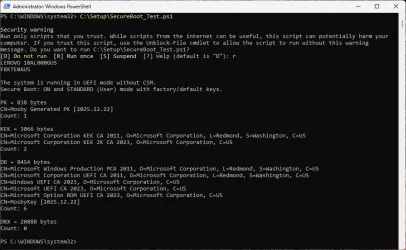
Just saw your post. Here's mine (though I should state I haven't had any failures):

Code:
PS C:\Users\thele> powershell -nop -ep bypass -f C:\temp\SecureBoot_Test.ps1
Hewlett-Packard HP Spectre x360 Convertible 13
F.54

The system is running in UEFI mode without CSM.
Secure Boot: ON and STANDARD (User) mode with factory/default keys.

PK = 838 bytes
CN=Mosby Generated PK [2025.12.17]
Count: 1

KEK = 3066 bytes
CN=Microsoft Corporation KEK CA 2011, O=Microsoft Corporation, L=Redmond, S=Washington, C=US
CN=Microsoft Corporation KEK 2K CA 2023, O=Microsoft Corporation, C=US
Count: 2

DB = 8454 bytes
CN=Microsoft Windows Production PCA 2011, O=Microsoft Corporation, L=Redmond, S=Washington, C=US
CN=Microsoft Corporation UEFI CA 2011, O=Microsoft Corporation, L=Redmond, S=Washington, C=US
CN=Windows UEFI CA 2023, O=Microsoft Corporation, C=US
CN=Microsoft UEFI CA 2023, O=Microsoft Corporation, C=US
CN=Microsoft Option ROM UEFI CA 2023, O=Microsoft Corporation, C=US
CN=MosbyKey [2025.12.17]
Count: 6

DBX = 20888 bytes
Count: 0

PS C:\Users\thele>
 

My Computers My Computers

  • At a glance

    Windows 11 Home, ver 25H2 build 26200.8246Intel Core i5 5200U @ 2.20GH4 GBIntel HD Graphics 5500 on board
    OS
    Windows 11 Home, ver 25H2 build 26200.8246
    Computer type
    Laptop
    Manufacturer/Model
    Hewlett-Packard Spectre 13-4001 x360 convertable
    CPU
    Intel Core i5 5200U @ 2.20GH
    Motherboard
    Hewlett-Packard 802D
    Memory
    4 GB
    Graphics Card(s)
    Intel HD Graphics 5500 on board
    Sound Card
    Intel Smart Sound Technology (Intel SST)
    Hard Drives
    Micron 256GB M.2 2280 NGFF SSD MTFDDAV256TBN, (SATA 6.0 Gb/s)
    Keyboard
    Model # G01KB
    Antivirus
    Microsoft Defender
    Other Info
    born on date: 25 Feb 2016
  • At a glance

    Win 11 Home 25H2 build 26200.7922Intel Core i7 4th Gen 4790 (3.60GHz), Haswell...Samsung 16 GB DDR3 (8GB in 2 modules)NVIDIA GeForce GTX 760, 3GB, and on-board Int...
    Operating System
    Win 11 Home 25H2 build 26200.7922
    Computer type
    PC/Desktop
    Manufacturer/Model
    Asus Desktop model M32AD-US019S (DOM: 6/9/2014 )
    CPU
    Intel Core i7 4th Gen 4790 (3.60GHz), Haswell 22nm Technology, SOCKET 1150
    Motherboard
    H81M-E/M51AD/DP_MB
    Memory
    Samsung 16 GB DDR3 (8GB in 2 modules)
    Graphics card(s)
    NVIDIA GeForce GTX 760, 3GB, and on-board Intel HD Graphics 4600 Rev 6
    Monitor(s) Displays
    HP EliteDisplay E241i LED; HP EliteDisplay E243
    Hard Drives
    Samsung 500GB SSD, 870 EVO (SATA 6.0 )
    Micron 250GB SSD, CT250MX500
    Toshiba HDD, 3GB (original drive w/PC)
    Case
    ASUS
    Keyboard
    ASUS-------------------------
    Antivirus
    MS Defender
    Other Info
    Additional Laptops:

    HEWLETT PACKARD
    HP OmniBook X Flip NGAI (Next Gen AI),
    Model: 16-as0023dx
    PT# B5UH1UA#ABA Product #: B5UH1UA
    delivered and setup 7/25/25
    16" 2K Touch-Screen Laptop
    Intel Core Ultra 7 256V '24 Series 2 - CPU
    Boost Clock Frequency 4.8 gigahertz; Neural Processing Unit (NPU) Yes;
    16GB Memory, LPDDR5X
    1TB SSD PCIe 4.0
    Graphics: Intel Arc 140V
    1 x HDMI 2.1
    1 x Thunderbolt 4
    2K Touch-Screen display, LED, IPS; 1920 x 1200 (Full HD+)
    USB Ports: 1 x USB-C 3.1, 2 x USB-A 3.1
    Wi-Fi 6E
    weight 4.15 pounds

    DELL
    Model:I7591-7483BLK-PUS 2-in-1 (7000 Series)
    purchased 12/3/2019,
    15.6 inch 2-IN-1;
    4K Ultra HD Touch-Screen, 3840 x 2160,
    Intel Core i7 10510U CPU 1.80GHz,
    16GB RAM DDR4 SDRAM 2400 megahert (2 slots),
    dedicated graphics Nvidia GeForce MX250 2 GB Graphics,
    PCIe 512GB Intel SSD + 32GB Optane Memory (Intel Optane Memory H10 with solid-state storage),
    wireless-AX & Bluetooth
    Battery: 68wh, Type 4VGMP 4 cell
Can I ask a favor of everyone who's gotten a failure running the update script?

Please run this short script, SecureBoot_Test.ps1

There is no "right" answer, as I'm trying to understand what's going on with different BIOS'es. If you have Secure Boot enabled, it should correctly determine if you're in Custom/Setup or Standard/User mode. Or let me know if your BIOS calls it a different name.

I have read other comments that sometimes Secure Boot as enabled/disabled is reported one way by Windows, but doesn't match the UEFI setting.
Thanks!

Previously posted 'SecureBoot_Test.ps1' results post (#174) was for a Lenovo M93p deskside.

Below are 2 new runs for an M83 & a M82.
---------------------------------------------------------------------------------
Lenovo M83 deskside.

LENOVO 10ALCTO1WW
FBKTE0AUS

The system is running in UEFI mode without CSM.
Secure Boot: ON and STANDARD (User) mode with factory/default keys.

PK = 862 bytes
CN=DO NOT TRUST - AMI Test PK
Count: 1

KEK = 3066 bytes
CN=Microsoft Corporation KEK CA 2011, O=Microsoft Corporation, L=Redmond, S=Washington, C=US
CN=Microsoft Corporation KEK 2K CA 2023, O=Microsoft Corporation, C=US
Count: 2

DB = 10307 bytes
CN=Trust - Lenovo Certificate
CN=Lenovo UEFI CA 2014, O=Lenovo, S=North Carolina, C=US
CN=Microsoft Windows Production PCA 2011, O=Microsoft Corporation, L=Redmond, S=Washington, C=US
CN=Microsoft Corporation UEFI CA 2011, O=Microsoft Corporation, L=Redmond, S=Washington, C=US
CN=Windows UEFI CA 2023, O=Microsoft Corporation, C=US
CN=Microsoft Option ROM UEFI CA 2023, O=Microsoft Corporation, C=US
CN=Microsoft UEFI CA 2023, O=Microsoft Corporation, C=US
Count: 8

DBX = 10816 bytes
Count: 0

---------------------------------------------------------------------------------
Lenovo M82 deskside.

LENOVO 2929AZ6
9SKT9CAUS

The system is running in UEFI mode without CSM.
Secure Boot: ON and STANDARD (User) mode with factory/default keys.

PK = 862 bytes
CN=Trust - Lenovo Certificate
Count: 1

KEK = 1560 bytes
CN=Microsoft Corporation KEK CA 2011, O=Microsoft Corporation, L=Redmond, S=Washington, C=US
Count: 1

DB = 8498 bytes
CN=Microsoft Windows Production PCA 2011, O=Microsoft Corporation, L=Redmond, S=Washington, C=US
CN=Microsoft Corporation UEFI CA 2011, O=Microsoft Corporation, L=Redmond, S=Washington, C=US
CN=Trust - Lenovo Certificate
CN=Windows UEFI CA 2023, O=Microsoft Corporation, C=US
CN=Microsoft Option ROM UEFI CA 2023, O=Microsoft Corporation, C=US
CN=Microsoft UEFI CA 2023, O=Microsoft Corporation, C=US
Count: 6

DBX = 20868 bytes
Count: 0
 

My Computer My Computer

At a glance

Windows 11
OS
Windows 11
Computer type
PC/Desktop
Manufacturer/Model
Lenovo
Thanks everyone. I think I have enough samples to review.
To be clear, I didn't have any failures on either of my 2 systems, like some others have posted. Just thought I'd give you some additional samples, but I don't want to confuse the issue further for you.
 

My Computers My Computers

  • At a glance

    Windows 11 Pro 25H2i7-8565U16GBIntel UHD Graphics 620
    OS
    Windows 11 Pro 25H2
    Computer type
    Laptop
    Manufacturer/Model
    Lenovo T490 (2020 Hardware)
    CPU
    i7-8565U
    Motherboard
    20N20028US
    Memory
    16GB
    Graphics Card(s)
    Intel UHD Graphics 620
    Sound Card
    Realtec Audio
    Monitor(s) Displays
    ASUS VE248
    Screen Resolution
    1920 X 1080
    Hard Drives
    Samsung SSD 970 PRO 512GB NVMe
    Internet Speed
    Frontier fiber 1GB
    Browser
    Chrome, Firefox, Edge
    Antivirus
    Norton 360 Deluxe Plus
    Other Info
    Supported hardware, upgraded from Windows 10 Pro to Windows 11 Pro version 24H2 on 06/01/2025 using the Windows 11 ISO file. Used the enablement package to upgrade to version 25H2 on 10/07/2025. Secure boot enabled. Secure Boot CA 2023 updated.
  • At a glance

    Windows 11 Pro 25H2i7-4770 (with SSE4.2, and POPCNT)16GBIntel HD Graphics 4600
    Operating System
    Windows 11 Pro 25H2
    Computer type
    PC/Desktop
    Manufacturer/Model
    Lenovo ThinkCentre M83 (2014 Hardware)
    CPU
    i7-4770 (with SSE4.2, and POPCNT)
    Motherboard
    10AL000GUS
    Memory
    16GB
    Graphics card(s)
    Intel HD Graphics 4600
    Sound Card
    Realtec High Definition Audio
    Monitor(s) Displays
    ASUS VE248
    Screen Resolution
    1920 X 1080
    Hard Drives
    Samsung SSD 860 PRO 1TB SATA
    Internet Speed
    Frontier fiber 1GB
    Browser
    Chrome, Firefox, Edge
    Antivirus
    Norton 360 Deluxe Plus
    Other Info
    Unsupported hardware, upgraded from Windows 10 Pro (TPM 1.2 & unsupported CPU, but does have SSE4.2, and POPCNT) to Windows 11 Pro version 24H2 on 06/15/2025. Added Registry Key HKEY_LOCAL_MACHINE\SYSTEM\Setup\MoSetup – AllowUpgradesWithUnsupportedTPMOrCPU=1 to allow installation using the Windows 11 ISO file. Used the enablement package to upgrade to version 25H2 on 10/08/2025. Secure boot enabled. Secure Boot CA 2023 updated.
Was supposed to chime in quite earlier - few weeks' back - but always had to postpone due to some other pending tasks.

First of all: Many thanks for your good job, @garlin.

Cut the long story short: was using others' (notably: GitHub - cjee21/Check-UEFISecureBootVariables: PowerShell scripts to check the UEFI KEK, DB and DBX Secure Boot variables as well as scripts for other Secure Boot related items.) scripts etc. for this affair and stumbled upon the situation, where - having cleared all TPM-WMI errors and seeing only successful completion of these within Event Viewer (notably: 1034 & 1088 only eventually at some stage), I then suddenly started seeing 1796 (1796 Error The Secure Boot update failed to update SBAT with error Unknown HResult Error code: 0x800700c1...) since the deployment of 2025 Dec CU (KB5072033).

Basically, since that CU has been installed, I started seeing a tandem of these two notifications upon each start-up:

Code:
(...)

11/12/2025 07:36:35            1796 Error            The Secure Boot update failed to update SBAT with error Unknown HResult Error code: 0x800700c1. For more information, please see....

11/12/2025 07:36:35            1808 Information      This device has updated Secure Boot CA/keys. This device signature information is included here....

(...)

which I found rather boring.

I then started nosing around and eventually stumbled upon this thread - and having read it, decided to give it a go - with the following result (NB screenshot is an example from another post above in the thread), the rest of the stuff above was deemed fine:

1768392414010.webp

And on the 02/01 have run the script mentioned by @Aramil in this post.

That has put error 1796 back to sleep, and the outcome was:

Code:
    Disk 0: SkuSiPolicy.p7b (for VBS) is CURRENT.

STATUS REPORT
-------------
    Registry: UEFICA2023Status = Updated

SUCCESS: NO UPDATES ARE REQUIRED.

But only up until today, when I decided to install Jan 2026 CU (KB5074109). That has resulted with this outcome:

Code:
(...)
14/01/2026 10:34:13            1796 Error            The Secure Boot update failed to update SBAT with error Unknown HResult Error code: 0x800700c1. For more information, please see https://go.micros...

14/01/2026 10:34:13            1034 Information      Secure Boot Dbx update applied successfully
(...)

And having run your script (Check_UEFI-CA2023.ps1 - VERSION 2025.12.31) once again, I'm now m getting 'all clear' and 'no action needed' this time regarding the latter...

I shall re-run the script from Aramil again and report back shortly, however was wondering - if this doesn't yield any positive results - if there's anything else I shall do?

EDITED TO ADD: can actually now see that SKUSiPolicy.P7b under C:\Windows\System32\SecureBootUpdates has actually been updated, so there's that:

1768393472352.webp

1768393486932.webp

EDITED TO ADD #2: Once script has been run, and PC restarted, there's no change unfortunately, 1796/1808 tandem remains in place.
 
Last edited:

My Computer My Computer

At a glance

Windows 11 Home 25H2Intel Core i7-11700KHyperX XMP RGB 48GB (2x8GB, 2x16GB)NVIDIA GeForce RTX 3070 Ti (8 GB)
OS
Windows 11 Home 25H2
Computer type
PC/Desktop
Manufacturer/Model
HP OMEN 30L GT13-1056na
CPU
Intel Core i7-11700K
Motherboard
OasisOC (Z590)
Memory
HyperX XMP RGB 48GB (2x8GB, 2x16GB)
Graphics Card(s)
NVIDIA GeForce RTX 3070 Ti (8 GB)
Sound Card
ALC3866-CG (on-board)
Monitor(s) Displays
HP OMEN 32
Screen Resolution
QHD
Hard Drives
WD Black 1TB PCIe NVMe
Samsung 980 Pro 1TB PCIe NVMe
Seagate 2TB 7200
PSU
Internal 800 W
Case
30L
Cooling
120mm AIO liquid cooling system
Keyboard
Logitech Craft
Mouse
Logitech MX Master 2S
Internet Speed
FTTC
Browser
FireFox Quantum
Antivirus
Windows Defender
Other Info
Logitech MX Sound
Logitech Spotlight
WD My Book Home Edition 2TB (Caviard, WD2002FAEX-007BA0)
Synology DS124 16TB (WD Red Pro, WD161KFGX-68AFPN0)
WD My Cloud 8TB (WD Red Pro, WD8005FFBX-68CAKN0)
WD My Cloud 4TB (WD Red, WD40EFRX-68WT0N0)
@krzemien, Just checked, I see

Event ID 1808, confirming Bios has updated ca/keys
Event ID 1034 Dbx update applied successfully.

But as Info and not errors, a check and Update was run on reboot after CU install,
EventIDs 1041 & 1038 are the checks and a log file created about states (path to log in 1038 description) and seems to be run every boot to check state.

but all as info for me, can confirm P7b seems to be new, might not have changed from one installed (not checked).
 

My Computer My Computer

At a glance

Windows 11 ProRyzen 5 5800X32Gb Corsair 3200Gigabyte RTX4070-Super
OS
Windows 11 Pro
Computer type
PC/Desktop
CPU
Ryzen 5 5800X
Motherboard
Asus B550 Strix gaming
Memory
32Gb Corsair 3200
Graphics Card(s)
Gigabyte RTX4070-Super
Screen Resolution
2x 1440, 1x 1080
MS released a new version of SKUSiPolicy.P7b today in (KB5074109):
Code:
5068861.csv:SKUSiPolicy.P7b,Not versioned,8-Nov-25,10:33,"6,544"
5068861.csv:SKUSiPolicy.P7b,Not versioned,8-Nov-25,10:41,"6,544"
5072033.csv:"SKUSiPolicy.P7b","Not versioned","06-Dec-2025","16:57","6,544"
5072033.csv:"SKUSiPolicy.P7b","Not versioned","06-Dec-2025","15:53","6,544"
5074109.csv:"SKUSiPolicy.P7b","Not versioned","09-Jan-2026","09:57","6,776"
5074109.csv:"SKUSiPolicy.P7b","Not versioned","09-Jan-2026","09:16","6,776"

For every Monthly Update, the W11 Update History page provides a CSV file of every month's file contents. You can do a string search to confirm if the file sizes have changed.

The current script should be reporting when the EFI copy doesn't match the Windows Update version.
 

My Computer My Computer

At a glance

Windows 7
OS
Windows 7
Here's mine, can't make head or tails out it
check keys cmd.webp
 

My Computer My Computer

At a glance

windows 11Intel i5-10600kf32gb corsair vengerance proAMD RX 6500XT
OS
windows 11
Computer type
PC/Desktop
Manufacturer/Model
Antec/Case
CPU
Intel i5-10600kf
Motherboard
GIGABYTE Z590 UD AC
Memory
32gb corsair vengerance pro
Graphics Card(s)
AMD RX 6500XT
Sound Card
onboard
Monitor(s) Displays
40" Hisense
Hard Drives
Samsung 850
Samsung 870
Seagate 2TB
PSU
EVGA GQ 750
That one's not my script. I wrote a different because the cjee21 script's output is harder to read.
 

My Computer My Computer

At a glance

Windows 7
OS
Windows 7
The current script should be reporting when the EFI copy doesn't match the Windows Update version.

That it did.
1768456664179.webp

I had one dated yesterday.

1768456758694.webp

I used the copy code in post #69
1768456918459.webp
 

My Computers My Computers

  • At a glance

    Win 11 Pro 25H2 26200.8894Intel® Core™ i7-14700KG.SKILL Ripjaws S5 Series 64GB (2 x 32GB) DDR5ASUS GeForce RTX 4070 Super 12GB
    OS
    Win 11 Pro 25H2 26200.8894
    Computer type
    PC/Desktop
    Manufacturer/Model
    Self Built
    CPU
    Intel® Core™ i7-14700K
    Motherboard
    ASUS TUF Z690-PLUS WIFI (BIOS 4505)
    Memory
    G.SKILL Ripjaws S5 Series 64GB (2 x 32GB) DDR5
    Graphics Card(s)
    ASUS GeForce RTX 4070 Super 12GB
    Sound Card
    Sound Blaster AE-5 Plus
    Monitor(s) Displays
    ASUS TUF Gaming 27" 2K HDR Gaming
    Screen Resolution
    2560 x 1440
    Hard Drives
    Samsung 990 Pro 1TB NVMe (Win 11 25H2)
    SK hynix P41 500GB NVMe
    SK hynix P41 2TB NVMe (x3)
    Crucial P3 Plus 4TB
    PSU
    Corsair RM850x Shift
    Case
    Antec Dark Phantom DP502 FLUX
    Cooling
    Corsair Nautilus 360 RS AIO
    Keyboard
    Logitech MK 320
    Mouse
    Razer Basilisk V3
    Internet Speed
    750Mbs
    Browser
    Firefox
    Antivirus
    Winows Security
    Other Info
    MR 8.1 Home
  • At a glance

    Win 11 Pro 25H2 26200.8894Intel Core i5-1140064 GB DDR4MSI GeForce RTX 3060 Ventus 2X 12GB
    Operating System
    Win 11 Pro 25H2 26200.8894
    Computer type
    PC/Desktop
    Manufacturer/Model
    Self Built
    CPU
    Intel Core i5-11400
    Motherboard
    Asus TUF Gaming Z590 Plus WiFi (BIOS 2803)
    Memory
    64 GB DDR4
    Graphics card(s)
    MSI GeForce RTX 3060 Ventus 2X 12GB
    Sound Card
    SoundBlaster Audigy Fx V2
    Monitor(s) Displays
    Samsung F27T350
    Screen Resolution
    1920x1080
    Hard Drives
    Samsung 980 Pro 1TB
    Samsung 970 EVO Plus 2TB
    Samsung 870 EVO 500GB SSD
    PSU
    Corsair HX750
    Case
    Cougar MX330-G Window
    Cooling
    Thermalright Frozen Edge 240 Black AIO
    Internet Speed
    350Mbps
    Browser
    Firefox
    Antivirus
    Windows Security
  • System Three
    Win 11 Pro 25H2 26200.8894
    ASUS PRIME Z370-P II BIOS 3004 7/12/21
    Intel Core i7-8700 CPU @ 3.20GHz
    32GB DDR4 RAM (4x8)
    iGPU Intel UHD Graphics 630
    Mid-Tower Desktop
I used the copy code in post #69

You can do that, but the current Update script also has a handy option to copy the same file.
Code:
Update_UEFI-CA2023.ps1 -SkuSiPolicy
 

My Computer My Computer

At a glance

Windows 7
OS
Windows 7
[cut]
The current script should be reporting when the EFI copy doesn't match the Windows Update version.

I did use the previous version of your script unfortunately, and only downloaded latter (latest) version once I moved these files manually myself.

Will keep an eye on this 1796 event as I'm just not keen in seeing it...
 

My Computer My Computer

At a glance

Windows 11 Home 25H2Intel Core i7-11700KHyperX XMP RGB 48GB (2x8GB, 2x16GB)NVIDIA GeForce RTX 3070 Ti (8 GB)
OS
Windows 11 Home 25H2
Computer type
PC/Desktop
Manufacturer/Model
HP OMEN 30L GT13-1056na
CPU
Intel Core i7-11700K
Motherboard
OasisOC (Z590)
Memory
HyperX XMP RGB 48GB (2x8GB, 2x16GB)
Graphics Card(s)
NVIDIA GeForce RTX 3070 Ti (8 GB)
Sound Card
ALC3866-CG (on-board)
Monitor(s) Displays
HP OMEN 32
Screen Resolution
QHD
Hard Drives
WD Black 1TB PCIe NVMe
Samsung 980 Pro 1TB PCIe NVMe
Seagate 2TB 7200
PSU
Internal 800 W
Case
30L
Cooling
120mm AIO liquid cooling system
Keyboard
Logitech Craft
Mouse
Logitech MX Master 2S
Internet Speed
FTTC
Browser
FireFox Quantum
Antivirus
Windows Defender
Other Info
Logitech MX Sound
Logitech Spotlight
WD My Book Home Edition 2TB (Caviard, WD2002FAEX-007BA0)
Synology DS124 16TB (WD Red Pro, WD161KFGX-68AFPN0)
WD My Cloud 8TB (WD Red Pro, WD8005FFBX-68CAKN0)
WD My Cloud 4TB (WD Red, WD40EFRX-68WT0N0)

Latest Support Threads

Back
Top Bottom