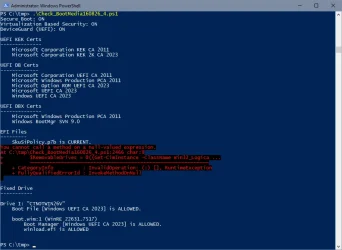
When I attach my two bootable media (recovery USB drive and install USB stick) together with my USB hub, I get this with the script from post 3466:
PS C:\Users\admin\Downloads\SecureBoot-CA-2023-Updates.v2026.08.17> .\Check-Bootmedia.bat -Verbose
PowerShell 7.6.5
Windows 11 25H2 (26200.9168)
Secure Boot: ON
Virtualization Based Security: ON
UEFI KEK Certs
--------------
Microsoft Corporation KEK CA 2011
Microsoft Corporation KEK 2K CA 2023
UEFI DB Certs
-------------
Microsoft Corporation UEFI CA 2011
Microsoft Windows Production PCA 2011
Microsoft Option ROM UEFI CA 2023
Microsoft UEFI CA 2023
Windows UEFI CA 2023
UEFI DBX Certs
--------------
Microsoft Windows Production PCA 2011
Windows BootMgr SVN 9.0
EFI Files
---------
SkuSiPolicy.p7b is CURRENT.
\\.\HarddiskVolume1\EFI\Microsoft\Boot\SkuSiPolicy.p7b
Version: 3.0.0.17
FileRule MinimumFileVersion MaximumFileVersion
-------- ------------------ ------------------
ID_FILEATTRIB_F_0044 0.0.0.0 10.0.14393.9399
ID_FILEATTRIB_F_0042 10.0.14400.0 10.0.17763.9099
ID_FILEATTRIB_F_0040 10.0.18000.0 10.0.19041.7639
ID_FILEATTRIB_F_0041 10.0.19100.0 10.0.20348.5479
ID_FILEATTRIB_F_0046 10.0.20400.0 10.0.22621.7494
ID_FILEATTRIB_F_0049 10.0.23000.0 10.0.26100.9140
ID_FILEATTRIB_F_0045 10.0.26100.32000 10.0.26100.33249
ID_FILEATTRIB_F_0048 10.0.26172.0 10.0.26172.33249
ID_FILEATTRIB_F_0047 10.0.27000.0 10.0.28000.2684
ID_FILEATTRIB_F_0043 10.0.29426.0 65535.65535.65535.65535
Bootable Media
--------------
USB Drive H: "RECOVERY"
Windows Boot Manager [Windows UEFI CA 2023] is ALLOWED.
H:\EFI\Microsoft\Boot\bootmgfw.efi
File Version: 28000.352, SVN 9.0
Boot File [Windows UEFI CA 2023] is ALLOWED.
H:\EFI\Boot\bootx64.efi
File Version: 28000.352, SVN 9.0
boot.wim:1 (WinRE 26100.1)
Boot Manager [Windows UEFI CA 2023] is ALLOWED.
\Windows\Boot\EFI_EX\bootmgfw_EX.efi
File Version: 28000.352, SVN 9.0
\Windows\System32\winload.efi is ALLOWED.
File Version: 26100.9168
USB Drive J: "Win11_25H2_EngUS_x64_14aug2026"
Boot File [Windows UEFI CA 2023] is ALLOWED.
J:\EFI\Boot\bootx64.efi
File Version: 28000.352, SVN 9.0
boot.wim:2 (WinPE 26100.9168)
Boot Manager [Windows UEFI CA 2023] is ALLOWED.
\Windows\Boot\EFI_EX\bootmgfw_EX.efi
File Version: 28000.352, SVN 9.0
\Windows\System32\winload.efi is ALLOWED.
File Version: 26100.9168
'Repair My PC' is broken.
J:\EFI\Microsoft\Boot\boot.stl [18/05/2026 19:44] is CURRENT.
install.esd:1 (W11 25H2 26200.9168)
Boot Manager [Windows UEFI CA 2023] is ALLOWED.
\Windows\Boot\EFI_EX\bootmgfw_EX.efi
File Version: 28000.352, SVN 9.0
\Windows\System32\winload.efi is ALLOWED.
File Version: 26100.9168
Skipping over the next 6 images.
USB Drive K: "RUFUS_BOOT"
Boot File [Microsoft Corporation UEFI CA 2011] is ALLOWED.
K:\EFI\Boot\bootx64.efi
[THIRD-PARTY] EFI File
PS C:\Users\admin\Downloads\SecureBoot-CA-2023-Updates.v2026.08.17>
When I attach these USB sticks alone on the USB hub, all works well too.
However, there is one direct USB port on my computer where my USB sticks are not recognised, due to a problem with the combination of X570 motherboards and the 5800X processor. They then recommended to set the pcie to gen3 instead of 4. It was supposed to have been resolved with some bios version, but that never happened on my machine. Depending upon the combination of bios version and settings in the bios, chipset version, and windows updates, it sometimes works, and sometimes not. I also disconnected the USB-C on the front panel completely, as it only caused problems.
On top of that, considering that the USB standard was defined in a pretty vague manner, there is a lot of variation in which components work well, and which USB sticks work on which USB ports. I can clearly see these differences on my three computers.
And of course, the number of USB endpoints may play a role on some computers.
So, maybe you also run into such issues, when trying to recognise all these different USB sticks.