- Local time
- 3:43 PM
- Posts
- 37
- OS
- 11, (10 as a test secondary)
I'll try playing the video using VLC again without changing any options (hardware-accelerated decoding is on Automatic), but this time a totally different HDD in my system (E drive instead of F). I am hoping by doing this, i can 100% rule out a HDD issue or a even SATA cable issue. Unless there's some weird compatibility issue between this drive and my systemIf we rule out the disk, then most likely your media player settings are not optimal and the videos play through the CPU, that is with software decoding without hardware acceleration from the graphics card. The CPU cannot cope and stutters. Are you sure Windows Update is not working in the background? Maybe Windows Defender does some scan? Disable both and check again. Last suspect some spyware consuming resources. Check with Superantispyware and remove all results.
I would be stunned if the replacement drive is faulty as well (and 3 SATA cables).
As for windows update, it shouldn't be because i disable automatic update and my OS drive is a SSD.
At the time of writing this, i was running malware scans on both F, E drive while playing movie from my E drive; despite 100% activity and processes does show Malwarebytes is using my disk, i am not having video freezing issues even though it is more resource intensive.
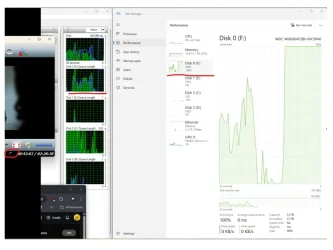
Previous image of task manager when video froze using VLC + F drive: HDD spikes to 100% usage activity and video freezes
according to the HDD model specs, it is CMR.SMR drive? I intensely hate their mere existence, but Idk if they're prone to experience problems watching video, that doesn't involve writing. They're structurally bad at recording disk images. These drives should be happier with an assorted and "random" writing load (at least not a lot worse than normal HDDs, all are slow in random loads by nature), but writing an entire track and just afterwards the contiguous one time after time thousands or millions of times in a row isn't their thing.
At reading I wouldn't expect differences with a normal drive (I believe SMR is just as "fine" reading as CMR), and the video playing bar is very low for any modern disk.
I am also wondering since the data on my F drive/WD6004FZBX was cloned using Marcum Reflect, could corruption of data be a potential cause of freezing video?
My Computer
At a glance
11, (10 as a test secondary)AMD Ryzen 9 7950X3DKingston FURY Beast 32 GB (2 x 16 GB) DDR5-56...RTX 5080
- OS
- 11, (10 as a test secondary)
- Computer type
- PC/Desktop
- CPU
- AMD Ryzen 9 7950X3D
- Motherboard
- MSI MPG X670E CARBON WIFI
- Memory
- Kingston FURY Beast 32 GB (2 x 16 GB) DDR5-5600 CL36
- Graphics Card(s)
- RTX 5080
- Hard Drives
- C drive: Samsung SSD 870 EVO 4TB (win 11)
C Drive: Hitachi HTS545032B9A300 (win 10)
-WD WD1002FAEX 1tb
-Seagate ST3160812AS 160 gb
- PSU
- SeaSonic PRIME 1300 Gold 1300 W 80+ Gold
- Case
- Phanteks Enthoo Pro Tempered Glass ATX Full Tower Case
- Cooling
- Noctua NH-D15S