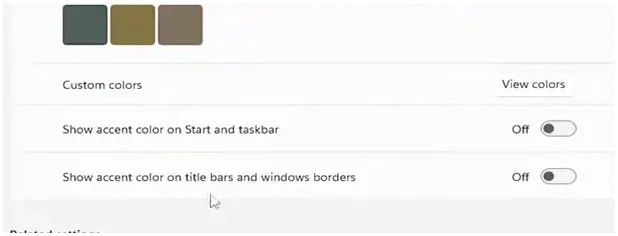
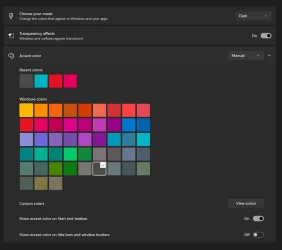
How do I remove this blue line? Its on every window, I'm using mods by the way for the theme


Popzaur

New member
Local time
12:35 AM
Posts
1
OS
Windows 11
It's actually annoying me a bit, I've tried to uncheck "Show accent color on title bars and window borders" in the settings menu, still doesn't work. I've tried using a windhawk mod called "Invisible Window Borders" It still wont go away, is there any fix to this?
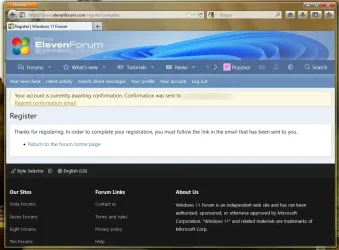
Screenshot 2026-06-23 220121.webp
 
Windows Build/Version
23H2
Last edited by a moderator:

My Computer My Computer

At a glance

Windows 11
OS
Windows 11
Computer type
Laptop
Manufacturer/Model
Lenovo

My Computers My Computers

  • At a glance

    Windows 11 Pro
    OS
    Windows 11 Pro
    Computer type
    PC/Desktop
    Manufacturer/Model
    ASUS ROG Strix
  • At a glance

    Windows 11 Pro
    Operating System
    Windows 11 Pro
    Computer type
    Laptop
    Manufacturer/Model
    ASUS VivoBook
  • ASUS VivoBook 'Lite' ~ Windows 11 Home
Holy shnikies, a Firefox Echelon user, who's using it on Windows 11? I'm using the same browser right now on Window 7.

Yeah, that little blue line on the left/bottom edge originated with Windows Vista, and is being done by your custom theme. Maybe you tried to get a Windows 7 theme, but they lied to you, it's clearly a Vista theme. I'm actually looking into editing my Windows 7 system so that it includes this accent, but that's besides the point - there's nothing inside of Echelon, or Windhawk, that's gonna help you. The thing that's annoying you is a 20+ year old tiny bit of hard-coded color code, it isn't dynamic or changeable by anything else.

You'd need to inspect your custom theme, and maybe compare it against the default windows 7 aero theme, there's gonna be a line of code somewhere that controls this. Resource hacker and research are your friends here, but finding another theme might be easier.

Good luck dude, what a beautiful thing to see running on 23H2, respect!
 

My Computer My Computer

At a glance

W7 Pro // W11 Pro
OS
W7 Pro // W11 Pro
Computer type
PC/Desktop
Manufacturer/Model
Gigabyte / Dell
Back
Top Bottom