
- Local time
- 8:36 AM
- Posts
- 279
- OS
- Windows 11 Pro 22H2
Hi,
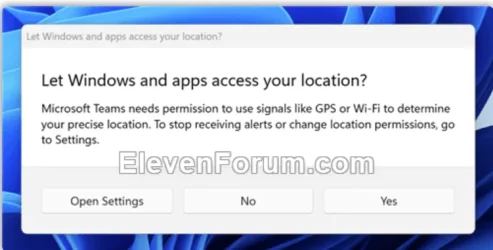
I just got one these App Permissions request from AdobeAcroCEF (don't really recall or remember) similar to the one image attached.
The problem is, that I really did not have to time to select YES or NO and that notification just disappeared..
Is there a way to somehow locate this request again through the Windows Settings app or even somewhere from the Location services settings to choose my selection to either No or YES?
The application permissions request looked similar to the one that is attached to this Thread post.
I just got one these App Permissions request from AdobeAcroCEF (don't really recall or remember) similar to the one image attached.
The problem is, that I really did not have to time to select YES or NO and that notification just disappeared..
Is there a way to somehow locate this request again through the Windows Settings app or even somewhere from the Location services settings to choose my selection to either No or YES?
The application permissions request looked similar to the one that is attached to this Thread post.
Attachments
My Computer
At a glance
Windows 11 Pro 22H2
- OS
- Windows 11 Pro 22H2





