- Local time
- 3:54 AM
- Posts
- 85
- OS
- Windows 11 64-bit
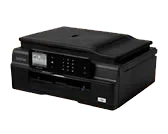
On this new WIN-11 PC, my HP PRINTER ICON looks just like the Printer itself (HP Officejet 8600-Pro) in Devices and Printers. But my Brother printer ICON image is just a generic printer. Both printers were installed using the software from the HP and BROTHER website. How do I make the Brother MFC-J875DW look like that machine? It did on my prior Windows-10 P.C.. Thanks in advance for any guidance. 
-Allen
-Allen
My Computer
At a glance
Windows 11 64-bitIntel® Core™ i7-1065G7 CPU @ 1.30GHz12GBIntel Iris Graphics
- OS
- Windows 11 64-bit
- Computer type
- Laptop
- Manufacturer/Model
- Samsung
- CPU
- Intel® Core™ i7-1065G7 CPU @ 1.30GHz
- Motherboard
- SAMSUNG ELECTRONICS CO., LTD. Model NP950QCG-K01US
- Memory
- 12GB
- Graphics Card(s)
- Intel Iris Graphics
- Hard Drives
- SAMSUNG MZVLB512HBJQ-000 SSD 476.94 GB
- Mouse
- Logitech MX Mobile BlueTooth
- Internet Speed
- 686.6 Mbps download 23.6 Mbps upload Latency: 8 ms Server: Chicago
- Browser
- Edge (Default) and FireFox installed.