Solved How to Remove Items in Defender History


Last edited:

My Computer My Computer

At a glance

Windows 11 ProCore i7-13700K64 GB Kingston Fury Beast DDR5Gigabyte GeForce RTX 2060 Super Gaming OC 8G
OS
Windows 11 Pro
Computer type
PC/Desktop
Manufacturer/Model
Self build
CPU
Core i7-13700K
Motherboard
Asus TUF Gaming Plus WiFi Z790
Memory
64 GB Kingston Fury Beast DDR5
Graphics Card(s)
Gigabyte GeForce RTX 2060 Super Gaming OC 8G
Sound Card
Realtek S1200A
Monitor(s) Displays
Viewsonic VP2770 & Dell (secondary)
Screen Resolution
2560 x 1440
Hard Drives
Kingston KC3000 2TB NVME SSD & SATA HDDs & SSD
PSU
EVGA SuperNova G2 850W
Case
Nanoxia Deep Silence 1
Cooling
Noctua NH-D14
Keyboard
Microsoft Digital Media Pro
Mouse
Logitech Wireless
Internet Speed
80 Mb / s
Browser
Chrome
Antivirus
Defender, Malwarebytes Free & AdwCleaner
Clear Windows Security History

The above Tutorial may do it.

If is doesn't this will:
Code:
<# : batch script
@echo off
powershell -nop "if (-not ([Security.Principal.WindowsPrincipal][Security.Principal.WindowsIdentity]::GetCurrent()).IsInRole([Security.Principal.WindowsBuiltInRole] 'Administrator')) { Start-Process -Verb RunAs 'cmd.exe' -ArgumentList '/c %~dpnx0 %*' } else { Invoke-Expression ([System.IO.File]::ReadAllText('%~f0')) }"
goto :eof
#>

# https://www.tiraniddo.dev/2019/09/the-art-of-becoming-trustedinstaller.html

$ScriptBlock = {
    $MAPS_Status = (Get-MpPreference).MAPSReporting
    Set-MpPreference -DisableRealtimeMonitoring 1
    Set-MpPreference -MAPSReporting Disabled

    Get-ChildItem -File 'C:\ProgramData\Microsoft\Windows Defender\Scans\History\Service' -Recurse | Remove-Item -Force

    Set-MpPreference -DisableRealtimeMonitoring 0
    Set-MpPreference -MAPSReporting $MAPS_Status
}

# Create scheduled task

$TaskName = 'Clear Defender Protection History'
$SchedulerPath = '\Microsoft\Windows\PowerShell\ScheduledJobs'
Unregister-ScheduledJob $TaskName -Confirm:$false 2>&1 | Out-Null
Register-ScheduledJob -Name $TaskName -ScriptBlock $ScriptBlock | Out-Null

$adminAccount = Get-LocalUser | Where-Object {$_.SID -like "*-500"} | Select-Object -ExpandProperty Name
$Principal = New-ScheduledTaskPrincipal -UserId "$env:COMPUTERNAME\$adminAccount"
Set-ScheduledTask -TaskPath $SchedulerPath -TaskName $TaskName -Principal $Principal | Out-Null

$Service = New-Object -ComObject 'Schedule.Service'
$Service.Connect()

# Invoke task as TI

$User = 'NT SERVICE\TrustedInstaller'
$Folder = $Service.GetFolder($SchedulerPath)
$Task = $Folder.GetTask($TaskName)

$Task.RunEx($null, 0, 0, $User) | Out-Null

# Wait for task completion, or timed out

$Timeout = 60
$Timer =  [Diagnostics.Stopwatch]::StartNew()

while (((Get-ScheduledTask -TaskName $TaskName).State -ne 'Ready') -and ($Timer.Elapsed.TotalSeconds -lt $Timeout)) {
    Start-Sleep -Seconds 1
}

$Timer.Stop()

# Remove scheduled task
Unregister-ScheduledJob $TaskName -Confirm:$false | Out-Null
The tutorial worked!
 

My Computer My Computer

At a glance

Windows 11 ProCore i7-13700K64 GB Kingston Fury Beast DDR5Gigabyte GeForce RTX 2060 Super Gaming OC 8G
OS
Windows 11 Pro
Computer type
PC/Desktop
Manufacturer/Model
Self build
CPU
Core i7-13700K
Motherboard
Asus TUF Gaming Plus WiFi Z790
Memory
64 GB Kingston Fury Beast DDR5
Graphics Card(s)
Gigabyte GeForce RTX 2060 Super Gaming OC 8G
Sound Card
Realtek S1200A
Monitor(s) Displays
Viewsonic VP2770 & Dell (secondary)
Screen Resolution
2560 x 1440
Hard Drives
Kingston KC3000 2TB NVME SSD & SATA HDDs & SSD
PSU
EVGA SuperNova G2 850W
Case
Nanoxia Deep Silence 1
Cooling
Noctua NH-D14
Keyboard
Microsoft Digital Media Pro
Mouse
Logitech Wireless
Internet Speed
80 Mb / s
Browser
Chrome
Antivirus
Defender, Malwarebytes Free & AdwCleaner

My Computer My Computer

At a glance

Windows 11 ProCore i7-13700K64 GB Kingston Fury Beast DDR5Gigabyte GeForce RTX 2060 Super Gaming OC 8G
OS
Windows 11 Pro
Computer type
PC/Desktop
Manufacturer/Model
Self build
CPU
Core i7-13700K
Motherboard
Asus TUF Gaming Plus WiFi Z790
Memory
64 GB Kingston Fury Beast DDR5
Graphics Card(s)
Gigabyte GeForce RTX 2060 Super Gaming OC 8G
Sound Card
Realtek S1200A
Monitor(s) Displays
Viewsonic VP2770 & Dell (secondary)
Screen Resolution
2560 x 1440
Hard Drives
Kingston KC3000 2TB NVME SSD & SATA HDDs & SSD
PSU
EVGA SuperNova G2 850W
Case
Nanoxia Deep Silence 1
Cooling
Noctua NH-D14
Keyboard
Microsoft Digital Media Pro
Mouse
Logitech Wireless
Internet Speed
80 Mb / s
Browser
Chrome
Antivirus
Defender, Malwarebytes Free & AdwCleaner
I am glad that you got this problem sorted out Steve. :thumbsup:
 

My Computers My Computers

  • At a glance

    Windows11 Pro 26200.8728Intel Core i9 14900F (24 -Core, 68 MB Total C...32GB DDR5RTX 4080 Super w/581.95
    OS
    Windows11 Pro 26200.8728
    Computer type
    PC/Desktop
    Manufacturer/Model
    Dell Alienware Aurora R16
    CPU
    Intel Core i9 14900F (24 -Core, 68 MB Total Cache)
    Motherboard
    Dell Alienware
    Memory
    32GB DDR5
    Graphics Card(s)
    RTX 4080 Super w/581.95
    Sound Card
    Realtec
    Monitor(s) Displays
    Corsair XENEON 32QHD165
    Screen Resolution
    2560 X 1440
    Hard Drives
    1-2TB Samsung 990 Pro PCIe NVMe M2 SSD
    1-4TB Samsung 990 Pro PCIe NVMe M2 SSD
    PSU
    1000 Watt Platinum Dell
    Case
    Alienware
    Cooling
    Liquid Closed Loop
    Keyboard
    Corsair Strafe RGB
    Mouse
    Logitech MK270 Wireless
    Internet Speed
    100Gb's Down-20 Up
    Browser
    Firefox 152.0.1
    Antivirus
    Defender
    Other Info
    Very Quiet And Fast
    CyberPower UPS CP1500PFCLCD
  • At a glance

    PClinuxOS Mate (2025.7)13th Gen Inter(R) Core(TM) i3-1315U64 GB DDR4 @3200 MHz.Internal
    Operating System
    PClinuxOS Mate (2025.7)
    Computer type
    PC/Desktop
    Manufacturer/Model
    Intel
    CPU
    13th Gen Inter(R) Core(TM) i3-1315U
    Motherboard
    Intel
    Memory
    64 GB DDR4 @3200 MHz.
    Graphics card(s)
    Internal
    Sound Card
    None
    Monitor(s) Displays
    Dell 2419HGCF
    Screen Resolution
    1920 X 1080
    Hard Drives
    SAMSUNG 980 PRO SSD 2TB, PCIe 4.0 M.2 2280
    PSU
    Chicony 30 Watt
    Case
    Small
    Keyboard
    Dell
    Mouse
    Razor
    Internet Speed
    1GB
    Browser
    Slimjet
Script revised:
@Steve C Please try this new version. Thanks!
I'll test it, i have to keep up my name...
Tested clean win 11 vm with:
Defender version; 4.18.24030.9-0
Windows 11 version: 23H2 OS build: 22631.3527
Works Like a Charm!

How did you figure out so fast how that that other program did it this way?
 

My Computer My Computer

At a glance

Windows 11
OS
Windows 11
Computer type
PC/Desktop

My Computer My Computer

At a glance

Windows 10/11
OS
Windows 10/11
Computer type
Laptop
Manufacturer/Model
Acer
My compliments!

I might adjust this script to disable the Defender Core Service. Monitors only status and do expiriments on computers and reports back to microsoft. Microsoft Defender is not depened on that service. Already have them manually turned off. Then a day later the services removes it self from services. When it gets dependency's i will turn it back on, but for time being it is not needed.
Might be a good idea for a new topic and discussion. Don't shoot me for turning something off that looks important, but in my eyes not really is.
 

My Computer My Computer

At a glance

Windows 11
OS
Windows 11
Computer type
PC/Desktop
@LesFresh
After running it on some more machines, i have noticed one more thing about the script.
If i double click the file, UAC elevation prompt comes up, then a black screen flashes.
So i guess, this part of the scrips fails, and hits the goto :eof and so skipping the rest of the script.
Right click and run as administrator works.

<# : batch script
@echo off
powershell -nop "if (-not ([Security.Principal.WindowsPrincipal][Security.Principal.WindowsIdentity]::GetCurrent()).IsInRole([Security.Principal.WindowsBuiltInRole] 'Administrator')) { Start-Process -Verb RunAs 'cmd.exe' -ArgumentList '/c %~dpnx0 %*' } else { Invoke-Expression ([System.IO.File]::ReadAllText('%~f0')) }"
goto :eof
#>
 

My Computer My Computer

At a glance

Windows 11
OS
Windows 11
Computer type
PC/Desktop
After running it on some more machines, i have noticed one more thing about the script.
If i double click the file, UAC elevation prompt comes up, then a black screen flashes.
So i guess, this part of the scrips fails, and hits the goto :eof and so skipping the rest of the script.
Right click and run as administrator works.
You will just get a console window flash if there is no Protection history to be cleared, but that would also be the case if you right-click and select "Run as Administrator". But it sounds like you're getting the reboot prompt when using "Run as Administrator", but not when double-clicking. Is that correct and is that consistent for all your machines?

I just updated the script to display a message if no Protection history is found. This might make checking this issue a little easier.
 

My Computer My Computer

At a glance

Windows 10/11
OS
Windows 10/11
Computer type
Laptop
Manufacturer/Model
Acer
But it sounds like you're getting the reboot prompt when using "Run as Administrator", but not when double-clicking. Is that correct and is that consistent for all your machines?
Yes, with right click run as admin, i get the reboot prompt, so the log file is detected.
All machines where i have run the script, where windows machines with the same 23H2 updates.
I will boot up later today, some old cloned machines that are update until jan/febr or even later. Do you also want to know it for windows 10?
 

My Computer My Computer

At a glance

Windows 11
OS
Windows 11
Computer type
PC/Desktop
Yes, with right click run as admin, i get the reboot prompt, so the log file is detected.
All machines where i have run the script, where windows machines with the same 23H2 updates.
I will boot up later today, some old cloned machines that are update until jan/febr or even later. Do you also want to know it for windows 10?
I just retested on 23H2 with both Administrator and Standard users and it worked fine with just a double-click for me. There may be some setting on your machines that affects the script. @garlin is more familiar with the self-elevation code, so I hope he's available to chime in on possible causes.

I guess testing on your Windows 10 machines would be a good idea to see if there is any difference.
 

My Computer My Computer

At a glance

Windows 10/11
OS
Windows 10/11
Computer type
Laptop
Manufacturer/Model
Acer
There's nothing special about the elevation code. Some devs do elevation checks in the "wrong way", by running a privileged command and checking the exit code for failure. Since we're using PS, it's more direct to check if we have the Administrator role. Otherwise, it's the normal -verb Runas business to elevate the script.

I think to debug what's happening for @Tester, we change -ArgumentList '/c %~dpnx0 %*' to '/k %~dpnx0 %*'.
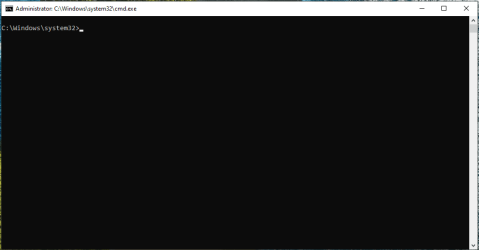
This way the original CMD window doesn't exit, and maybe we can catch a possible error message.
 

My Computer My Computer

At a glance

Windows 7
OS
Windows 7
I think to debug what's happening for @Tester, we change -ArgumentList '/c %~dpnx0 %*' to '/k %~dpnx0 %*'.
I did this change, and after elevation, an empty command prompt was opened, no error shown.
Have tested it on some more Win11 machines, and on some machines the elevation script did work. With the same version of win11.

Tested it on Windows 10 22H2 with all updates, and also no elevation. This windows 10machine was freshly installed and updated last week. No changes to configuration made or any software installed after that.
vmware_NRZoJSvoM4.png

I know from tools that impersonate trusted installers etc. Like: RunAsTI64, ExecTI, Advanced Run x64, That two depency's are needed for those to run correctly.
Modules installer, and Secondary Login.
Any dependency's that i can check for this script?
 

My Computer My Computer

At a glance

Windows 11
OS
Windows 11
Computer type
PC/Desktop
On the windows 10 machine i forgot to put something in windows defender history. So windows 10 works ok.
 

My Computer My Computer

At a glance

Windows 11
OS
Windows 11
Computer type
PC/Desktop
I know from tools that impersonate trusted installers etc. Like: RunAsTI64, ExecTI, Advanced Run x64, That two depency's are needed for those to run correctly.
Modules installer, and Secondary Login.
Any dependency's that i can check for this script?
No. Only the original ClearDefenderHistory.bat used TrustedInstaller. It stopped working for most of us recently. The current ClearDefenderHistory.cmd script that creates a task (and the previous version that created a RunOnce entry) only pop up a UAC prompt so that the script can run with Administrator level access. It should be the same as right-clicking and selecting "Run as Administrator".
 

My Computer My Computer

At a glance

Windows 10/11
OS
Windows 10/11
Computer type
Laptop
Manufacturer/Model
Acer
You need to have Admin rights, in order to create a Scheduled Task. The original script used a loophole to subvert the task's run-time identity to be TrustedInstaller. But the current version only needs to run the task as SYSTEM.

The script doesn't have any more power than you in a Admin shell. But the executed task is where the magic happens, because it's running as a privileged system identity.
 

My Computer My Computer

At a glance

Windows 7
OS
Windows 7
I'm impressed by all this sophisticated script writing but why don't you folks simply delete the Defender history folder at
C:\ProgramData\Microsoft\Windows Defender\Scans\History\Service using Safe Mode which still works?
 

My Computer My Computer

At a glance

Windows 11 ProCore i7-13700K64 GB Kingston Fury Beast DDR5Gigabyte GeForce RTX 2060 Super Gaming OC 8G
OS
Windows 11 Pro
Computer type
PC/Desktop
Manufacturer/Model
Self build
CPU
Core i7-13700K
Motherboard
Asus TUF Gaming Plus WiFi Z790
Memory
64 GB Kingston Fury Beast DDR5
Graphics Card(s)
Gigabyte GeForce RTX 2060 Super Gaming OC 8G
Sound Card
Realtek S1200A
Monitor(s) Displays
Viewsonic VP2770 & Dell (secondary)
Screen Resolution
2560 x 1440
Hard Drives
Kingston KC3000 2TB NVME SSD & SATA HDDs & SSD
PSU
EVGA SuperNova G2 850W
Case
Nanoxia Deep Silence 1
Cooling
Noctua NH-D14
Keyboard
Microsoft Digital Media Pro
Mouse
Logitech Wireless
Internet Speed
80 Mb / s
Browser
Chrome
Antivirus
Defender, Malwarebytes Free & AdwCleaner
I'm impressed by all this sophisticated script writing but why don't you folks simply delete the Defender history folder at
C:\ProgramData\Microsoft\Windows Defender\Scans\History\Service using Safe Mode which still works?
Simply for the convenience.

The script works fine. It's just that, for some reason, @Tester has to right-click and select "Run as Administrator" (on some machines) instead of just double-clicking the script which already self-elevates using the RunAs verb. That's a problem I'm sure would affect any script that uses the same technique, so it's worthwhile to figure out what's going on in order to help anyone else encountering the same problem with other scripts now or in the future.
 

My Computer My Computer

At a glance

Windows 10/11
OS
Windows 10/11
Computer type
Laptop
Manufacturer/Model
Acer
After rebooting the machines where the script failed to run, they have run ok after te reboot and the history is empty now. Not sure what was preventing those commands to run. However i have documeted the encounters, so onces it happens again i/we can continue the investigation.
Will report back when i know more.
 

My Computer My Computer

At a glance

Windows 11
OS
Windows 11
Computer type
PC/Desktop

Latest Support Threads

Back
Top Bottom





