
- Local time
- 7:36 AM
- Posts
- 272
- OS
- Windows 11 Pro 22H2
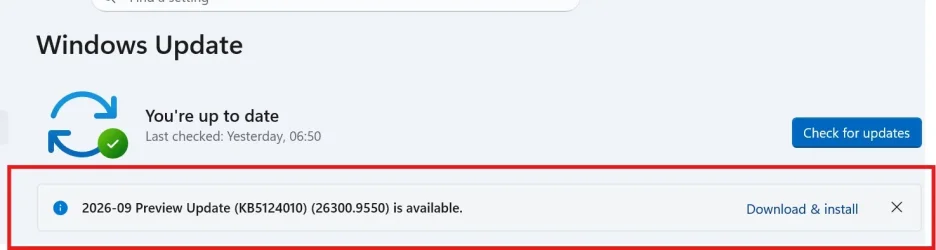
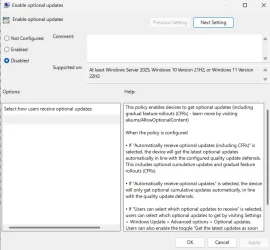
Please see attached images.
I also did the GPUPDATE /FORCE and restarted my PC.
Am I missing some other Group Policy settings that I need to change for this take effect?
I know that I can just ignore it, but still, need to know how I can disable these.
Thanks in Advance.
I also did the GPUPDATE /FORCE and restarted my PC.
Am I missing some other Group Policy settings that I need to change for this take effect?
I know that I can just ignore it, but still, need to know how I can disable these.
Thanks in Advance.
Attachments
My Computer
At a glance
Windows 11 Pro 22H2
- OS
- Windows 11 Pro 22H2






