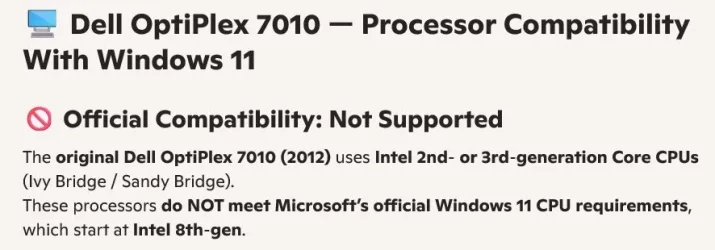
I have a dell 7010


I ended up using a third party software for the upgrade , it was so easy ...not techy person
Thanks for all ur replies!
$39? For what can easily be done for free?
 

My Computers

System One System Two

  • OS
    Windows 11 26200.8728
    Computer type
    PC/Desktop
    Manufacturer/Model
    homebuilt
    CPU
    Amd Threadripper 7970X
    Motherboard
    Gigabyte TRX50 Aero D Rev. 1.0
    Memory
    128GB (4 X 32) G.Skill DDR5 6400 (RDIMM)
    Graphics Card(s)
    Gigabyte RTX 4090 OC
    Sound Card
    none (USB to speakers), Realtek
    Monitor(s) Displays
    Innocn 32" OLED
    Screen Resolution
    3840 X 2160 @ 60Hz
    Hard Drives
    Crucial T700 2TB M.2 NVME SSD
    WD 4TB Blue SATA SSD
    Seagate 18TB IronWolf Pro
    PSU
    BeQuiet! Straight Power 12 1500W
    Case
    Lian Li 011 Dynamic Evo XL
    Cooling
    SilverStone Technology XE360-TR5, with 3 Phanteks T30 fans
    Keyboard
    Cherry KC 500 MX LP (mechanical)
    Mouse
    Logitech M500s (wired)

    Internet Speed
    2000/250 Mbps (down/up)
    Other Info
    xFinity gateway
  • Operating System
    windows 11 26200.8728
    Computer type
    PC/Desktop
    Manufacturer/Model
    homebuilt
    CPU
    Intel I9-13900K
    Motherboard
    Asus RoG Strix Z690-E
    Memory
    64GB G.Skill DDR5-6000
    Graphics card(s)
    Gigabyte RTX 3090 ti
    Sound Card
    built in Realtek
    Monitor(s) Displays
    Philips 27E1N8900 27" OLED
    Screen Resolution
    3840 X 2160 @60Hz
    Hard Drives
    WDC SN850 1TB
    8TB Seagate Ironwolf
    4TB Seagate Ironwolf
    PSU
    eVGA SuperNOVA 1300 GT
    Case
    Lian Li 011 Dynamic Evo
    Cooling
    Corsair iCUE H150i ELITE CAPELLIX Liquid CPU Cooler
    Keyboard
    Cherry Streaming (wired)
    Mouse
    Logitech M500s (wired)

I’d love to know what black magic this company uses that allows the install of 25H2 without SSE4.2 support.
They don’t seem to be getting around it.

“Most Windows 10 PCs from 2015 or newer qualify!”

That’s way after SSE4.2.

They also reference that idiotic Braxman video saying the TPM chip spies on you. That’s a no from me, dawg.
 

My Computer

System One

  • OS
    Windows 11 Pro 25H2
    Computer type
    PC/Desktop
    Manufacturer/Model
    Intel NUC12WSHi7
    CPU
    12th Gen Core i7-1260P
    Motherboard
    NUC12WSBi7
    Memory
    64 GB Micron PC4-25600
    Graphics Card(s)
    Intel Iris Xe Graphics
    Sound Card
    on-board Realtek HD Audio
    Monitor(s) Displays
    Dell U3219Q
    Screen Resolution
    3840 x 2160
    Hard Drives
    Samsung SSD 990 PRO 1TB
    Crucial MX500 2 TB
    Antivirus
    Microsoft Defender
I guess that if @vaahid is happy with his decision, well, let it be. He solved his issue. If I have a flat tire, I can fix it by myself or pay someone else to do it for me. As simple as that.
 

My Computer

System One

  • OS
    Windows 11
    Computer type
    PC/Desktop
    Manufacturer/Model
    HP ProDesk 600 G1 SFF
    CPU
    Intel(R) Core(TM) i5-4570 CPU @ 3.20GHz
    Motherboard
    Hewlett-Packard 18E7
    Memory
    8.00 GB DDR3
    Graphics Card(s)
    AMD Radeon R5 430
    Sound Card
    Realtek High Definition Audio Driver for Hewlett-Packard
    Hard Drives
    KINGSTON SUV500240G
I guess that if @vaahid is happy with his decision, well, let it be. He solved his issue. If I have a flat tire, I can fix it by myself or pay someone else to do it for me. As simple as that.
Fair enough. My (snide?) comment was for the potential benefit of others who read this thread in the future.

Incidentally, the OP's Dell 7010 is an old model. Dell re-used the model number on newer models that ought to qualify for a normal Win11 install.
 

My Computers

System One System Two

  • OS
    Windows 11 26200.8728
    Computer type
    PC/Desktop
    Manufacturer/Model
    homebuilt
    CPU
    Amd Threadripper 7970X
    Motherboard
    Gigabyte TRX50 Aero D Rev. 1.0
    Memory
    128GB (4 X 32) G.Skill DDR5 6400 (RDIMM)
    Graphics Card(s)
    Gigabyte RTX 4090 OC
    Sound Card
    none (USB to speakers), Realtek
    Monitor(s) Displays
    Innocn 32" OLED
    Screen Resolution
    3840 X 2160 @ 60Hz
    Hard Drives
    Crucial T700 2TB M.2 NVME SSD
    WD 4TB Blue SATA SSD
    Seagate 18TB IronWolf Pro
    PSU
    BeQuiet! Straight Power 12 1500W
    Case
    Lian Li 011 Dynamic Evo XL
    Cooling
    SilverStone Technology XE360-TR5, with 3 Phanteks T30 fans
    Keyboard
    Cherry KC 500 MX LP (mechanical)
    Mouse
    Logitech M500s (wired)
    Internet Speed
    2000/250 Mbps (down/up)
    Other Info
    xFinity gateway
  • Operating System
    windows 11 26200.8728
    Computer type
    PC/Desktop
    Manufacturer/Model
    homebuilt
    CPU
    Intel I9-13900K
    Motherboard
    Asus RoG Strix Z690-E
    Memory
    64GB G.Skill DDR5-6000
    Graphics card(s)
    Gigabyte RTX 3090 ti
    Sound Card
    built in Realtek
    Monitor(s) Displays
    Philips 27E1N8900 27" OLED
    Screen Resolution
    3840 X 2160 @60Hz
    Hard Drives
    WDC SN850 1TB
    8TB Seagate Ironwolf
    4TB Seagate Ironwolf
    PSU
    eVGA SuperNOVA 1300 GT
    Case
    Lian Li 011 Dynamic Evo
    Cooling
    Corsair iCUE H150i ELITE CAPELLIX Liquid CPU Cooler
    Keyboard
    Cherry Streaming (wired)
    Mouse
    Logitech M500s (wired)

Attachments

  • Screen Shot 12-23-25 at 12.25 PM.webp
    Screen Shot 12-23-25 at 12.25 PM.webp
    34.6 KB · Views: 1

My Computer

System One

  • OS
    windows 11 ,Ubuntu Cinnamon - for tinkering only
    Computer type
    PC/Desktop
    Manufacturer/Model
    No Name - Assembled by a Compute shop in a Strip Mall.
    CPU
    Intel i511400
    Motherboard
    ASUS PRIME B560-PLUS motherboard
    Memory
    16 GB
    Graphics Card(s)
    0
    Sound Card
    0
    Monitor(s) Displays
    25 in BenQ
    Screen Resolution
    1920 x 1080
    Hard Drives
    9 SSDs 4 Nvme, 2 in M.2 slot and 2 in PCIE with adapter + 5 Sata. DVD drive
    PSU
    600w
    Case
    Antec- VSK4000E-U3 Mid Tower
    Internet Speed
    Bell pure fibre optic. 3 GB package. 6E Wireless adapter 750/500
    Browser
    Firefox, Microsoft Edge
    Antivirus
    Defender
Thanks for all your replies...I am sure there are are other ways too.. I kept running into tmp2.0 issues tried free way...not worth my time to mess with it anymore...I clicked two buttons walked away came back, done i was on win11..
.I did first one, mine then on a 3010 also....even on their site says there are free ways...
 

My Computer

System One

  • OS
    10 window
    Computer type
    PC/Desktop
    Manufacturer/Model
    Dell 7010
They don’t seem to be getting around it.

“Most Windows 10 PCs from 2015 or newer qualify!”

That’s way after SSE4.2.

They also reference that idiotic Braxman video saying the TPM chip spies on you. That’s a no from me, dawg.
I don't know what Sse4.2 is sorry
.
 

My Computer

System One

  • OS
    10 window
    Computer type
    PC/Desktop
    Manufacturer/Model
    Dell 7010
I call bullcrap on the unsupported CPU issue. But you paid for software that is available for free. RUFUS is free and used by tens of thousands… Millions?
What are the steps for Rufus?....
no tools , 2 clicks on a 13 years old pc? 3 minutes of my time ...I walked away it was done.
I can rebuild my transmission my self do I make fun of people who go to tranny shop to rebuild their tranny:)...I call that bull crap?:)
 

My Computer

System One

  • OS
    10 window
    Computer type
    PC/Desktop
    Manufacturer/Model
    Dell 7010
I don't know what Sse4.2 is sorry
.
It’s a set of CPU instructions required as of 24H2, if I recall correctly. I was referencing Ants’ comment about them possibly bypassing that requirement, which they don’t appear to be.
 

My Computer

System One

  • OS
    Windows 11 Pro 25H2
    Computer type
    PC/Desktop
    Manufacturer/Model
    Intel NUC12WSHi7
    CPU
    12th Gen Core i7-1260P
    Motherboard
    NUC12WSBi7
    Memory
    64 GB Micron PC4-25600
    Graphics Card(s)
    Intel Iris Xe Graphics
    Sound Card
    on-board Realtek HD Audio
    Monitor(s) Displays
    Dell U3219Q
    Screen Resolution
    3840 x 2160
    Hard Drives
    Samsung SSD 990 PRO 1TB
    Crucial MX500 2 TB
    Antivirus
    Microsoft Defender
What are the steps for Rufus?....
no tools , 2 clicks on a 13 years old pc? 3 minutes of my time ...I walked away it was done.
I can rebuild my transmission my self do I make fun of people who go to tranny shop to rebuild their tranny:)...I call that bull crap?:)

You seem to be hyper sensitive.


You don’t need to format the USB, RUFUS will do it.

  • The latest ISO is available via the Media Creation Tool. (Option One in the tutorial below)
    • At the time of this post, the latest version available from Microsoft is: > Windows 11 Version 25H2 Build 26200.7462 ISO
    • Before Media Creation Tool starts downloading Windows 11, when asked, tell Media Creation Tool to create the ISO and not burn to media (USB)


  • Download RUFUS
    • #1 Direct RUFUS to your USB
    • #2 Click “Select” and direct RUFUS to the ISO that you downloaded from Microsoft.
    • #3 should sort itself out if the OS drive is partitioned properly. But to be sure, make certain it’s GPT. Your Windows OS really should be partitioned to GPT. Make sure #3 says GPT
    • If you’re running an older system and have no choice but to use MBR (According to your HDD partition structure) then choose MBR at #3 in the image below. Find what partition table is used, in this Tutorial
  • Click “Start”

  • After clicking “Start”, the following options will show — Make your selections.
    • Select Remove requirement for 4GB+ RAM, Secure Boot and TPM 2.0 (to bypass requirements) IF you need to.
    • Select Remove requirement for an online Microsoft account
    • Pre tell the installation to Create a local account with username and give it a name (if you want to)
    • Set regional options to the same values as this user (On the PC you’re creating the media on)
    • Disable data collection
    • Disable Bitlocker automatic drive encryption
    • Use “Windows CA 2023
  • Click OK and the USB install media will be created on the USB
  • Once Rufus has created the USB installer, you can proceed with the Windows installation.

IMG_5801.webp
 

My Computers

System One System Two

  • OS
    Windows 11 Pro 25H2 Build 26200.8655
    Computer type
    PC/Desktop
    Manufacturer/Model
    Sin-built 2013
    CPU
    Intel(R) Core(TM) i7-4770K CPU @ 3.50GHz
    Motherboard
    ASUS ROG Maximus VI Formula
    Memory
    32.0 GB of I forget and the box is in storage.
    Graphics Card(s)
    Gigabyte nVidia GeForce GTX 1660 Super OC 6GB
    Sound Card
    Onboard thingy
    Monitor(s) Displays
    5 x LG 25MS500-B - 1 x 24MK430H-B - 1 x Wacom Pro 22" Touch Screen Tablet
    Screen Resolution
    All over the place
    Hard Drives
    Too many to list.
    OS on Samsung 1TB 870 QVO SATA
    PSU
    Silverstone 1500
    Case
    NZXT Phantom 820 Full-Tower Case
    Cooling
    Noctua NH-D15 Elite Class Dual Tower CPU Cooler / 6 x EziDIY 120mm / 2 x Corsair 140mm somethings / 1 x 140mm Thermaltake something / 2 x 200mm Corsair.
    Keyboard
    Corsair K95 / Logitech diNovo Edge Wireless
    Mouse
    Logitech: G402 / G502 / Mx Masters / Mx Air Cordless
    Internet Speed
    2000/500Mbps
    Browser
    All sorts
    Antivirus
    Kaspersky Premium
    Other Info
    ㅤㅤㅤㅤㅤㅤㅤㅤㅤㅤㅤㅤㅤㅤㅤㅤㅤㅤㅤㅤㅤㅤㅤㅤㅤㅤㅤㅤㅤㅤㅤㅤㅤㅤㅤㅤㅤㅤㅤㅤ⠀⠀⠀⠀⠀⠀⠀⠀⠀⠀
    TP-Link BE9300 WiFi 7 Bluetooth 5.4 (Archer TBE550E)
    TP-Link TX201 V1 2.5GB Lan

    Grandstream HT812 - VoIP
    ASUS DSL-AX82U - Mesh
    ASUS RT-AC68U - Mesh
    ASUS RT-BE88U Router

    Brother MFC-L2880DW Printer

    I’m on a horse.
  • Operating System
    Windows 11 Pro 25H2 Build 26200.8655
    Computer type
    Laptop
    Manufacturer/Model
    LENOVO Yoga 7 14IRL8 - 7i EVO OLED 14" Touchscreen i5 12 Core 16GB/512GB
    CPU
    Intel Core 12th Gen i5-1240P Processor (1.7 - 4.4GHz)
    Memory
    16GB LPDDR5 RAM
    Graphics card(s)
    Intel Iris Xe Graphics Processor
    Sound Card
    Optimized with Dolby Atmos®
    Screen Resolution
    QHD 2880 x 1800 OLED
    Hard Drives
    M.2 512GB
    Antivirus
    Defender / Malwarebytes
    Other Info
    …still on a horse.
You seem to be hyper sensitive.


You don’t need to format the USB, RUFUS will do it.

  • The latest ISO is available via the Media Creation Tool. (Option One in the tutorial below)
    • At the time of this post, the latest version available from Microsoft is: > Windows 11 Version 25H2 Build 26200.7462 ISO
    • Before Media Creation Tool starts downloading Windows 11, when asked, tell Media Creation Tool to create the ISO and not burn to media (USB)


  • Download RUFUS
    • #1 Direct RUFUS to your USB
    • #2 Click “Select” and direct RUFUS to the ISO that you downloaded from Microsoft.
    • #3 should sort itself out if the OS drive is partitioned properly. But to be sure, make certain it’s GPT. Your Windows OS really should be partitioned to GPT. Make sure #3 says GPT
    • If you’re running an older system and have no choice but to use MBR (According to your HDD partition structure) then choose MBR at #3 in the image below. Find what partition table is used, in this Tutorial
  • Click “Start”

  • After clicking “Start”, the following options will show — Make your selections.
    • Select Remove requirement for 4GB+ RAM, Secure Boot and TPM 2.0 (to bypass requirements) IF you need to.
    • Select Remove requirement for an online Microsoft account
    • Pre tell the installation to Create a local account with username and give it a name (if you want to)
    • Set regional options to the same values as this user (On the PC you’re creating the media on)
    • Disable data collection
    • Disable Bitlocker automatic drive encryption
    • Use “Windows CA 2023
  • Click OK and the USB install media will be created on the USB
  • Once Rufus has created the USB installer, you can proceed with the Windows installation.

IMG_5801.webp


Oh boy , look at that list....I could imagine all the bricked pcs by people like me .....2 clicks that's it....I could cut my own hair too :) I thought I saw mention of rufus on their site.
 
Last edited:

My Computer

System One

  • OS
    10 window
    Computer type
    PC/Desktop
    Manufacturer/Model
    Dell 7010
Back
Top Bottom