infections which can survive a reinstall of Windows


Stay well hydrated my friend. I've been there and a lack of hydration made things worse.


Fortunately, I have a bunch of.... THIS
It's powdered... one packet per 16.9 oz of water. I use 20 oz, water, scalding hot.
 

My Computers My Computers

  • At a glance

    Win 11 Home ♦♦♦26200.8655 ♦♦♦♦♦♦♦25H2AMD Ryzen 7 3700XG.Skill (F4-3200C14D-16GTZKW)EVGA RTX 2070 (08G-P4-2171-KR)
    OS
    Win 11 Home ♦♦♦26200.8655 ♦♦♦♦♦♦♦25H2
    Computer type
    PC/Desktop
    Manufacturer/Model
    Built by Ghot® [May 2020]
    CPU
    AMD Ryzen 7 3700X
    Motherboard
    Asus Pro WS X570-ACE (BIOS 5302)
    Memory
    G.Skill (F4-3200C14D-16GTZKW)
    Graphics Card(s)
    EVGA RTX 2070 (08G-P4-2171-KR)
    Sound Card
    Realtek ALC1220P / ALC S1220A
    Monitor(s) Displays
    Dell U3011 30"
    Screen Resolution
    2560 x 1600
    Hard Drives
    2x Samsung 860 EVO 500GB,
    WD 4TB Black FZBX - SATA III,
    WD 8TB Black FZBX - SATA III,
    DRW-24B1ST CD/DVD Burner
    PSU
    PC Power & Cooling 750W Quad EPS12V
    Case
    Cooler Master ATCS 840 Tower
    Cooling
    CM Hyper 212 EVO (push/pull)
    Keyboard
    Ducky DK9008 Shine II Blue LED
    Mouse
    Logitech Optical M-100
    Internet Speed
    300/300
    Browser
    Firefox (latest)
    Antivirus
    Bitdefender Total Security
    Other Info
    Speakers: Klipsch Pro Media 2.1
  • At a glance

    Windows XP Pro 32bit w/SP3AMD Athlon 64 X2 5000+ (OC'd @ 3.2Ghz)TWIN2X2048-6400C4DHX (2 x 1GB, DDR2 800)EVGA 256-P2-N758-TR GeForce 8600GT SSC
    Operating System
    Windows XP Pro 32bit w/SP3
    Computer type
    PC/Desktop
    Manufacturer/Model
    Built by Ghot® (not in use)
    CPU
    AMD Athlon 64 X2 5000+ (OC'd @ 3.2Ghz)
    Motherboard
    ASUS M2N32-SLI Deluxe Wireless Edition
    Memory
    TWIN2X2048-6400C4DHX (2 x 1GB, DDR2 800)
    Graphics card(s)
    EVGA 256-P2-N758-TR GeForce 8600GT SSC
    Sound Card
    Onboard
    Monitor(s) Displays
    ViewSonic G90FB Black 19" Professional (CRT)
    Screen Resolution
    up to 2048 x 1536
    Hard Drives
    WD 36GB 10,000rpm Raptor SATA
    Seagate 80GB 7200rpm SATA
    Lite-On LTR-52246S CD/RW
    Lite-On LH-18A1P CD/DVD Burner
    PSU
    PC Power & Cooling Silencer 750 Quad EPS12V
    Case
    Generic Beige case, 80mm fans
    Cooling
    ZALMAN 9500A 92mm CPU Cooler
    Keyboard
    Logitech Classic Keybooard 200
    Mouse
    Logitech Optical M-BT96a
    Internet Speed
    300/300
    Browser
    Firefox 3.x ??
    Antivirus
    Symantec (Norton)
    Other Info
    Still assembled, still runs. Haven't turned it on for 15 years?
Fortunately, I have a bunch of.... THIS
It's powdered... one packet per 16.9 oz of water. I use 20 oz, water, scalding hot.
Looks good…. Should help your internal Antivirus Defender system….. the medics call it the immune system.
 

My Computer My Computer

At a glance

Windows 11/Linux MintIntel Core 2 Duo CPU E8400 @ 3.00 GHz x 28 GBIntel 4 Series Chipset Integrated Graphics Co...
OS
Windows 11/Linux Mint
Computer type
PC/Desktop
Manufacturer/Model
Dell Optiplex 960
CPU
Intel Core 2 Duo CPU E8400 @ 3.00 GHz x 2
Memory
8 GB
Graphics Card(s)
Intel 4 Series Chipset Integrated Graphics Controller
Monitor(s) Displays
HP x22LED
Hard Drives
Crucial 250 GB SSD, HD 1Tb
For someone that does not run a dual boot system
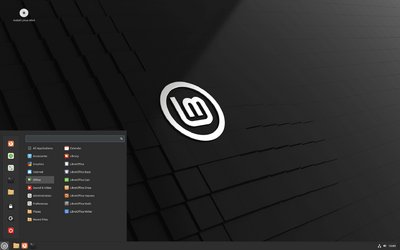
I do not run a dual boot. A "live" distro is a Linux distribution that can be booted and run straight from removable storage media such as optical discs or USB flash drives, instead of being installed on and booted from a hard disk drive. I have Linux Mint Cinnamon on usb and boot to it from my f12 boot menu (with secure boot turned off), mainly for file recovery when a Windows system won't boot or deletion of stubborn files on a Windows partition. It doesn't care about permissions so files from a Windows drive can easily be accessed, deleted or copied. Having one available is as handy as buttons on a shirt.

I always shied away from Linux because it leaned so heavily on its command line. But anyone can use Ubuntu or Cinnamon as is for common stuff. It's really a quite beautiful and customizable OS and has proven to me that I do have options to Windows. Oh...and one can install it on just about any hardware.
cinnamon.png
 
Last edited:

My Computers My Computers

  • At a glance

    Windows 11 Pro 25H2 26200.8655i9-10900 10 core 20 threads32 gbnone-Intel UHD Graphics 630
    OS
    Windows 11 Pro 25H2 26200.8655
    Computer type
    PC/Desktop
    Manufacturer/Model
    Dell Optiplex 7080
    CPU
    i9-10900 10 core 20 threads
    Motherboard
    DELL 0J37VM
    Memory
    32 gb
    Graphics Card(s)
    none-Intel UHD Graphics 630
    Sound Card
    Integrated Realtek
    Monitor(s) Displays
    Benq 27
    Screen Resolution
    2560x1440
    Hard Drives
    2x1tb Solidigm m.2 nvme /External drives 512gb Samsung m.2 sata+2tb Kingston m2.nvme
    PSU
    500w
    Case
    MT
    Cooling
    Dell Premium
    Keyboard
    Logitech wired
    Mouse
    Logitech wireless
    Internet Speed
    so slow I'm too embarrassed to tell
    Browser
    #1 Edge #2 Firefox
    Antivirus
    Defender+MWB Premium
  • At a glance

    Windows 11 Pro 24H2 26200.8457AMD Ryzen 7 6800U32 gbintegrated
    Operating System
    Windows 11 Pro 24H2 26200.8457
    Computer type
    PC/Desktop
    Manufacturer/Model
    Beelink Mini PC SER5
    CPU
    AMD Ryzen 7 6800U
    Memory
    32 gb
    Graphics card(s)
    integrated
    Sound Card
    integrated
    Monitor(s) Displays
    Benq 27
    Screen Resolution
    2560x1440
    Hard Drives
    1TB Crucial nvme
    Keyboard
    Logitech wired
    Mouse
    Logitech wireless
    Internet Speed
    still too embarrassed to tell
    Browser
    Firefox
    Antivirus
    Defender
    Other Info
    System 3 is non compliant Dell 9020 i7-4770/24gb ram Win11 PRO 26200.8457
So say this is at address 2000 (Hex) in the mobos BIOS. All that has in it is a tiny miniscule instruction in machine code is jump to another address which is another bit of machine code that says load code at another address address and start executing it. (Bootstrap process at address 0 -- Hardware --> to address1 to load code and execute at address 2 which is the BIOS menu etc and start executing). In the case of EFI computers the default EFI file will be in the BIOS'es CMOS (can be saved -- otherwise you'd need to use the computers Boot BIOS menu every time). If an attacker can get at that default EFI file then he / she's in "in business".. Not so Q.E.D !!!!!!!
On a side note, the vast majority of modern PCs don't actually even still use the battery backed memory (often referred to as CMOS) for anything besides the RTC register and a few other legacy functions, as instead they use Non Volatile (NV) memory to store the UEFI settings. As for the default EFI file, that one is stored on the EFI System Partition under the \EFI\Boot directory path, but the UEFI Boot Manager uses global variables that are stored in the NV, and so it also is possible to specify your own fallback bootloader in there.

On another side note, you don't necessarily HAVE to use a live distro if you don't want, as rEFInd with iPXE chainloading and a custom script also still works. All you basically need to do is just let your custom script mount an iSCSI volume so that, next, it can use SFTP or similar to transfer whatever the ISO file you want on it, then let it use Ventoy to continue to boot straight into that one... and off you go.
 

My Computers My Computers

  • At a glance

    11 Homei7 13650HX16GB DDR5GeForce RTX 4060 Mobile
    OS
    11 Home
    Computer type
    Laptop
    Manufacturer/Model
    Asus TUF Gaming F16 (2024)
    CPU
    i7 13650HX
    Memory
    16GB DDR5
    Graphics Card(s)
    GeForce RTX 4060 Mobile
    Sound Card
    Eastern Electric MiniMax DAC Supreme; Emotiva UMC-200; Astell & Kern AK240
    Monitor(s) Displays
    Sony Bravia XR-55X90J
    Screen Resolution
    3840×2160
    Hard Drives
    512GB SSD internal
    37TB external
    PSU
    Li-ion
    Cooling
    2× Arc Flow Fans, 4× exhaust vents, 5× heatpipes
    Keyboard
    Logitech K800
    Mouse
    Logitech G402
    Internet Speed
    30Mbit/s up, 500Mbit/s down
    Browser
    FF
    Antivirus
    What's an antivirus?
  • At a glance

    11 Homei5 1135G716GB DDR4Intel Iris Xe
    Operating System
    11 Home
    Computer type
    Laptop
    Manufacturer/Model
    Medion S15450
    CPU
    i5 1135G7
    Memory
    16GB DDR4
    Graphics card(s)
    Intel Iris Xe
    Sound Card
    Eastern Electric MiniMax DAC Supreme; Emotiva UMC-200; Astell & Kern AK240
    Monitor(s) Displays
    Sony Bravia XR-55X90J
    Screen Resolution
    3840×2160
    Hard Drives
    2TB SSD internal
    37TB external
    PSU
    Li-ion
    Keyboard
    Logitech K800
    Mouse
    Logitech G402
    Internet Speed
    30Mbit/s up, 500Mbit/s down
    Browser
    FF
glasskuter, Very good. Your post reminded me that I need to update my L Mint usb thumb drive with the latest version that just came out recently. I primarily keep that thumb drive in case I have to reinstall Mint. I can’t remember the last time I had to do that though. For that matter, the last time I did anything with Windows was when I cloned hdd to ssd. Anyway, if I get something strange going on with Windows on the pc, I’ll remember to boot up with the live drive and see how things go.
 

My Computer My Computer

At a glance

Windows 11/Linux MintIntel Core 2 Duo CPU E8400 @ 3.00 GHz x 28 GBIntel 4 Series Chipset Integrated Graphics Co...
OS
Windows 11/Linux Mint
Computer type
PC/Desktop
Manufacturer/Model
Dell Optiplex 960
CPU
Intel Core 2 Duo CPU E8400 @ 3.00 GHz x 2
Memory
8 GB
Graphics Card(s)
Intel 4 Series Chipset Integrated Graphics Controller
Monitor(s) Displays
HP x22LED
Hard Drives
Crucial 250 GB SSD, HD 1Tb
I do not run a dual boot. A "live" distro is a Linux distribution that can be booted and run straight from removable storage media such as optical discs or USB flash drives, instead of being installed on and booted from a hard disk drive. I have Linux Mint Cinnamon on usb and boot to it from my f12 boot menu (with secure boot turned off), mainly for file recovery when a Windows system won't boot or deletion of stubborn files on a Windows partition. It doesn't care about permissions so files from a Windows drive can easily be accessed, deleted or copied. Having one available is as handy as buttons on a shirt.

I always shied away from Linux because it leaned so heavily on its command line. But anyone can use Ubuntu or Cinnamon as is for common stuff. It's really a quite beautiful and customizable OS and has proven to me that I do have options to Windows. Oh...and one can install it on just about any hardware.
View attachment 56410
On a basic laptop I use Arch Linux with the KDE desktop installed -- I like Arch Linux because you can install the base system with zero bloat (you have to run the install from the command line so it's a bit daunting for newbies - but not really too complex). Then install the basic KDE desktop - and then you've got the GUI -- and then add such apps as you want.


Most "Live" distros if you install from them have zillions of apps included - most of which I dont want or need.

But once you do get Linux installed on a Laptop as a Host machine --installing Windows GUESTS is eally simple and infinitely flexible -- use KVM/QEMU and on any desktop GUI whether GNOME, KDE,Mint etc you can install the VM manager which is a GUI VM manager and the VM system is really efficient.

Of course if you have a Windows Host HYPER-V makes an excellent fast platform for adding other Windows or Linux VM's too.

Cheers
jimbo
 

My Computer My Computer

At a glance

Windows XP,11 Linux Fedora Rawhide pre-releas...2 X Intel i7
OS
Windows XP,11 Linux Fedora Rawhide pre-release 45
Computer type
PC/Desktop
CPU
2 X Intel i7
Screen Resolution
4KUHD X 2
Most "Live" distros if you install from them
I've only installed Linux once just to see how it would run on an old ill equipped laptop I donated to a group that was providing laptops to underprivileged kids. But, I've used the heck out of that usb drive from computer to computer since.
 

My Computers My Computers

  • At a glance

    Windows 11 Pro 25H2 26200.8655i9-10900 10 core 20 threads32 gbnone-Intel UHD Graphics 630
    OS
    Windows 11 Pro 25H2 26200.8655
    Computer type
    PC/Desktop
    Manufacturer/Model
    Dell Optiplex 7080
    CPU
    i9-10900 10 core 20 threads
    Motherboard
    DELL 0J37VM
    Memory
    32 gb
    Graphics Card(s)
    none-Intel UHD Graphics 630
    Sound Card
    Integrated Realtek
    Monitor(s) Displays
    Benq 27
    Screen Resolution
    2560x1440
    Hard Drives
    2x1tb Solidigm m.2 nvme /External drives 512gb Samsung m.2 sata+2tb Kingston m2.nvme
    PSU
    500w
    Case
    MT
    Cooling
    Dell Premium
    Keyboard
    Logitech wired
    Mouse
    Logitech wireless
    Internet Speed
    so slow I'm too embarrassed to tell
    Browser
    #1 Edge #2 Firefox
    Antivirus
    Defender+MWB Premium
  • At a glance

    Windows 11 Pro 24H2 26200.8457AMD Ryzen 7 6800U32 gbintegrated
    Operating System
    Windows 11 Pro 24H2 26200.8457
    Computer type
    PC/Desktop
    Manufacturer/Model
    Beelink Mini PC SER5
    CPU
    AMD Ryzen 7 6800U
    Memory
    32 gb
    Graphics card(s)
    integrated
    Sound Card
    integrated
    Monitor(s) Displays
    Benq 27
    Screen Resolution
    2560x1440
    Hard Drives
    1TB Crucial nvme
    Keyboard
    Logitech wired
    Mouse
    Logitech wireless
    Internet Speed
    still too embarrassed to tell
    Browser
    Firefox
    Antivirus
    Defender
    Other Info
    System 3 is non compliant Dell 9020 i7-4770/24gb ram Win11 PRO 26200.8457
@mackie

@glasskuter

Here's the GUI for Virtual machine manager (KVM/QEMU) for one of my W11 VM's.

Screenshot_20230326_192213.png


And you can also edit the config file for the VM directly if you prefer by clicking the XML tab --it's an XML file but any text screen editor also works.

Screenshot_20230326_192259.png


Add / remove hardware at will.

On this VM I'm not using any host network card but an attached physical USB wifi->USB device. Saves messing about with "Bridging" / NAT and problems with HOST / GUEST communication.

And now the VM W11 "Birdie Build"

Screenshot_20230326_194200.png

Cheers
jimbo
 
Last edited:

My Computer My Computer

At a glance

Windows XP,11 Linux Fedora Rawhide pre-releas...2 X Intel i7
OS
Windows XP,11 Linux Fedora Rawhide pre-release 45
Computer type
PC/Desktop
CPU
2 X Intel i7
Screen Resolution
4KUHD X 2
Good Morning

Thx for the ear to listen ! My task today is simple as I get an early start ! Resolve my Windows licensing issues on my test rebuild ( Laptop first ) !
Tomorrow ( Saturday ) I will go back to my Club and start the process over to see
Again the false positives are killing as they make you chase ghosts !
I might add that external tracing is/was difficult as this infection .
Again false positives as it could be something very simple but I hope the rebuilds prove me wrong and that its a hard drive virus .
Some facts point to human controlled after it reaches out from the infected pc like Sam changes , Share searches etc.

I will DEF post after my laptop is cleaned and tested !

Thanks Glasskutter and Everyone !
I am sure we are getting close !

Regards

Rich
Hi merlin!
I found your story after searching for days, I have the same Problem.
I noticed some files I Had no access to. Trying to change policies rights didn't work.
So I started to dig deeper and deeper.. rigistry was completely destroyed, Bitlocker deactivated , Malware-Bytes primium unable to activate real time scan, to do task completely changed and Remote Connections with new Accounts with more rights than me.

So I plugged Off the WiFi Adapter and shut down the system.
Opened my Laptop to research about the attack, and noticed the same S*** on the machine.
So I instantly reseted the whole Windows (the Computer is new anyways)
But it didn't helped!
When I enter BIOS in the laptop, the Harddisk is called some new name.
I also tried to run "disk clean all" though cmd in Windows CD Setup, but there are still some files in the drive..
I also tried to run Tron Script that didn't worked either..
Did you manage to remove everything?
 

My Computer My Computer

At a glance

Windows
OS
Windows
I don't think any anti-malware program can detect rootkits from within Windows, you would have to boot into a separate OS, RE or PE environment.
.
My favoured AV does not have have this option but looks out for any activity that is malicious or suspicious.
 

My Computers My Computers

  • At a glance

    Windows 11 Pro 25H2 26200.8655AMD Ryzen 7 5825U with Radeon Graphics16GB
    OS
    Windows 11 Pro 25H2 26200.8655
    Computer type
    Laptop
    Manufacturer/Model
    Acemagic LX15PRO
    CPU
    AMD Ryzen 7 5825U with Radeon Graphics
    Memory
    16GB
    Screen Resolution
    1920 x 1080
    Hard Drives
    SSD 2TB
    Internet Speed
    30 Mbps
    Browser
    Brave
    Antivirus
    Webroot Secure Anywhere
    Other Info
    System 3

    Acer Swift SF114-34 laptop
    OS Windows 11 Pro 26200.8524
    CPU Pentium Silver N6000
    RAM 4GB
    SSD Samsung 970 EVO Plus SSD 2TB (an upgrade)
  • At a glance

    Windows 11 Pro 23H2 22631.2506Atom N450 1.66GHz2GB
    Operating System
    Windows 11 Pro 23H2 22631.2506
    Computer type
    Laptop
    Manufacturer/Model
    HP Mini 210-1090NR PC (bought in late 2009!)
    CPU
    Atom N450 1.66GHz
    Memory
    2GB
    Browser
    Brave
    Antivirus
    Webroot
I don't think any anti-malware program can detect rootkits from within Windows, you would have to boot into a separate OS, RE or PE environment.
.
My favoured AV does not have have this option but looks out for any activity that is malicious or suspicious.
There exist a few scenarios where even that could potentially still also fail. Experienced hackers can hide malicious code in other places such as the firmware of a router or of an SSD so it gets reactivated from there after the entire system was presumed to be clean. Sure, background monitoring can look out for suspicious activity. But that involves generic detection methods and scanning techniques, which are prone to giving false alerts and getting always hammered with warning messages that a lot of people choose to suppress due to the getting always hammered part.

Isolation software like Sandboxie-Plus can help to mitigate the threat, as it lets you selectively restrict access to resources and filesystem modifications for those specific processes/programs that you think might be a concern. As an example, recently a critical vulnerability was discovered in libwebp that affected pretty much all popular web browsers. Running my Firefox Portable sandboxed under Sandboxie-Plus (which I've been doing over the past decade) is what makes me feel a tad more secure than relying on AV scanning algorithms each and every single one of which persistently failed to inform me that libwebp had a huge gaping security hole in it until finally, at very long last someone yelled to stop the presses and the news got out.
 

My Computers My Computers

  • At a glance

    11 Homei7 13650HX16GB DDR5GeForce RTX 4060 Mobile
    OS
    11 Home
    Computer type
    Laptop
    Manufacturer/Model
    Asus TUF Gaming F16 (2024)
    CPU
    i7 13650HX
    Memory
    16GB DDR5
    Graphics Card(s)
    GeForce RTX 4060 Mobile
    Sound Card
    Eastern Electric MiniMax DAC Supreme; Emotiva UMC-200; Astell & Kern AK240
    Monitor(s) Displays
    Sony Bravia XR-55X90J
    Screen Resolution
    3840×2160
    Hard Drives
    512GB SSD internal
    37TB external
    PSU
    Li-ion
    Cooling
    2× Arc Flow Fans, 4× exhaust vents, 5× heatpipes
    Keyboard
    Logitech K800
    Mouse
    Logitech G402
    Internet Speed
    30Mbit/s up, 500Mbit/s down
    Browser
    FF
    Antivirus
    What's an antivirus?
  • At a glance

    11 Homei5 1135G716GB DDR4Intel Iris Xe
    Operating System
    11 Home
    Computer type
    Laptop
    Manufacturer/Model
    Medion S15450
    CPU
    i5 1135G7
    Memory
    16GB DDR4
    Graphics card(s)
    Intel Iris Xe
    Sound Card
    Eastern Electric MiniMax DAC Supreme; Emotiva UMC-200; Astell & Kern AK240
    Monitor(s) Displays
    Sony Bravia XR-55X90J
    Screen Resolution
    3840×2160
    Hard Drives
    2TB SSD internal
    37TB external
    PSU
    Li-ion
    Keyboard
    Logitech K800
    Mouse
    Logitech G402
    Internet Speed
    30Mbit/s up, 500Mbit/s down
    Browser
    FF
Hi Folks

Found this site by searching for solutions to a nasty hack as THIS is a great discussion !! A club i belong to someone clicked and sent it all over the network and by then it was too late ! i had vpn'ed in and now from 1 pc , 4 more were infected and God only knows how many others . Trying to isolate , built a firewall over the past few months as I scanned/searched malware from every company and they all said you are clean ! My pc has become somewhat of a honeypot with no info on it !
Using remote connections that I somehow have not completely figured out how but the tools were terminal server and PowerShell ( Always concerned about key stroke stuff as well )as they destroyed 4 rebuilds . Each attack I saw how they got in , chased evidence of so many false positives like process after process to no avail. Since September I must have built over 200 entries in the firewall until I found they broke in after every online suggestion, registry change , SAM takeover , changing the registry settings locking the pc accounts and rendering it useless as i had to rebuild etc. Hardened pretty good right now with PowerShell remote disabled and term svc remote the same way ( blocked some ports as well )! So what i found was they somehow downloaded a worm and are real stealthy ! Replaced all my tv boxes ( FIOS) and was hoping to use cr 1000 FIOS router in bridger mode but too many problems setting it up ! Using rdp/IPV6 UDP methods they start some sort of a session on my pc ands call home. Cannot find how this is started Saturday mornings on my pc ! I took the ethernet cable out and they used the wifi adapter ! When you restart/shutdown - someone is using your pc remotely ! Came back in and found changes to the pc ... So now hopefully , and I say that loosely , having them blocked in or out with MS Defender Norton and Malwarebytes running , Tried Sophos but no help , and installed firewall ,I turned my attention to my pc again and am done using the recovery partition or windows clean restore as I found that it does NOT remove ALL files (clean drive completely ). I will be trying a Windows 11 Pro disk restore via dvd and will wipe the drive first and perform a clean install , I also tried resetting the bios twice and no good ! Every company out there tells you how to protect but it blew right thru all of my previous hardening ... If it is in memory then this should at least tell me to look at the hardware !

Thx

Regards

Merlin02131
Hi Merlin - Here I am at 3:22 AM reading your post. In the same exact boat as you are and I felt compelled to reply in hopes it might help ease what you are feeling. I have rebuilt so many darn machines in the past 6 months, I could do it in my sleep. It sounds like the same exact thing I have, and now my entire family has.
I do not claim to be an expert in anyway. But, what I certainly am, is a nasty junk yard dog. I don't quit, no matter what. There is little to no information online about this, and I would venture a guess that Microsoft knows about it at this point. I knew something was wrong in May of 23 when I was reading event viewer logs of my new Asrock rig. Not a gamer....just like cool stuff. Well, about a week ago, I figured it out. You are most likely not working off your hardware. You are working off a Hypervisor Virtual Machine, and probably have been for quite some time. This is why no....and I mean NONE of the well known malware / anti-virus programs pick this up. There are measures /scripts put in place that render these programs useless. How do I know this? I have the complete list of files used to deploy this. What I viewed and have witnessed has been shocking. The organization of the files Itself, the speed of deployment, the depth of detail, It makes use of the, dare I say the Microsoft-Scumbags Windows 11 product very well. I said I liked nice things, remember? It uses catsrv catalogs, it uses any tunnel open via VPN, it uses and creates virtual tunnels, any neighboring signal, virtual ports, virtual adapters and the list goes on. . It does not matter if you have all ports closed and BT/WiFi off AND in Airplane mode. It stil will connect to the server via nieghboring devices, or whatever, which actually happens to be an old crappy server at that, with a $12 CPU, in my case..It will format an Anti-Virus usb drive and fill it with more crap immediately. 20 seconds. I watched it happen. With my own eyes. I was able to acquire logs of it "almost speaking to itself" in plain English, like a chatbot
,after the 1st time I booted from USB to a "Fix me stick". It immediately identified the product, pulled the product url and whatever data it could via the net and immediately wrote is own scpirt based off the existing library. The 2nd time inserted it, with no signs of connection, and outside the HyperV, it immediately formated and uploaded some crap to it.....

Even if and when you escape the 1st step which is the Hypervisor VM, you will see a image on the top of your screen. And it will say Microsoft Windows < Version >. Let me save you some time. This aint a version of Windows you can buy at Walmart. This version of Windows was never released to the public and must be custom. The OS on your physical hardware has been permanently altered. And I fear that anything that comes in contact with this Godzilla is toast. But, what the hell.....ya gotta fight back, right?

Boot the PC as you normally would. Pull up system configuration menu, after disabling all services, you should immediately, and fast, post to Safe Mode minimal. You ain't gonna have network anyway! Then device manager asap, and don't crap your pants, but start disabling as many of the virtual adapters/drivers as possible. There is going to be a lot. So don't worry about if you are going to need it. If it looks like it ain't right...bye bye. There are going to be several legitimate drivers that are comprised. Message me and I can send you a list. But, pull up task manager and kill anything with SRVHST on it. Anything with Network, kill it. Anything Font related, kill it. LSA....kill it. Depending on how long you have had it and if you shut power off and dont have an internal battery will depend how many services it has captured. Almost all of them were for me on some machines and others that had been shut off, the spares, alot better shape. I think I pissed it off when it what I assume is unknowingly locked me out on a blue screen with a command prompt window showing Admin System 32 boot X: What a mistake that was....I DISKPART'ED- CLEAN ALL command THE almost 4TB VMdrive that I was still connected to somehow. Even got a video with a few cuss words in it. LIST DISK showed 3 drives. My NVME, which was listed as disk 0, disk 1 which I am assuming was a partion for the Vdrive and disk 2 was the Drive. Once you get out of the VM and close enough processes services to render the control halfway, toy will be able to navigate some of the files on your psychical hardware. You will likley not recognize anything. It was round filed a long time ago. But, if you had a nvme installed, it will make use of the speed and size for some of their libraries to offset bandwidth I am assuming.

The full filing system is brilliant in how it lists them actually. I have a bunch of rigs and laptops, like alot. Every single one was on this HyperV VM rootkit. It is a conglomerate of every tool built into Windows 11 + Hypervisor put together in compressed hidden file, scripted and automated for every scenario possible. I've read the dam logs, PowerShell, Terminal, and Linux and scraped through the files. It's Flippin crazy. Imo , it absoutley has to utilize some sort of AI assistance,.
Everything described in this discussion and another I was just reading on the Microsoft community, is dead on what this thing does. The one gentleman on the Microsoft Community Forum, that said he solved this replacing his router is completely wrong or he was paid off by Microsoft.

Microsoft has made sure that they built in ways to get there advertising dollars, or. In my amateur opinion here, this was not entirely there idea. This was not done buy an outfit without significant resources. Well that's my little adventure, I hope at least a small win might help. Best of Luck. I don't know where to go from here. And btw.....if it ain't already on your phone. It will be shortly after if you decide to pull this stunt off. Go buy a bunch of fast jump C drives and 3.1 or 2 USB A's. You'll need'em. OR I COULD BE ENTIRELY WRONG !

JB

 

My Computer My Computer

At a glance

Windows 11
OS
Windows 11
Computer type
PC/Desktop
Manufacturer/Model
ASROCK /Dell / HP / Lenovo / Acer / Gigabyte
There exist a few scenarios where even that could potentially still also fail. Experienced hackers can hide malicious code in other places such as the firmware of a router or of an SSD so it gets reactivated from there after the entire system was presumed to be clean. Sure, background monitoring can look out for suspicious activity. But that involves generic detection methods and scanning techniques, which are prone to giving false alerts and getting always hammered with warning messages that a lot of people choose to suppress due to the getting always hammered part.

Isolation software like Sandboxie-Plus can help to mitigate the threat, as it lets you selectively restrict access to resources and filesystem modifications for those specific processes/programs that you think might be a concern. As an example, recently a critical vulnerability was discovered in libwebp that affected pretty much all popular web browsers. Running my Firefox Portable sandboxed under Sandboxie-Plus (which I've been doing over the past decade) is what makes me feel a tad more secure than relying on AV scanning algorithms each and every single one of which persistently failed to inform me that libwebp had a huge gaping security hole in it until finally, at very long last someone yelled to stop the presses and the news got out.

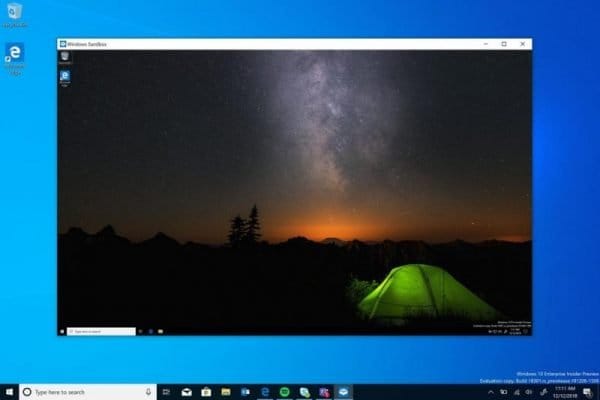
Windows has a built-in sandbox, although there are some system requirements.


My Computer My Computer

At a glance

Windows 10 Pro
OS
Windows 10 Pro
Windows has a built-in sandbox, although there are some system requirements.


Windows Sandbox is severely lacking as for what it can do; there's not very many feature-enhancements/settings for the user to configure so its usefulness is still rather limited IMO.
 

My Computers My Computers

  • At a glance

    11 Homei7 13650HX16GB DDR5GeForce RTX 4060 Mobile
    OS
    11 Home
    Computer type
    Laptop
    Manufacturer/Model
    Asus TUF Gaming F16 (2024)
    CPU
    i7 13650HX
    Memory
    16GB DDR5
    Graphics Card(s)
    GeForce RTX 4060 Mobile
    Sound Card
    Eastern Electric MiniMax DAC Supreme; Emotiva UMC-200; Astell & Kern AK240
    Monitor(s) Displays
    Sony Bravia XR-55X90J
    Screen Resolution
    3840×2160
    Hard Drives
    512GB SSD internal
    37TB external
    PSU
    Li-ion
    Cooling
    2× Arc Flow Fans, 4× exhaust vents, 5× heatpipes
    Keyboard
    Logitech K800
    Mouse
    Logitech G402
    Internet Speed
    30Mbit/s up, 500Mbit/s down
    Browser
    FF
    Antivirus
    What's an antivirus?
  • At a glance

    11 Homei5 1135G716GB DDR4Intel Iris Xe
    Operating System
    11 Home
    Computer type
    Laptop
    Manufacturer/Model
    Medion S15450
    CPU
    i5 1135G7
    Memory
    16GB DDR4
    Graphics card(s)
    Intel Iris Xe
    Sound Card
    Eastern Electric MiniMax DAC Supreme; Emotiva UMC-200; Astell & Kern AK240
    Monitor(s) Displays
    Sony Bravia XR-55X90J
    Screen Resolution
    3840×2160
    Hard Drives
    2TB SSD internal
    37TB external
    PSU
    Li-ion
    Keyboard
    Logitech K800
    Mouse
    Logitech G402
    Internet Speed
    30Mbit/s up, 500Mbit/s down
    Browser
    FF
Hi Merlin - Here I am at 3:22 AM reading your post. In the same exact boat as you are and I felt compelled to reply in hopes it might help ease what you are feeling. I have rebuilt so many darn machines in the past 6 months, I could do it in my sleep. It sounds like the same exact thing I have, and now my entire family has.
I do not claim to be an expert in anyway. But, what I certainly am, is a nasty junk yard dog. I don't quit, no matter what. There is little to no information online about this, and I would venture a guess that Microsoft knows about it at this point. I knew something was wrong in May of 23 when I was reading event viewer logs of my new Asrock rig. Not a gamer....just like cool stuff. Well, about a week ago, I figured it out. You are most likely not working off your hardware. You are working off a Hypervisor Virtual Machine, and probably have been for quite some time. This is why no....and I mean NONE of the well known malware / anti-virus programs pick this up. There are measures /scripts put in place that render these programs useless. How do I know this? I have the complete list of files used to deploy this. What I viewed and have witnessed has been shocking. The organization of the files Itself, the speed of deployment, the depth of detail, It makes use of the, dare I say the Microsoft-Scumbags Windows 11 product very well. I said I liked nice things, remember? It uses catsrv catalogs, it uses any tunnel open via VPN, it uses and creates virtual tunnels, any neighboring signal, virtual ports, virtual adapters and the list goes on. . It does not matter if you have all ports closed and BT/WiFi off AND in Airplane mode. It stil will connect to the server via nieghboring devices, or whatever, which actually happens to be an old crappy server at that, with a $12 CPU, in my case..It will format an Anti-Virus usb drive and fill it with more crap immediately. 20 seconds. I watched it happen. With my own eyes. I was able to acquire logs of it "almost speaking to itself" in plain English, like a chatbot
,after the 1st time I booted from USB to a "Fix me stick". It immediately identified the product, pulled the product url and whatever data it could via the net and immediately wrote is own scpirt based off the existing library. The 2nd time inserted it, with no signs of connection, and outside the HyperV, it immediately formated and uploaded some crap to it.....

Even if and when you escape the 1st step which is the Hypervisor VM, you will see a image on the top of your screen. And it will say Microsoft Windows < Version >. Let me save you some time. This aint a version of Windows you can buy at Walmart. This version of Windows was never released to the public and must be custom. The OS on your physical hardware has been permanently altered. And I fear that anything that comes in contact with this Godzilla is toast. But, what the hell.....ya gotta fight back, right?

Boot the PC as you normally would. Pull up system configuration menu, after disabling all services, you should immediately, and fast, post to Safe Mode minimal. You ain't gonna have network anyway! Then device manager asap, and don't crap your pants, but start disabling as many of the virtual adapters/drivers as possible. There is going to be a lot. So don't worry about if you are going to need it. If it looks like it ain't right...bye bye. There are going to be several legitimate drivers that are comprised. Message me and I can send you a list. But, pull up task manager and kill anything with SRVHST on it. Anything with Network, kill it. Anything Font related, kill it. LSA....kill it. Depending on how long you have had it and if you shut power off and dont have an internal battery will depend how many services it has captured. Almost all of them were for me on some machines and others that had been shut off, the spares, alot better shape. I think I pissed it off when it what I assume is unknowingly locked me out on a blue screen with a command prompt window showing Admin System 32 boot X: What a mistake that was....I DISKPART'ED- CLEAN ALL command THE almost 4TB VMdrive that I was still connected to somehow. Even got a video with a few cuss words in it. LIST DISK showed 3 drives. My NVME, which was listed as disk 0, disk 1 which I am assuming was a partion for the Vdrive and disk 2 was the Drive. Once you get out of the VM and close enough processes services to render the control halfway, toy will be able to navigate some of the files on your psychical hardware. You will likley not recognize anything. It was round filed a long time ago. But, if you had a nvme installed, it will make use of the speed and size for some of their libraries to offset bandwidth I am assuming.

The full filing system is brilliant in how it lists them actually. I have a bunch of rigs and laptops, like alot. Every single one was on this HyperV VM rootkit. It is a conglomerate of every tool built into Windows 11 + Hypervisor put together in compressed hidden file, scripted and automated for every scenario possible. I've read the dam logs, PowerShell, Terminal, and Linux and scraped through the files. It's Flippin crazy. Imo , it absoutley has to utilize some sort of AI assistance,.
Everything described in this discussion and another I was just reading on the Microsoft community, is dead on what this thing does. The one gentleman on the Microsoft Community Forum, that said he solved this replacing his router is completely wrong or he was paid off by Microsoft.

Microsoft has made sure that they built in ways to get there advertising dollars, or. In my amateur opinion here, this was not entirely there idea. This was not done buy an outfit without significant resources. Well that's my little adventure, I hope at least a small win might help. Best of Luck. I don't know where to go from here. And btw.....if it ain't already on your phone. It will be shortly after if you decide to pull this stunt off. Go buy a bunch of fast jump C drives and 3.1 or 2 USB A's. You'll need'em. OR I COULD BE ENTIRELY WRONG !

JB
Hey JB - Another JB here doing the same thing you did and posting about an instance of this that I've been chasing for 5 months... even though your reply was over a year ago. I've avoided posting because I theorize that there is an individual responsible for this in my circle and posting is frowned upon for legal reasons if you expect to go to court, but I have given up on "understanding" this beast and really just desperately want to get back to normal.

Every connectable device i own seems "infected" and is offloading data to a few different cloud url's around the world. Nothing bad has *actually* happened yet so Windows, Acer, MalwareBytes, and even the feds are struggling to understand what I am so concerned about. I am beyond frustrated that financial loss in the form of stolen crypto or banking scams has to occur first before it gains actual investigatory attention. No matter what I do or how deep I go, or how many new PC's I purchase or refresh, they are infected within a few minutes of first turning it on. I tested this by purchasing a new laptop and setting it up completely airgapped and miles away from any other device, and it remained clean. Within minutes of arriving to my office, prefetch jobs began executing and automated appxpackage installs were off to the races. I've spent hours on the phone with Windows support passes me to Acer, who passes me to the motherboard manufacturer, who passes me back to a different MS Support team, who sends me to Intune/Entra support, who tells me this is local and they can't help me.

If there are any experts out there who are willing to help - I will gladly pay for some expert assistance and a digital butt in the seat next to me working through this for a day or two because I no longer have a path forward.

I have confirmed the severity of the rootkit using OSForensics to silently capture whats going on in memory without triggering any pauses/termiantions. I used a tool called Volatility to analyze the processes and what is *actually* in the allocated memory spaces for each of them, and completely indexed the entire memdump to be searchable on multiple machines. All sorts of nasty stuff is constantly running under svchost.exe as custom processes... but the commands are so obfuscated in the filesystem that chasing down the origin all the way to the source is not only impossible, its changed up its behavior a few times since I started digging in... basically rendering ongoing research useless and forcing me to start over. There seems to be a combination of fonts, OCR, and runtimehost processes that are able to deobfuscate the various packages that are prefetched after each fresh install and then subsequently is used to replace hollow processes with whatever it wants to once the prefetch installs occur. Any device plugged into USB that has any sort of memory whatsoever is immediately tampered to spread it to whatever it plugs into next.

One of the major trends I see when I index my memdumps is Lumma and AgentTesla, a lot of references to Ghost and Castle in various forms, some of which seem well known, but the persistence and traversal mechanism has me pulling my hair out. They are commands run sequentially in a way that is obviously not just a reference file for AV software - they are legitimate executions including errors and fixing said errors. There are references to other PC's and users I am not familiar with taking up random chunks of allocated memory (svchost.exe running a custom process) which leads me to the conclusion that the distributed network of machines are processing each others stolen info and carrying out the commands on behalf of a remote user, essentially forcing the infected machine to become *part* of the C2 infrastructure. Within minutes of a "clean" install of windows 11, dozens of packages immediately begin the prework required to prefetch as much as possible the exact millisecond a connection is first introduced. Removing the packages and folders and using powershell to remove appxpackages and block them using policies immediately is undone the first time the PC restarts. Old outdated office16 office executables that are hidden, a lot of .NET and node.js configuration, dozens of fonts in all languages, and there are probably 30 or so "devices" that are configured as input devices that do not actually exist.

I made a few critical mistakes to start that might have been the foot in the door. I bought official Acer Refurbished laptops back in the spring when I was ramping up a small team at work, which I know now bares a small risk of a rootkit being embedded deeper than the refurb process could handle. Second, I gave full admin access to a junior employee because I was overwhelmed at the time, simply to handle the allocation of my M365 and Google Workspace licenses not fully understanding the power those roles had over device management. And third, unknown to me, one of the team members was working on an app to automate something and I see in their event logs that they used github to acquire sqlite and other tools instead of official sources. There were multiple people who had access to literally everything and anything needed to completely wreck me, and I feel extremely stupid for delegating such a critical function to people I barely knew. Router passwords and physical access to every piece of hardware we own, the passwords to the company icloud account, and more. Bad... bad bad bad.

I similarly have found that when you dig into the packages, phase 1 seems to be a lot of windows sxs and hypervisor stuff. I find little bits and pieces of evidence that I'm working inside a hypervisor all day every day but never firm enough evidence to actually prove it without there being a possible other explanation. The biggest indicator, to me, is that there are folders and files that have security owners assigned that are not visible to me no matter how elevated I go. Yanking the battery cable out mid windows-update is the only way I can see any semblance of logs/events because they are immediately cleaned up and/or inaccessible while the machine is writing to them. The registry is a completely nonsensical rats nest of nested references and keys. I also see enough wifidirect and bluetooth related commands running in the dumps and in log files that it seems like there is an environmental beacon of some kind that is prompting or enabling the initial package fetch in the event that somehow a machine is actually cleaned or a new machine is purchased. And potentially already passing machine information out through said connections even if youve never connected to ethernet or wifi. Wireshark logs showed a nest cam being leveraged to pass traffic up to azure that did not originate from the camera. Ping tests take about 10 extra unexplained hops before reaching their destination. hundreds of autoruns and user assisted commands are assigned as shortcuts to the point that I don't trust cmd or powershell to actually run what i think it should be running - at one point I had a machine so badly infected that cmd and powershell were configured to run totally unsigned tampered versions of those executables... yet those were completely undetected by any scanner.

I am feeling like this was a pretty useless rant looking back on it but I am going to post it anyways... If anyone else out there is dealing with this I would love to compare notes, hash files, anything at all that might help systematically identify this beast for others and point to a common thread. Or, just post below that I'm not alone and help me stay sane.

-JB
 

My Computer My Computer

At a glance

Windows 11
OS
Windows 11
Computer type
Laptop
Manufacturer/Model
Acer A315-24PT-R288
Not nearly as entertaining as post 92, and much longer.
 

My Computer My Computer

At a glance

Windows 11 Pro 25H212th Gen Core i7-1260P64 GB Micron PC4-25600Intel Iris Xe Graphics
OS
Windows 11 Pro 25H2
Computer type
PC/Desktop
Manufacturer/Model
Intel NUC12WSHi7
CPU
12th Gen Core i7-1260P
Motherboard
NUC12WSBi7
Memory
64 GB Micron PC4-25600
Graphics Card(s)
Intel Iris Xe Graphics
Sound Card
on-board Realtek HD Audio
Monitor(s) Displays
Dell U3219Q
Screen Resolution
3840 x 2160
Hard Drives
Samsung SSD 990 PRO 1TB
Crucial MX500 2 TB
Antivirus
Microsoft Defender
Not nearly as entertaining as post 92, and much longer.
I am in too deep, and didnt do a good job stringing together my thoughts, Im aware. But I would pay good money for someone to prove I'm wrong so I can move on from this just the same as I'd pay to have help beating it. Walking away is all I want. If you have advice or thoughts I'd truly love to hear them.
 

My Computer My Computer

At a glance

Windows 11
OS
Windows 11
Computer type
Laptop
Manufacturer/Model
Acer A315-24PT-R288
I don't have any advice, because quite honestly, I think this is all made up. There are phrases in here that sound computer-ish but that don't actually make sense.

  • prefetch jobs began executing
  • commands are so obfuscated in the filesystem
  • replace hollow processes with whatever it wants to
  • phase 1 seems to be a lot of windows sxs and hypervisor stuff

The biggest indicator, to me, is that there are folders and files that have security owners assigned that are not visible to me no matter how elevated I go.

Yes, that's how Windows is, in places.

Yanking the battery cable out mid windows-update

Seems like a not-so-great policy.

The registry is a completely nonsensical rats nest of nested references and keys.

Except for the "nonsensical" label, this is actually somewhat true.

Maybe I'm wrong; it's happened once or twice, and if this really is a legit issue, I hope it gets cleaned up. But I've been around the block a couple of times.
 

My Computer My Computer

At a glance

Windows 11 Pro 25H212th Gen Core i7-1260P64 GB Micron PC4-25600Intel Iris Xe Graphics
OS
Windows 11 Pro 25H2
Computer type
PC/Desktop
Manufacturer/Model
Intel NUC12WSHi7
CPU
12th Gen Core i7-1260P
Motherboard
NUC12WSBi7
Memory
64 GB Micron PC4-25600
Graphics Card(s)
Intel Iris Xe Graphics
Sound Card
on-board Realtek HD Audio
Monitor(s) Displays
Dell U3219Q
Screen Resolution
3840 x 2160
Hard Drives
Samsung SSD 990 PRO 1TB
Crucial MX500 2 TB
Antivirus
Microsoft Defender
Let's discuss, I like to know more about Frankenstein viruses :eek1:
Like MBR virus's? An infection of the master boot record if not using GPT format scheme plus UEFI.
 

My Computers My Computers

  • At a glance

    Windows 11 ProRyzen 7 5800XGSkill 3200, 2x8GBMSI RX 6800 XT Gaming Z
    OS
    Windows 11 Pro
    Computer type
    PC/Desktop
    Manufacturer/Model
    DIY
    CPU
    Ryzen 7 5800X
    Motherboard
    Gigabyte B550M Aorus Pro
    Memory
    GSkill 3200, 2x8GB
    Graphics Card(s)
    MSI RX 6800 XT Gaming Z
    Sound Card
    on-board Realtek
    Monitor(s) Displays
    MSI 180hz
    Screen Resolution
    1440p
    Hard Drives
    Samsung 980 Pro, Samsung 870 Evo, generic PCIe NVME, WD 1TB 2.5" laptop spinner
    PSU
    Corsair RM 650
    Case
    mATX
    Cooling
    BeQuiet 240mm AIO and a bunch of case fans
    Keyboard
    one that clacks softly
    Mouse
    logitech
    Internet Speed
    bunches of bps
    Browser
    Firefox
    Antivirus
    Windows' own
  • At a glance

    Win11 ProRyzen 7 170016GB DDR4RX-480
    Operating System
    Win11 Pro
    Computer type
    PC/Desktop
    Manufacturer/Model
    DIY
    CPU
    Ryzen 7 1700
    Motherboard
    GA-AB350M G-3
    Memory
    16GB DDR4
    Graphics card(s)
    RX-480
    Sound Card
    In-Built Realtek
    Monitor(s) Displays
    Samsung
    Screen Resolution
    1440p
    Hard Drives
    NVME/SSD's
    PSU
    Thermaltake BX1 550W
    Case
    Some junky thing
    Cooling
    ThermalTake Assassin(?)
    Browser
    FF/Edge
    Antivirus
    Whatever Windows does
    Other Info
    Secure Boot enabled updated to 2023 CA keys, TPM2.0 enabled with system drive Bitlocker'd.
Sounds exactly like a normal windows install to me. MS and most other software developers have lost their minds in the pursuit of data to which they have no right.
 

My Computer My Computer

At a glance

Windows 11 22H2 Pro (X-lite Micro 11 version)i7 13850HX (20 cores, 28 threads)32GB DDR5Intel UHD/ RTX 1000 ADA
OS
Windows 11 22H2 Pro (X-lite Micro 11 version)
Computer type
Laptop
Manufacturer/Model
Dell/ Precision 7680
CPU
i7 13850HX (20 cores, 28 threads)
Motherboard
Dell
Memory
32GB DDR5
Graphics Card(s)
Intel UHD/ RTX 1000 ADA
Sound Card
Realtek
Monitor(s) Displays
4K UHD Touchscreen
Screen Resolution
3840 x 2400
Hard Drives
Samsung 512GB system drive
WD Blue 1TB game drive
PSU
240W AC adapter, 1800W when docked
Internet Speed
1 gigabit symmetrical
Browser
Firefox, Librewolf
Antivirus
None. Manully configured so nobody except me can change any critical system files. (Don't ask how, it's probably against some rule somewhere)

Latest Support Threads

Back
Top Bottom