UPDATE 2/08:
 www.elevenforum.com
Hello Windows Insiders, today we are releasing Windows 11 Insider Preview Build 23620 to the Dev Channel.
SDK NuGet packages are now also flighting at NuGet Gallery | WindowsSDK which include:
SDK flights are now published for both the Canary and Dev Channels, so be sure to choose the right version for your Insider Channel.
Remember to use adaptive code when targeting new APIs to make sure your app runs on all customer machines, particularly when building against the Dev Channel SDK. Feature detection is recommended over OS version checks, as OS version checks are unreliable and will not work as expected in all cases.
The Dev Channel receives builds that represent long lead work from our engineers with features and experiences that may never get released as we try out different concepts and get feedback. It is important to remember that the builds we release to the Dev Channel should not be seen as matched to any specific release of Windows and the features included may change over time, be removed, or replaced in Insider builds or may never be released beyond Windows Insiders to general customers. For more information, please read this blog post about how we plan to use the Dev Channel to incubate new ideas, work on long lead items, and control the states of individual features.
In some cases, features and experiences may go out to the Canary Channel first before going out to the Dev Channel however the Dev Channel will provide better platform stability. As we get closer to shipping, some features and experiences will also make their way to the Beta Channel when they are ready.
The desktop watermark you see at the lower right corner of your desktop is normal for these pre-release builds.
*Availability of Copilot in Windows: Copilot in Windows in preview is being rolled out gradually to Windows Insiders in select global markets. The initial markets for the Copilot in Windows preview include North America, United Kingdom and parts of Asia and South America. It is our intention to add additional markets over time.
Amanda & Brandon

 blogs.windows.com
Check Windows Updates
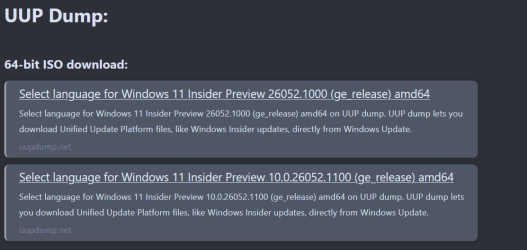
UUP Dump:
64-bit ISO download:

ARM64 ISO download:
 www.elevenforum.com
Windows 11 Insider Canary Build 26052.1000 and Dev Build 26052.1100 (24H2) - Feb. 8
UPDATE 2/14: https://www.elevenforum.com/t/windows-11-insider-canary-build-26058-1000-and-dev-build-26058-1100-24h2-feb-14.22507/ Windows Blogs: UPDATE 2/9: Added an important known issue for Dev Drive users. Please see the known issues below. Hello Windows Insiders, today we are releasing...
www.elevenforum.com
Windows Blogs release:
Hello Windows Insiders, today we are releasing Windows 11 Insider Preview Build 23620 to the Dev Channel.
Fixes
[Start menu]
- Fixed an issue that was causing labels like System in the Start menu’s all apps list to be cut off if text scaling is above 100%.
[File Explorer]
- Fixed an issue impacting explorer.exe reliability.
[Widgets]
- Fixed the issue where announcements from the Microsoft Start feed are still shown on the taskbar after the feed is hidden.
- Fixed the issue where spacing and fonts used in some settings pages were incorrect.
[Task Manager]
- Fixed an issue impacting Task Manager reliability on the last few builds.
[Accessibility]
- Fixed an issue which was causing voice access to crash when setting up new languages.
- Fixed multiple crashes impacting narrator, including one when trying to add new natural voices.
Known issues
[Copilot in Windows*]
- When first launching or after refreshing Copilot in Windows while using voice access, you’ll need to use “Show grid” commands to click in the “Ask me anything” box for the first time.
[Widgets]
- Keyboard navigation from settings subpages back to the top-level Settings page is broken.
For developers
You can download the latest Windows Insider SDK at aka.ms/windowsinsidersdk.SDK NuGet packages are now also flighting at NuGet Gallery | WindowsSDK which include:
- .NET TFM packages for use in .NET apps as described at aka.ms/windowsinsidersdk
- C++ packages for Win32 headers and libs per architecture
- BuildTools package when you just need tools like MakeAppx.exe, MakePri.exe, and SignTool.exe
SDK flights are now published for both the Canary and Dev Channels, so be sure to choose the right version for your Insider Channel.
Remember to use adaptive code when targeting new APIs to make sure your app runs on all customer machines, particularly when building against the Dev Channel SDK. Feature detection is recommended over OS version checks, as OS version checks are unreliable and will not work as expected in all cases.
About the Dev Channel
REMINDER: The Dev Channel has been rebooted. Windows Insiders who were in the Dev Channel on 25000 series builds have been moved to the new Canary Channel. Going forward, the Dev Channel will receive 23000 series builds. Insiders who were moved to the Canary Channel and want to move back to the Dev Channel can follow these instructions to do a clean installation of Windows 11 and then re-join the Dev Channel to receive 23000 series builds.The Dev Channel receives builds that represent long lead work from our engineers with features and experiences that may never get released as we try out different concepts and get feedback. It is important to remember that the builds we release to the Dev Channel should not be seen as matched to any specific release of Windows and the features included may change over time, be removed, or replaced in Insider builds or may never be released beyond Windows Insiders to general customers. For more information, please read this blog post about how we plan to use the Dev Channel to incubate new ideas, work on long lead items, and control the states of individual features.
In some cases, features and experiences may go out to the Canary Channel first before going out to the Dev Channel however the Dev Channel will provide better platform stability. As we get closer to shipping, some features and experiences will also make their way to the Beta Channel when they are ready.
The desktop watermark you see at the lower right corner of your desktop is normal for these pre-release builds.
*Availability of Copilot in Windows: Copilot in Windows in preview is being rolled out gradually to Windows Insiders in select global markets. The initial markets for the Copilot in Windows preview include North America, United Kingdom and parts of Asia and South America. It is our intention to add additional markets over time.
Important Insider Links
- You can check out our Windows Insider Program documentation here.
- Check out Flight Hub for a complete look at what build is in which Insider channel.
Amanda & Brandon
Source:
Announcing Windows 11 Insider Preview Build 23620 (Dev Channel)
Hello Windows Insiders, today we are releasing Windows 11 Insider Preview Build 23620 to the Dev Channel. Fixes [Start menu] Fixed an issue that was causing labels like S
blogs.windows.com
Check Windows Updates
UUP Dump:
64-bit ISO download:
Select language for Windows 11 Insider Preview 23620.1000 (ni_prerelease) amd64
Select language for Windows 11 Insider Preview 23620.1000 (ni_prerelease) amd64 on UUP dump. UUP dump lets you download Unified Update Platform files, like Windows Insider updates, directly from Windows Update.
uupdump.net
ARM64 ISO download:
Select language for Windows 11 Insider Preview 23620.1000 (ni_prerelease) arm64
Select language for Windows 11 Insider Preview 23620.1000 (ni_prerelease) arm64 on UUP dump. UUP dump lets you download Unified Update Platform files, like Windows Insider updates, directly from Windows Update.
uupdump.net
UUP Dump - Download Windows Insider ISO
UUP Dump is the most practical and easy way to get ISO images of any Insider Windows 10 or Windows 11 version, as soon as Microsoft has released a new build. UUP Dump creates a download configuration file according to your choices, downloads necessary files directly from Microsoft servers, and...
www.elevenforum.com
Last edited: