Insider Insider Windows 11 Insider Preview Dev Build 22526 (rs_prerelease) - Jan. 6


UPDATE 1/12:

Hello Windows Insiders, today we are releasing Windows 11 Insider Preview Build 22526 to the Dev Channel.

TL;DR​

  • This build has a good set of changes and improvements as well as fixes.
  • Please be sure to read the list of known issues below!

Changes and Improvements​

  • We’re experimenting with showing ALT + TAB as windowed instead of full screen for some Insiders.

  • We have added support for wideband speech when using Apple AirPods products (AirPods, AirPods Pro, or AirPods Max), improving audio quality for voice calls.
  • Starting with Build 22518, Credential Guard is now enabled by default on Windows 11 Enterprise (E3 and E5) licensed PCs that are enterprise-joined.
  • We are experimenting with indexing more file locations so that using search to find important files in Files Explorer is quicker.

Fixes​

[File Explorer]
  • Did some work to help address an issue where if you’d used search in File Explorer, and then explorer.exe crashed, the next time you tried to search in File Explorer it wouldn’t work.
[Search]
  • We’ve made another fix to help address the recent searches flyout getting stuck on the screen (appearing transparent except the border).
  • Improved the resolution of app icons displayed in search results when the display scaling was set to greater than 100%.
[Spotlight collection]
  • If you’re using spotlight collection, the current image should migrate on upgrade now (if the build you’re upgrading from is Build 22523 or higher).
[Widgets]
  • Fixed an issue result in the Widgets board potentially not having the correct resolution when hovering over the entry point on a secondary monitor.
  • Addressed an issue where the Widgets board would temporarily be blank, showing only an Add Widgets button (which also opened to a blank dialog).
[Other]
  • Fixed a bugcheck with KMODE_EXCEPTION_NOT_HANDLED remote desktop users were encountering when attempting to shutdown or restart.
  • Microsoft Store should no longer show a message that trying to install the latest Web Media Extension update is returning error code 0x80073CFB.
  • Addressed a DWM crash impacting some Insiders on the previous flight.
NOTE: Some fixes noted here in Insider Preview builds from the active development branch may make their way into the servicing updates for the released version of Windows 11 that became generally available on October 5th, 2021.

Known issues​

[General]
  • You may be unable to sign-in to certain apps such as Feedback Hub. Restarting your PC should correct the issue.
  • We’re investigating reports that some Insiders are seeing driver and firmware update failures in recent builds with the error 0x8007012a.
[Start]
  • In some cases, you might be unable to enter text when using Search from Start or the taskbar. If you experience the issue, press WIN + R on the keyboard to launch the Run dialog box, then close it.
[Taskbar]
  • The taskbar will sometimes flicker when switching input methods.
  • The network icon sometimes goes missing in the taskbar when it’s supposed to be there. If you encounter this, please try using Task Manager to restart explorer.exe.
  • If you have multiple monitors connected to your PC and right-click on the date and time on the taskbar on your primary monitor, it will crash explorer.exe
[Search]
  • After clicking the Search icon on the Taskbar, the Search panel may not open. If this occurs, restart the “Windows Explorer” process, and open the search panel again.
[Settings]
  • When viewing the list of available Wi-Fi networks, the signal strength indicators do not reflect the correct signal strength.
  • Settings may crash when going to System > Display > HDR.
  • There is a blank entry under Bluetooth & Devices.
  • We’re working on a fix for an issue impacting some Insiders, resulting in Settings crashing when trying to access the Installed Apps, Startup Apps, and Default Apps pages. If you are one of those impacted and need to uninstall an app, using winget should work.
[Widgets]
  • Changing the taskbar alignment can cause the Widgets button to disappear from taskbar.
  • When having multiple monitors, Widgets content on taskbar may get out of sync between monitors.
  • With the taskbar left-aligned, information such as temperature is not shown. This will be fixed in a future update.
[Voice access]
  • Some text authoring commands, e.g., “select that” or “delete that”, may not work as expected across Windows applications.
  • Recognition of some punctuation marks and symbols such as @ sign is not accurate.
[Narrator]
  • Narrator Settings must be restarted after downloading a voice to see “Jenny” and “Aria” in the voice selection combo box.
  • Users may see a longer period of time before speech is stopped when pressing the CTRL key in continuous reading scenarios.

For developers​

You can download the latest Windows Insider SDK at aka.ms/windowsinsidersdk.

SDK NuGet packages are now also flighting at NuGet Gallery | WindowsSDK which include:
These NuGet packages provide more granular access to the SDK and better integrate in CI/CD pipelines.

About the Dev Channel​

We have moved the Dev Channel back to receiving builds from our active development branch (RS_PRERELEASE). These builds are from the earliest stage in a new development cycle with the latest work-in-progress code from our engineers. These aren’t always stable builds, and sometimes you will see issues that block key activities or require workarounds while flighting in the Dev Channel. It is important to make sure you read the known issues listed in our blog posts as we document many of these issues with each flight.

These builds are also not matched to a specific release. New features and OS improvements from these builds could show up in future Windows releases when they’re ready, and we may deliver them as full OS updates or servicing releases.

Build numbers are higher in the Dev Channel than the Windows 11 preview builds in the Beta and Release Preview Channels. You will not be able to switch from the Dev Channel to the Beta or Release Preview Channels without doing a clean install back to the released version of Windows 11 currently.

Are you not seeing any of the features listed for this build? Check your Windows Insider Settings to make sure you’re in the Dev Channel. Submit feedback here to let us know if things weren’t working the way you expected.

The desktop watermark you see at the lower right corner of your desktop is normal for these pre-release builds.

Important Insider Links​

Thanks,
Amanda & Brandon


Source:


UUP Dump:

64-bit ISO download:
Select language for Windows 11 Insider Preview 22526.1000 (rs_prerelease) amd64

ARM64 ISO download: Select language for Windows 11 Insider Preview 22526.1000 (rs_prerelease) arm64

 
Last edited:

22526.jpg
 

My Computers My Computers

  • At a glance

    Windows 11 Pro for WorkstationsIntel i7-8700K 5 GHz64 GB (4x16GB) G.SKILL TridentZ RGB DDR4 3600...ASUS ROG-STRIX-GTX1080TI-O11G-GAMING (11GB GD...
    OS
    Windows 11 Pro for Workstations
    Computer type
    PC/Desktop
    Manufacturer/Model
    Custom self build
    CPU
    Intel i7-8700K 5 GHz
    Motherboard
    ASUS ROG Maximus XI Formula Z390
    Memory
    64 GB (4x16GB) G.SKILL TridentZ RGB DDR4 3600 MHz (F4-3600C18D-32GTZR)
    Graphics Card(s)
    ASUS ROG-STRIX-GTX1080TI-O11G-GAMING (11GB GDDR5X)
    Sound Card
    Integrated Digital Audio (S/PDIF)
    Monitor(s) Displays
    2 x Samsung Odyssey G75 27"
    Screen Resolution
    2560x1440
    Hard Drives
    1TB Samsung 990 PRO M.2,
    4TB Samsung 990 PRO M.2,
    TerraMaster F8 SSD Plus NAS
    PSU
    Seasonic Prime Titanium 850W
    Case
    Thermaltake Core P3 wall mounted
    Cooling
    Corsair Hydro H115i
    Keyboard
    Amazon Basics Wired Full Keyboard MD005
    Mouse
    Logitech MX Master 4
    Internet Speed
    2 Gbps Download and 100 Mbps Upload
    Browser
    Chrome and Edge
    Antivirus
    Microsoft Defender
    Other Info
    Logitech Z625 speaker system,
    Logitech BRIO 4K Pro webcam,
    HP Color LaserJet Pro MFP M477fdn,
    CyberPower CP1500PFCLCD
    Galaxy S23 Plus phone
  • At a glance

    Windows 11 ProSnapdragon X Elite (12 core) 3.42 GHz16 GB LPDDR5x-7467 MHz
    Operating System
    Windows 11 Pro
    Computer type
    Laptop
    Manufacturer/Model
    Surface Laptop 7 Copilot+ PC
    CPU
    Snapdragon X Elite (12 core) 3.42 GHz
    Memory
    16 GB LPDDR5x-7467 MHz
    Monitor(s) Displays
    15" HDR
    Screen Resolution
    2496 x 1664
    Hard Drives
    1 TB SSD
    Internet Speed
    Wi-Fi 7 and Bluetooth 5.4
    Browser
    Chrome and Edge
    Antivirus
    Microsoft Defender
Getting right now
 

My Computer My Computer

At a glance

Windows 11 Home- RP - 26H2 -26300.9550AMD Ryzen 5 5600GG.SKILL Ripjaws V Series 64GB 4x16Nvidia geforce gtx titan x
OS
Windows 11 Home- RP - 26H2 -26300.9550
Computer type
PC/Desktop
Manufacturer/Model
Banana Junior 5600-G Series
CPU
AMD Ryzen 5 5600G
Motherboard
Asus ROG Strix B550-F
Memory
G.SKILL Ripjaws V Series 64GB 4x16
Graphics Card(s)
Nvidia geforce gtx titan x
Monitor(s) Displays
28" ASUS VP28U 4k
Screen Resolution
4K
Hard Drives
Primary SAMSUNG 970 EVO Plus
PSU
EVGA BQ 700w 80+ Bronze
Case
Zalman i3 NEO
Cooling
ARCTIC Freezer 7 X
Keyboard
Corsair
Mouse
Amazon Generic with Cord
Internet Speed
Download: 295.11 mbps Upload: 65.35 mbps T-Mobile Internet
Browser
Firefox and Edge
Antivirus
MS - Defender
Other Info
Speakers: Klipsch ProMedia 2.1
It's look like boring build.
 

My Computer My Computer

At a glance

26200.8037i5-11400F32GBGeforce GT-1030
OS
26200.8037
Computer type
PC/Desktop
CPU
i5-11400F
Motherboard
Gigabyte
Memory
32GB
Graphics Card(s)
Geforce GT-1030
Keyboard
Logitech K400
Mouse
Logitech M720
Internet Speed
600 Mb
Browser
Edge
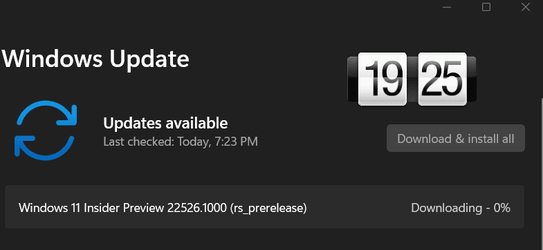
Downloading
1641492709476.png
 

My Computers My Computers

  • At a glance

    Windows 10 Pro, Windows 11 DevIntel I3 1010016 GB DDR4 CrucialIntel on chip
    OS
    Windows 10 Pro, Windows 11 Dev
    Computer type
    PC/Desktop
    Manufacturer/Model
    Homebuilt
    CPU
    Intel I3 10100
    Motherboard
    ASUS B460M
    Memory
    16 GB DDR4 Crucial
    Graphics Card(s)
    Intel on chip
    Sound Card
    Realtek onboard
    Monitor(s) Displays
    ASUS 24, LG 24
    Screen Resolution
    Full HD x 2
    Hard Drives
    kingston A2000 NVMe PCIe 500 GB
    PSU
    LC Power 650W
    Case
    Noname
    Cooling
    Air 2x 120mm
    Keyboard
    Cherry G-81
    Mouse
    Logitech M500
    Internet Speed
    100/20
    Browser
    Firefox, Vivaldi
    Antivirus
    MS Defender
  • At a glance

    Windows 10 HomeRyzen 7 4700u8 GB DDR4AMD Vega
    Operating System
    Windows 10 Home
    Computer type
    Laptop
    Manufacturer/Model
    ASUS/Vivobook Flip 14
    CPU
    Ryzen 7 4700u
    Memory
    8 GB DDR4
    Graphics card(s)
    AMD Vega
    Sound Card
    Realtek onboard
    Monitor(s) Displays
    14"
    Screen Resolution
    FullHD
    Hard Drives
    512 Samsung NVMe PCIe
    PSU
    -
    Case
    Laptop
    Mouse
    Touchpad, Touchscreen
    Internet Speed
    100/20
    Browser
    Firefox, Vivaldi
    Antivirus
    MS Defender
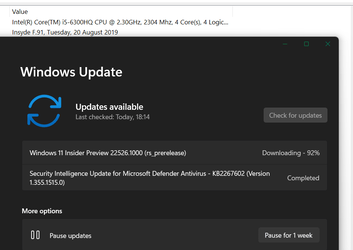
Installing..41%
 

My Computer My Computer

At a glance

Windows 11 Home- RP - 26H2 -26300.9550AMD Ryzen 5 5600GG.SKILL Ripjaws V Series 64GB 4x16Nvidia geforce gtx titan x
OS
Windows 11 Home- RP - 26H2 -26300.9550
Computer type
PC/Desktop
Manufacturer/Model
Banana Junior 5600-G Series
CPU
AMD Ryzen 5 5600G
Motherboard
Asus ROG Strix B550-F
Memory
G.SKILL Ripjaws V Series 64GB 4x16
Graphics Card(s)
Nvidia geforce gtx titan x
Monitor(s) Displays
28" ASUS VP28U 4k
Screen Resolution
4K
Hard Drives
Primary SAMSUNG 970 EVO Plus
PSU
EVGA BQ 700w 80+ Bronze
Case
Zalman i3 NEO
Cooling
ARCTIC Freezer 7 X
Keyboard
Corsair
Mouse
Amazon Generic with Cord
Internet Speed
Download: 295.11 mbps Upload: 65.35 mbps T-Mobile Internet
Browser
Firefox and Edge
Antivirus
MS - Defender
Other Info
Speakers: Klipsch ProMedia 2.1
1641493573431.png
 

My Computer My Computer

At a glance

W11 Pro and Insider DevAMD Ryzen 9 7900x2x16GB Kingston 6000MHz, Cl 32 @ 6200MHz Cl30Gigabyte Rx 6600XT Gaming OC 8G Pro
OS
W11 Pro and Insider Dev
Computer type
PC/Desktop
Manufacturer/Model
Home brewed
CPU
AMD Ryzen 9 7900x
Motherboard
ASROCK b650 PRO RS
Memory
2x16GB Kingston 6000MHz, Cl 32 @ 6200MHz Cl30
Graphics Card(s)
Gigabyte Rx 6600XT Gaming OC 8G Pro
Sound Card
MB, Realtek Ac1220p
Monitor(s) Displays
3 x 27"
Screen Resolution
1080p
Hard Drives
Kingston KC3000. 1TBSamsung 970 evo Plus 500GB, Crucial P1 NVMe 1TB, Lexar NVMe 2 TB, Silicon Power M.2 SATA 500GB
PSU
Seasonic 750W
Case
Custom Raidmax
Cooling
Arctic Liquid Freezer III 360mm
Internet Speed
20/19 mbps
83% installed
 

My Computer My Computer

At a glance

Windows 11 Home- RP - 26H2 -26300.9550AMD Ryzen 5 5600GG.SKILL Ripjaws V Series 64GB 4x16Nvidia geforce gtx titan x
OS
Windows 11 Home- RP - 26H2 -26300.9550
Computer type
PC/Desktop
Manufacturer/Model
Banana Junior 5600-G Series
CPU
AMD Ryzen 5 5600G
Motherboard
Asus ROG Strix B550-F
Memory
G.SKILL Ripjaws V Series 64GB 4x16
Graphics Card(s)
Nvidia geforce gtx titan x
Monitor(s) Displays
28" ASUS VP28U 4k
Screen Resolution
4K
Hard Drives
Primary SAMSUNG 970 EVO Plus
PSU
EVGA BQ 700w 80+ Bronze
Case
Zalman i3 NEO
Cooling
ARCTIC Freezer 7 X
Keyboard
Corsair
Mouse
Amazon Generic with Cord
Internet Speed
Download: 295.11 mbps Upload: 65.35 mbps T-Mobile Internet
Browser
Firefox and Edge
Antivirus
MS - Defender
Other Info
Speakers: Klipsch ProMedia 2.1
Screenshot_1.png
 

My Computers My Computers

  • At a glance

    Win 11 ProAMD Ryzen™ 7 7730U24GB Dual-Channel DDR4 @ 1596MHz (22-22-22-52)512MB ATI AMD Radeon Graphics (ASUStek Comput...
    OS
    Win 11 Pro
    Computer type
    Laptop
    Manufacturer/Model
    ASUS Vivobook
    CPU
    AMD Ryzen™ 7 7730U
    Motherboard
    M1605YA
    Memory
    24GB Dual-Channel DDR4 @ 1596MHz (22-22-22-52)
    Graphics Card(s)
    512MB ATI AMD Radeon Graphics (ASUStek Computer Inc)
    Monitor(s) Displays
    Generic PnP Monitor (1920x1200@60Hz) - P1 PLUS (1920x1080@59Hz)
    Screen Resolution
    1920 X 1200
    Hard Drives
    953GB Western Digital WD
    PSU
    45 Watts
    Mouse
    Lenovo Bluetooth.
    Internet Speed
    500 Mbps
    Browser
    Edge
    Antivirus
    Defender
  • At a glance

    Windows 11AMD Ryzen 7 5800H / 3.2 GHz32 GB DDR4 SDRAM 3200 MHzNVIDIA GeForce RTX 3060 6 GB GDDR6 SDRAM
    Operating System
    Windows 11
    Computer type
    Laptop
    Manufacturer/Model
    ACER NITRO
    CPU
    AMD Ryzen 7 5800H / 3.2 GHz
    Motherboard
    CZ Scala_CAS (FP6)
    Memory
    32 GB DDR4 SDRAM 3200 MHz
    Graphics card(s)
    NVIDIA GeForce RTX 3060 6 GB GDDR6 SDRAM
    Sound Card
    Realtek Audio. NVIDIA High Definition Audio
    Monitor(s) Displays
    15.6" LED backlight 1920 x 1080 (Full HD) 144 Hz
    Screen Resolution
    1920 x 1080 (Full HD)
    Hard Drives
    Samsung 970 Evo Plus 2TB NVMe M.2
    PSU
    180 Watt, 19.5 V
    Mouse
    Lenovo Bluetooth
    Internet Speed
    500 Mbps
    Browser
    Edge
    Antivirus
    Defender
[Search]
  • We’ve made another fix to help address the recent searches flyout getting stuck on the screen (appearing transparent except the border)....
NOTE: Some fixes noted here in Insider Preview builds from the active development branch may make their way into the servicing updates for the released version of Windows 11 that became generally available on October 5th, 2021.
I'll look forward to that one in my release W11, it's really been bugging me. When that 'ghost' flyout gets stuck there it also becomes a 'dead' area of the screen that you cannot click on.

search flyout stuck.png
 

My Computers My Computers

  • At a glance

    Windows 11 HomeAMD Athlon Silver 3050U8GBRadeon Graphics
    OS
    Windows 11 Home
    Computer type
    Laptop
    Manufacturer/Model
    Acer Aspire 3 A315-23-R9VY
    CPU
    AMD Athlon Silver 3050U
    Memory
    8GB
    Graphics Card(s)
    Radeon Graphics
    Monitor(s) Displays
    laptop screen
    Screen Resolution
    1366x768 native resolution, up to 2560x1440 with Radeon Virtual Super Resolution
    Hard Drives
    1TB Samsung EVO 870 SSD (from April 2026: 250GB EVO 850)
    Internet Speed
    150 Mbps
    Browser
    Edge, Firefox
    Antivirus
    Defender
    Other Info
    UPDATE - 11 April 2026: due to lid hinges starting to break up this laptop has been retired from active duty. The OS with all software and files has been migrated to my System Seven in 'Other systems' to carry on as my general purpose 'main machine'.

    I've now clean installed 25H2 and used Garlin's scripts to update Secure Boot to CA 2023 and revoke the PCA 2011 certificates. It's new role is to test secure boot issues.

    Info for 2021-2026:
    fully 'Windows 11 ready' laptop. Windows 10 C: partition migrated from my old unsupported 'main machine' then upgraded to 11. A test migration ran Insider builds for 2 months. When 11 was released on 5th October 2021 it was re-imaged back to 10 and was offered the upgrade in Windows Update on 20th October. Windows Update offered the 22H2 Feature Update on 20th September 2022. It got the 23H2 Feature Update on 4th November 2023 through Windows Update, 24H2 on 3rd October 2024 through Windows Update by setting the Target Release Version for 24H2, and 25H2 on 30th September 2025 through Windows Update by setting the Target Release Version for 25H2.
  • At a glance

    Windows 11 ProIntel® Core™ i5-520M8GB(integrated graphics) Intel HD Graphics
    Operating System
    Windows 11 Pro
    Computer type
    Laptop
    Manufacturer/Model
    Dell Latitude E4310
    CPU
    Intel® Core™ i5-520M
    Motherboard
    0T6M8G
    Memory
    8GB
    Graphics card(s)
    (integrated graphics) Intel HD Graphics
    Screen Resolution
    1366x768
    Hard Drives
    500GB Crucial MX500 SSD
    Browser
    Firefox, Edge
    Antivirus
    Defender
    Other Info
    unsupported machine: Legacy bios, MBR, TPM 1.2, upgraded from W10 to W11 using W10/W11 hybrid install media workaround.

    In-place upgrade to 22H2 using ISO and a workaround.
    Feature Update to 23H2 by manually installing the Enablement Package.
    In-place upgrade to 24H2 using hybrid 23H2/24H2 install media.
    Upgraded to 25H2 by Enablement Package.

    Also running Insider Experimental 263xx and 29xxx builds and Windows 10 as native boot .vhdx.
  • My SYSTEM THREE is a Dell Latitude 5410, i7-10610U, 32GB RAM, 512GB NVMe ssd, supported device running Windows 11 Pro.

    My SYSTEM FOUR was a 2-in-1 convertible Lenovo Yoga 11e (1st gen) type 20DA, Celeron N2930, 8GB RAM, 256GB ssd. Unsupported device. This has now been sold. It has been replaced by my System Eight.

    My SYSTEM FIVE is a Dell Latitude 3190 2-in-1, Pentium Silver N5030, 8GB RAM, 1TB NVMe ssd, supported device running Windows 11 Pro, plus Insider Beta, Experimental 263xx and 29xxx builds (and a few others) as a native boot .vhdx.

    My SYSTEM SIX is a Dell Latitude 5550, Core Ultra 7 165H, 64GB RAM, 1TB NVMe SSD, supported device, Windows 11 Pro, Hyper-V host machine. Updated to 25H2 on 30th September 2025.

    My SYSTEM SEVEN is a Lenovo Thinkpad T580, 1920x1080 touchscreen, Intel Core i7-8650U, 16GB RAM, 512GB NVMe SSD + 2nd 512GB NVMe SSD, a supported device for Windows 11. This is my current general purpose 'main machine'. The installed Windows 11 Home from my System One has been migrated to this machine. As its new home has an existing digital licence for Pro I've been able to upgrade the migrated OS from Home to Pro.

    My SYSTEM EIGHT is a 2-in-1 convertible Lenovo Yoga 11e (5th gen) type 20LN, Celeron N4120, 8GB RAM, 512GB NVMe ssd, a supported device for Windows 11. Currently running Windows 11 Pro, plus Insider Beta, Experimental 263xx and 29xxx builds as native boot vhdx.

My Computer My Computer

At a glance

Windows 11 ProIntel Core Ultra 265KTeamGroup T-Force Vulcan DDR5 6400MHz 32GBMSI GeForce RTX 3050
OS
Windows 11 Pro
Computer type
PC/Desktop
Manufacturer/Model
Self Build
CPU
Intel Core Ultra 265K
Motherboard
Gigabyte Z890 AOROS Elite
Memory
TeamGroup T-Force Vulcan DDR5 6400MHz 32GB
Graphics Card(s)
MSI GeForce RTX 3050
Sound Card
GPU NVIDIA High Definition Audio via HDMI to Denon AVR-S670BT Receiver
Monitor(s) Displays
LG 32UN650 32" 4k
Screen Resolution
3840x2160 @ 60Hz (175% scaling)
Hard Drives
Samsung 980 Pro NVMe 1TB x2
PSU
Corsair RM850x
Case
be quiet! Pure Base 600
Cooling
Thermalright Phantom Spirit 120SE & be quiet! Silent Wings Pro x3 case fans
Keyboard
Arteck Backlit USB Wired
Mouse
Logitech M510
Internet Speed
500Mb down/12Mb up
Browser
Firefox & Edge
Antivirus
Windows Defender & Free MBAM
Other Info
Main PC
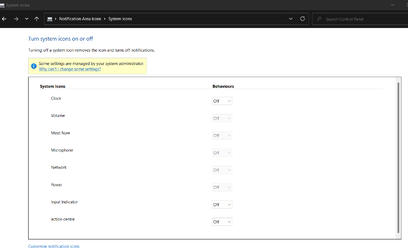
Has anyone been seeing this in recent builds? I don't know what "management" this is (Insider?) but it's not real.
Screenshot 2022-01-06 103436.png

If it were, there would be evidence of the policies here (it doesn't exist):
HKCU\Software\Microsoft\Windows\CurrentVersion\Policies\Explorer

I'm only interested in it because the Network icon is missing 100% of the time (starting three or so builds ago), which is a little different than the continuing Known Issue about the network icon.

The other things on that screen as far as I've seen, such as Volume and Clock, are fine, another indication that something is going on.
 

My Computer My Computer

At a glance

Windows 11
OS
Windows 11
Downloaded and installing it now.
 

My Computer My Computer

At a glance

Windows 11I7 870016gbMSI 1050t
OS
Windows 11
Computer type
PC/Desktop
Manufacturer/Model
HP Pavilion Gaming 790-0077c
CPU
I7 8700
Motherboard
Berks Form factor: ATX, 36.45 x 24.88 cm (15.35 x 9.79 in)
Memory
16gb
Graphics Card(s)
MSI 1050t
Sound Card
Creative SoundBlaster AE-9
Monitor(s) Displays
Twin Samsung 27" curved
Screen Resolution
1920 x 1080
Hard Drives
512Gb and 1Tb
Done.. and done.
 

My Computer My Computer

At a glance

Windows 11 Home- RP - 26H2 -26300.9550AMD Ryzen 5 5600GG.SKILL Ripjaws V Series 64GB 4x16Nvidia geforce gtx titan x
OS
Windows 11 Home- RP - 26H2 -26300.9550
Computer type
PC/Desktop
Manufacturer/Model
Banana Junior 5600-G Series
CPU
AMD Ryzen 5 5600G
Motherboard
Asus ROG Strix B550-F
Memory
G.SKILL Ripjaws V Series 64GB 4x16
Graphics Card(s)
Nvidia geforce gtx titan x
Monitor(s) Displays
28" ASUS VP28U 4k
Screen Resolution
4K
Hard Drives
Primary SAMSUNG 970 EVO Plus
PSU
EVGA BQ 700w 80+ Bronze
Case
Zalman i3 NEO
Cooling
ARCTIC Freezer 7 X
Keyboard
Corsair
Mouse
Amazon Generic with Cord
Internet Speed
Download: 295.11 mbps Upload: 65.35 mbps T-Mobile Internet
Browser
Firefox and Edge
Antivirus
MS - Defender
Other Info
Speakers: Klipsch ProMedia 2.1
I'll look forward to that one in my release W11, it's really been bugging me. When that 'ghost' flyout gets stuck there it also becomes a 'dead' area of the screen that you cannot click on.

View attachment 17863
👌👌👌😁😁😁
I've been doing a restart of "Windows Explorer" in Task Manager. Hopefully the fix in this version will resolve the issue.
Also, Are any of you seeing a long wait when you bring up Task Manager? I do the Ctrl-Alt-Delete thank and then click on "Task Manager".
Then wait about 10 seconds before the Task Manager screen appears. I've not yet tried other means of opening it yet to see if it takes longer. It's not problem really. Just an observation.
 

My Computer My Computer

At a glance

Windows 11I7 870016gbMSI 1050t
OS
Windows 11
Computer type
PC/Desktop
Manufacturer/Model
HP Pavilion Gaming 790-0077c
CPU
I7 8700
Motherboard
Berks Form factor: ATX, 36.45 x 24.88 cm (15.35 x 9.79 in)
Memory
16gb
Graphics Card(s)
MSI 1050t
Sound Card
Creative SoundBlaster AE-9
Monitor(s) Displays
Twin Samsung 27" curved
Screen Resolution
1920 x 1080
Hard Drives
512Gb and 1Tb
Downloading...don't expect much...we'll see...
 

My Computer My Computer

At a glance

Win11 RP channel for 26H2 buildsAMD R7 7800X3DGSkill 2x16GB @ 6400MT/sXFX 9070 XT SWIFT tri-fan (PCIe5.0)
OS
Win11 RP channel for 26H2 builds
Computer type
PC/Desktop
Manufacturer/Model
a cherry-picked assembly
CPU
AMD R7 7800X3D
Motherboard
MSI x870 Tomahawk Wi-Fi, 8-layer, 2 oz copper, server PCB
Memory
GSkill 2x16GB @ 6400MT/s
Graphics Card(s)
XFX 9070 XT SWIFT tri-fan (PCIe5.0)
Sound Card
Creative Labs G8 USB External Sound device, Gaming DAC, Sound Card & Earphone AMP.. HIGHLY RECOMMENDED, btw. Totally changed my opinion of external USB sound. I like!...;)
Monitor(s) Displays
Philips 42" OLED @ 4k
Screen Resolution
3840x2160
Hard Drives
*Boot: Samsung 980 Pro 2 TB NVMe (PCIe4x4)
*Samsung 980 EVO NVMe 500GB (PCIe 4x4)
*Kingston SNV3S2000G 2TB NVMe (PCIe4x4)
*Samsung 960 EVO 250GB NVMe(PCIe3x2)
*8TB Toshiba x300 HDD
*ST4000DM004 S3 4TB HDD
PSU
Gigabyte 850W Gold, Rev 2
Case
Lian Li Lancool 217, white, with wood trim, very nice looking--tired of black, 5-fans standard
Cooling
Air coutesy Lian Li
Keyboard
Cherry MX 2.0S RGB
Mouse
Razer Basilisk V3 24k DPI
Internet Speed
~950Mbps down and up!
Browser
Firefox x64 DE
Antivirus
Defender
Other Info
Great New system. Exceeds my expectations by quite a bit, btw. I love the USB G8 SoundBlaster, it's quite an improvement over the G6!
Also, Are any of you seeing a long wait when you bring up Task Manager? I do the Ctrl-Alt-Delete thank and then click on "Task Manager".
Then wait about 10 seconds before the Task Manager screen appears.
No, in my 22000.376 it's about 1.5 seconds from the Ctrl+Alt+Del screen, maybe a fraction faster at just under a second from the Win+X menu.
 

My Computers My Computers

  • At a glance

    Windows 11 HomeAMD Athlon Silver 3050U8GBRadeon Graphics
    OS
    Windows 11 Home
    Computer type
    Laptop
    Manufacturer/Model
    Acer Aspire 3 A315-23-R9VY
    CPU
    AMD Athlon Silver 3050U
    Memory
    8GB
    Graphics Card(s)
    Radeon Graphics
    Monitor(s) Displays
    laptop screen
    Screen Resolution
    1366x768 native resolution, up to 2560x1440 with Radeon Virtual Super Resolution
    Hard Drives
    1TB Samsung EVO 870 SSD (from April 2026: 250GB EVO 850)
    Internet Speed
    150 Mbps
    Browser
    Edge, Firefox
    Antivirus
    Defender
    Other Info
    UPDATE - 11 April 2026: due to lid hinges starting to break up this laptop has been retired from active duty. The OS with all software and files has been migrated to my System Seven in 'Other systems' to carry on as my general purpose 'main machine'.

    I've now clean installed 25H2 and used Garlin's scripts to update Secure Boot to CA 2023 and revoke the PCA 2011 certificates. It's new role is to test secure boot issues.

    Info for 2021-2026:
    fully 'Windows 11 ready' laptop. Windows 10 C: partition migrated from my old unsupported 'main machine' then upgraded to 11. A test migration ran Insider builds for 2 months. When 11 was released on 5th October 2021 it was re-imaged back to 10 and was offered the upgrade in Windows Update on 20th October. Windows Update offered the 22H2 Feature Update on 20th September 2022. It got the 23H2 Feature Update on 4th November 2023 through Windows Update, 24H2 on 3rd October 2024 through Windows Update by setting the Target Release Version for 24H2, and 25H2 on 30th September 2025 through Windows Update by setting the Target Release Version for 25H2.
  • At a glance

    Windows 11 ProIntel® Core™ i5-520M8GB(integrated graphics) Intel HD Graphics
    Operating System
    Windows 11 Pro
    Computer type
    Laptop
    Manufacturer/Model
    Dell Latitude E4310
    CPU
    Intel® Core™ i5-520M
    Motherboard
    0T6M8G
    Memory
    8GB
    Graphics card(s)
    (integrated graphics) Intel HD Graphics
    Screen Resolution
    1366x768
    Hard Drives
    500GB Crucial MX500 SSD
    Browser
    Firefox, Edge
    Antivirus
    Defender
    Other Info
    unsupported machine: Legacy bios, MBR, TPM 1.2, upgraded from W10 to W11 using W10/W11 hybrid install media workaround.

    In-place upgrade to 22H2 using ISO and a workaround.
    Feature Update to 23H2 by manually installing the Enablement Package.
    In-place upgrade to 24H2 using hybrid 23H2/24H2 install media.
    Upgraded to 25H2 by Enablement Package.

    Also running Insider Experimental 263xx and 29xxx builds and Windows 10 as native boot .vhdx.
  • My SYSTEM THREE is a Dell Latitude 5410, i7-10610U, 32GB RAM, 512GB NVMe ssd, supported device running Windows 11 Pro.

    My SYSTEM FOUR was a 2-in-1 convertible Lenovo Yoga 11e (1st gen) type 20DA, Celeron N2930, 8GB RAM, 256GB ssd. Unsupported device. This has now been sold. It has been replaced by my System Eight.

    My SYSTEM FIVE is a Dell Latitude 3190 2-in-1, Pentium Silver N5030, 8GB RAM, 1TB NVMe ssd, supported device running Windows 11 Pro, plus Insider Beta, Experimental 263xx and 29xxx builds (and a few others) as a native boot .vhdx.

    My SYSTEM SIX is a Dell Latitude 5550, Core Ultra 7 165H, 64GB RAM, 1TB NVMe SSD, supported device, Windows 11 Pro, Hyper-V host machine. Updated to 25H2 on 30th September 2025.

    My SYSTEM SEVEN is a Lenovo Thinkpad T580, 1920x1080 touchscreen, Intel Core i7-8650U, 16GB RAM, 512GB NVMe SSD + 2nd 512GB NVMe SSD, a supported device for Windows 11. This is my current general purpose 'main machine'. The installed Windows 11 Home from my System One has been migrated to this machine. As its new home has an existing digital licence for Pro I've been able to upgrade the migrated OS from Home to Pro.

    My SYSTEM EIGHT is a 2-in-1 convertible Lenovo Yoga 11e (5th gen) type 20LN, Celeron N4120, 8GB RAM, 512GB NVMe ssd, a supported device for Windows 11. Currently running Windows 11 Pro, plus Insider Beta, Experimental 263xx and 29xxx builds as native boot vhdx.
1641497500053.png
 

My Computer My Computer

At a glance

W11 Pro and Insider DevAMD Ryzen 9 7900x2x16GB Kingston 6000MHz, Cl 32 @ 6200MHz Cl30Gigabyte Rx 6600XT Gaming OC 8G Pro
OS
W11 Pro and Insider Dev
Computer type
PC/Desktop
Manufacturer/Model
Home brewed
CPU
AMD Ryzen 9 7900x
Motherboard
ASROCK b650 PRO RS
Memory
2x16GB Kingston 6000MHz, Cl 32 @ 6200MHz Cl30
Graphics Card(s)
Gigabyte Rx 6600XT Gaming OC 8G Pro
Sound Card
MB, Realtek Ac1220p
Monitor(s) Displays
3 x 27"
Screen Resolution
1080p
Hard Drives
Kingston KC3000. 1TBSamsung 970 evo Plus 500GB, Crucial P1 NVMe 1TB, Lexar NVMe 2 TB, Silicon Power M.2 SATA 500GB
PSU
Seasonic 750W
Case
Custom Raidmax
Cooling
Arctic Liquid Freezer III 360mm
Internet Speed
20/19 mbps
Has anyone been seeing this in recent builds? I don't know what "management" this is (Insider?) but it's not real.
View attachment 17870

If it were, there would be evidence of the policies here (it doesn't exist):
HKCU\Software\Microsoft\Windows\CurrentVersion\Policies\Explorer

I'm only interested in it because the Network icon is missing 100% of the time (starting three or so builds ago), which is a little different than the continuing Known Issue about the network icon.

The other things on that screen as far as I've seen, such as Volume and Clock, are fine, another indication that something is going on.
Same here. Assuming because it has been moved to the Settings app.

1641498363429.png
 

My Computers My Computers

  • At a glance

    Win 11 ProAMD Ryzen™ 7 7730U24GB Dual-Channel DDR4 @ 1596MHz (22-22-22-52)512MB ATI AMD Radeon Graphics (ASUStek Comput...
    OS
    Win 11 Pro
    Computer type
    Laptop
    Manufacturer/Model
    ASUS Vivobook
    CPU
    AMD Ryzen™ 7 7730U
    Motherboard
    M1605YA
    Memory
    24GB Dual-Channel DDR4 @ 1596MHz (22-22-22-52)
    Graphics Card(s)
    512MB ATI AMD Radeon Graphics (ASUStek Computer Inc)
    Monitor(s) Displays
    Generic PnP Monitor (1920x1200@60Hz) - P1 PLUS (1920x1080@59Hz)
    Screen Resolution
    1920 X 1200
    Hard Drives
    953GB Western Digital WD
    PSU
    45 Watts
    Mouse
    Lenovo Bluetooth.
    Internet Speed
    500 Mbps
    Browser
    Edge
    Antivirus
    Defender
  • At a glance

    Windows 11AMD Ryzen 7 5800H / 3.2 GHz32 GB DDR4 SDRAM 3200 MHzNVIDIA GeForce RTX 3060 6 GB GDDR6 SDRAM
    Operating System
    Windows 11
    Computer type
    Laptop
    Manufacturer/Model
    ACER NITRO
    CPU
    AMD Ryzen 7 5800H / 3.2 GHz
    Motherboard
    CZ Scala_CAS (FP6)
    Memory
    32 GB DDR4 SDRAM 3200 MHz
    Graphics card(s)
    NVIDIA GeForce RTX 3060 6 GB GDDR6 SDRAM
    Sound Card
    Realtek Audio. NVIDIA High Definition Audio
    Monitor(s) Displays
    15.6" LED backlight 1920 x 1080 (Full HD) 144 Hz
    Screen Resolution
    1920 x 1080 (Full HD)
    Hard Drives
    Samsung 970 Evo Plus 2TB NVMe M.2
    PSU
    180 Watt, 19.5 V
    Mouse
    Lenovo Bluetooth
    Internet Speed
    500 Mbps
    Browser
    Edge
    Antivirus
    Defender
So the ones who told me there is only Windows 11, no Dev & Beta is wrong !
Chuck
 

My Computer My Computer

At a glance

Windows11 23H2 (OS Build 22631.2428)2.90 gigahertz Intel Core i7-1070016214 Megabytes Usable Installed Memor
OS
Windows11 23H2 (OS Build 22631.2428)
Computer type
PC/Desktop
Manufacturer/Model
HP HP ENVY TE01
CPU
2.90 gigahertz Intel Core i7-10700
Motherboard
Board: HP 8767 A (SMVB)
Memory
16214 Megabytes Usable Installed Memor
Hard Drives
1511.52 Gigabytes Usable Hard Drive Capacity
1418.15 Gigabytes Hard Drive Free Space
Keyboard
Logitech wireless
Mouse
M 185 wireless
Internet Speed
12 ms Jitter 8 ms Download 10.5 Mbps Upload 1.7
Browser
Edge & FF
Antivirus
Windows Defender

Latest Support Threads

Back
Top Bottom