I'm using Win 11 Pro, 25H2 Build 26200.7019.
Earlier today I had an alert from Intel that an update for graphics driver was available. I downloaded and it installed just fine.
I then checked online using the Intel® Driver & Support Assistant if there were any others. To my surprise I got this:

I repaired the Assistant and rebooted but error remained.
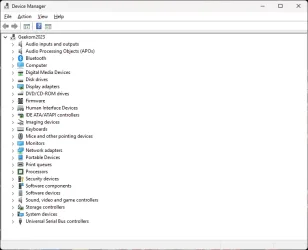
Searching in the device manager, I discovered this:

and checking the properties, discovered

No driver installed.
Where to I find the correct driver and install it?
Many thanks in advance, BJ
Earlier today I had an alert from Intel that an update for graphics driver was available. I downloaded and it installed just fine.
I then checked online using the Intel® Driver & Support Assistant if there were any others. To my surprise I got this:
I repaired the Assistant and rebooted but error remained.
Searching in the device manager, I discovered this:
and checking the properties, discovered
No driver installed.
Where to I find the correct driver and install it?
Many thanks in advance, BJ
My Computer
At a glance
Windows 11 Pro 64bit13th Gen Intel® Core™ i9-13900H32Gb DDR4Intel® Iris® Xe Graphics
- OS
- Windows 11 Pro 64bit
- Computer type
- PC/Desktop
- Manufacturer/Model
- GEEKOM Mini IT13
- CPU
- 13th Gen Intel® Core™ i9-13900H
- Motherboard
- Default
- Memory
- 32Gb DDR4
- Graphics Card(s)
- Intel® Iris® Xe Graphics
- Sound Card
- Realtek High Definition Audio
- Monitor(s) Displays
- Acer KA220HQ
- Screen Resolution
- 1680 × 1050
- Hard Drives
- Lexar SSD NM7A1 2TB
- PSU
- N/K
- Case
- Micro
- Cooling
- Standard Intel fan
- Keyboard
- Wireless GEEKOM K1-UK
- Mouse
- HAMA wireless hard-wired L/H
- Internet Speed
- 50Mbps
- Browser
- Chrome