Windows Command Line Blog:
We’re back with the first servicing release of Intelligent Terminal! This update brings auto error detection to Bash and WSL, a new
/fix command for on-demand help, an on-the-fly /model picker, a customizable agent pane, and Windows 10 support, along with a round of bug fixes and reliability improvements.You can grab the update from the Microsoft Store, via
winget install Microsoft.IntelligentTerminal, or by heading to the release page on GitHub. Let’s dive in!Auto error detection and fix support comes to Bash and WSL
In 0.1, automatic error detection and fix/command suggestions were limited to PowerShell. With this release, that same experience now works in Bash and WSL Bash. When a command fails, Intelligent Terminal picks it up and the agent can explain what happened and suggest or run the best fix, no matter which shell you’re in.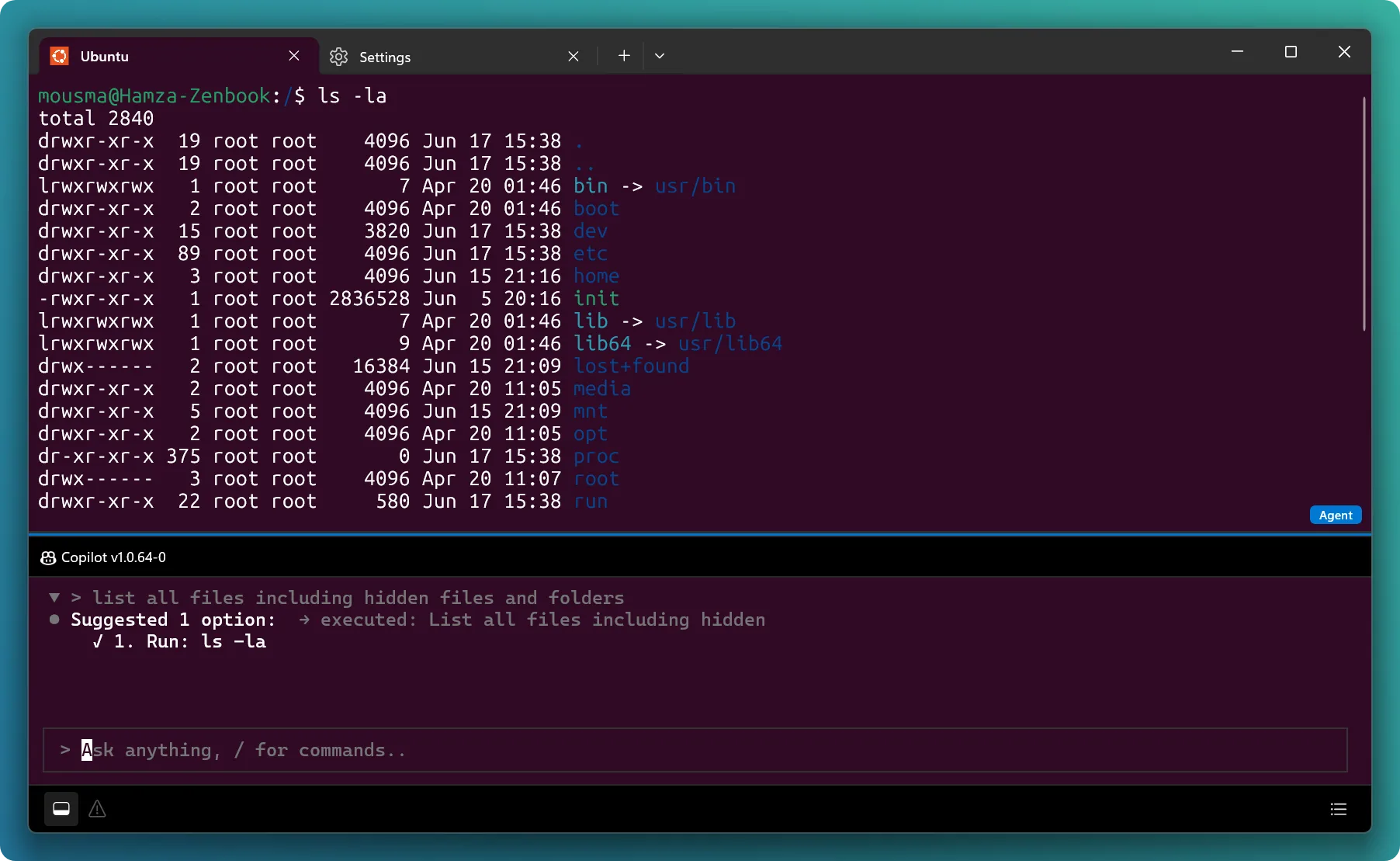
Introducing /fix – ask for a quick fix on demand
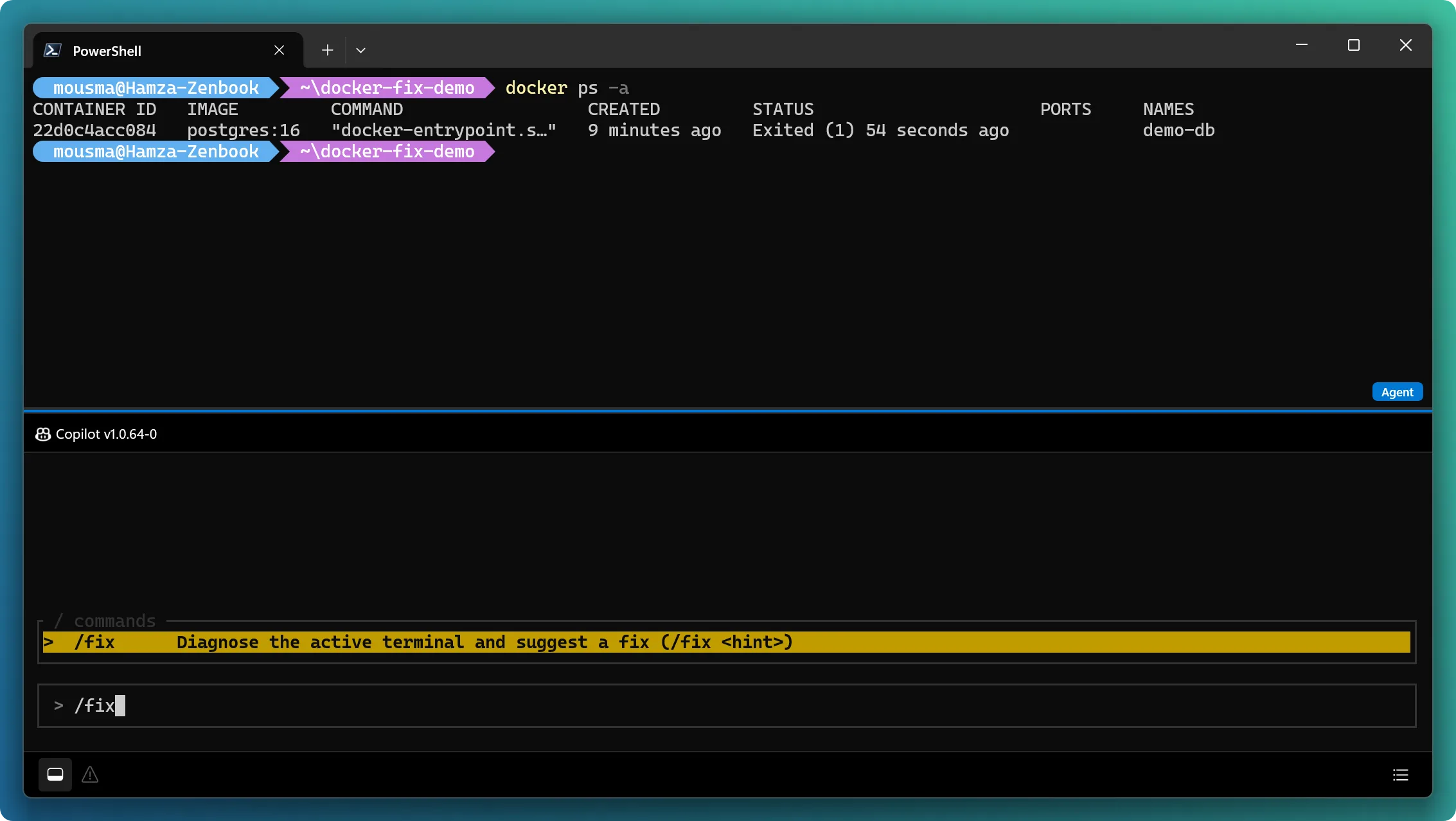
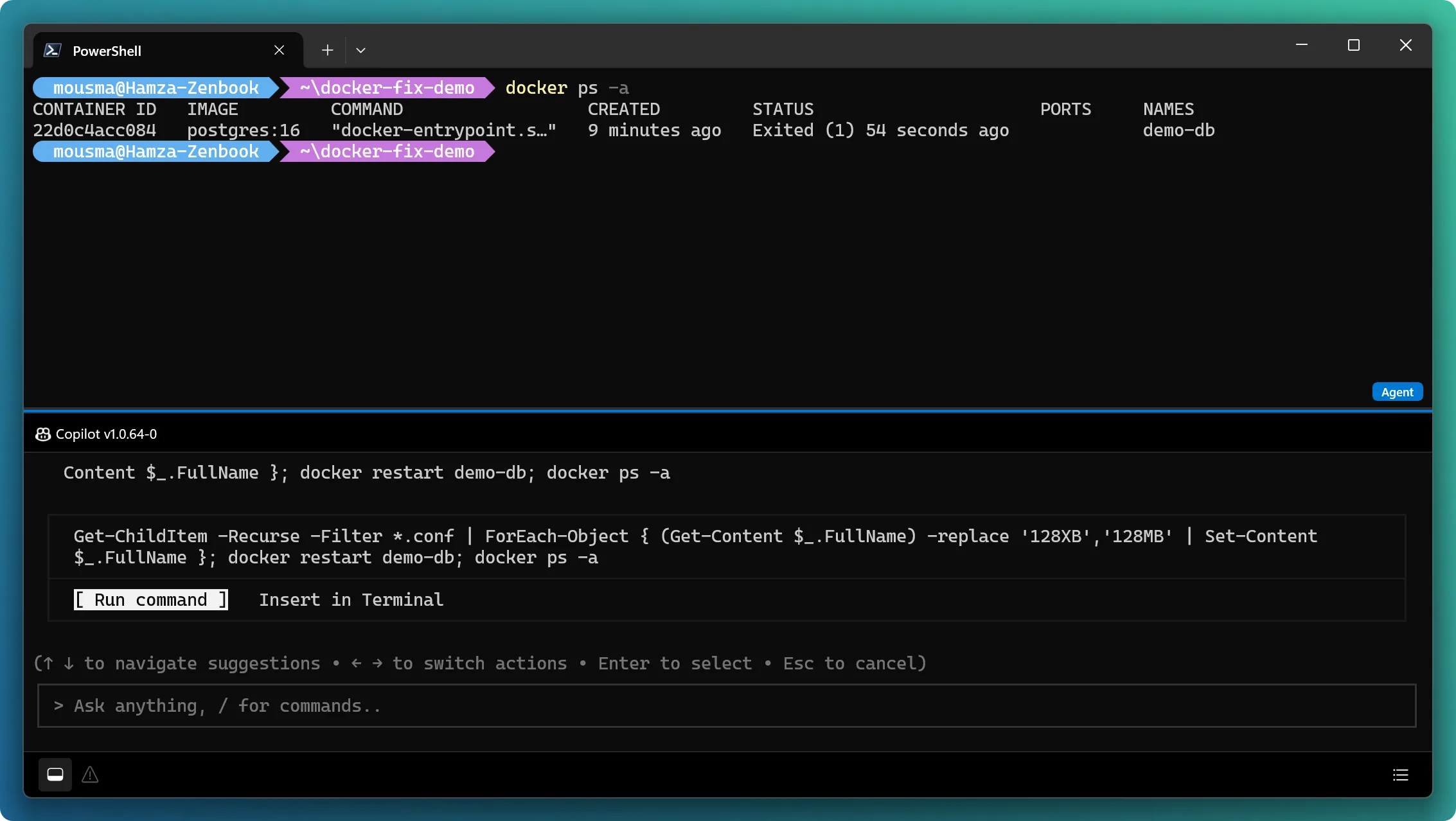
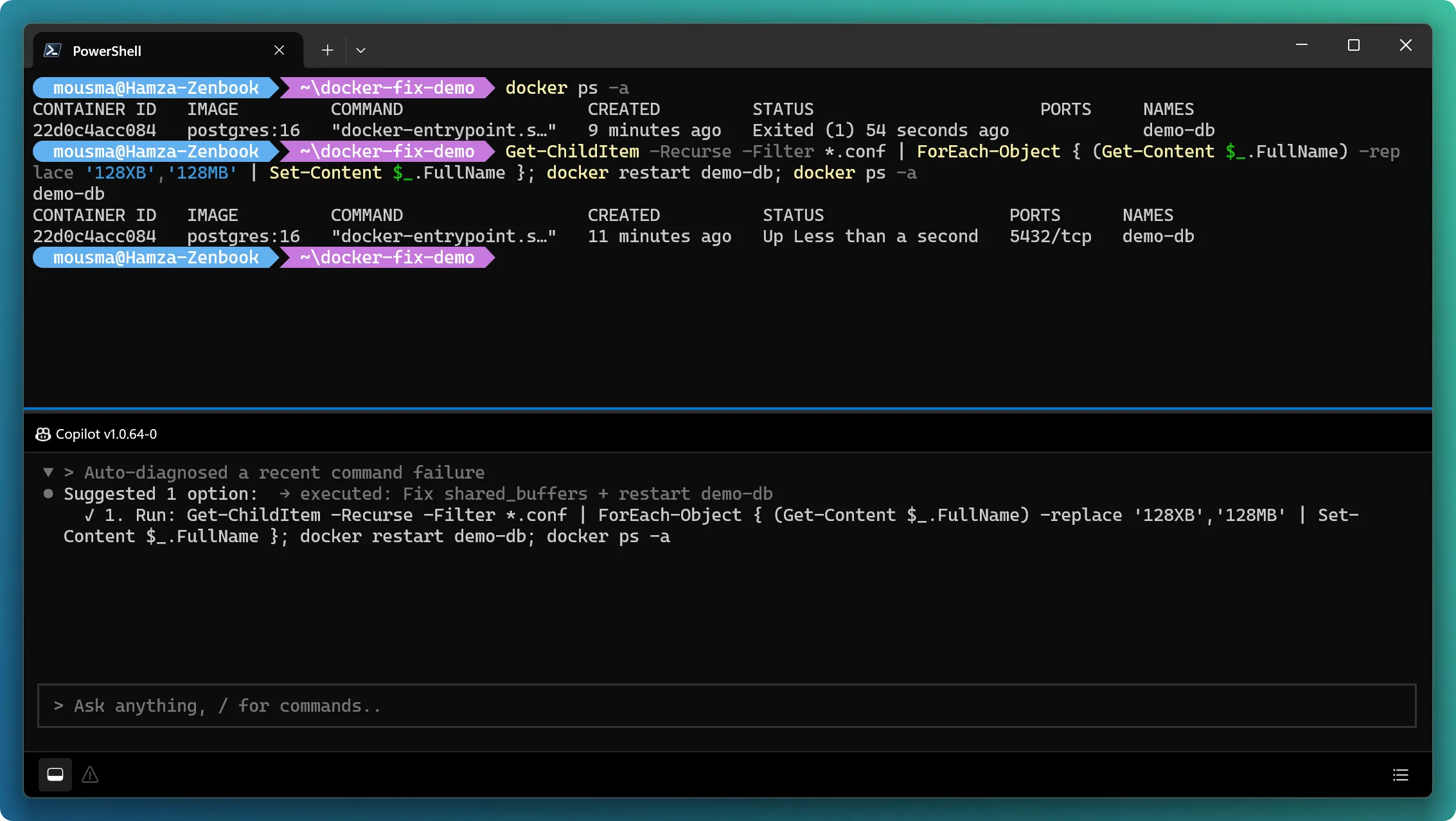
You no longer have to wait for auto-detection to get help with a failed command. The new/fix slash command in the agent pane lets you manually ask the agent for a fix to your shell output or error at any time, regardless of whether auto-detection or auto-fix is enabled or disabled.This is especially handy for the cases auto-detection can’t catch: commands that succeed but don’t actually do what you wanted. The exit code is clean, so nothing trips the error detector, but the result is clearly off. A few examples where you’d just type /fix:
docker psshows a container you expected to be running has quietlyExited (1).- A build completes with warnings but no errors, and you want them cleaned up.
curl https://api.example.com/users returns a response, but it's a 404. No shell error, but clearly something happened on the endpoint.
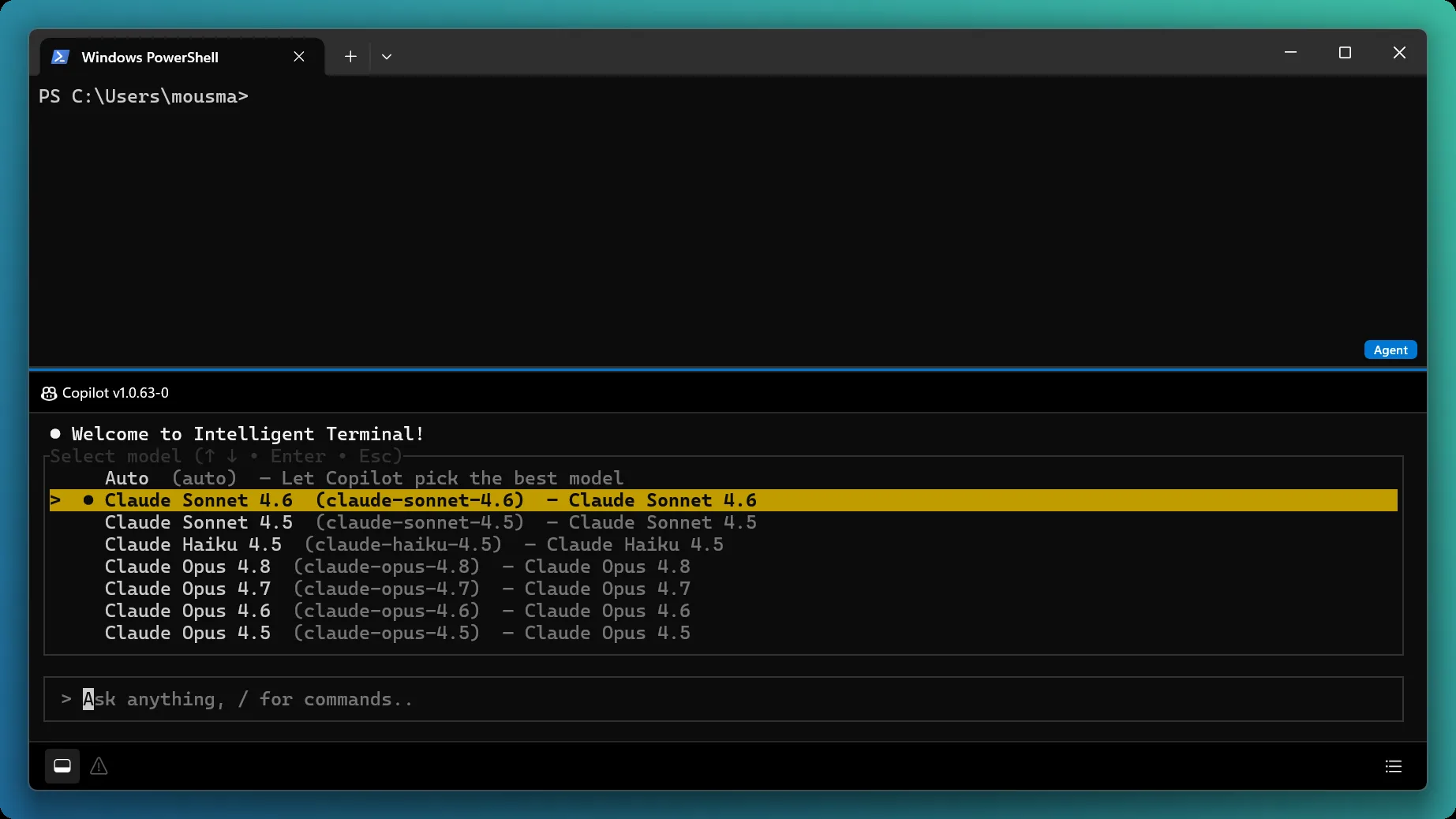
Switch models on the fly with /model
The agent pane now has a per-pane/model picker. Switch the agent’s model mid-session without restarting, so you can reach for a faster model for quick tasks or a more capable one when you need deeper reasoning, all without losing your place.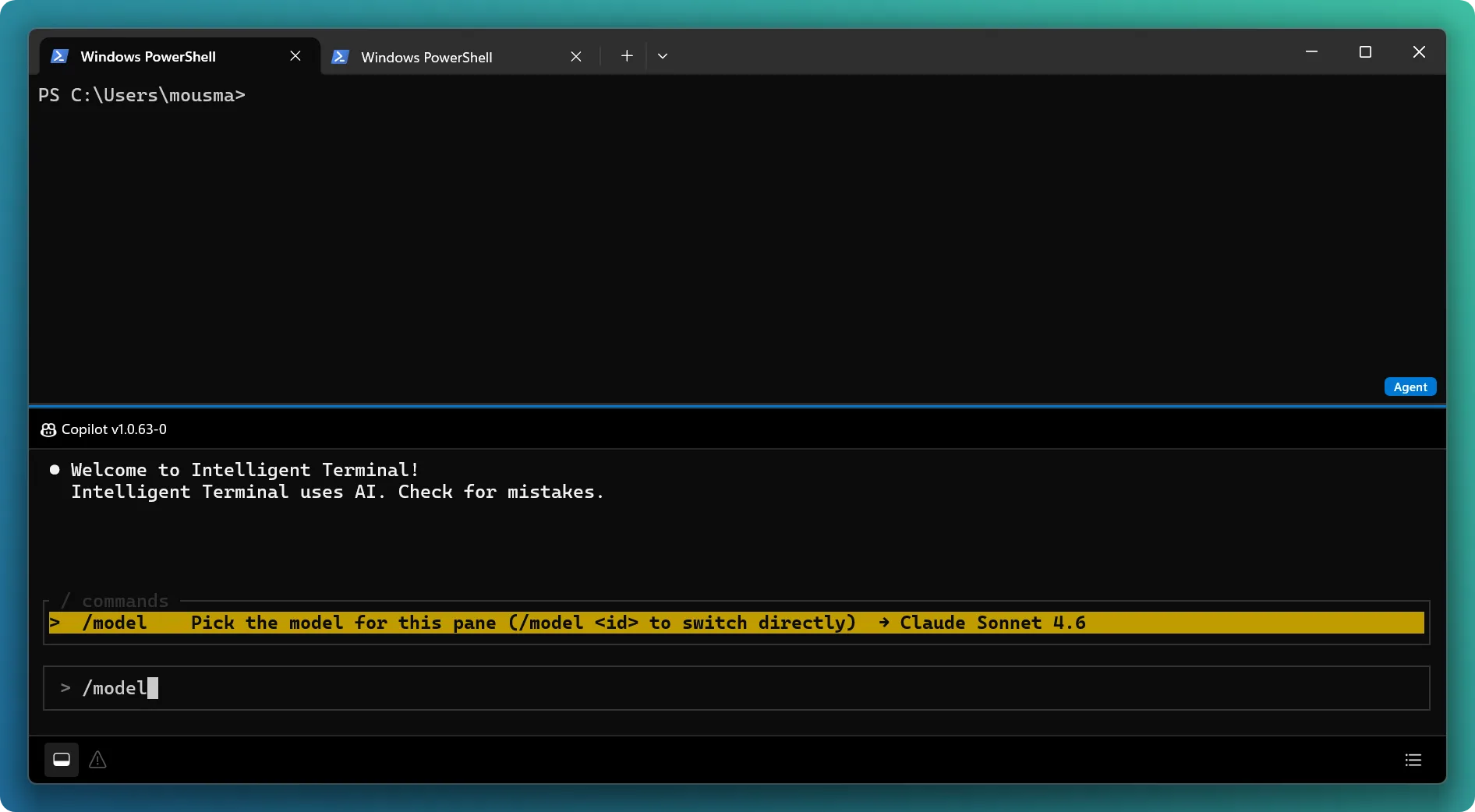
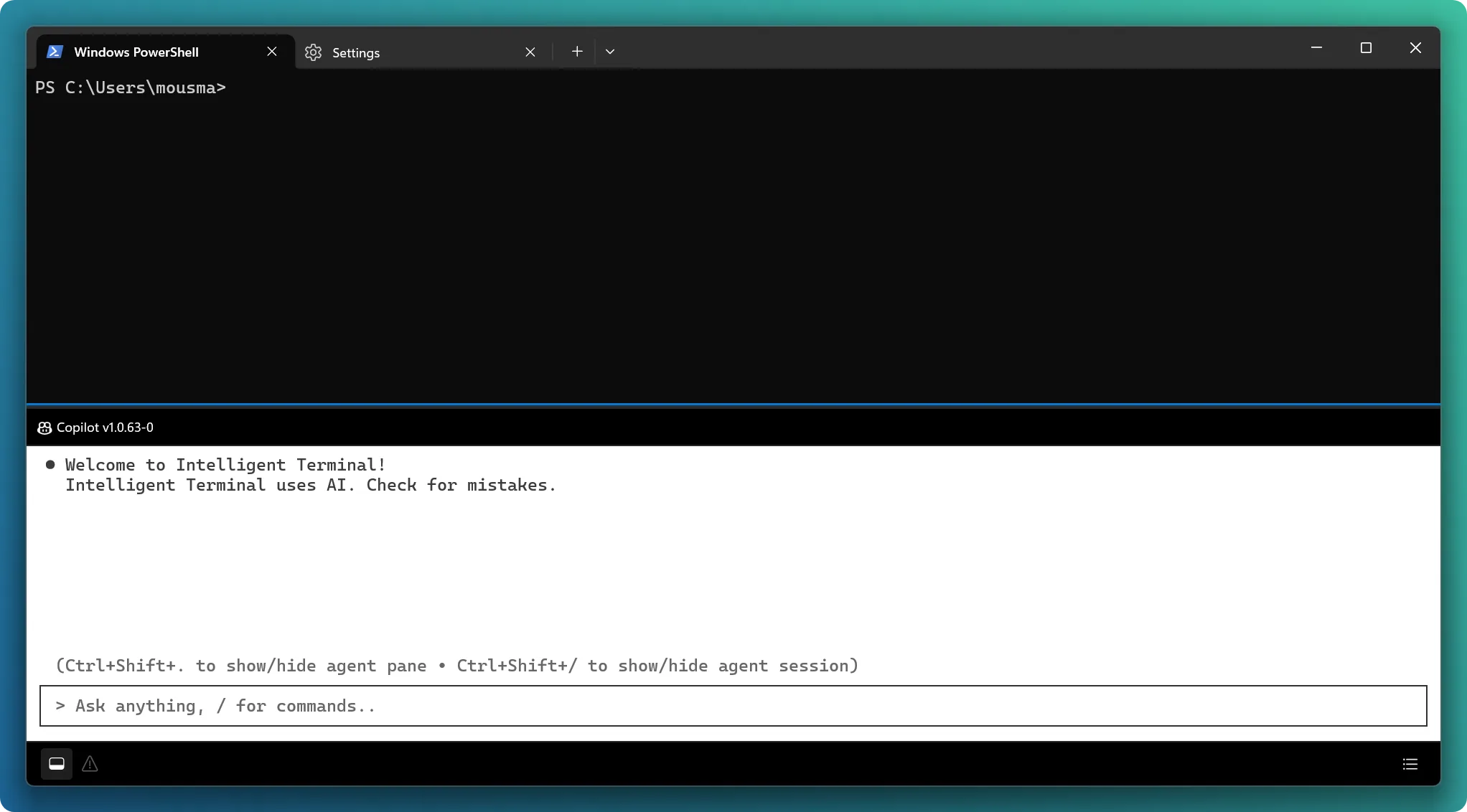
Make the agent pane your own
The agent pane is now a first-class Profile in Intelligent Terminal settings. That means you can customize its appearance the same way you would any other terminal profile: color scheme, font, opacity, and more. Make the agent pane feel like a natural, personalized part of your workspace.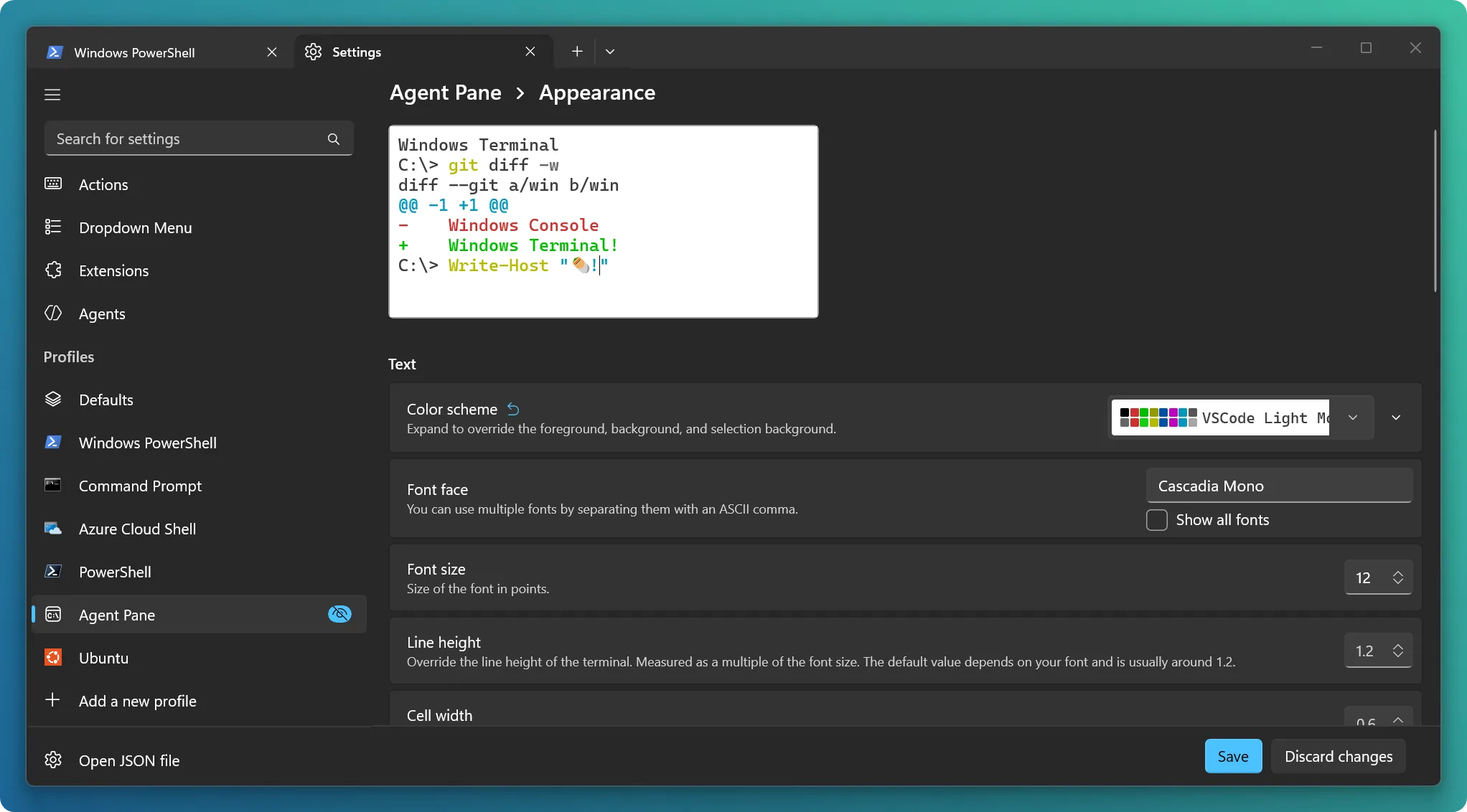
Now running on Windows 10
As per popular community requests, Intelligent Terminal now supports Windows 10 (10.0.19041.0+) and later and no longer crashes on unsupported versions. More of you can now try it out without surprises, across a much wider range of machines.Better session management, even without hooks
Session management now shows a minimal status for agents created or resumed through the agent pane or Command Palette, even when you don’t have shell integration hooks installed. You get useful visibility into your sessions right out of the box.Bug fixes and reliability
This release also includes a number of fixes to make the experience smoother and more reliable:- A clearer first-run setup experience with an improved GitHub Copilot install flow, a modal progress overlay during save/install, and a faster, optimized hooks installation step.
- Fixed empty agent session views after first login, so the first tab’s agent session reconnects and shows your conversation instead of appearing blank.
- Fixed stale session and tab state on pane close, so closing a pane or tab from the UI correctly reports the connection as closed and keeps the agent’s view accurate.
- Fixed agent executable path resolution, so the correct agent is always found, preventing the agent pane and autofix from silently failing.
- Lighter internal event reporting, trimming unnecessary data so agent command-result monitoring runs faster.
What’s next?
A huge thank you to the external contributors who helped make this release. We’ll continue to iterate rapidly on bugs and feature requests while Intelligent Terminal is in this experimental stage. We’ll also be sharing some of the new features we’re investigating on our roadmap for community feedback soon, so stay tuned.If you have a feature request or find a bug, submit an issue or visit our GitHub repository. Thank you!
Source:
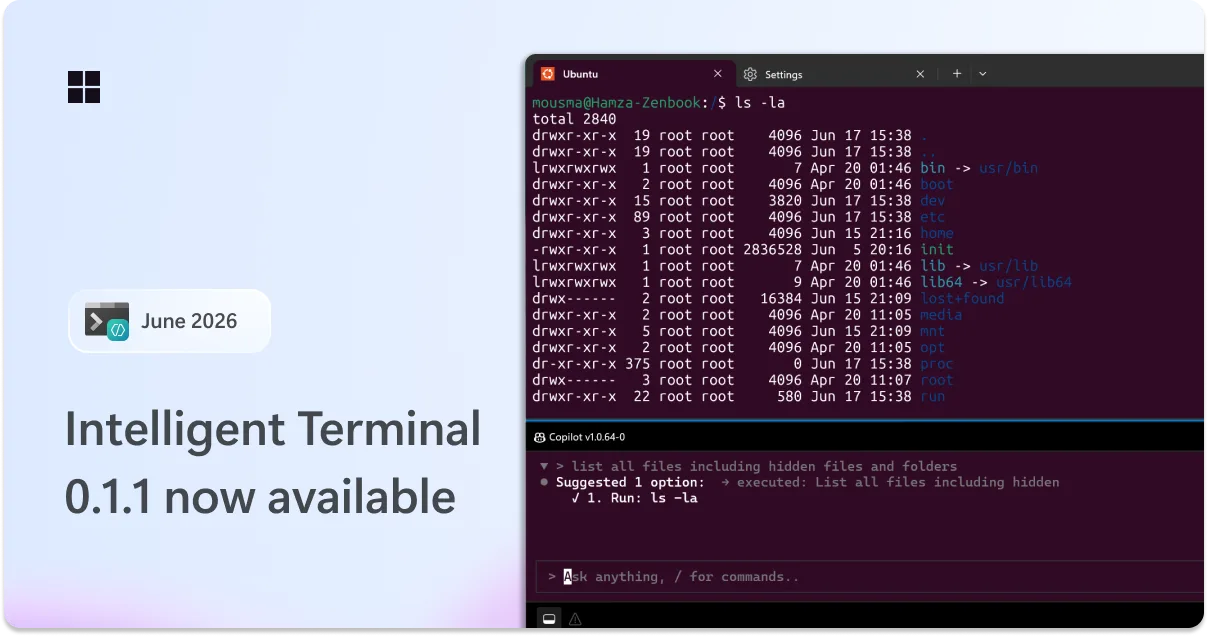
Intelligent Terminal 0.1.1 is here: bash support, new slash commands, and more customization
We're back with the first servicing release of Intelligent Terminal! This update brings auto error detection to Bash and WSL, a new /fix command for
 devblogs.microsoft.com
Intelligent Terminal - Free download and install on Windows | Microsoft Store
Intelligent Terminal is an experimental terminal with native agent integration, forked from Windows Terminal. Key features include an agent in a dedicated pane that sees your shell context, catches errors as they happen, and helps you fix them without copy-pasting. Ask it to explain failures...
apps.microsoft.com