Microsoft Teams Blog:
AI note-taking has become a familiar part of the meeting experience, helping people keep track of important details while staying present in the conversation. But as AI meeting tools have become more common, new challenges have emerged. Bots have begun joining meetings that participants never intended them to attend. For example, after connecting a third-party service to a meeting, some users have found that its bot continues joining future meetings automatically.
Unexpected participants in a meeting can create security and privacy risks, particularly when sensitive information is being discussed. Organizations need confidence that the right people and tools are participating in their discussions. That's why we're introducing a new Teams admin policy designed to give organizations more visibility and control over external bots in their meetings. This new experience helps organizers identify bots, and adds safeguards before they're admitted, giving organizations greater confidence that only the intended participants and tools will be present.
A new admin policy for managing external bots
The new policy in the Teams Admin Center, Manage external bots and their access to meetings, can be assigned to individual users or specific groups.Admins can choose between two settings:
- When detected, require approval before joining (default): Teams detects bots, puts them in the lobby and requires explicit organizer confirmation before they're admitted.
- Do not detect bots: Disables the experience.

Tip: Set the meeting option “Who can admit from lobby” to organizers and co-organizers only for your meetings to ensure no unintended participant can admit unwanted participants or bots from the meeting lobby.
Let's take a closer look at how the experience works, including stronger bot detection, clearer cues for organizers, and additional safeguards during the admission process.
1. Detecting bots more intelligently
First, we've strengthened Teams' ability to distinguish between bots and human participants as they join a meeting. Teams now uses a combination of behavioral and infrastructure signals to identify bots with a higher degree of accuracy.
Alongside these improvements, soon we’ll introduce a registration path for independent software vendors (ISVs) that build meeting experiences for Microsoft Teams. Through the Teams Bot Identification Program, bot providers will be able to register with Microsoft and include a self-identification marker in their join requests. When Teams recognizes that marker, it can identify the bot as a known participant.
We're currently working with a limited set of ISVs to preview this capability and validate the experience before broader availability. Additional details on the registration process will be shared in the future.
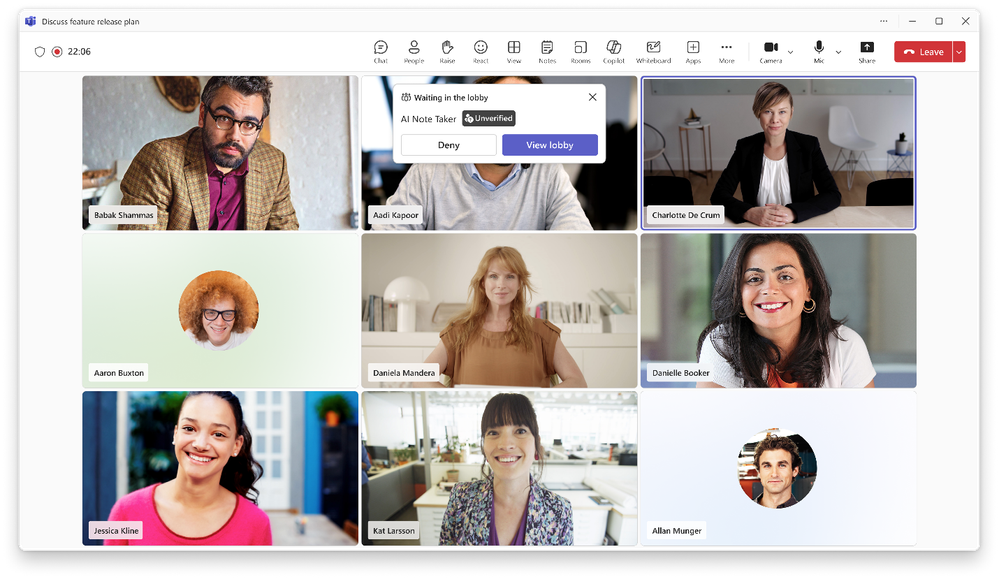
2. Giving organizers clearer visibility
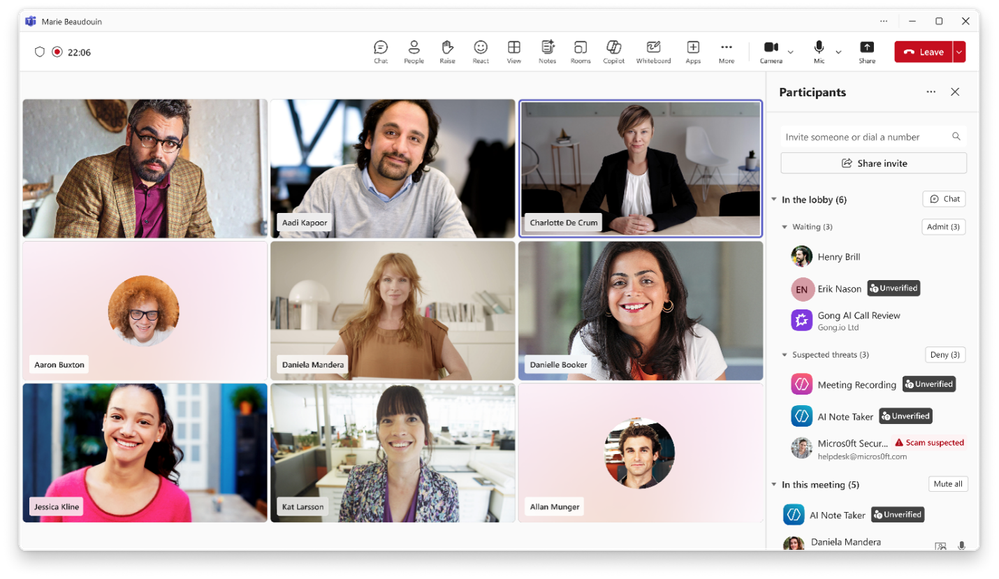
When bots are detected, they're directed to the meeting lobby and visually distinguished from other participants. This makes it easier for organizers to see who's waiting in the meeting lobby to join and make informed admission decisions.
Participants in the lobby are now grouped into two categories:
- Waiting: Verified or standard participants and registered bots
- Suspected threats: Unregistered or system-identified bots
3. Adding safeguards before admission
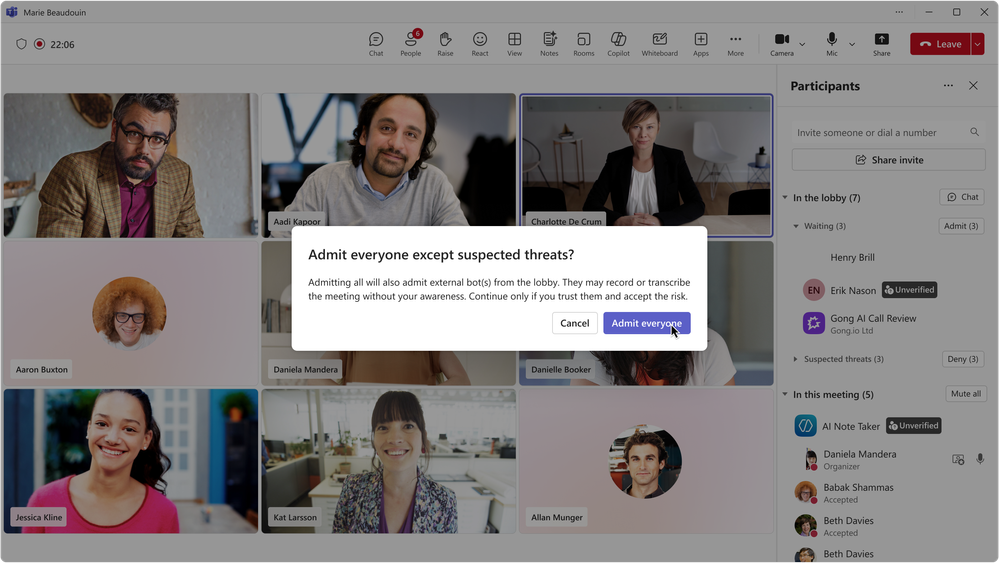
We've also added safeguards designed to reduce the accidental admission of these identified bots from the meeting lobby.
These include:
- No one-click Admit option for identified bots
- Confirmation prompts when admitting participants that include bots
- Warnings when organizers choose Admit all and bots are included
Rolling out this new experience
As this capability rolls out in June, we'll begin retiring the existing CAPTCHA verification experience and replacing it with this more comprehensive approach to managing external bots in Teams meetings.Looking ahead
This is just the beginning, and we'll continue evolving the experience based on customer feedback. We're already exploring additional admin controls and monitors, including:- Allow lists for approved bots
- Organization-wide policies to block external bots entirely
- Admin reports and audit logs on the detection and presence of bots
- More granular controls aligned to different security requirements
Source: