KhanhBui
Member
- Local time
- 6:57 PM
- Posts
- 9
- OS
- Windows 11
Hello,
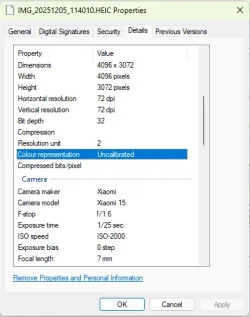
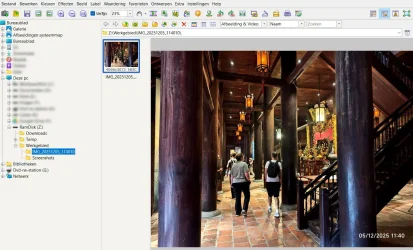
Many of my photos taken with my smartphone (Xiaomi 15) in HEIC format do not display colors correctly in Windows 11 (25H2). Both Windows Explorer (HEIF Image Extension 1.2.28 is already installed) and some software such as: FastStone Image Viewer 8.3, IrFanView 4.73 show incorrect colors - the images appear almost entirely red. There is no problem when I view them on my phone.
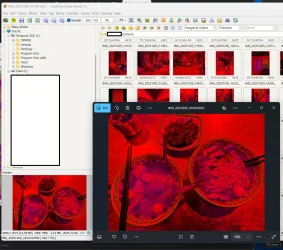
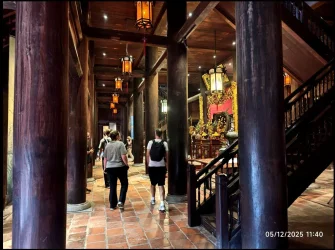
I have attached a example photo to this post. Do my photos have a problem, or does the software not yet support this type of image?
Many of my photos taken with my smartphone (Xiaomi 15) in HEIC format do not display colors correctly in Windows 11 (25H2). Both Windows Explorer (HEIF Image Extension 1.2.28 is already installed) and some software such as: FastStone Image Viewer 8.3, IrFanView 4.73 show incorrect colors - the images appear almost entirely red. There is no problem when I view them on my phone.
I have attached a example photo to this post. Do my photos have a problem, or does the software not yet support this type of image?
Attachments
My Computer
At a glance
Windows 11i5-1335U16
- OS
- Windows 11
- Computer type
- Laptop
- Manufacturer/Model
- Lenovo
- CPU
- i5-1335U
- Memory
- 16



 Apple 13" Macbook Pro 2020 (m1)