Insider KB5004745 Windows 11 Insider Preview Dev Build 10.0.22000.65 - July 8


UPDATE 7/15: KB5004252 Windows 11 Insider Preview Dev Build 10.0.22000.71 - July 15

Hello Windows Insiders,

We are so excited to have so many of you running the first preview of Windows 11 and we’re busy looking at all your feedback that’s coming in. Today we are releasing an update (Build 22000.65) to everyone in the Dev Channel with a good set of improvements and fixes that will make your Windows 11 experience even better!

Changes and Improvements

  • Start now has a search box to make it easier to find what you’re looking for.
  • Taskbar will now show across multiple monitors which can be enabled via Settings > Personalization > Taskbar.
  • We have updated several system alert dialog boxes such as the alert for when the battery is running low on your laptop or when you change your display settings with the new Windows 11 visual design.
  • The ‘Power mode’ settings are now available on the Power & battery page in Settings.
  • Right clicking the desktop now directly has a Refresh option without needing to click “Show more options”.
  • Right clicking a .ps1 file in File Explorer now directly has a Run with PowerShell options without needing to click “Show more options”.
  • Available snap layouts when using smaller PCs in portrait orientation have been optimized for that posture. You can now choose to snap three apps on top of each other, instead of four quadrants.
  • Based on the collaboration with the most popular GIF provider in China, weshineapp.com, GIF selections are now available for Windows Insiders in China via the emoji panel (WIN + .). If the location is set as China, then GIF data will appear from weshineapp.com.
  • Right-clicking on the volume icon in the taskbar now includes an option to troubleshoot sound problems.

Fixes

  • We fixed a remote code execution exploit in the Windows Print Spooler service, known as “PrintNightmare”, as documented in CVE-2021-34527. For more information, see KB5004945.
  • Taskbar:
    • We fixed an issue where it wasn’t possible to click the Show Desktop button with your mouse at the very edge of the Taskbar.
    • We fixed an issue where the date and time in the Taskbar weren’t reflecting your preferred format.
    • We fixed an issue where the preview window might not display the entire window when hovering over Task View on the Taskbar.
    • We fixed an issue pressing ESC or clicking the desktop wouldn’t dismiss the window of open app preview thumbnails if you set focus to it after pressing WIN + T.
    • We fixed an issue where if you rotate a PC to portrait orientation and back to landscape, it could result in app icons not displaying in the Taskbar despite there being room.
  • Settings:
    • We fixed an issue resulting in Settings failing to launch. If you were impacted in the previous flight, please see here.
    • We fixed a noticeable stutter in the animation when closing Quick Settings and Notification Center by clicking on their respective icons in the taskbar.
    • We fixed an issue where the Quick Settings and Notification Center windows were missing shadows.
    • We fixed an issue where it wasn’t possible to launch Quick Settings by setting keyboard focus to it in the taskbar and pressing the Enter key.
    • We fixed an issue where Quick Settings wouldn’t render correctly if you removed all settings except volume.
    • We fixed an issue that mitigates Focus Assist enabling unexpectedly.
    • We fixed an issue with the animation in the touch keyboard when resizing it in Settings.
    • We fixed an issue where Sign-in Options in Settings had an unexpected checkbox under Facial Recognition with no text.
    • We fixed an issue where the button to disconnect a work or school account in Account Settings wasn’t working.
    • We fixed an issue where Lock screen Settings had a toggle with no text.
    • We fixed an issue where the title of the Advanced Options page under Windows Update in Settings could be missing.
    • We fixed an issue where the “Windows privacy options” at the bottom of Privacy & Security > Search Permissions in Settings wasn’t working.
    • We fixed an issue where the Open Navigation button could become overlapped with other text.
    • We fixed an issue causing Settings to crash when applying a theme under Contrasts.
    • We fixed an issue where parts of Settings were unexpectedly in English for some non-English languages.
  • File Explorer:
    • We fixed an issue resulting in pinning and unpinning apps from Start not working, the command bar in File Explorer disappearing, and the snap layouts unexpectedly not appearing until rebooting your PC.
    • We fixed an issue that could result in the elements of File Explorer’s title bar being unreadable due to low contrast.
    • We fixed an issue where some of the icons in File Explorer’s context menu could be blurry.
    • We fixed an issue where the “see more” menu in File Explorer’s command bar wouldn’t dismiss when you clicked on Options.
    • We fixed an issue that could result in not being able to create a new folder on the desktop.
  • Search:
    • We fixed an issue resulting in Search having grey boxes sometimes instead of app icons.
    • We fixed an issue that could result in Search dropping the first keystroke when pressing the Windows key and starting to type.
    • We fixed an issue where when hovering your mouse over the Search icon on the taskbar, the third recent search would not load and remained blank.
    • We fixed an issue where if you searched for Windows Update, it would open Settings but not navigate to the Windows Update settings page.
  • Widgets:
    • We fixed an issue where system text scaling was scaling all widgets proportionally and could result in cropped widgets.
    • We fixed an issue where when using screen reader/Narrator in widgets it wasn’t properly announcing content sometimes.
    • We fixed an issue where resizing the Money widget could result in the bottom half of it not displaying anything.
  • Other:
    • We fixed a memory leak that was noticeable when using one of the C# printing samples.
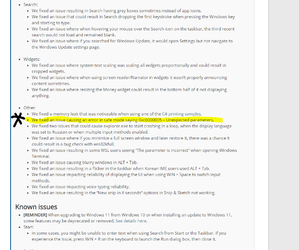
    • We fixed an issue causing an error in safe mode saying 0xc0000005 – Unexpected parameters.
    • We fixed two issues that could cause explorer.exe to start crashing in a loop, when the display language was set to Russian or when multiple input methods enabled.
    • We fixed an issue where if you minimize a full screen window and later restore it, there was a chance it could result in a bug check with win32kfull.
    • We fixed an issue resulting in some WSL users seeing “The parameter is incorrect” when opening Windows Terminal.
    • We fixed an issue causing blurry windows in ALT + Tab.
    • We fixed an issue resulting in a flicker in the taskbar when Korean IME users used ALT + Tab.
    • We fixed an issue impacting reliability of displaying the UI when using WIN + Space to switch input methods.
    • We fixed an issue impacting voice typing reliability.
    • We fixed an issue resulting in the “New snip in X seconds” options in Snip & Sketch not working.

Known issues

  • [REMINDER] When upgrading to Windows 11 from Windows 10 or when installing an update to Windows 11, some features may be deprecated or removed. See details here.
  • Start:
    • In some cases, you might be unable to enter text when using Search from Start or the Taskbar. If you experience the issue, press WIN + R on the keyboard to launch the Run dialog box, then close it.
  • Taskbar:
    • The Taskbar will sometimes flicker when switching input methods.
    • Dragging an app icon to rearrange it in the Taskbar will result in the app launching or minimizing.
  • Settings:
    • When launching the Settings app, a brief green flash may appear.
    • When using Quick Settings to modify Accessibility settings, the settings UI may not save the selected state.
  • File Explorer:
    • The new command bar may not appear when “Open folders in a separate process” is enabled under File Explorer Options > View.
    • exe crashes in a loop for Insiders using the Turkish display language when battery charge is at 100%.
    • When right clicking the desktop or File Explorer, the resulting context menu and submenus may appear partially off screen.
  • Search:
    • After clicking the Search icon on the Taskbar, the Search panel may not open. If this occurs, restart the “Windows Explorer” process, and open the search panel again.
    • When you hover your mouse over the Search icon on the Taskbar, recent searches may not be displayed. To work around the issue, restart your PC.
    • Search panel might appear as black and not display any content below the search box.
  • Widgets:
    • Widgets board may appear empty. To work around the issue, you can sign out and then sign back in again.
    • Launching links from the widgets board may not invoke apps to the foreground.
    • When using the Outlook client with a Microsoft account, Calendar, and To Do changes may not sync to the widgets in real time.
    • Widgets may be displayed in the wrong size on external monitors. If you encounter this, you can launch the widgets via touch or WIN + W shortcut on your actual PC display first and then launch on your secondary monitors.
    • After adding multiple widgets quickly from the widgets settings, some of the widgets may not be visible on the board.
  • Store:
    • The install button might not be functional yet in some limited scenarios.
    • Rating and reviews are not available for some apps.
  • Windows Security
    • Device Security is unexpectedly saying “Standard hardware security not supported” for Insiders with supported hardware.
    • “Automatic sample submission” is unexpectedly turned off when you restart your PC.

The Bug Bash has started!

Our first Windows 11 Bug Bash will run from July 7th through July 14th. Throughout the Bug Bash, we’ll be posting Quests in Feedback Hub covering different areas of Windows 11. You can help make Windows better for everyone by trying them out and sending feedback. For more details about sending actionable feedback, please see here.

Important Insider Links

You can check out our Windows Insider Program documentation here, including a list of all the new features and updates released in builds so far. Are you not seeing any of the features listed for this build? Check your Windows Insider Settings to make sure you’re in the Dev Channel. Submit feedback here to let us know if things weren’t working the way you expected.

If you want a complete look at what build is in which Insider channel, head over to Flight Hub. Please note, there will be a slight delay between when a build is flighted and when Flight Hub is updated.

Thanks,
Amanda & Brandon


Source: Announcing Windows 11 Insider Preview Build 22000.65


ISO download: Select language for Cumulative Update for Windows 11 (10.0.22000.65) amd64

 
Last edited:
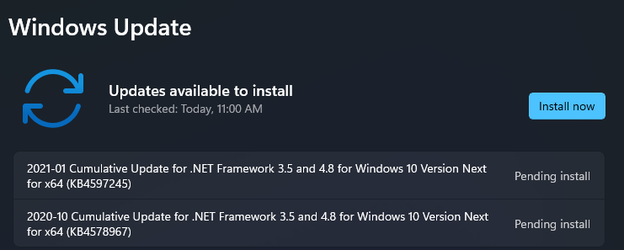
Receiving two .NET at once:

1626199847076.png
 

My Computer My Computer

At a glance

Windows 11Intel® Xeon® X5690 3.47GHz Six-CoreG.Skill PC3-12800 1600MHz 24GBNVIDIA GeForce GTX 1050
OS
Windows 11
Computer type
PC/Desktop
Manufacturer/Model
Asus/Custom Build
CPU
Intel® Xeon® X5690 3.47GHz Six-Core
Motherboard
Asus P6T Deluxe v2
Memory
G.Skill PC3-12800 1600MHz 24GB
Graphics Card(s)
NVIDIA GeForce GTX 1050
Sound Card
SoundMAX ADI AD2000B HD Audio
Monitor(s) Displays
Acer T232HL Touch Screen
Screen Resolution
1920 x 1080 @ 60Hz
Hard Drives
6 Crucial MX500 SSD 1TB each.
PSU
Thermaltake Toughpower Gold 850W
Case
Thermaltake Armor VA8000SWA
Cooling
Thermaltake Air Cooling System
Keyboard
Illuminated Multimedia LED Keyboard
Mouse
M16 Dual Mode Illuminated Mouse - Bluetooth / 2.4 GHz Mode
Internet Speed
800 Mbps
Browser
Edge / Opera / Vivaldi / Chrome / Firefox / Brave
Antivirus
Windows Defender Security
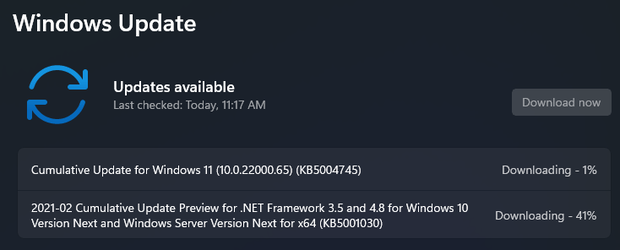
I can't believe another .NET plus KB5004745:

1626200428118.png
 

My Computer My Computer

At a glance

Windows 11Intel® Xeon® X5690 3.47GHz Six-CoreG.Skill PC3-12800 1600MHz 24GBNVIDIA GeForce GTX 1050
OS
Windows 11
Computer type
PC/Desktop
Manufacturer/Model
Asus/Custom Build
CPU
Intel® Xeon® X5690 3.47GHz Six-Core
Motherboard
Asus P6T Deluxe v2
Memory
G.Skill PC3-12800 1600MHz 24GB
Graphics Card(s)
NVIDIA GeForce GTX 1050
Sound Card
SoundMAX ADI AD2000B HD Audio
Monitor(s) Displays
Acer T232HL Touch Screen
Screen Resolution
1920 x 1080 @ 60Hz
Hard Drives
6 Crucial MX500 SSD 1TB each.
PSU
Thermaltake Toughpower Gold 850W
Case
Thermaltake Armor VA8000SWA
Cooling
Thermaltake Air Cooling System
Keyboard
Illuminated Multimedia LED Keyboard
Mouse
M16 Dual Mode Illuminated Mouse - Bluetooth / 2.4 GHz Mode
Internet Speed
800 Mbps
Browser
Edge / Opera / Vivaldi / Chrome / Firefox / Brave
Antivirus
Windows Defender Security
1626200470219.png
1626200813055.png
 

My Computer My Computer

At a glance

W11 Pro and Insider DevAMD Ryzen 9 7900x2x16GB Kingston 6000MHz, Cl 32 @ 6200MHz Cl30Gigabyte Rx 6600XT Gaming OC 8G Pro
OS
W11 Pro and Insider Dev
Computer type
PC/Desktop
Manufacturer/Model
Home brewed
CPU
AMD Ryzen 9 7900x
Motherboard
ASROCK b650 PRO RS
Memory
2x16GB Kingston 6000MHz, Cl 32 @ 6200MHz Cl30
Graphics Card(s)
Gigabyte Rx 6600XT Gaming OC 8G Pro
Sound Card
MB, Realtek Ac1220p
Monitor(s) Displays
3 x 27"
Screen Resolution
1080p
Hard Drives
Kingston KC3000. 1TBSamsung 970 evo Plus 500GB, Crucial P1 NVMe 1TB, Lexar NVMe 2 TB, Silicon Power M.2 SATA 500GB
PSU
Seasonic 750W
Case
Custom Raidmax
Cooling
Arctic Liquid Freezer III 360mm
Internet Speed
20/19 mbps
1626201016746.png
 

My Computer My Computer

At a glance

W11 Pro and Insider DevAMD Ryzen 9 7900x2x16GB Kingston 6000MHz, Cl 32 @ 6200MHz Cl30Gigabyte Rx 6600XT Gaming OC 8G Pro
OS
W11 Pro and Insider Dev
Computer type
PC/Desktop
Manufacturer/Model
Home brewed
CPU
AMD Ryzen 9 7900x
Motherboard
ASROCK b650 PRO RS
Memory
2x16GB Kingston 6000MHz, Cl 32 @ 6200MHz Cl30
Graphics Card(s)
Gigabyte Rx 6600XT Gaming OC 8G Pro
Sound Card
MB, Realtek Ac1220p
Monitor(s) Displays
3 x 27"
Screen Resolution
1080p
Hard Drives
Kingston KC3000. 1TBSamsung 970 evo Plus 500GB, Crucial P1 NVMe 1TB, Lexar NVMe 2 TB, Silicon Power M.2 SATA 500GB
PSU
Seasonic 750W
Case
Custom Raidmax
Cooling
Arctic Liquid Freezer III 360mm
Internet Speed
20/19 mbps
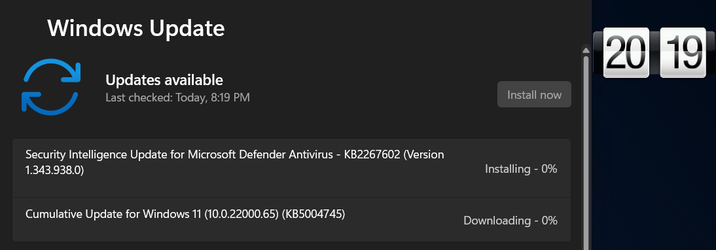
Actually, one of the "Cumulative Update for Windows 11 (10.0.22000.65) (KB5004745)" already got it on 7/8/2021!
Just checked. I got it on July 8th as well.
 

My Computer My Computer

At a glance

Windows 11 ProAMD Ryzen 7 9800X3D64 GB Corsair Dominator Titanium 6600ASUS ROG Astral GeForce RTX 5090 BTF OC
OS
Windows 11 Pro
Computer type
PC/Desktop
Manufacturer/Model
Custom
CPU
AMD Ryzen 7 9800X3D
Motherboard
MSI x670e Gaming Plus Wifi
Memory
64 GB Corsair Dominator Titanium 6600
Graphics Card(s)
ASUS ROG Astral GeForce RTX 5090 BTF OC
Sound Card
Integrated
Monitor(s) Displays
Samsung Odyssey G9 OLED 49"
Screen Resolution
5120x1440 240Hz
Hard Drives
1 TB PNY XLR8 NVMe SSD (Boot drive), 960 GB ADATA SSD, 1 TB Samsung SSD, 2 TB Samsung SSD, 2 TB Samsung SSD, 2 TB Crucial P5 NVMe SSD, 10 TB WD MyBook external HDD, 10 TB Seagate external HDD, 15 TB WD MyBook external HDD
PSU
Corsair RM1200x Shift
Case
Corsair 5000D Airflow
Cooling
iCue Link Titan 360 RX RGB
Keyboard
Corsair K100 RGB
Mouse
Razer Naga Pro v2 wireless
Internet Speed
2 Gig
Browser
Chrome
Antivirus
Windows Defender
Nothing to see here. Move along...
 

My Computers My Computers

  • At a glance

    Windows 11 26200.8968Amd Threadripper 7970X128GB (4 X 32) G.Skill DDR5 6400 (RDIMM)Gigabyte RTX 4090 OC
    OS
    Windows 11 26200.8968
    Computer type
    PC/Desktop
    Manufacturer/Model
    homebuilt
    CPU
    Amd Threadripper 7970X
    Motherboard
    Gigabyte TRX50 Aero D Rev. 1.0
    Memory
    128GB (4 X 32) G.Skill DDR5 6400 (RDIMM)
    Graphics Card(s)
    Gigabyte RTX 4090 OC
    Sound Card
    none (USB to speakers), Realtek
    Monitor(s) Displays
    Innocn 32" OLED
    Screen Resolution
    3840 X 2160 @ 60Hz
    Hard Drives
    Crucial T700 2TB M.2 NVME SSD
    WD 4TB Blue SATA SSD
    Seagate 18TB IronWolf Pro
    PSU
    BeQuiet! Straight Power 12 1500W
    Case
    Lian Li 011 Dynamic Evo XL
    Cooling
    SilverStone Technology XE360-TR5, with 3 Phanteks T30 fans
    Keyboard
    Cherry KC 500 MX LP (mechanical)
    Mouse
    Logitech M500s (wired)
    Internet Speed
    2000/250 Mbps (down/up)
    Other Info
    xFinity gateway
  • At a glance

    windows 11 26200.8968Intel I9-13900K64GB G.Skill DDR5-6000Gigabyte RTX 3090 ti
    Operating System
    windows 11 26200.8968
    Computer type
    PC/Desktop
    Manufacturer/Model
    homebuilt
    CPU
    Intel I9-13900K
    Motherboard
    Asus RoG Strix Z690-E
    Memory
    64GB G.Skill DDR5-6000
    Graphics card(s)
    Gigabyte RTX 3090 ti
    Sound Card
    built in Realtek
    Monitor(s) Displays
    Philips 27E1N8900 27" OLED
    Screen Resolution
    3840 X 2160 @60Hz
    Hard Drives
    WDC SN850 1TB
    8TB Seagate Ironwolf
    4TB Seagate Ironwolf
    PSU
    eVGA SuperNOVA 1300 GT
    Case
    Lian Li 011 Dynamic Evo
    Cooling
    Corsair iCUE H150i ELITE CAPELLIX Liquid CPU Cooler
    Keyboard
    Cherry Streaming (wired)
    Mouse
    Logitech M500s (wired)
Actually, one of the "Cumulative Update for Windows 11 (10.0.22000.65) (KB5004745)" already got it on 7/8/2021!
Yes, me too.
 

My Computers My Computers

  • At a glance

    windows 10 & 11AMD Ryzen 7X64GbRadeon RX 480 8Gb
    OS
    windows 10 & 11
    Computer type
    PC/Desktop
    Manufacturer/Model
    iBuyPower (special build)
    CPU
    AMD Ryzen 7X
    Motherboard
    Asus Prime x370 Pro
    Memory
    64Gb
    Graphics Card(s)
    Radeon RX 480 8Gb
    Monitor(s) Displays
    Samsung UHD 27 inch
    Screen Resolution
    UHD
    Hard Drives
    3 Samsung 1 TB SSD each; 1 Samsung PCIe M.2 at 2 TB
  • At a glance

    Windows 11 proAMD 9 5900X32 GbNvidia GeForce RTX 3080 Ti 12 GB GDDR6X
    Operating System
    Windows 11 pro
    Computer type
    PC/Desktop
    Manufacturer/Model
    IBuyPower
    CPU
    AMD 9 5900X
    Motherboard
    Asus x570 ROG Crosshair VIII Dark Hero WI-FI 6E ARGB
    Memory
    32 Gb
    Graphics card(s)
    Nvidia GeForce RTX 3080 Ti 12 GB GDDR6X
    Sound Card
    3D PREMIUM surround sound onboard
    Monitor(s) Displays
    Samsung 32 inch UHD curved monitor
    Screen Resolution
    UHD
    Hard Drives
    Samsung 980 pro 2 tb gen 4 NVMe ssd
    PSU
    850 watt consair RM850X
    Case
    Lian Li LANCOOL ONE tempered glass RGB gaming case
    Cooling
    DEEPCOOL GAMERSTORM RGB 240 mm CASTLE 240EX liquid cooler
    Keyboard
    Ares m.2 gaming keyboard
    Mouse
    Ares m.2 gaming optical mouse
    Internet Speed
    450
    Browser
    Firefox / Edge
    Antivirus
    Windows defender
    Other Info
    With all this gaming rig I am not a gamer!
Done here, all good!

KB4578967, KB4597245, KB5001030 and KB5004745:

1626207444961.png
 

My Computer My Computer

At a glance

Windows 11Intel® Xeon® X5690 3.47GHz Six-CoreG.Skill PC3-12800 1600MHz 24GBNVIDIA GeForce GTX 1050
OS
Windows 11
Computer type
PC/Desktop
Manufacturer/Model
Asus/Custom Build
CPU
Intel® Xeon® X5690 3.47GHz Six-Core
Motherboard
Asus P6T Deluxe v2
Memory
G.Skill PC3-12800 1600MHz 24GB
Graphics Card(s)
NVIDIA GeForce GTX 1050
Sound Card
SoundMAX ADI AD2000B HD Audio
Monitor(s) Displays
Acer T232HL Touch Screen
Screen Resolution
1920 x 1080 @ 60Hz
Hard Drives
6 Crucial MX500 SSD 1TB each.
PSU
Thermaltake Toughpower Gold 850W
Case
Thermaltake Armor VA8000SWA
Cooling
Thermaltake Air Cooling System
Keyboard
Illuminated Multimedia LED Keyboard
Mouse
M16 Dual Mode Illuminated Mouse - Bluetooth / 2.4 GHz Mode
Internet Speed
800 Mbps
Browser
Edge / Opera / Vivaldi / Chrome / Firefox / Brave
Antivirus
Windows Defender Security

My Computer My Computer

At a glance

Windows 11 Pro build 22000.65Intel Core i5 7400 @ 3 GHz12 GBIntel HD Graphics 630
OS
Windows 11 Pro build 22000.65
Computer type
PC/Desktop
Manufacturer/Model
HP Pavilion PC 570-p026
CPU
Intel Core i5 7400 @ 3 GHz
Motherboard
HP Model 82F2 (U3E1)
Memory
12 GB
Graphics Card(s)
Intel HD Graphics 630
Sound Card
Realtek High Definition Audio
Monitor(s) Displays
Acer V173
Screen Resolution
1280x1024
Hard Drives
500MB Samsung Evo+ SSD
1TB Western Digital WDC WD10EZEX-60WN4A0 (SATA) 7200 RPM
Internet Speed
300/300 Mbs fiber
Pretty sure most everybody got it on the 8th when it was released.
Yep 👍

I've got it on 8th July, when updated from .51 to .65
 

My Computer My Computer

At a glance

Windows 11 Pro (22H2 - 22622.590)4th gen Intel Core i512GB - DDR3LNVIDIA GeForce GTX 860M
OS
Windows 11 Pro (22H2 - 22622.590)
Computer type
Laptop
Manufacturer/Model
GE60 2PE Apache Pro
CPU
4th gen Intel Core i5
Motherboard
E16GFIMS.52D
Memory
12GB - DDR3L
Graphics Card(s)
NVIDIA GeForce GTX 860M
Sound Card
Creative Sound Blaster Cinema
Monitor(s) Displays
15.6 Anti-glare
Screen Resolution
Full HD (1920x1080)
Hard Drives
860 EVO Series SSD + 840 EVO Series SSD + 750GB HDD 7200rpm
Keyboard
Keyboard by SteelSeries 103 keys
Internet Speed
500/100 Mbps
Browser
Microsoft Edge - Mozilla Firefox - Google Chrome - Vivaldi - Brave
Antivirus
Eset Internet Security 2021
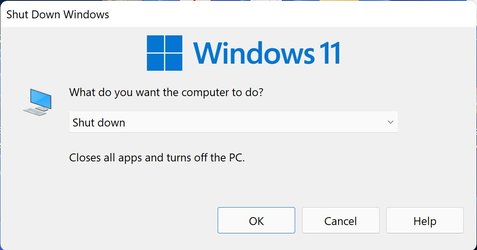
Speaking about random things, are you guys seeing a windows shutdown menu that keeps showing up on the top of the screen?

2021-07-14_19-17-20.jpg
 
Last edited:

My Computer My Computer

At a glance

WindowsXP/7/8/8.1/10/11,Linux,Android,FreeBSD...Intel® Core™ i7-8750H 8th Gen 2.2Ghz up to 4....64GB using 2x32GB CL16 Mushkin redLine modulesIntel UHD 630 & NVIDIA GeForce GTX 1050 Ti wi...
OS
WindowsXP/7/8/8.1/10/11,Linux,Android,FreeBSD Unix
Computer type
Laptop
Manufacturer/Model
Dell XPS 15 9570
CPU
Intel® Core™ i7-8750H 8th Gen 2.2Ghz up to 4.1Ghz
Motherboard
Dell XPS 15 9570
Memory
64GB using 2x32GB CL16 Mushkin redLine modules
Graphics Card(s)
Intel UHD 630 & NVIDIA GeForce GTX 1050 Ti with 4GB DDR5
Sound Card
Realtek ALC3266-CG
Monitor(s) Displays
15.6" 4K Touch UltraHD 3840x2160 made by Sharp
Screen Resolution
3840x2160 4K UltraHD
Hard Drives
Samsung MZ-V9P4T0B/AM 990 PRO 4TB PCIe®4.0 NVMe™ M.2 SSD was Toshiba KXG60ZNV1T02 NVMe 1TB SSD
PSU
Dell XPS 15 9570
Case
Dell XPS 15 9570
Cooling
Stock
Keyboard
Stock
Mouse
SwitftPoint ProPoint
Internet Speed
Comcast/XFinity 1.44Gbps/42.5Mbps
Browser
Microsoft EDGE (Chromium based) & Google Chrome
Antivirus
Windows Defender that came with Windows
Not sure but when I press some keys together by error I get black search type bars on screen, some say "type here" etc and others I cannot remember TNH as they are gone in an instant,.
 

My Computer My Computer

At a glance

Windows 10Intel i7-4790k @ 5GHZ32GB Corsair Dominator Platinum 2400Mhz @ 10-...Nvidia RTX 3090FE @ Core 2200 MHZ / Memory 21...
OS
Windows 10
Computer type
PC/Desktop
Manufacturer/Model
Self Built
CPU
Intel i7-4790k @ 5GHZ
Motherboard
Asus Maximus VI Extreme
Memory
32GB Corsair Dominator Platinum 2400Mhz @ 10-12-11-27-1T
Graphics Card(s)
Nvidia RTX 3090FE @ Core 2200 MHZ / Memory 21 GHZ
Sound Card
Creative SoundBlaster ZxR
Monitor(s) Displays
LG 32GN600 (G-Sync Comp)
Screen Resolution
1440p
Hard Drives
C: Primary SSD > Samsung 860 PRO 512GB
G: Gaming SSD > Samsung 860 PRO 1TB
S: Storage SSD > Samsung 860 EVO 4TB x2 (Windows Storage Spaces = 8TB)
X: Ext Backup > IcyBox+WD Red 4TB x4 (Raid 10)
PSU
Corsair AX1600i
Case
NZXT Phantom 630 (Black)
Cooling
Noctua NH-D15S Chromax Black
Keyboard
Logitech G613
Mouse
Logitech G903 LS (Hero)+PowerPlay Wireless Charge Pad
Internet Speed
VM 1Gb/s
Browser
Edge
Antivirus
Eset
Not sure what you mean, you install it, activate it and forget about it you rarely need to run it again and I only use it for videos.

My video default to opening via my media player so VLC or MPC not Icaros.
My issue had nothing to actually do with video files (mp4) or even jpeg image files as it was basically related to thumbnail previews in general where some files with the same filetype would show the correct image preview while others would just show the logo of the current default opening program for that filetype as I already solved the issue.

First of all, thanks to all of you for your attempt to help but believe it or not, it was not even related to photo images, mp4 videos as I managed to fix it by accident and I noticed it did it to .bat files as well so basically the preview function for thumbnails was broken. But anyways, this was how I fixed it by accident.

A few months ago when I was on Windows 10 21H1, I changed my display scaling to 225%, I updated to Windows 11 22000.051 via Windows Update on July 3, 2021 and all the previews of photo jpg, mp4 videos and .bat files were working but as mentioned, some after a certain size work and some did not which was after I updated to Windows 11 22000.065 on July 9, 2021 using the UUDump.net ISO method as the Windows Update and the cab files method failed as I had posted on KB5004745 Windows 11 Insider Preview Dev Build 10.0.22000.65 - July 8

Since Windows 11 no longer had the up/down arrows for opened apps, not to be confused with the system tray as I am talking about the left half of the taskbar, I was curious what it looked like if I changed the display scaling to 250% which is what is recommended so I did, nothing happened other than I ran out of desktop space so I rebooted and everything works correctly now for image previews of all jpg's, mp4's and even the .bat files which I never realized had thumbnail previews. So after that, I changed the display scaling back to 225% and it's working fine ever since both before and after rebooting.

2021-07-13_14-14-15.jpg
 

My Computer My Computer

At a glance

WindowsXP/7/8/8.1/10/11,Linux,Android,FreeBSD...Intel® Core™ i7-8750H 8th Gen 2.2Ghz up to 4....64GB using 2x32GB CL16 Mushkin redLine modulesIntel UHD 630 & NVIDIA GeForce GTX 1050 Ti wi...
OS
WindowsXP/7/8/8.1/10/11,Linux,Android,FreeBSD Unix
Computer type
Laptop
Manufacturer/Model
Dell XPS 15 9570
CPU
Intel® Core™ i7-8750H 8th Gen 2.2Ghz up to 4.1Ghz
Motherboard
Dell XPS 15 9570
Memory
64GB using 2x32GB CL16 Mushkin redLine modules
Graphics Card(s)
Intel UHD 630 & NVIDIA GeForce GTX 1050 Ti with 4GB DDR5
Sound Card
Realtek ALC3266-CG
Monitor(s) Displays
15.6" 4K Touch UltraHD 3840x2160 made by Sharp
Screen Resolution
3840x2160 4K UltraHD
Hard Drives
Samsung MZ-V9P4T0B/AM 990 PRO 4TB PCIe®4.0 NVMe™ M.2 SSD was Toshiba KXG60ZNV1T02 NVMe 1TB SSD
PSU
Dell XPS 15 9570
Case
Dell XPS 15 9570
Cooling
Stock
Keyboard
Stock
Mouse
SwitftPoint ProPoint
Internet Speed
Comcast/XFinity 1.44Gbps/42.5Mbps
Browser
Microsoft EDGE (Chromium based) & Google Chrome
Antivirus
Windows Defender that came with Windows

My Computer My Computer

At a glance

Windows 11Intel® Xeon® X5690 3.47GHz Six-CoreG.Skill PC3-12800 1600MHz 24GBNVIDIA GeForce GTX 1050
OS
Windows 11
Computer type
PC/Desktop
Manufacturer/Model
Asus/Custom Build
CPU
Intel® Xeon® X5690 3.47GHz Six-Core
Motherboard
Asus P6T Deluxe v2
Memory
G.Skill PC3-12800 1600MHz 24GB
Graphics Card(s)
NVIDIA GeForce GTX 1050
Sound Card
SoundMAX ADI AD2000B HD Audio
Monitor(s) Displays
Acer T232HL Touch Screen
Screen Resolution
1920 x 1080 @ 60Hz
Hard Drives
6 Crucial MX500 SSD 1TB each.
PSU
Thermaltake Toughpower Gold 850W
Case
Thermaltake Armor VA8000SWA
Cooling
Thermaltake Air Cooling System
Keyboard
Illuminated Multimedia LED Keyboard
Mouse
M16 Dual Mode Illuminated Mouse - Bluetooth / 2.4 GHz Mode
Internet Speed
800 Mbps
Browser
Edge / Opera / Vivaldi / Chrome / Firefox / Brave
Antivirus
Windows Defender Security
Safe mode working well now!
 

Attachments

  • Capturesafe fix.PNG
    Capturesafe fix.PNG
    58.3 KB · Views: 15

My Computers My Computers

  • At a glance

    11 Pro5950XCORSAIR Vengeance RGB RT 32GB (4x16GB) DDR4 3...Zotac AMP Extreme Airo 4090/ Lian Li Vertical...
    OS
    11 Pro
    Computer type
    PC/Desktop
    Manufacturer/Model
    Me
    CPU
    5950X
    Motherboard
    ASUS DARK HERO X570
    Memory
    CORSAIR Vengeance RGB RT 32GB (4x16GB) DDR4 3733CL14x16GB
    Graphics Card(s)
    Zotac AMP Extreme Airo 4090/ Lian Li Vertical GPU PCI-E 5.0 v4
    Monitor(s) Displays
    TCL 55"646 Class 6-Series 4K QLED Dolby Vision HDR
    Screen Resolution
    4K
    Hard Drives
    SAMSUNG 980 PRO SSD 1TB/500GB M.2 and 2TB M.2
    PSU
    Seasonic Prime TX-1600 ATX3.1
    Case
    Fractal Meshify 2 XL /3-140X38 Silverstone/3 140x38 BGear
    Cooling
    The Arctic Liquid Freezer III 420 Push/pull x6 Noctua 14 3000rpm
    Mouse
    G502 HERO
    Internet Speed
    Mbps 350.00
    Other Info
    Two CyberPower CP1500PFCLCD PFC Sinewave UPS Battery Backup and Surge Protector, 1500VA/1000W
  • At a glance

    Win 11 pro2700XTRIDENT Z F-43600V15D-16GTZ /G.SKILL DDR4 380...1080Ti
    Operating System
    Win 11 pro
    Computer type
    PC/Desktop
    Manufacturer/Model
    Me
    CPU
    2700X
    Motherboard
    ASUS Prime 450M
    Memory
    TRIDENT Z F-43600V15D-16GTZ /G.SKILL DDR4 3800CL14 FASTEST PRESET 16GB /G-skill16Gb cl16/3600
    Graphics card(s)
    1080Ti
    Monitor(s) Displays
    50'
    Screen Resolution
    4K HDR
    Hard Drives
    M.2 500GB SABRENT / 3TB and 250GB SSD
    PSU
    FSP Hydro PTM PRO 1200W ATX 3.0 PCI-E GEN-5 80 Plus Platinum=EVGA 1300G2 /Corsairs 750w
I wonder if MS will release a new build today? I made a Macrium Image last night so I'm ready if the do.
 

My Computers My Computers

  • At a glance

    Windows 11 Pro 25H2Intel Core i7-10700K16GB (8GB PC4-19200 DDR4 SDRAM x2)NVIDIA GeForce GTX 1050 TI
    OS
    Windows 11 Pro 25H2
    Computer type
    PC/Desktop
    Manufacturer/Model
    PowerSpec B746
    CPU
    Intel Core i7-10700K
    Motherboard
    ASRock Z490 Phantom Gaming 4/ax
    Memory
    16GB (8GB PC4-19200 DDR4 SDRAM x2)
    Graphics Card(s)
    NVIDIA GeForce GTX 1050 TI
    Sound Card
    Realtek Audio
    Monitor(s) Displays
    #1. LG ULTRAWIDE 34" #2. AOC Q32G2WG3 32"
    Screen Resolution
    #1. 3440 X 1440 #2. 1920 x 1080
    Hard Drives
    NVMe WDC WDS100T2B0C-00PXH0 1TB
    Samsung SSD 860 EVO 1TB
    PSU
    750 Watts (62.5A)
    Case
    PowerSpec/Lian Li ATX 205
    Keyboard
    Logitech K270
    Mouse
    Logitech M185
    Browser
    Microsoft Edge and Firefox
    Antivirus
    Webroot SecureAnywhere CE 26.1
  • At a glance

    Windows 11 Canary ChannelIntel Core i5-8400 CPU @ 2.80GHz16 MB DDR 4-2666
    Operating System
    Windows 11 Canary Channel
    Computer type
    PC/Desktop
    Manufacturer/Model
    PowerSpec G156
    CPU
    Intel Core i5-8400 CPU @ 2.80GHz
    Motherboard
    AsusTeK Prime B360M-A
    Memory
    16 MB DDR 4-2666
    Monitor(s) Displays
    23" Speptre HDMI 75Hz
    Screen Resolution
    1920x1080
    Hard Drives
    Samsung 970 EVO 500GB NVMe
    Keyboard
    Logitek K270
    Mouse
    Logitek M185
    Browser
    Firefox, Edge and Edge Canary
    Antivirus
    Windows Defender
I wonder if MS will release a new build today? I made a Macrium Image last night so I'm ready if the do.
Me too. Ready for a new something or another!
 

My Computers My Computers

  • At a glance

    windows 10 & 11AMD Ryzen 7X64GbRadeon RX 480 8Gb
    OS
    windows 10 & 11
    Computer type
    PC/Desktop
    Manufacturer/Model
    iBuyPower (special build)
    CPU
    AMD Ryzen 7X
    Motherboard
    Asus Prime x370 Pro
    Memory
    64Gb
    Graphics Card(s)
    Radeon RX 480 8Gb
    Monitor(s) Displays
    Samsung UHD 27 inch
    Screen Resolution
    UHD
    Hard Drives
    3 Samsung 1 TB SSD each; 1 Samsung PCIe M.2 at 2 TB
  • At a glance

    Windows 11 proAMD 9 5900X32 GbNvidia GeForce RTX 3080 Ti 12 GB GDDR6X
    Operating System
    Windows 11 pro
    Computer type
    PC/Desktop
    Manufacturer/Model
    IBuyPower
    CPU
    AMD 9 5900X
    Motherboard
    Asus x570 ROG Crosshair VIII Dark Hero WI-FI 6E ARGB
    Memory
    32 Gb
    Graphics card(s)
    Nvidia GeForce RTX 3080 Ti 12 GB GDDR6X
    Sound Card
    3D PREMIUM surround sound onboard
    Monitor(s) Displays
    Samsung 32 inch UHD curved monitor
    Screen Resolution
    UHD
    Hard Drives
    Samsung 980 pro 2 tb gen 4 NVMe ssd
    PSU
    850 watt consair RM850X
    Case
    Lian Li LANCOOL ONE tempered glass RGB gaming case
    Cooling
    DEEPCOOL GAMERSTORM RGB 240 mm CASTLE 240EX liquid cooler
    Keyboard
    Ares m.2 gaming keyboard
    Mouse
    Ares m.2 gaming optical mouse
    Internet Speed
    450
    Browser
    Firefox / Edge
    Antivirus
    Windows defender
    Other Info
    With all this gaming rig I am not a gamer!
I wonder if MS will release a new build today? I made a Macrium Image last night so I'm ready if the do.
I hope so but I'm thinking we'll get something on Friday
 

My Computer My Computer

At a glance

Windows 11 Home() - 25H2 -26220.8894AMD Ryzen 5 5600GG.SKILL Ripjaws V Series 64GB 4x16Nvidia geforce gtx titan x
OS
Windows 11 Home() - 25H2 -26220.8894
Computer type
PC/Desktop
Manufacturer/Model
Banana Junior 5600-G Series
CPU
AMD Ryzen 5 5600G
Motherboard
Asus ROG Strix B550-F
Memory
G.SKILL Ripjaws V Series 64GB 4x16
Graphics Card(s)
Nvidia geforce gtx titan x
Monitor(s) Displays
28" ASUS VP28U 4k
Screen Resolution
4K
Hard Drives
Primary SAMSUNG 970 EVO Plus
PSU
EVGA BQ 700w 80+ Bronze
Case
Zalman i3 NEO
Cooling
ARCTIC Freezer 7 X
Keyboard
Corsair
Mouse
Amazon Generic with Cord
Internet Speed
Download: 295.11 mbps Upload: 65.35 mbps T-Mobile Internet
Browser
Firefox and Edge
Antivirus
MS - Defender
Other Info
Speakers: Klipsch ProMedia 2.1
Back
Top Bottom