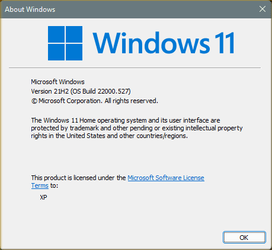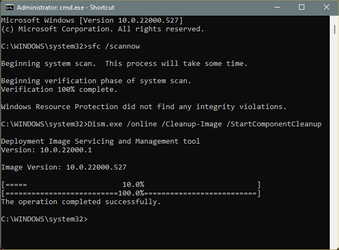
Win Update KB5010414 Cumulative Update for Windows 11 Build 22000.527 - Feb. 15


UPDATE 3/8:

KB5010414 Build 22000.527 also released to Windows Insiders in the Beta and Release Preview channels.


February 15, 2022 - KB5010414 (OS Build 22000.527) Preview​


For information about Windows update terminology, see the article about the types of Windows updates and the monthly quality update types. For an overview of Windows 11 (original release), see its update history page.

Note Follow @WindowsUpdate to find out when new content is published to the Windows release health dashboard.

Highlights​

  • New! Provides the ability to shares cookies between Microsoft Edge Internet Explorer mode and Microsoft Edge.
  • New! Adds the clock and date to the taskbars of other monitors when you connect other monitors to your device.
  • New! Adds weather content to the left side of the taskbar if the taskbar is aligned in the center. When you hover over the weather, the Widgets panel will appear on the left side of the screen and will disappear when you stop hovering over the area.

  • Updates an issue that affects dialog boxes in Microsoft Edge Internet Explorer mode.
  • Updates an issue that causes Microsoft Edge Internet Explorer mode to stop working when you press the F1 key.
  • Updates an issue that displays right-to-left (RTL) language text as left justified on File Explorer command menus and File Explorer context menus.
  • Updates an issue that might cause the time zone list in Settings to appear blank for users who are not administrators.
  • Updates an issue that displays right-to-left (RTL) language text as left justified on File Explorer command menus and context menus.
  • Updates an issue that causes incorrect tooltips to appear in an empty area on the taskbar after you hover over other icons like battery, volume, or Wi-Fi.

Improvements and fixes​

This non-security update includes quality improvements. Key changes include:
  • New! Provides the ability to shares cookies between Microsoft Edge Internet Explorer mode and Microsoft Edge.
  • New! Opens Microsoft Office files that are in the Start menu's recommended section in the browser. This occurs if the device does not have an appropriate Microsoft Office license and the file is stored in Microsoft OneDrive or Microsoft SharePoint. If there is a license, the file will open in the desktop app instead.
  • New! Adds the clock and date to the taskbars of other monitors when you connect other monitors to your device.
  • New! Adds weather content to the left side of the taskbar if the taskbar is aligned in the center. When you hover over the weather, the Widgets panel will appear on the left side of the screen and will disappear when you stop hovering over the area.
  • New! Adds the ability to quickly share open application windows directly from your taskbar to a Microsoft Teams call.
  • New! Adds support for hot adding and the removal of non-volatile memory (NVMe) namespaces.
  • New! Adds the ability to instantly mute and unmute a Microsoft Teams call from your taskbar. During a call, an active microphone icon will appear on the taskbar so that you can easily mute the audio without having to return to the Microsoft Teams call window.
  • Addresses an issue that occurs when Windows Server 2016 runs as a terminal server using certain cloud computing virtual desktop infrastructure (VDI). As result, the servers randomly stop responding after running for a period of time. This also addresses a regression that proactively checks to ensure that the CSharedLock in rpcss.exe is set correctly to avoid a deadlock.
  • Addresses an issue that might cause the time zone list in Settings to appear blank for users who are not administrators.
  • Addresses an issue that affects the Windows search service and occurs when you query using the proximity operator.
  • Addresses an issue that fails to show the Startup impact values in Task Manager.
  • Addresses an issue that prevents ShellWindows() from returning the InternetExplorer object when iexplore.exe runs in the Microsoft Edge Internet Explorer mode context.
  • Addresses an issue that affects dialog boxes in Microsoft Edge Internet Explorer mode.
  • Addresses an issue that causes Microsoft Edge Internet Explorer mode to stop working when you press the F1 key.
  • Addresses an issue that causes the improper cleanup of Dynamic Data Exchange (DDE) objects. This prevents session teardown and causes a session to stop responding.
  • Addresses an issue that prevents printing from operating properly for some low integrity process apps.
  • Introduces support for Windows Hello for Business Cloud Trust. This is a new deployment model for hybrid deployments of Windows Hello for Business. It uses the same technology and deployment steps that support on-premises single sign-on (SSO) for Fast IDentity Online (FIDO) security keys. Cloud Trust removes the public-key infrastructure (PKI) requirements for deploying Windows and simplifies the Windows Hello for Business deployment experience.
  • Addresses an issue that prevents you from unloading and reloading drivers when the drivers are protected Hypervisor-protected Code Integrity (HVCI).
  • Addresses an issue that affects the Silent BitLocker enablement policy and might unintentionally add a Trusted Platform Module (TPM) protector.
  • Addresses a reliability issue that affects the use of the Remote Desktop app to mount a client’s local drive to a terminal server session.
  • Addresses an issue that displays right-to-left (RTL) language text as left justified on File Explorer command menus and context menus.
  • Addresses an issue that prevents you from reaching the LanguagePackManagement configuration service provider (CSP) using the Windows Management Instrumentation (WMI) Bridge.
  • Addresses an issue that causes a mismatch between a Remote Desktop session’s keyboard and the Remote Desktop Protocol (RDP) client when signing in.
  • Addresses an issue that causes incorrect tooltips to appear in an empty area on the taskbar after you hover over other icons like battery, volume, or Wi-Fi.
  • Addresses an issue that occurs when you try to write a service principal name (SPN) alias (such as www/FOO) and HOST/FOO already exists on another object. If the RIGHT_DS_WRITE_PROPERTY is on the SPN attribute of the colliding object, you receive an “Access Denied” error.
  • Addresses an issue that disconnects Offline Files on the network drive after you restart the OS and sign in. This issue occurs if the Distributed File System (DFS) path is mapped to the network drive.
  • Addresses an issue that displays the authentication dialog twice when you mount a network drive.
If you installed earlier updates, only the new fixes contained in this package will be downloaded and installed on your device.

Windows 11 servicing stack update - 22000.469​

This update makes quality improvements to the servicing stack, which is the component that installs Windows updates. Servicing stack updates (SSU) ensure that you have a robust and reliable servicing stack so that your devices can receive and install Microsoft updates.

Known issues in this update​

Applies toSymptomWorkaround
All usersWhen attempting to reset a Windows device with apps that have folders with reparse data, such as OneDrive or OneDrive for Business, files which have been downloaded or synced locally from OneDrive might not be deleted when selecting the “Remove everything” option. This issue might be encountered when attempting a manual reset initiated within Windows or a remote reset. Remote resets might be initiated from Mobile Device Management (MDM) or other management applications, such as Microsoft Intune or third-party tools. OneDrive files that are “cloud only” or have not been downloaded or opened on the device are not affected and will not persist, as the files are not downloaded or synced locally.

Note Some device manufacturers and some documentation might call the feature to reset your device, "Push Button Reset", "PBR", "Reset This PC", "Reset PC", or "Fresh Start".
To mitigate this issue, you can do one of the following:
We are working on a resolution for an upcoming release and will provide more information when it is available.

How to get this update​

Before installing this update

Microsoft combines the latest servicing stack update (SSU) for your operating system with the latest cumulative update (LCU). For general information about SSUs, see Servicing stack updates and Servicing Stack Updates (SSU): Frequently Asked Questions.

Install this update

Release ChannelAvailableNext Step
Windows Update or Microsoft UpdateYesGo to Settings > Update & Security > Windows Update. In the Optional updates available area, you’ll find the link to download and install the update.
Windows Update for BusinessNoNone. These changes will be included in the next security update to this channel.
Microsoft Update CatalogYesTo get the standalone package for this update, go to the Microsoft Update Catalog website.
Windows Server Update Services (WSUS)NoYou can import this update into WSUS manually. See the Microsoft Update Catalog for instructions.

If you want to remove the LCU
To remove the LCU after installing the combined SSU and LCU package, use the DISM/Remove-Package command line option with the LCU package name as the argument. You can find the package name by using this command: DISM /online /get-packages.

Running Windows Update Standalone Installer (wusa.exe) with the /uninstall switch on the combined package will not work because the combined package contains the SSU. You cannot remove the SSU from the system after installation.

File information

For a list of the files that are provided in this update, download the file information for cumulative update 5010414.

For a list of the files that are provided in the servicing stack update, download the file information for the SSU - version 22000.469.

Source:

Check Windows Updates


Direct download links for KB5010414 MSU file from Microsoft Update Catalog:

[fa]fas fa-download[/fa] Download KB5010414 MSU for Windows 11 64-bit (x64) - 230.2 MB

[fa]fas fa-download[/fa] Download KB5010414 MSU for Windows 11 ARM64 - 286.1 MB


UUP Dump:

64-bit ISO download:
Select language for Upgrade to Windows 11 (22000.527) arm64

ARM64 ISO download: Select language for Upgrade to Windows 11 (22000.527) amd64

 
Last edited:

2022-02-15_15h04_12.png

After the Cumulative. This went from Insider fast to Beta and RP last Thursday/Friday, and RTM today. Lots of other stuff, but this is the most visual.
I'm running Open Shell so the sun is behind the shell. Otherwise you would see it.
If you have the taskbar left-justified, the weather widget is to the right of the Start Button.
 

My Computer My Computer

At a glance

Multi-boot Windows 11 & 10 - RTM, RP, Beta, D...11th Gen i9-11900KF @ 3.50GHz, 8 cores/16 log...32GBNVIDIA GeForce RTX 3080 w/10GB GDDR5X mem
OS
Multi-boot Windows 11 & 10 - RTM, RP, Beta, Dev and Canary
Computer type
PC/Desktop
Manufacturer/Model
Alienware R12
CPU
11th Gen i9-11900KF @ 3.50GHz, 8 cores/16 logical proc.
Motherboard
Alienware 07HV66 (U3E1)
Memory
32GB
Graphics Card(s)
NVIDIA GeForce RTX 3080 w/10GB GDDR5X mem
Sound Card
Realtek High Definition Audio
Monitor(s) Displays
Samsung 27" Curved C27F591
Screen Resolution
1920 x 1080 x 60 hertz
Hard Drives
1TB NVMe PM961 NVMe SSD SAMSUNG (Boot),
2TB Seagate ST2000DM001-1ER164 (SATA),
1TB Samsung SSD 850 EVO,
1TB Seagate ST1000DM003-1ER162,
1TB WD Elements 10A8 USB Device,
1TB BUFFALO HD-PNTU3 USB Device,
1TB x4 Seagate BUP Slim SCSI Disk Device
PSU
850W PSU Liquid Cooled Chassis - CyberPower 1500 UPS
Case
Alienware Mid-Tower (Dell)
Cooling
Liquid Cooled - 3 fan - Top exhaust
Keyboard
Logitech K800 Wireless
Mouse
Logitech MX Master Wireless
Internet Speed
1 Gigabit
Browser
FF, Chrome, Opera, Edge
Antivirus
Defender, MBAM, SuperAntiSpyware
Other Info
Blueray R/W Optical,
Canon MX410 series Printer/Fax/Scanner/Copier,
Altec 5.1 Speakers L-R, Mid Base Boom,

Macrium Home Premium, Revo Pro, Screenspresso Pro

My Computer My Computer

At a glance

Windows 11intel 9th gen8GB LOLnvidia
OS
Windows 11
Computer type
Laptop
Manufacturer/Model
Dell g5 5590
CPU
intel 9th gen
Memory
8GB LOL
Graphics Card(s)
nvidia
Hard Drives
C: nVME kioxia SSD
D: SATA toshiba HDD
Browser
Firefox
Antivirus
Defender (if it hasn't been disabled yet)

My Computer My Computer

At a glance

Multi-boot Windows 11 & 10 - RTM, RP, Beta, D...11th Gen i9-11900KF @ 3.50GHz, 8 cores/16 log...32GBNVIDIA GeForce RTX 3080 w/10GB GDDR5X mem
OS
Multi-boot Windows 11 & 10 - RTM, RP, Beta, Dev and Canary
Computer type
PC/Desktop
Manufacturer/Model
Alienware R12
CPU
11th Gen i9-11900KF @ 3.50GHz, 8 cores/16 logical proc.
Motherboard
Alienware 07HV66 (U3E1)
Memory
32GB
Graphics Card(s)
NVIDIA GeForce RTX 3080 w/10GB GDDR5X mem
Sound Card
Realtek High Definition Audio
Monitor(s) Displays
Samsung 27" Curved C27F591
Screen Resolution
1920 x 1080 x 60 hertz
Hard Drives
1TB NVMe PM961 NVMe SSD SAMSUNG (Boot),
2TB Seagate ST2000DM001-1ER164 (SATA),
1TB Samsung SSD 850 EVO,
1TB Seagate ST1000DM003-1ER162,
1TB WD Elements 10A8 USB Device,
1TB BUFFALO HD-PNTU3 USB Device,
1TB x4 Seagate BUP Slim SCSI Disk Device
PSU
850W PSU Liquid Cooled Chassis - CyberPower 1500 UPS
Case
Alienware Mid-Tower (Dell)
Cooling
Liquid Cooled - 3 fan - Top exhaust
Keyboard
Logitech K800 Wireless
Mouse
Logitech MX Master Wireless
Internet Speed
1 Gigabit
Browser
FF, Chrome, Opera, Edge
Antivirus
Defender, MBAM, SuperAntiSpyware
Other Info
Blueray R/W Optical,
Canon MX410 series Printer/Fax/Scanner/Copier,
Altec 5.1 Speakers L-R, Mid Base Boom,

Macrium Home Premium, Revo Pro, Screenspresso Pro
It's coming with Windows Web Experience Pack which comes from Microsoft Store. So there might be delay until it's arriving automatically.

Thanks for the tip! I updated the Store and got the weather thing and the new media player and notepad.
 

My Computer My Computer

At a glance

Windows 11 Pro build 22000.65Intel Core i5 7400 @ 3 GHz12 GBIntel HD Graphics 630
OS
Windows 11 Pro build 22000.65
Computer type
PC/Desktop
Manufacturer/Model
HP Pavilion PC 570-p026
CPU
Intel Core i5 7400 @ 3 GHz
Motherboard
HP Model 82F2 (U3E1)
Memory
12 GB
Graphics Card(s)
Intel HD Graphics 630
Sound Card
Realtek High Definition Audio
Monitor(s) Displays
Acer V173
Screen Resolution
1280x1024
Hard Drives
500MB Samsung Evo+ SSD
1TB Western Digital WDC WD10EZEX-60WN4A0 (SATA) 7200 RPM
Internet Speed
300/300 Mbs fiber
Windows updated with no problem, Notepad, MS store and media player updated but no weather icon on taskbar. After opening weather app manually it started updating, but still no icon on taskbar.
 

My Computer My Computer

At a glance

WindowsIntel i7-12800HX32 GB DDR5 4800 MHz dual-channelNVIDIA® GeForce RTX™ 3070 Ti
OS
Windows
Computer type
Laptop
Manufacturer/Model
Lenovo Legion 7i
CPU
Intel i7-12800HX
Memory
32 GB DDR5 4800 MHz dual-channel
Graphics Card(s)
NVIDIA® GeForce RTX™ 3070 Ti
Sound Card
Steinberg UR44
Hard Drives
1 TB SSD (M.2 NVMe PCIe 4.0 x4
2 TB SSD Samsung 980 PRO NNMe
Browser
Firefox
Antivirus
Windows Defender + Malwarebytes
An update every week? Oh joy...


Image1.png Image1.png
 

My Computers My Computers

  • At a glance

    Win 11 Home ♦♦♦26200.9168 ♦♦♦♦♦♦♦25H2AMD Ryzen 7 3700XG.Skill (F4-3200C14D-16GTZKW)EVGA RTX 2070 (08G-P4-2171-KR)
    OS
    Win 11 Home ♦♦♦26200.9168 ♦♦♦♦♦♦♦25H2
    Computer type
    PC/Desktop
    Manufacturer/Model
    Built by Ghot® [May 2020]
    CPU
    AMD Ryzen 7 3700X
    Motherboard
    Asus Pro WS X570-ACE (BIOS 5302)
    Memory
    G.Skill (F4-3200C14D-16GTZKW)
    Graphics Card(s)
    EVGA RTX 2070 (08G-P4-2171-KR)
    Sound Card
    Realtek ALC1220P / ALC S1220A
    Monitor(s) Displays
    Dell U3011 30"
    Screen Resolution
    2560 x 1600
    Hard Drives
    2x Samsung 860 EVO 500GB,
    WD 4TB Black FZBX - SATA III,
    WD 8TB Black FZBX - SATA III,
    DRW-24B1ST CD/DVD Burner
    PSU
    PC Power & Cooling 750W Quad EPS12V
    Case
    Cooler Master ATCS 840 Tower
    Cooling
    CM Hyper 212 EVO (push/pull)
    Keyboard
    Ducky DK9008 Shine II Blue LED
    Mouse
    Logitech Optical M-100
    Internet Speed
    300/300
    Browser
    Firefox (latest)
    Antivirus
    Bitdefender Total Security
    Other Info
    Speakers: Klipsch Pro Media 2.1
  • At a glance

    Windows XP Pro 32bit w/SP3AMD Athlon 64 X2 5000+ (OC'd @ 3.2Ghz)TWIN2X2048-6400C4DHX (2 x 1GB, DDR2 800)EVGA 256-P2-N758-TR GeForce 8600GT SSC
    Operating System
    Windows XP Pro 32bit w/SP3
    Computer type
    PC/Desktop
    Manufacturer/Model
    Built by Ghot® (not in use)
    CPU
    AMD Athlon 64 X2 5000+ (OC'd @ 3.2Ghz)
    Motherboard
    ASUS M2N32-SLI Deluxe Wireless Edition
    Memory
    TWIN2X2048-6400C4DHX (2 x 1GB, DDR2 800)
    Graphics card(s)
    EVGA 256-P2-N758-TR GeForce 8600GT SSC
    Sound Card
    Onboard
    Monitor(s) Displays
    ViewSonic G90FB Black 19" Professional (CRT)
    Screen Resolution
    up to 2048 x 1536
    Hard Drives
    WD 36GB 10,000rpm Raptor SATA
    Seagate 80GB 7200rpm SATA
    Lite-On LTR-52246S CD/RW
    Lite-On LH-18A1P CD/DVD Burner
    PSU
    PC Power & Cooling Silencer 750 Quad EPS12V
    Case
    Generic Beige case, 80mm fans
    Cooling
    ZALMAN 9500A 92mm CPU Cooler
    Keyboard
    Logitech Classic Keybooard 200
    Mouse
    Logitech Optical M-BT96a
    Internet Speed
    300/300
    Browser
    Firefox 3.x ??
    Antivirus
    Symantec (Norton)
    Other Info
    Still assembled, still runs. Haven't turned it on for 15 years?
I usually check for updates in the morning and evening but I did not check this evening until I saw your update entry.
Thank you very much Shawn! I really appreciate you!!!
 

My Computer My Computer

At a glance

Windows 11 ProIntel Core i7 @ 1.80GHz16gbIntel UHD Graphics 620 and NVIDIA GeForce MX150
OS
Windows 11 Pro
Computer type
Laptop
Manufacturer/Model
HP/Envy-17T
CPU
Intel Core i7 @ 1.80GHz
Motherboard
HP - 8485 (U3E1)
Memory
16gb
Graphics Card(s)
Intel UHD Graphics 620 and NVIDIA GeForce MX150
Sound Card
Realtek High Definition Audio / Intel Display Audio / NVIDIA Virtual Audio Device (Wave Extensible) (WDM)
Monitor(s) Displays
Generic PnP Monitor on Intel UHD Graphics 620
Screen Resolution
1536x864 pixels
Hard Drives
KBG30ZMV256G TOSHIBA (SSD)
ST1000LM049-2GH172 (SSD)
PSU
HP Standard
Cooling
HP CoolSense
Keyboard
Standard PS/2 Keyboard
Mouse
Anker
Internet Speed
95Mbps
Browser
FireFox
Antivirus
WebRoot
to many fixes
 

My Computer My Computer

At a glance

WINDOWS11i9 10900X 5GHZ uncore 3.2ghzCORSAIR DOMINATOR PLATINUM 3000MHZ QUAD CHANN...ASUS TUF RTX 3090
OS
WINDOWS11
Computer type
PC/Desktop
CPU
i9 10900X 5GHZ uncore 3.2ghz
Motherboard
ASUS RAMPAGE VI EXTREME X299
Memory
CORSAIR DOMINATOR PLATINUM 3000MHZ QUAD CHANNEL 32GB O.C 3600MHZ
Graphics Card(s)
ASUS TUF RTX 3090
Monitor(s) Displays
NEMESIS NC27QGH
Screen Resolution
2560X1440
Hard Drives
SAMSUNG 970 EVO PLUS 500GB-RAID 0 HDD 8TB
PSU
THERMALTAKE GRAND TOUCHPOWER 1250W GOLD
Case
CM HAF 932 LIMITED EDITION
Cooling
BE QUIET PURE LOOP 360MM
Mouse
GLORIOUS MODEL O
Internet Speed
FIBER 100/10

You shouldn't install the latest Windows 11 beta update​

Is this fixed with this update?

Microsoft has made the KB5010414 update available to the Insider Program: it's a fairly significant patch for the Windows 11 operating system, though some users have already noted that issues are appearing on their systems after installing it.

These include overheating due to excessive CPU loads, and new printing issues that are unrelated to those that previously plagued both Windows 11 and Windows 10 users, neither of which were reported prior to this update being downloaded.


My Computer My Computer

At a glance

Windows 11 ProIntel Core i9 12900KFCorsair 64GB DDR5 Vengeance C40 5200MhzASUS GeForce RTX 3090 ROG Strix OC 24GB
OS
Windows 11 Pro
Computer type
PC/Desktop
Manufacturer/Model
Custom Build
CPU
Intel Core i9 12900KF
Motherboard
ASUS ROG Maximus Z690 Hero
Memory
Corsair 64GB DDR5 Vengeance C40 5200Mhz
Graphics Card(s)
ASUS GeForce RTX 3090 ROG Strix OC 24GB
Sound Card
OnBoard
Monitor(s) Displays
Acer Predator XB323UGP 32" QHD G-SYNC-C 144Hz 1MS IPS LED
Screen Resolution
2560 x 1440
Hard Drives
1x Samsung 980 Pro Series Gen4 250GB M.2 NVMe
1x Samsung 980 Pro Series Gen4 500GB M.2 NVMe
2x Samsung 980 Pro Series Gen4 2TB M.2 NVMe
PSU
Corsair AX1200i 1200W 80PLUS Titanium Modular
Case
Corsair 4000D Black Case w/ Tempered Glass Side Panel
Cooling
Noctua NH-U12A Chromax Black CPU Cooler, 4x Noctua 120mm Fans
Keyboard
Logitech MK545
Mouse
Logitech MX Master 3
Internet Speed
Fixed Wireless 150mbps/75mbps
Browser
Firefox
Antivirus
Kaspersky
Other Info
Thrustmaster TS-PC RACER
Fanatec CSL Elite Pedals with the Load Cell Kit
Yamaha Amp with Bose Speakers
New and improved NotePad! Isn't it lovely!?!?!?

000781.png
 

My Computers My Computers

  • At a glance

    Windows 11 Pro
    OS
    Windows 11 Pro
    Computer type
    PC/Desktop
    Manufacturer/Model
    ASUS ROG Strix
  • At a glance

    Windows 11 Pro
    Operating System
    Windows 11 Pro
    Computer type
    Laptop
    Manufacturer/Model
    ASUS VivoBook
  • ASUS VivoBook 'Lite' ~ Windows 11 Home
Last edited:

My Computer My Computer

At a glance

Windows 11 Pro 25H2 (Build 26200.9168)Intel Core Ultra 9 285 5.6 GHz32.00 GBIntel Integrated Graphics (128 MB)
OS
Windows 11 Pro 25H2 (Build 26200.9168)
Computer type
PC/Desktop
Manufacturer/Model
Dell Pro Max Tower T2 FCT2250
CPU
Intel Core Ultra 9 285 5.6 GHz
Motherboard
64-bit operating system, x64-based processor
Memory
32.00 GB
Graphics Card(s)
Intel Integrated Graphics (128 MB)
Sound Card
Realtek Audio
Monitor(s) Displays
Dell P2714H Monitor
Screen Resolution
1920 x 1080
Hard Drives
1 x 512GB M.2 XG10d SED KIOXIA PCIe solid state drive (Internal)
1 x 2TB Seagate ST2000DM008-2UB102 HDD (Internal)
1 x 4TB Seagate STGX4000400 External HDD
1 x 6TB WD Elements AE 2689 External HDD
PSU
500 Watts
Cooling
Air
Keyboard
Microsoft Wired Keyboard 600
Mouse
Microsoft USB Basic Optical Mouse v2.0
Browser
Firefox
Antivirus
Windows Defender + Malwarebytes Premium
Other Info
BaseBoard Manufacturer Dell Inc.
BaseBoard Product 022RY57
BaseBoard Version A01

My Computer My Computer

At a glance

Windows 11 Pro Beta, 11 Dev, W11 CanaryAMD Ryzen™ 9 5900HX32GBNVIDIA® GeForce RTX™ 3070 8GB GDDR6
OS
Windows 11 Pro Beta, 11 Dev, W11 Canary
Computer type
Laptop
Manufacturer/Model
Dell Alienware M15 Ryzen Edition R6
CPU
AMD Ryzen™ 9 5900HX
Memory
32GB
Graphics Card(s)
NVIDIA® GeForce RTX™ 3070 8GB GDDR6
Hard Drives
1 x Samsung 980 Pro 1TB
1 x Samsung 970 Evo Plus 1TB
Odd in this version after a reboot, the widgets icon is slow to change from the widgets icon to showing the weather. In the previous update this never happened (526)
 

My Computers My Computers

  • At a glance

    Windows 11 25H2Intel i9 14900KF64GB Corsair Vengeance RGBMSI 4090 Suprim X
    OS
    Windows 11 25H2
    Computer type
    PC/Desktop
    Manufacturer/Model
    Custom Built
    CPU
    Intel i9 14900KF
    Motherboard
    ASUS Z790 ProArt Creator WiFi
    Memory
    64GB Corsair Vengeance RGB
    Graphics Card(s)
    MSI 4090 Suprim X
    Sound Card
    Onboard
    Monitor(s) Displays
    1 x Asus 24". 1 x Asus 32"
    Screen Resolution
    1920 x 1080 & 2560 x 1440
    Hard Drives
    Multiple
    PSU
    Corsair 1200HX
    Case
    Corsair 7000D RGB
    Cooling
    Corsair H150I Capellix XT
    Keyboard
    Corsair K70 RGB PRO
    Mouse
    Corsair M55 RGB Pro
    Internet Speed
    1000Mbps
    Browser
    Edge
    Antivirus
    Windows Default
  • At a glance

    Windows 11 25H2Intel i7 6800K32GB DDR4 (Corsair)ASUS GTX 1080ti
    Operating System
    Windows 11 25H2
    Computer type
    PC/Desktop
    Manufacturer/Model
    Custom Built
    CPU
    Intel i7 6800K
    Motherboard
    ASUS Z99 Deluxe
    Memory
    32GB DDR4 (Corsair)
    Graphics card(s)
    ASUS GTX 1080ti
    Sound Card
    Onboard
    Monitor(s) Displays
    1x Viewsonic 24" 1x LG 19"
    Screen Resolution
    1920 x 1080 & 1600 x 900
    Hard Drives
    3 x SATA SSD
    PSU
    650W Gigabyte Bronze
    Case
    Coolermaster HAF-X
    Cooling
    Noctua NH-15 Chroma black
    Keyboard
    Generic RGB
    Mouse
    Microsoft Basic
    Internet Speed
    1000Mbps
    Browser
    Edge
    Antivirus
    Windows Default
I installed it and it's impossible to uninstall it without a system restore, which I never like doing especially with large CU's with so many changes.
I had a couple of totally random and immediate PC restarts with no BSOD, just straight restart.
Event viewer showed a warning I have never seen before literally just as the restart happened:

The maximum file size for session "Diagtrack-Listener" has been reached. As a result, events might be lost (not logged) to file "C:\Windows\System32\LogFiles\WMI\Diagtrack-Listener.etl.002". The maximum files size is currently set to 33554432 bytes"
 

My Computer My Computer

At a glance

Win 11 23H2 EnterpriseRyzen 9800X3DG.Skill Trident Z RGB 6200MT CL30MSI RTX 5090 Suprim SoC
OS
Win 11 23H2 Enterprise
Computer type
PC/Desktop
Manufacturer/Model
Self-Built
CPU
Ryzen 9800X3D
Motherboard
MSI MAG X870 Tomahawk WiFi
Memory
G.Skill Trident Z RGB 6200MT CL30
Graphics Card(s)
MSI RTX 5090 Suprim SoC
Sound Card
Sound Blaster G8
Monitor(s) Displays
LG C2 42 Main Desktop, 3x Gigabyte FI32Q in a triple array for gaming simulations
Screen Resolution
3840x2160, 2560x1440 (3)
Hard Drives
WD SN850X 2TB M.2 NVME (OS Drive), WD SN850X 2TB M.2 NVME, 2x Crucial 2TB SSD, Crucial 1TB SSD, Seagate Barracuda 2TB HDD
PSU
NZXT C1200 Gold ATX 3.1-Fully Modular/Low-Noise-1200 Watts-12V-2x6 Connector-Zero Fan Mode-100% Japanese Capacitors
Case
NZXT H7
Cooling
EK AIO Elite 360mm Elite
Keyboard
Razer Huntsman V3 Pro
Mouse
Logitech G502X
Internet Speed
1GB
Browser
Edge Chromium
Antivirus
Windows Defender
I installed it and it's impossible to uninstall it without a system restore, which I never like doing especially with large CU's with so many changes.
I had a couple of totally random and immediate PC restarts with no BSOD, just straight restart.
Event viewer showed a warning I have never seen before literally just as the restart happened:

The maximum file size for session "Diagtrack-Listener" has been reached. As a result, events might be lost (not logged) to file "C:\Windows\System32\LogFiles\WMI\Diagtrack-Listener.etl.002". The maximum files size is currently set to 33554432 bytes"
It’s kinda why I take a system image prior to any update, if it has issues then back we go
 

My Computer My Computer

At a glance

Windows 11 Pro Beta, 11 Dev, W11 CanaryAMD Ryzen™ 9 5900HX32GBNVIDIA® GeForce RTX™ 3070 8GB GDDR6
OS
Windows 11 Pro Beta, 11 Dev, W11 Canary
Computer type
Laptop
Manufacturer/Model
Dell Alienware M15 Ryzen Edition R6
CPU
AMD Ryzen™ 9 5900HX
Memory
32GB
Graphics Card(s)
NVIDIA® GeForce RTX™ 3070 8GB GDDR6
Hard Drives
1 x Samsung 980 Pro 1TB
1 x Samsung 970 Evo Plus 1TB
I´m totally confused now
I´m on insider release preview and build is currently

ver.png


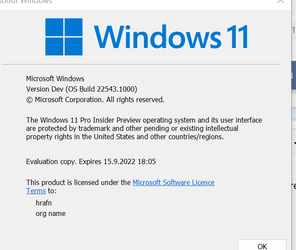
Yet people are referring to "Release preview" as build 22000.xxxx

Anybody able to sort this current mess out please:

a) current insider prevew build
b) beta build
c) dev channel (if it still exists)

What version is Ms "Dishing out" to W10 users currently wanting to update appropriate machines.

Please "De-obfuscate me" -- and it's not even a Monday Morning. !!!!

Cheers
jimbo
 

My Computer My Computer

At a glance

Windows XP,11 Linux Fedora Rawhide pre-releas...2 X Intel i7
OS
Windows XP,11 Linux Fedora Rawhide pre-release 45
Computer type
PC/Desktop
CPU
2 X Intel i7
Screen Resolution
4KUHD X 2
I´m totally confused now
I´m on insider release preview and build is currently

View attachment 22061


Yet people are referring to "Release preview" as build 22000.xxxx

Anybody able to sort this current mess out please:

a) current insider prevew build
b) beta build
c) dev channel (if it still exists)

What version is Ms "Dishing out" to W10 users currently wanting to update appropriate machines.

Please "De-obfuscate me" -- and it's not even a Monday Morning. !!!!

Cheers
jimbo
That’s a dev build
Beta, PR and stable are all 22000.257
 

My Computer My Computer

At a glance

Windows 11 Pro Beta, 11 Dev, W11 CanaryAMD Ryzen™ 9 5900HX32GBNVIDIA® GeForce RTX™ 3070 8GB GDDR6
OS
Windows 11 Pro Beta, 11 Dev, W11 Canary
Computer type
Laptop
Manufacturer/Model
Dell Alienware M15 Ryzen Edition R6
CPU
AMD Ryzen™ 9 5900HX
Memory
32GB
Graphics Card(s)
NVIDIA® GeForce RTX™ 3070 8GB GDDR6
Hard Drives
1 x Samsung 980 Pro 1TB
1 x Samsung 970 Evo Plus 1TB
That’s a dev build
Beta, PR and stable are all 22000.257
Thanks

If PR, Beta and stable are all 22000.257 surely just one version -- different version (or even sub version number) would help a bit.

Cheers
jimbo
 

My Computer My Computer

At a glance

Windows XP,11 Linux Fedora Rawhide pre-releas...2 X Intel i7
OS
Windows XP,11 Linux Fedora Rawhide pre-release 45
Computer type
PC/Desktop
CPU
2 X Intel i7
Screen Resolution
4KUHD X 2
Thanks

If PR, Beta and stable are all 22000.257 surely just one version -- different version (or even sub version number) would help a bit.

Cheers
jimbo
Beta and PR were updated last week to 22000.526, a CU yesterday updated all the 3 channels to the same build .527, all had the same KB5010414
 

My Computer My Computer

At a glance

Windows 11 Pro Beta, 11 Dev, W11 CanaryAMD Ryzen™ 9 5900HX32GBNVIDIA® GeForce RTX™ 3070 8GB GDDR6
OS
Windows 11 Pro Beta, 11 Dev, W11 Canary
Computer type
Laptop
Manufacturer/Model
Dell Alienware M15 Ryzen Edition R6
CPU
AMD Ryzen™ 9 5900HX
Memory
32GB
Graphics Card(s)
NVIDIA® GeForce RTX™ 3070 8GB GDDR6
Hard Drives
1 x Samsung 980 Pro 1TB
1 x Samsung 970 Evo Plus 1TB
"Adds weather content to the left side of the taskbar if the taskbar is aligned in the center."

This is not working for me. Is there something that needs to be done to activate it?
This feature appeared to me in build 22000.576 and only worked after 2 days. And I did nothing.
 

My Computer My Computer

At a glance

windows 11Intel Core i7 - 8550U24 GB DDR4 SDRAMIntel UHD 620 / AMD Radeon R7 M465/530/535 4GB
OS
windows 11
Computer type
PC/Desktop
Manufacturer/Model
Dell/Inspiron 5570
CPU
Intel Core i7 - 8550U
Motherboard
Dell 0X34T0
Memory
24 GB DDR4 SDRAM
Graphics Card(s)
Intel UHD 620 / AMD Radeon R7 M465/530/535 4GB
Sound Card
Foucusrite Scarlett Solo 2nd Generation
Monitor(s) Displays
Dell S2817Q
Screen Resolution
2560 x 1440
Hard Drives
SSD Samsung 750 EVO 250GB
Mouse
Logitech M720
Internet Speed
300Mbps - Fiber
Browser
Edge
Back
Top Bottom