Insider KB5014019 Windows 11 Insider Release Preview Build 22000.706 - May 19


UPDATE 6/7:


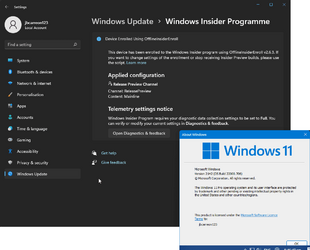
Hello Windows Insiders, today we’re releasing Windows 11 Build 22000.706 (KB5014019) to Insiders in the Release Preview Channel on Windows 11.

This update includes the following improvements:
  • New! We improved the Family Safety verification experience for a child account when you send a request for additional screen time.
  • New! Windows spotlight on the desktop brings the world to your desktop with new, daily background pictures. With this feature, new pictures will automatically appear as your desktop background. This feature already exists for the lock screen. You can also find out more information about each background picture on the web. To turn on this feature, go to Settings > Personalization > Background > Personalize your background. Choose Windows spotlight.

  • We fixed an issue that causes the Input (TextInputHost.exe) app to stop working.
  • We fixed an issue in searchindexer.exe that affects the search for shapes in Microsoft Visio.
  • We prevented users from bypassing forced enrollment by disconnecting from the internet when they sign in to Azure Active Directory (AAD).
  • We fixed an issue that might run an AnyCPU application as a 32-bit process.
  • We fixed an issue that prevents Azure Desired State Configuration (DSC) scenarios that have multiple partial configurations from working as expected.
  • We fixed an issue that affects remote procedure calls (RPC) to the Win32_User or Win32_Group WMI class. The domain member that runs the RPC contacts the primary domain controller (PDC). When multiple RPCs occur simultaneously on many domain members, this might overwhelm the PDC.
  • We fixed an issue that occurs when adding a trusted user, group, or computer that has a one-way trust in place. The error message, “The object selected doesn’t match the type of destination source” appears.
  • We fixed an issue that fails to display the Application Counters section in the performance reports of the Performance Monitor tool.
  • We fixed an issue that fails to maintain the display brightness after you change the display mode.
  • We fixed an issue that might affect some apps that use d3d9.dll with certain graphics cards and might cause those apps to close unexpectedly.
  • We fixed an issue that affects the IE mode window frame.
  • We fixed an issue that affects Group Policy templates.
  • We fixed an issue that prevents internet shortcuts from updating.
  • We fixed an issue that causes some users to see a black screen when they sign in and sign out of Windows.
  • We fixed an issue that causes an Input Method Editor (IME) to discard a character if you enter the character while the IME is converting previous text.
  • We fixed an issue that affects the Desktop Duplication API, which affects display orientation and causes a black image to appear on the screen.
  • We fixed an issue that causes print failures when a low integrity level (LowIL) application prints to a null port.
  • We fixed an issue that prevents BitLocker from encrypting when you use the silent encryption option.
  • We fixed an issue that leads to a false negative when you run scripts while Windows Defender Application Control (WDAC) is turned on. This might cause AppLocker events 8029, 8028, or 8037 to appear in the log when they should not .
  • We fixed an issue that occurs when you apply multiple WDAC policies. Doing that might prevent scripts from running when the policies allow scripts to run.
  • We fixed an issue that affects the Trusted Platform Module (TPM) driver, which might increase the system’s startup time.
  • We fixed an issue that might cause the Remote Desktop client application to stop working when you end a session.
  • We fixed an issue that affects the behavior and shape orientation of a mouse cursor for Microsoft Defender Application Guard (MDAG), Microsoft Office, and Microsoft Edge. This issue occurs when you turn on a virtual graphics processing unit (GPU).
  • We fixed an issue that causes Widgets to appear on the wrong monitor when you hover over the Widgets icon on the taskbar.
  • We added animation to the Widgets icon when you click or tap the icon and the taskbar is aligned on the left.
  • We fixed an issue that affects the rendering of the default Widgets icon on a taskbar that is aligned in the center.
  • We fixed an issue that causes blurry app icons in Search results when the display’s dots per inch (dpi) scaling is greater than 100%.
  • We fixed an issue that causes file copying to be slower because of a wrong calculation of write buffers within cache manager.
  • We fixed an issue that might cause a system to stop responding when a user signs out if Microsoft OneDrive is in use.
  • We fixed a known issue that might prevent recovery discs (CD or DVD) from starting if you created them using the Backup and Restore (Windows 7) app in Control Panel. This issue occurs after installing Windows updates released January 11, 2022 or later.
Thanks,
Windows Insider Program Team


Source:

Check Windows Updates


UUP Dump:

64-bit ISO download:
Select language for Windows 11 (22000.706) amd64

ARM64 ISO download: Select language for Windows 11 (22000.706) arm64

 
Last edited:
@Brink
Now released to general availability channel as 'KB5014019 (OS Build 22000.708) Preview'

:shawn:


My Computers

System One System Two

  • OS
    Windows 11 Pro for Workstations
    Computer type
    PC/Desktop
    Manufacturer/Model
    Custom self build
    CPU
    Intel i7-8700K 5 GHz
    Motherboard
    ASUS ROG Maximus XI Formula Z390
    Memory
    64 GB (4x16GB) G.SKILL TridentZ RGB DDR4 3600 MHz (F4-3600C18D-32GTZR)
    Graphics Card(s)
    ASUS ROG-STRIX-GTX1080TI-O11G-GAMING (11GB GDDR5X)
    Sound Card
    Integrated Digital Audio (S/PDIF)
    Monitor(s) Displays
    2 x Samsung Odyssey G75 27"
    Screen Resolution
    2560x1440
    Hard Drives
    1TB Samsung 990 PRO M.2,
    4TB Samsung 990 PRO M.2,
    TerraMaster F8 SSD Plus NAS
    PSU
    Seasonic Prime Titanium 850W
    Case
    Thermaltake Core P3 wall mounted
    Cooling
    Corsair Hydro H115i
    Keyboard
    Amazon Basics Wired Full Keyboard MD005
    Mouse
    Logitech MX Master 4
    Internet Speed
    2 Gbps Download and 100 Mbps Upload
    Browser
    Chrome and Edge
    Antivirus
    Microsoft Defender
    Other Info
    Logitech Z625 speaker system,
    Logitech BRIO 4K Pro webcam,
    HP Color LaserJet Pro MFP M477fdn,
    CyberPower CP1500PFCLCD
    Galaxy S23 Plus phone
  • Operating System
    Windows 11 Pro
    Computer type
    Laptop
    Manufacturer/Model
    Surface Laptop 7 Copilot+ PC
    CPU
    Snapdragon X Elite (12 core) 3.42 GHz
    Memory
    16 GB LPDDR5x-7467 MHz
    Monitor(s) Displays
    15" HDR
    Screen Resolution
    2496 x 1664
    Hard Drives
    1 TB SSD
    Internet Speed
    Wi-Fi 7 and Bluetooth 5.4
    Browser
    Chrome and Edge
    Antivirus
    Microsoft Defender
Installed without a hitch.
 

My Computers

System One System Two

  • OS
    Windows 11 Pro
    Computer type
    PC/Desktop
    Manufacturer/Model
    Self Built
    CPU
    Intel Core i9 14900k, Intel UHD 770 integrated
    Motherboard
    Gigabyte Z790 Aorus Master X
    Memory
    32gb G.Skill Trident Z5 7200
    Graphics Card(s)
    Gigabyte RTX 4090 Gaming OC
    Sound Card
    EVGA Nu Audio, Razer Kraken V3 Pro, Realtek Onboard
    Monitor(s) Displays
    Dell U4025QW nano IPS monitor, Samsung Odyssey G75F, Wisecoco 12.6" IPS sensor panel
    Screen Resolution
    5120X2160 x 2 1920x515
    Hard Drives
    WD Black SN8100, Samsung 990 Pro x 3, WD BLACK SN850x, WD Black 8tb HD
    PSU
    FSP Hydro PTM Pro 1350w
    Case
    Thermaltake Level 20 XT
    Cooling
    ARCTIC Liquid Freezer III 420 ARGB in push/pull, Antec Prism X 120mm ARGB Fans x 15
    Keyboard
    Razer Blackwidow V4 Pro
    Mouse
    Razer Basilik V3 Pro on Razer Firefly V2 mouse pad.
    Internet Speed
    950 Mbps cable primary, 6Mbps secondary vdsl
    Browser
    Chrome primary, FF-Edge-IE secondary
    Antivirus
    Norton 360 Premium
    Other Info
    I sit on a Libernovo Omni chair.😍 Sound by Fosi Audio DA-2120C pushing Magnat Series 503 bookshelf speakers and a SVS SB-1000 Pro subwoofer.

  • Operating System
    Windows 11 Pro
    Computer type
    Laptop
    Manufacturer/Model
    2023 Acer Predator Helios 18
    CPU
    Intel 14900HX
    Motherboard
    factory
    Memory
    32gb ddr 5 5600
    Graphics card(s)
    Nvidia RTX 4090 mobile
    Sound Card
    onboard
    Monitor(s) Displays
    18" 250hz IPS
    Screen Resolution
    2560X1600
    Hard Drives
    Samsung 9100 Pro, 990 Pro
    PSU
    factory 330W
    Case
    factory
    Cooling
    factory
    Keyboard
    individual key argb
    Mouse
    touchpad
    Internet Speed
    WiFi 7, 2.5gb ethernet
    Browser
    Chrome primary, FF-IE and Edge secondary
    Antivirus
    Norton 360 Premium
    Other Info
    Acer will not allow WD Black SN8100 to function in m.2 slot 0 and Crucial T710 ssd's to function in either slot.
Anybody here -- Clean install seems to want "Microsoft account" even on pro. :

Note on Windows CLEAN / New install not update from earlier builds.

Is this true or what ??

Cheers
jimbo

Hello,
You may find different sites explaining how to bypass the MSA requirement. Here is one:


My Computer

System One

  • OS
    Windows 11 Pro 25H2
    Computer type
    PC/Desktop
    Manufacturer/Model
    Dell XPS 8930
    CPU
    Intel I9-9900K
    Memory
    64GB
    Graphics Card(s)
    NVIDIA RTX 2060
    Sound Card
    NVIDIA High Definition Audio
    Monitor(s) Displays
    4k Samsung
    Screen Resolution
    3840 x 2160
    Hard Drives
    512GB NVMe, ADATA SU 800, 2TB HDD
Updated Windows 11 Pro to 22000.708 without a hitch.
No tweaks or mods and all is still solid here.
 

My Computers

System One System Two

  • OS
    Windows 11 Pro
    Computer type
    Laptop
    Manufacturer/Model
    Dell XPS 16 DA16260
    CPU
    Intel Series 3 Core Ultra X9 388H
    Memory
    64GB LPDDR5x 9600 MT/s
    Graphics Card(s)
    Intel Arc graphics B390 Panther Lake
    Monitor(s) Displays
    16" 3.2K Tandem OLED Infinity Edge
    Screen Resolution
    3200 x 2000 16:10 236 PPI
    Hard Drives
    1 Terabyte M.2 PCIe NVMe SSD
    Case
    Black Anodized Aluminum
    Cooling
    Vapor Chamber Cooling
    Mouse
    None
    Internet Speed
    942 Mbps Netgear Mesh + 2 Satellites
    Browser
    Microsoft Edge (Chromium)
    Antivirus
    Windows Security (Defender)
    Other Info
    NPU delivering 67 TOPS
    Microsoft 365 subscription
    Microsoft OneDrive 1TB Cloud
    Microsoft Visual Studio
    Microsoft Visual Studio Code
    Microsoft Sysinternals Suite
    Microsoft BitLocker
    Microsoft Copilot
    Dell Support Assist
    Dell Command | Update
    Macrium Reflect X subscription
    1Password Password Manager
    Amazon Kindle for PC
    Lightroom/Photoshop subscription
    Interactive Brokers Trader Workstation
  • Operating System
    Windows 11 Pro
    Computer type
    Laptop
    Manufacturer/Model
    Microsoft Surface Laptop 7
    CPU
    Snapdragon® X Elite (12 Core) with Hexagon NPU delivering 45 TOPS
    Memory
    32GB LPDDR5x 8448 MT/s
    Graphics card(s)
    Integrated Adreno GPU
    Sound Card
    Omnisonic speakers with Dolby Atmos spatial sound
    Monitor(s) Displays
    13.8″ PixelSense Flow touchscreen 120 Hz 600 NIT
    Screen Resolution
    2304 × 1536 (201 PPI), 3:2 aspect ratio
    Hard Drives
    1 TB PCIe NVMe Gen 4 SSD
    Case
    Black Anodized Aluminum
    Cooling
    Vapor Chamber Cooling
    Mouse
    None
    Internet Speed
    942 Mbps Netgear Mesh + 2 Satellites
    Browser
    Microsoft Edge (Chromium)
    Antivirus
    Windows Security (Defender)
    Other Info
    Microsoft 365 subscription (Office)
    Microsoft OneDrive 1TB Cloud
    Microsoft Visual Studio 2026
    Microsoft Visual Studio Code
    Interactive Brokers Trader Workstation
    Lightroom/Photoshop subscription
    1Password Password Manager
    Microsoft Sysinternals
    Amazon Kindle for PC
    Microsoft BitLocker
    Microsoft Copilot
Updated my unsupported machine to 22000.706 after this:

1653439627982.png
 

My Computers

System One System Two

  • OS
    Windows 11 Home
    Computer type
    Laptop
    Manufacturer/Model
    Lenovo
    CPU
    Core i5-12450HX
    Memory
    20GB DDR5-4800
    Graphics Card(s)
    iGPU + RTX 3050 Mobile (6GB)
    Sound Card
    Realtek
    Monitor(s) Displays
    the built-in laptop screen, and a generic monitor
    Screen Resolution
    1080p * 2
    Hard Drives
    GIGABYTE NVMe SSD 256GB (GP-GSM2NE3256GNTD)
    Micron NVMe SSD 512GB (MTFDKCD512QFM-1BDIAABLA)
    Browser
    Firefox
    Antivirus
    WD
  • Operating System
    Windows 10 Pro
    Computer type
    PC/Desktop
    Manufacturer/Model
    Dell
    CPU
    Core i3-2100
    Memory
    4GB DDR3-2133
    Graphics card(s)
    iGPU
    Screen Resolution
    1080p
    Antivirus
    WD

My Computer

System One

  • OS
    Windows 11 Pro 25H2
    Computer type
    PC/Desktop
    Manufacturer/Model
    Dell XPS 8930
    CPU
    Intel I9-9900K
    Memory
    64GB
    Graphics Card(s)
    NVIDIA RTX 2060
    Sound Card
    NVIDIA High Definition Audio
    Monitor(s) Displays
    4k Samsung
    Screen Resolution
    3840 x 2160
    Hard Drives
    512GB NVMe, ADATA SU 800, 2TB HDD
22000.708 works like a charm. (y)
 

My Computer

System One

  • OS
    Windows 11 Education
    Computer type
    PC/Desktop
    CPU
    Intel® Core™ i9-13900K Desktop Processor 16 (8P+8E)
    Motherboard
    Asus TUF Gaming Z790-PLUS WIFI D4
    Memory
    G.Skill Ripjaws V Series 32gb (2x16gb) DDR4 3600mhz
    Graphics Card(s)
    Asus Dual Geforce Rtx™ 3060 TI Edition 8gb Gddr6
    Monitor(s) Displays
    BenQ EW3270U 31.5” 3840x2160 UHD 16:9 HDR LED 4K LG 27UK850-W 27'' 4K UHD IPS LED Monitor with HDR10
    Screen Resolution
    3840x2160
    Hard Drives
    Samsung 990 with heatsink PRO PCIe 4.0 Gen 4 NVMe® SSD 1TB
    WD_BLACK SN850X NVMe M.2 2280 1TB PCI-Express 4.0
    Crucial T500 2TB Gen4
    Samsung 970 Evo M.2 2280 2tb Pcie Gen3. X4
    PSU
    Corsair AXi Series AX860i Digital 860W 80 PLUS PSU
    Case
    Fractal Meshify C ATX Mid Tower Case
    Keyboard
    Logi MX Keys
    Mouse
    Logi M705
    Internet Speed
    400 mbs
    Browser
    Firefox
    Antivirus
    Eset NOD32
    Other Info
    Love fast boots
Back
Top Bottom